1. Uvod
The YI 4K Action Camera is designed to capture high-quality video and photos in various environments. Featuring advanced technology such as 4K/30fps video recording, 12MP raw image capture, Electronic Image Stabilization (EIS), and voice control, it offers versatility and ease of use for all your adventures.
This manual provides detailed instructions on setting up, operating, maintaining, and troubleshooting your YI 4K Action Camera.

Figure 1.1: YI 4K Action Camera Overview
2. Sadržaj paketa
Provjerite da li se sve stavke nalaze u vašem paketu:
- 1x YI 4K Action Camera
- 1x punjiva baterija
- 1x USB kabl
- 1x uputstvo za upotrebu
3. Kamera gotovaview
Upoznajte se sa komponentama i kontrolama kamere.
3.1. Prednji i zadnji View
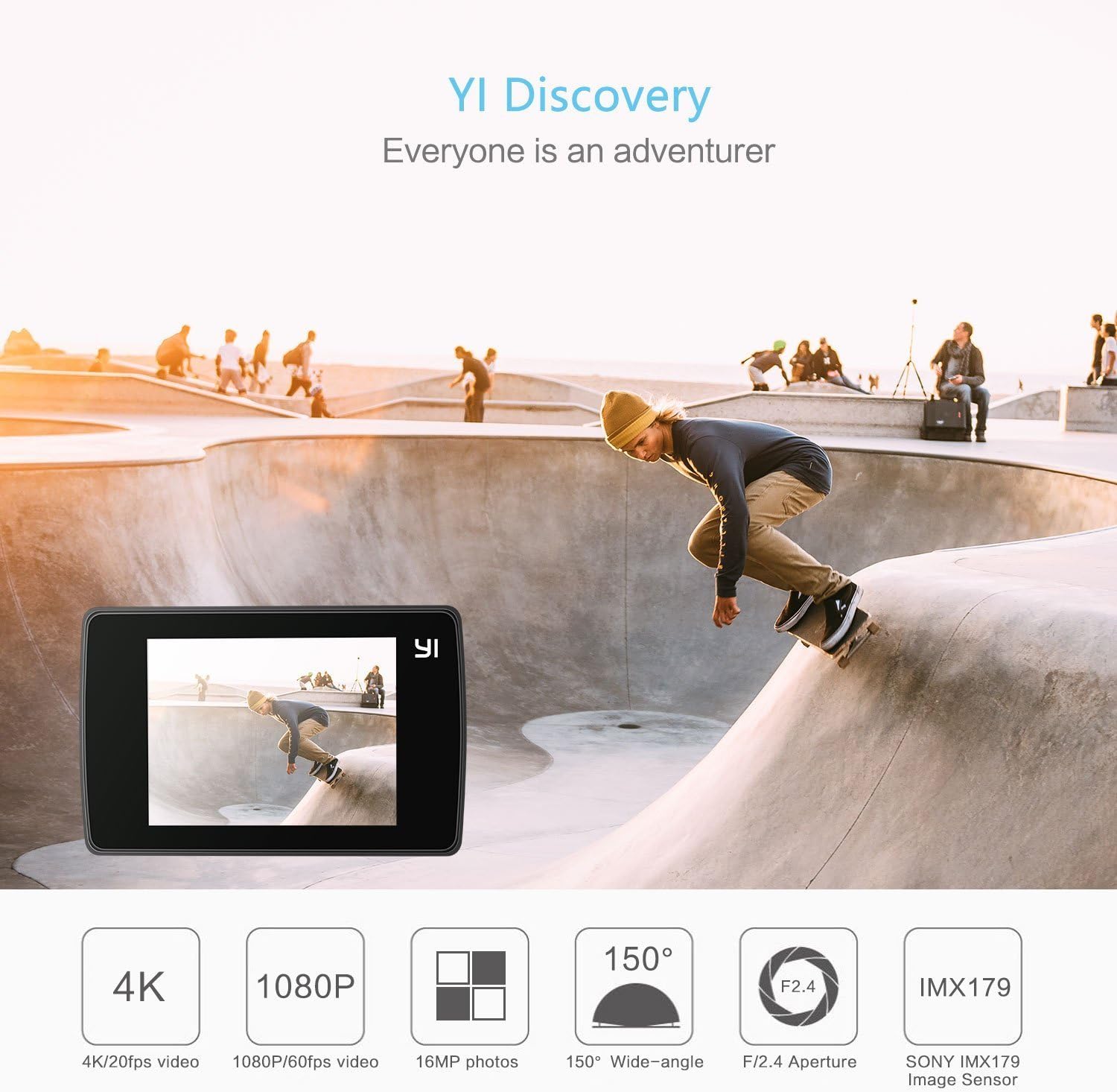
Slika 3.1: Prednja strana View s ključnim karakteristikama
The front features the lens, status indicator light, and microphone. The rear is dominated by the 2.2-inch LCD touchscreen for intuitive control.
3.2. Interfejs ekrana osjetljivog na dodir

Figure 3.2: Touchscreen Operation
The touchscreen allows for easy navigation through settings, previewing footage, and initiating recording. It is made with Gorilla Glass Retina for durability.
3.3. Priključci i dugmad
- Power/Shutter Button: Located on top, used to power on/off the camera and start/stop recording or take photos.
- Mikro USB port: Located on the side, used for charging and data transfer.
- Utor za microSD karticu: Located at the bottom, for inserting the memory card.
- Pretinac za baterije: Located at the bottom, for inserting the rechargeable battery.
- Montaža za stativ: Standard 1/4" thread on the bottom for mounting accessories.
4. Početno podešavanje
4.1. Punjenje baterije
Before first use, fully charge the included rechargeable lithium-ion battery.
- Otvorite poklopac pretinca za bateriju na dnu kamere.
- Umetnite bateriju u odjeljak, pazeći na pravilnu orijentaciju.
- Čvrsto zatvorite poklopac odeljka za baterije.
- Connect the camera to a USB power source (e.g., computer, wall adapter) using the provided USB cable. The status indicator light will show charging status.

Slika 4.1: Umetanje baterije
4.2. Umetanje MicroSD kartice
A MicroSD card (not included) is required to store videos and photos. Use a high-speed card (Class 10 or UHS-I/UHS-3 recommended) for optimal performance.
- Uvjerite se da je kamera isključena.
- Locate the MicroSD card slot on the bottom of the camera.
- Umetnite MicroSD karticu s kontaktima okrenutim prema dolje dok ne klikne na svoje mjesto.
- Da biste uklonili, lagano gurnite karticu dok ne klikne, a zatim je otpustite da biste je izbacili.
5. Upravljanje kamerom
5.1. Uključivanje/isključivanje
- Uključeno: Press and hold the Power/Shutter button for a few seconds until the screen turns on.
- Iskljuciti: Press and hold the Power/Shutter button for a few seconds until the screen turns off.
5.2. Snimanje videa i fotografiranje
Once powered on, the camera defaults to video recording mode. You can switch between modes using the touchscreen.
- Započni snimanje: In video mode, press the Power/Shutter button once. The recording indicator will flash.
- Zaustavi snimanje: Press the Power/Shutter button again.
- Snimi fotografiju: Switch to photo mode via the touchscreen, then press the Power/Shutter button once.
5.3. Režimi snimanja
The YI 4K Action Camera offers various shooting modes to suit different scenarios:

Figure 5.1: Available Shooting Modes
- video: Standard video recording (up to 4K/30fps).
- foto: Single photo capture (up to 12MP).
- Vremenski interval: Captures a series of photos at set intervals to create a video.
- Usporeni snimak: Snima video s velikom brzinom sličica u sekundi za usporenu reprodukciju.
- rafal: Snima više fotografija u brzom slijedu.
- Tajmer: Postavlja kašnjenje prije snimanja fotografije.
5.4. Connecting to the YI Action App (Wi-Fi)
The YI Action App allows for remote control, live preview, and easy sharing of content.

Figure 5.2: Wi-Fi Connection for App Control
- Download the YI Action App from your smartphone's app store.
- On the camera, enable Wi-Fi through the touchscreen settings.
- On your smartphone, connect to the camera's Wi-Fi network (SSID and password displayed on the camera screen).
- Open the YI Action App to connect and control your camera.

Figure 5.3: YI Action App Interface
5.5. Upravljanje glasom
The camera supports voice commands for hands-free operation. Ensure the latest firmware is installed to enable this feature.
- Specific voice commands can be found in the camera's settings menu or the YI Action App.
5.6. Electronic Image Stabilization (EIS)
EIS helps to stabilize video footage, reducing shakiness. This feature is available for certain resolutions and frame rates (e.g., up to 2.7K/60fps).
- Enable or disable EIS through the camera's settings menu on the touchscreen.
6. Održavanje i njega
- čišćenje: Use a soft, lint-free cloth to clean the camera body and lens. Do not use harsh chemicals or abrasive materials.
- Skladištenje: Čuvajte kameru na hladnom i suhom mjestu, dalje od direktne sunčeve svjetlosti i ekstremnih temperatura. Izvadite bateriju ako je skladištite duži period.
- Izloženost vodi: The camera itself is not waterproof. Use a compatible waterproof case (sold separately) for underwater use.
- Ažuriranja firmvera: Regularly check for and install firmware updates via the YI Action App or YI Technology webstranicu kako bi se osigurale optimalne performanse i pristup novim funkcijama.
7. Otkrivanje problema
If you encounter issues with your YI 4K Action Camera, refer to the table below for common problems and solutions.
| Problem | Moguće rješenje |
|---|---|
| Kamera se ne uključuje. | Ensure the battery is fully charged. Reinsert the battery. |
| Greška MicroSD kartice. | Use a high-speed (Class 10/UHS-I/UHS-3) MicroSD card. Format the card in the camera's settings. Try a different card. |
| Problemi s Wi-Fi vezom. | Ensure Wi-Fi is enabled on the camera. Restart both camera and smartphone. Check Wi-Fi password. |
| Loš kvalitet videa/fotografija. | Clean the lens. Ensure sufficient lighting. Adjust exposure settings. Update firmware. |
| Baterija se brzo prazni. | Reduce screen brightness. Turn off Wi-Fi/Bluetooth when not in use. Limit continuous recording time. |
8. Specifikacije
Key technical specifications for the YI 4K Action Camera:
| Feature | Detalj |
|---|---|
| Dimenzije proizvoda | 2.6 x 1.7 x 1.2 inča |
| Težina artikla | 3.36 unce |
| Broj modela | 90003 |
| Baterije | Potrebna 1 litijum-polimerska baterija (uključena) |
| Tehnologija foto senzora | CMOS |
| Rezolucija video snimanja | 4K |
| Maksimalna žižna daljina | 10 milimetara |
| Maksimalni otvor blende | 2.8 milimetara |
| Vrsta Flash memorije | Micro SD |
| Format video snimanja | AVI |
| Podržani audio format | AAC |
| Veličina ekrana | 2.2 inča |
| Tehnologija povezivanja | Bluetooth, Wi-Fi 4 (802.11n) |

Figure 8.1: Camera Dimensions
9. Garancija i podrška
The YI 4K Action Camera comes with a standard manufacturer's warranty. For detailed warranty terms and conditions, please refer to the warranty card included in your package or visit the official YI Technology website.
For further assistance, technical support, or to download the full user guide in PDF format, please visit the YI Technology support page or refer to the official user manual: