1. Uvod
This manual provides detailed instructions for the setup, operation, and maintenance of your TECKNET Wireless Mouse Jiggler. Please read this manual thoroughly before using the product to ensure optimal performance and longevity.
2. Sadržaj paketa
- TECKNET Wireless Mouse
- Uputstvo za upotrebu
3. Proizvod je gotovview
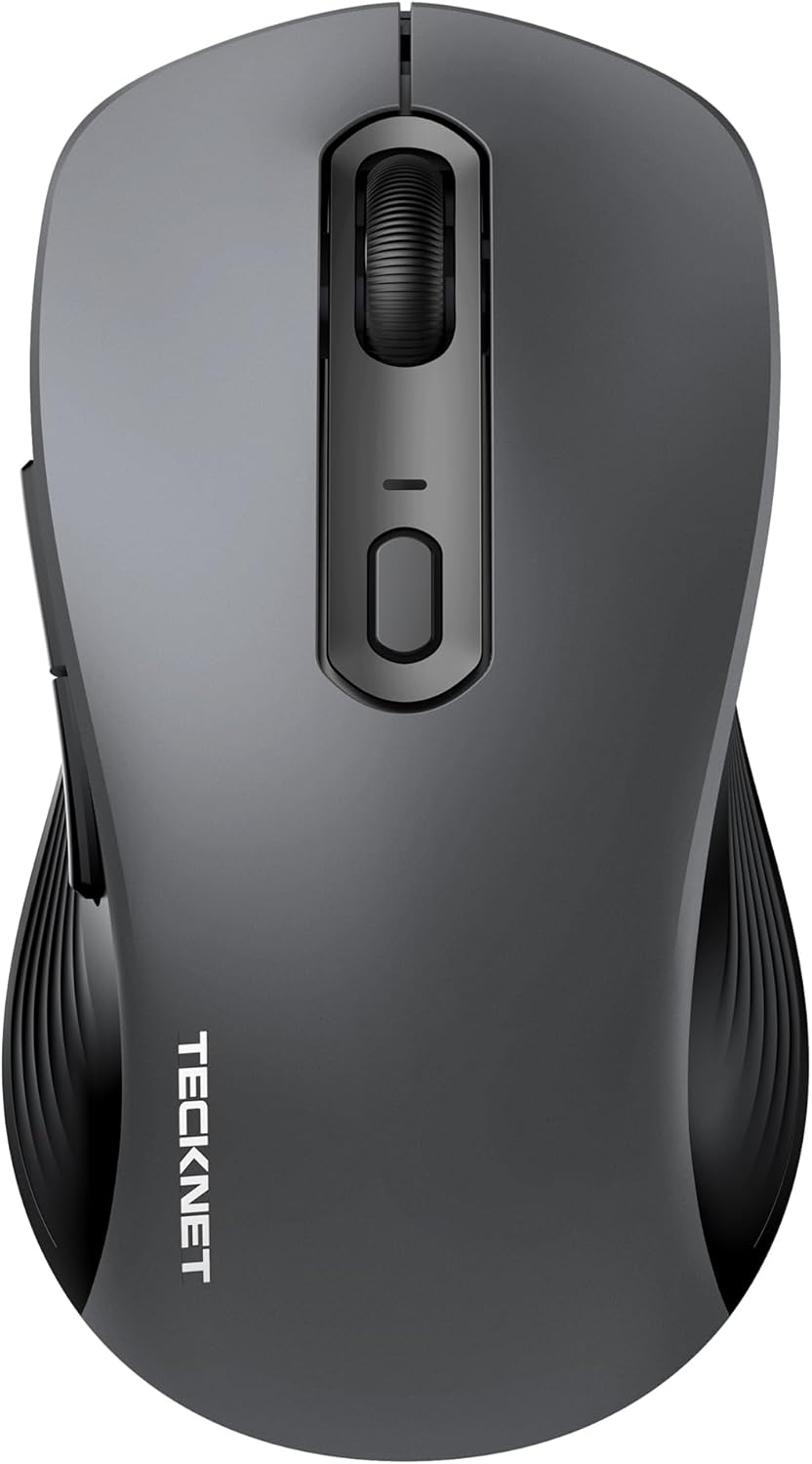
Figure 1: TECKNET Wireless Mouse Jiggler (Dark Grey)
The TECKNET Wireless Mouse Jiggler is designed for comfort and efficiency. It features a silent click mechanism, adjustable DPI settings, and a built-in mouse jiggler function to keep your screen active. The ergonomic design ensures a comfortable grip for extended use.
Ključne karakteristike:
- Tihi klik: Reduces clicking noise for a quiet work environment.
- Podesivi DPI: Cycle through multiple DPI settings (up to 6400 DPI) for precise control.
- Built-in Mouse Jiggler: Keeps your computer active, preventing sleep mode.
- Ergonomski dizajn: Contoured shape for comfortable right-hand use.
- Povezivanje: 2.4G Wireless via USB-C adapter.
- Snaga: Potrebne su 2 AAA baterije.
4. Podešavanje
4.1 Instalacija baterije
- Pronađite poklopac pretinca za bateriju na donjoj strani miša.
- Otvorite poklopac.
- Umetnite dvije AAA baterije, pazeći na ispravan polaritet (+/-).
- Čvrsto zatvorite poklopac odeljka za baterije.
4.2 Povezivanje
The TECKNET Wireless Mouse connects via a 2.4G USB-C adapter.
- Uključite miš pomoću prekidača ON/OFF koji se nalazi na donjoj strani.
- Plug the USB-C adapter into an available USB-C port on your computer (Mac, Laptop, Desktop, PC).
- Vaš računar bi trebao automatski prepoznati i instalirati potrebne upravljačke programe.
- The mouse is ready for use once the installation is complete.
5. Uputstvo za upotrebu
5.1 Podešavanje DPI (osjetljivosti)
The mouse features an adjustable DPI button, typically located near the scroll wheel. Press this button to cycle through different sensitivity levels (e.g., 800, 1200, 1600, 2400, 6400 DPI) to match your preference and task requirements.
5.2 Using the Built-in Mouse Jiggler
The mouse includes a built-in jiggler function to prevent your computer from entering sleep mode or showing an inactive status. To activate this feature, press and hold the designated button (refer to the mouse diagram in the user manual for exact button location, typically a side button or a specific combination). The mouse cursor will subtly move, simulating activity.
5.3 Silent Click
The left and right click buttons are designed for silent operation, providing a quiet user experience without the traditional clicking sound.
6. Održavanje
6.1 Opšta njega
- Održavajte miš čistim tako što ćete ga obrisati mekom, suhom krpom.
- Avoid exposing the mouse to extreme temperatures, humidity, or direct sunlight.
- Do not disassemble the mouse, as this may void the warranty.
6.2 Zamjena baterije
When the battery indicator light (if present) flashes, it's time to replace the AAA batteries. Follow the battery installation steps in Section 4.1.
7. Otkrivanje problema
| Issue | Moguće rješenje |
|---|---|
| Miš ne reaguje |
|
| Kretanje kursora je nestalno |
|
| Mouse Jiggler not working |
|
8. Specifikacije
| Feature | Detalj |
|---|---|
| Broj modela | 842079 |
| Tehnologija povezivanja | 2.4G Wireless (USB-C Adapter) |
| Tehnologija detekcije pokreta | Optički |
| DPI postavke | Do 6400 DPI |
| Posebna karakteristika | Silent Click, Built-in Mouse Mover |
| Izvor napajanja | Potrebne su 2 AAA baterije |
| Dimenzije proizvoda | 2.68 x 1.52 x 4.21 inča |
| Težina artikla | 2.08 unce |
9. Garancija i podrška
TECKNET products typically come with a manufacturer's warranty. For specific warranty details, registration, or technical support, please refer to the information provided in your product packaging or visit the official TECKNET webstranica. Također se možete direktno obratiti korisničkoj službi TECKNET-a za pomoć.


