1. Uvod
This manual provides detailed instructions for the safe and efficient operation of your Optoma EH416 Full HD 3D DLP Projector. Please read this manual thoroughly before using the projector and retain it for future reference. Proper use and maintenance will ensure optimal performance and longevity of your device.
Sigurnosne informacije
- Ne gledajte direktno u sočivo projektora kada je lamp je uključeno. Intenzivno svjetlo može uzrokovati oštećenje oka.
- Osigurajte odgovarajuću ventilaciju oko projektora. Ne blokirajte ventilacijske otvore.
- Koristite samo kabl za napajanje koji dolazi s projektorom. Spojite ga na propisno uzemljenu utičnicu.
- Ne izlažite projektor kiši, vlazi ili prekomjernoj vlažnosti.
- Za sve servisne radove obratite se kvalifikovanom servisnom osoblju. Ne pokušavajte sami otvarati ili popravljati projektor.
2. Šta se nalazi u kutiji
Please verify that all items listed below are present in your package. If any items are missing or damaged, contact your dealer immediately.
- Optoma EH416 Projector
- Kabl za napajanje
- VGA na VGA kabl
- Daljinski upravljač
- Torba za nošenje
- Baterije za daljinski upravljač
- Multilingual CD-ROM User’s Manual
- Kartica za brzi početak
- Garantni list
3. Proizvod je gotovview
Ključne karakteristike
- Visoka svjetlina: 4200 lumens for clear images in various lighting conditions.
- Visok kontrast: 20,000:1 contrast ratio for sharp, luminous images with deep blacks.
- Full HD rezolucija: Native 1080p (1920x1080) resolution, supporting up to WUXGA (1920x1200).
- Advanced Optical Lens: Features a 1.6x zoom and vertical lens shift for flexible installation.
- Opsežna povezanost: Dual HDMI (one with MHL support), dual audio-in, VGA, and more.
- sRGB Color Profile: Enables vibrant and highly accurate colors based on Rec. 709 HDTV specification.
- Podešavanje boje zida: Compensates for brightness loss when projecting on non-white surfaces.
- Edge Mask: Eliminates soft edges and jaggedness on the projection border for a smooth image.
- Integrirani audio: Ugrađeni zvučnik od 10W.
Komponente projektora
The image below illustrates the main components of the Optoma EH416 projector, including the lens, control panel, and various ports.
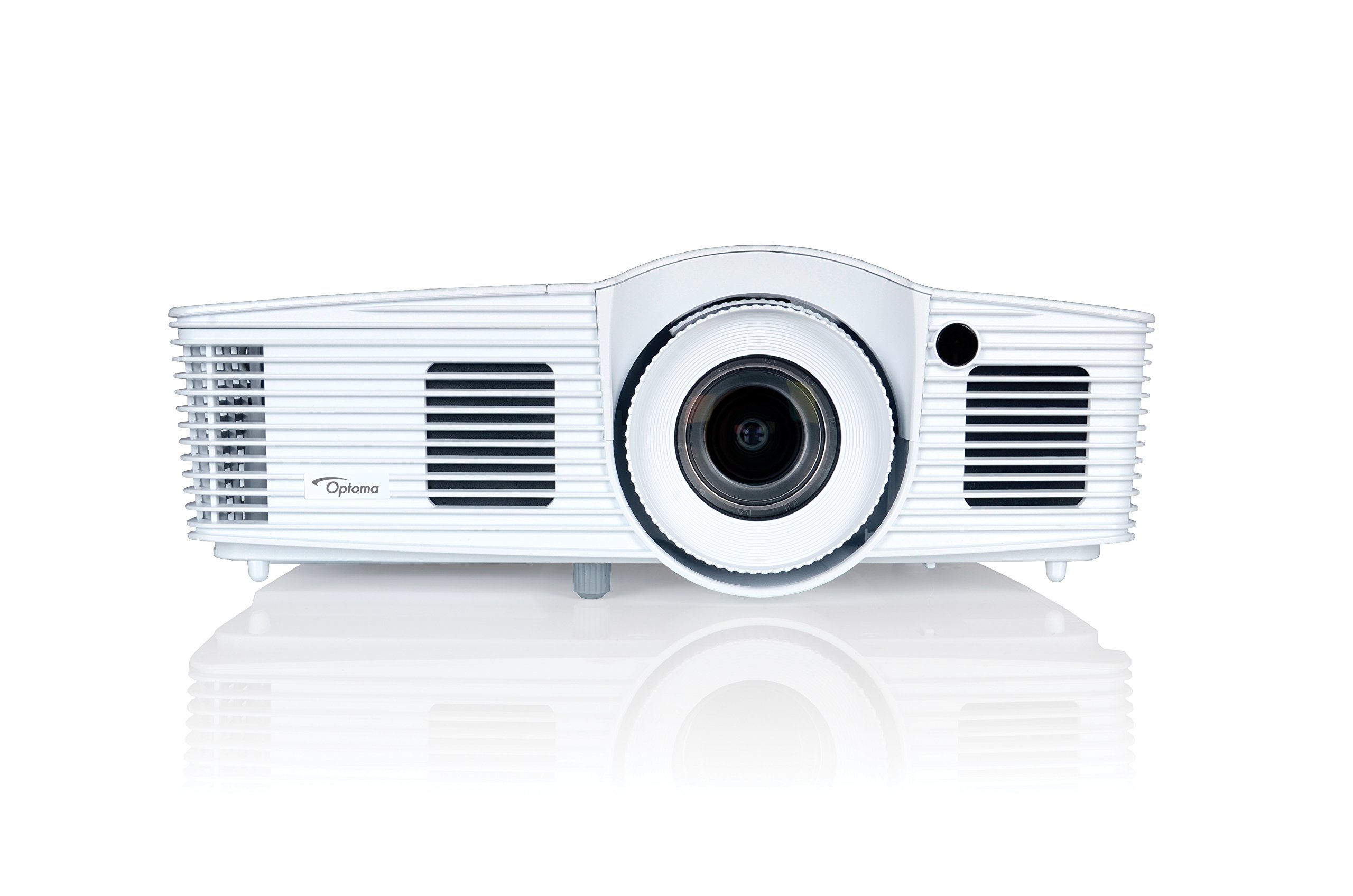
Slika 1: Prednja strana view of the Optoma EH416 Projector, showing the lens and primary controls.
Portovi za povezivanje
The Optoma EH416 projector offers a wide range of connectivity options located on the rear panel for versatile integration with various devices.
- HDMI (x2): Digital input for high-definition video and audio. One port supports MHL for mobile devices.
- VGA (x2): Analog input for computer connections.
- Audio In (x2): 3.5mm stereo jack for analog audio input.
- Audio izlaz: 3.5mm stereo jack for connecting external speakers.
- USB-A: For power output or service.
- RS232: Za upravljanje projektorom putem računara ili kontrolnog sistema.
- RJ45 (Ethernet): Za kontrolu i upravljanje mrežom.
4. Podešavanje
Postavljanje projektora
The Optoma EH416 offers flexibility in placement due to its 1.6x zoom and vertical lens shift capabilities. Position the projector on a stable surface or mount it securely. Adjust the distance from the screen to achieve the desired image size. The 1.6x zoom allows for a larger image from a shorter distance or a smaller image from a longer distance without moving the projector.
Povezivanje uređaja
- Priključak za napajanje: Spojite kabel za napajanje na utičnicu za napajanje projektora, a zatim na uzemljenu električnu utičnicu.
- Video izvor:
- For HDMI devices (e.g., Blu-ray player, laptop): Connect an HDMI cable from your device to one of the HDMI ports on the projector.
- For VGA devices (e.g., older laptops): Connect a VGA cable from your device to a VGA port on the projector. If audio is also required, connect a separate 3.5mm audio cable from your device to an Audio In port on the projector.
- For MHL compatible mobile devices: Connect an MHL cable to the designated HDMI/MHL port.
- Audio izlaz (opciono): If using external speakers, connect an audio cable from the projector's Audio Out port to your sound system.
Uključivanje/isključivanje
- Za uključivanje: Pritisnite dugme za napajanje na kontrolnoj tabli projektora ili daljinskom upravljaču. Indikator napajanja će postati plavo.
- Za isključivanje: Press the power button twice. The projector will enter a cooling down cycle before completely shutting off. Do not unplug the projector during the cooling cycle.
5. Upravljanje projektorom
Basic Operation
- Izbor izvora: Use the 'Source' button on the remote or control panel to cycle through available input sources (HDMI1, HDMI2/MHL, VGA1, VGA2).
- Navigacija menijem: Press the 'Menu' button to access the On-Screen Display (OSD). Use the arrow keys to navigate and 'Enter' to select options.
- Kontrola jačine zvuka: Use the volume buttons on the remote control to adjust the audio output from the built-in speaker or Audio Out port.
Podešavanje slike
- Fokus i zumiranje: Rotate the focus and zoom rings on the projector lens to achieve a sharp and appropriately sized image.
- Keystone korekcija: If the image appears trapezoidal, use the 'Keystone' function in the OSD menu or the dedicated button on the remote to correct the image shape. The EH416 supports ±40° vertical keystone correction.
- Vertikalni pomak sočiva: This feature allows you to physically move the image up or down without tilting the projector, minimizing keystone distortion. Adjust the lens shift dial located near the lens.
- Podešavanje boje zida: Access this feature in the OSD menu to compensate for the color of your projection surface (e.g., blackboard, light yellow wall). This helps maintain accurate color reproduction even on non-white walls.
- sRGB Color Profile: For the most accurate and vibrant colors, especially when connecting to a PC, Mac, or sRGB compatible source, select the sRGB picture mode in the OSD. This profile adheres to the Rec. 709 HDTV specification.
- Edge Mask: This function, found in the OSD, helps to refine the edges of the projected image, eliminating any soft or jagged appearance on the border.
6. Održavanje
Čišćenje projektora
- Objektiv: Koristite meku krpu bez dlačica, posebno dizajniranu za optička sočiva. Ne koristite abrazivna sredstva za čišćenje.
- Casing: Obrišite projektor casinObrišite mekom, suhom krpom. Za tvrdokornu prljavštinu koristite blago suhu krpu.amp krpu s blagim deterdžentom, a zatim obrišite suhom krpom.
- Ventilacijski otvori: Regularly check and clean the air vents to prevent dust buildup, which can lead to overheating. Use a soft brush or compressed air.
Lamp Care
Projektor lamp ima ograničen vijek trajanja. Kada lamp life is nearing its end, a warning message may appear on the screen. Refer to the full user manual on the included CD-ROM for detailed instructions on lamp replacement. Always use genuine Optoma replacement lampkako bi se osigurale optimalne performanse i sigurnost.
7. Otkrivanje problema
This section addresses common issues you might encounter. For more detailed troubleshooting, refer to the comprehensive user manual on the included CD-ROM.
- Nema slike na ekranu:
- Check if the projector is powered on and the lamp je lit.
- Verify that the video source device is powered on and functioning correctly.
- Ensure the video cable (HDMI, VGA) is securely connected to both the projector and the source device.
- Select the correct input source using the 'Source' button on the remote or projector.
- Zamućena ili iskrivljena slika:
- Podesite fokusni prsten na sočivu projektora.
- If the image is trapezoidal, use the keystone correction function.
- Ensure the projector is perpendicular to the screen or use vertical lens shift.
- Nema zvuka:
- Provjerite nivo jačine zvuka na projektoru i izvornom uređaju.
- If using an analog VGA connection, ensure a separate audio cable is connected.
- Provjerite da audio izlaz nije isključen.
- Daljinski upravljač ne radi:
- Provjerite i zamijenite baterije.
- Provjerite da nema prepreka između daljinskog upravljača i IR prijemnika projektora.
8. Specifikacije
| Feature | Detalj |
|---|---|
| Broj modela | EH416 |
| Rezolucija ekrana | 1920 x 1080 (Full HD) |
| Osvetljenost | 4200 lumena |
| Kontrast Ratio | 20,000:1 |
| Tehnologija povezivanja | Wireless, HDMI, MHL, VGA |
| Dimenzije proizvoda | 8.81 x 12.36 x 4.48 inča |
| Težina artikla | 6.6 funte |
| Preporučena upotreba | Poslovanje, obrazovanje |
| Proizvođač | OPTOMA TEHNOLOGIJA |
| Datum prve dostupnosti | 5. aprila 2016 |
9. Garancija i podrška
Your Optoma EH416 projector comes with a manufacturer's warranty. Please refer to the included warranty card for specific terms, conditions, and registration information. For technical support, product registration, or to download the latest drivers and firmware, please visit the official Optoma website or contact Optoma customer service.


