1. Uvod
This manual provides essential instructions for the safe and efficient operation of your InFocus IN128HDx 1080p DLP Professional Network Projector. Please read this manual thoroughly before using the projector and retain it for future reference. The InFocus IN128HDx is designed to deliver high-definition content with clarity and brightness, suitable for various professional and educational environments.
2. Proizvod je gotovview
2.1 Ključne karakteristike
- Native 1080p resolution for high-definition content display without scaling.
- 4000 lumens brightness and 15,000:1 contrast ratio for clear, readable images in various lighting conditions.
- Integrated 10-watt speaker for audio output.
- Common throw ratio (1.3:1) for flexible installation and replacement.
- Multiple connectivity options: HDMI, VGA, composite, S-video, and LAN port for network management.
2.2 Komponente projektora

Slika 2.1: Front view of the InFocus IN128HDx projector. This image shows the main lens and the overall compact design of the unit.

Slika 2.2: Top view of the InFocus IN128HDx projector, highlighting the control panel with buttons for power, menu, source selection, and navigation. Also visible are the focus and zoom rings near the lens.

Slika 2.3: Side view of the InFocus IN128HDx projector, illustrating the ventilation grilles for heat dissipation and the overall profile uređaja.
3. Podešavanje
3.1 Raspakivanje i postavljanje
- Pažljivo izvadite projektor iz ambalaže.
- Place the projector on a stable, flat surface or mount it securely according to installation guidelines. Ensure adequate ventilation around the unit.
- Position the projector at the desired distance from the screen. Refer to the specifications for throw ratio details.
3.2 Priključivanje na napajanje
- Spojite kabel za napajanje na utičnicu za napajanje projektora.
- Uključite drugi kraj kabla za napajanje u uzemljenu električnu utičnicu.
3.3 Povezivanje video izvora
The IN128HDx supports multiple input sources:
- HDMI: For high-definition digital video and audio. Connect an HDMI cable from your source device to the projector's HDMI port.
- VGA: For analog video signals from computers. Connect a VGA cable from your computer to the projector's VGA port.
- Kompozitni video: Za video standardne definicije. Spojite kompozitni video kabel (žuti RCA) na odgovarajući priključak.
- S-Video: For improved standard definition video. Connect an S-Video cable to the S-Video port.
- LAN: For network control and management. Connect an Ethernet cable to the LAN port.
4. Uputstvo za upotrebu
4.1 Uključivanje/isključivanje
- Uključeno: Pritisnite Snaga button on the projector's control panel or remote control. The power indicator light will illuminate.
- Iskljuciti: Pritisnite Snaga button again. A confirmation message may appear; press Snaga a second time to confirm shutdown. Allow the projector to cool down before unplugging.
4.2 Podešavanje fokusa i zumiranja
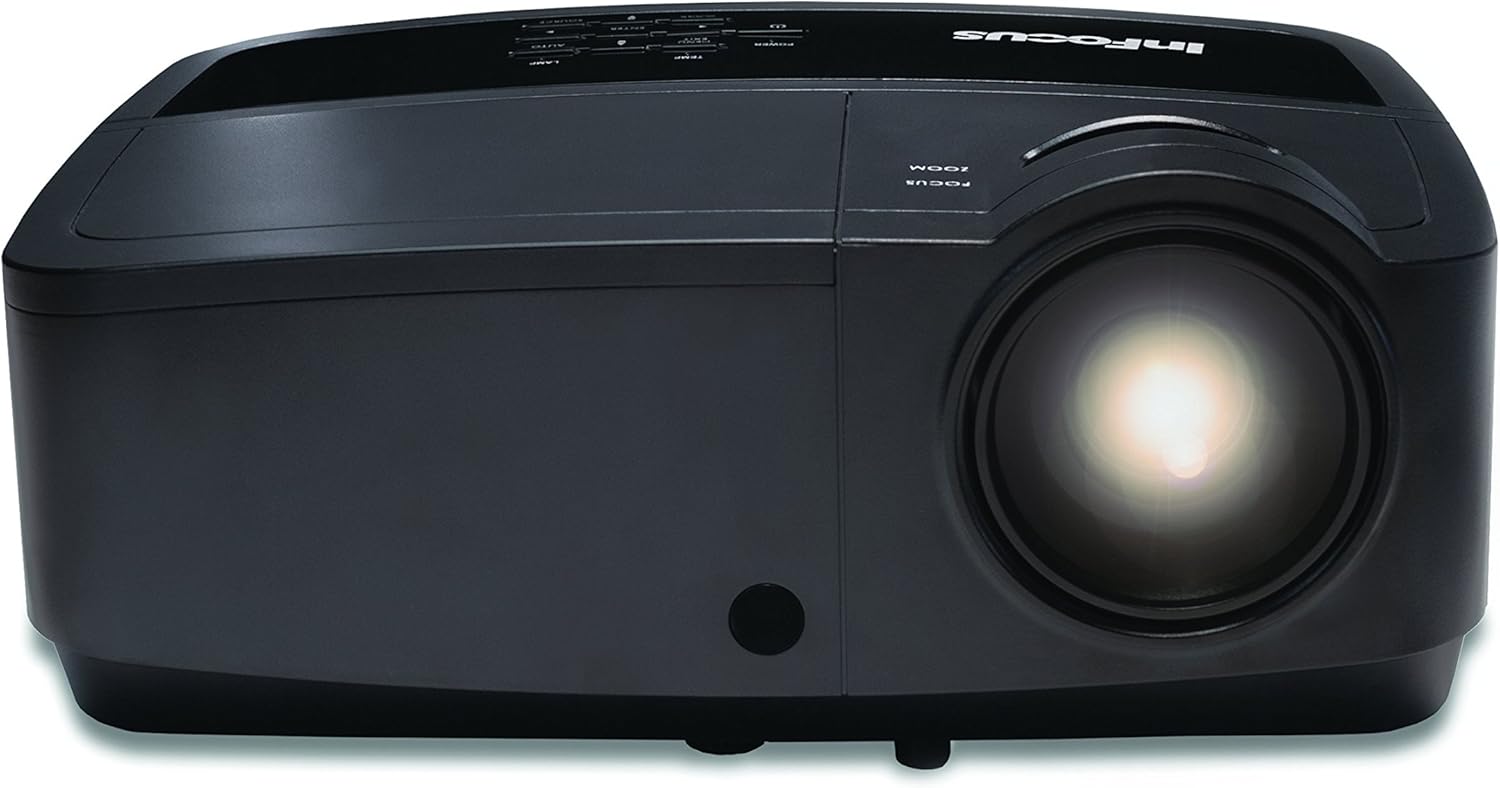
Slika 4.1: Close-up view of the projector lens, showing the manual focus and zoom adjustment rings. These rings are used to sharpen the image and adjust its size on the screen.
- Fokus: Rotirajte Focus ring around the lens until the image appears sharp and clear on the screen.
- zumiranje: Rotirajte Zoom ring to adjust the size of the projected image.
4.3 Odabir ulaznog izvora
Pritisnite Izvor button on the control panel or remote control to cycle through available input sources (HDMI, VGA, Composite, S-Video). Alternatively, use the menu to select the desired source.
4.4 Navigacija izbornikom
Pritisnite Meni dugme za pristup meniju na ekranu (OSD). Koristite tipke sa strelicama za navigaciju i Enter za odabir opcija. Pritisnite Meni or Izađi da zatvorite meni.
5. Održavanje
5.1 Lamp Zamjena
Projektor lamp ima ograničen vijek trajanja. Kada lamp indicator illuminates or the image brightness significantly decreases, the lamp možda će biti potrebna zamjena. Za detaljne informacije pogledajte kompletan servisni priručnik.amp replacement procedures. Always use genuine InFocus replacement lamps.
5.2 Čišćenje projektora
- Eksterijer: Koristite meku krpu koja ne ostavlja dlačice dampened with a mild cleaning solution to wipe the exterior casing. Ne koristite abrazivna sredstva za čišćenje ili rastvarače.
- Objektiv: Gently clean the projector lens with a lens cleaning cloth or lens paper. Avoid touching the lens surface with your fingers.
- Filteri zraka: Regularly check and clean the air filters to ensure proper ventilation and prevent overheating. Refer to the full service manual for filter access and cleaning instructions.
6. Otkrivanje problema
| Problem | Mogući uzrok | Rješenje |
|---|---|---|
| Nema prikazane slike |
|
|
| Slika je mutna |
|
|
| Nema zvuka |
|
|
For more detailed troubleshooting, please consult the comprehensive user manual available on the InFocus support website.
7. Specifikacije
| Feature | Detalj |
|---|---|
| Broj modela | IN128HDX |
| Display Type | DLP |
| Native Resolution | 1920 x 1080 (1080p) |
| Osvetljenost | 4000 lumena |
| Kontrast Ratio | 15,000:1 |
| Povezivanje | HDMI, VGA, Composite, S-Video, LAN |
| Ugrađeni zvučnik | 10-watt |
| Težina artikla | 5.06 funte (2.29 kg) |
| Dimenzije proizvoda | 8.66 x 11.5 x 3.86 inča (22 x 29.2 x 9.8 cm) |

Slika 7.1: InFocus IN128HDx projector illustrating its physical dimensions: approximately 29.2 cm (11.5 inches) in length, 22 cm (8.66 inches) in width, and 12.1 cm (4.76 inches) in height.
8. Garancija i podrška
For information regarding the product warranty, please refer to the warranty card included with your projector or visit the official InFocus website. For technical support, service, or to purchase replacement parts, please contact InFocus customer service or visit their support portal online.
InFocus Official Webstranica: www.infocus.com


