1. Uvod
This manual provides instructions for the setup, operation, and maintenance of your Insignia RC-801-0A LCD TV Remote Control. This remote is designed for use with various Insignia LCD TV models, ensuring seamless control over your television's functions.
2. Sadržaj paketa
- 1 x Insignia RC-801-0A Remote Control
Note: Batteries and a user manual are not included in the package.
3. Podešavanje
3.1 Instalacija baterije
- Pronađite odeljak za baterije na poleđini daljinskog upravljača.
- Pomaknite poklopac pretinca za baterije prema dolje da biste ga otvorili.
- Umetnite dvije (2) AAA baterije, pazeći da pozitivni (+) i negativni (-) terminali budu pravilno poravnati s oznakama unutar odjeljka.
- Vratite poklopac pretinca za baterije na mjesto dok ne klikne sigurno.
Important: The remote requires 2 AAA batteries (not included).
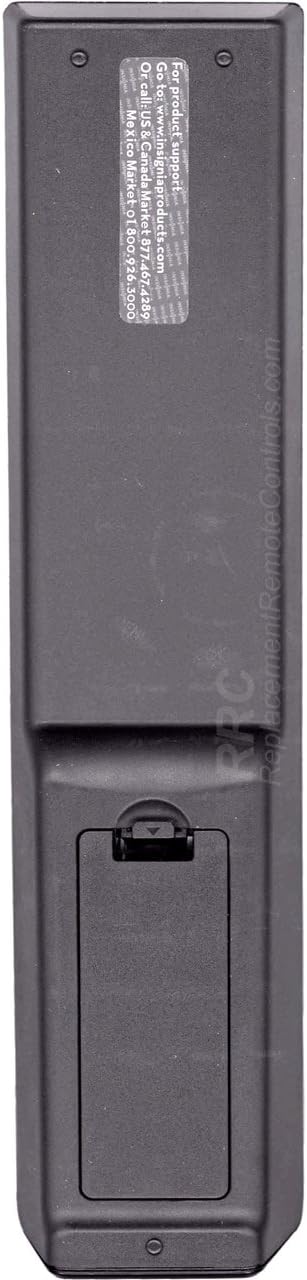
Slika 1: Nazad view of the Insignia RC-801-0A remote control, showing the battery compartment at the bottom. The compartment cover is designed to slide open for battery insertion.
3.2 Početna upotreba
The Insignia RC-801-0A remote control is pre-programmed for compatible Insignia LCD TV models. No additional programming or setup is typically required. Once batteries are installed, the remote should function immediately with your television.
4. Uputstvo za upotrebu
Familiarize yourself with the buttons on your remote control to effectively operate your Insignia LCD TV.

Slika 2: Front view of the Insignia RC-801-0A remote control, displaying all control buttons. Key sections include power, input selection, number pad, volume/channel controls, menu navigation, and media playback buttons.
4.1 Key Button Functions
- Snaga (●): Uključuje ili isključuje TV.
- COMP/AV, HDMI, TV: Selects the video input source.
- Numerička tastatura (0-9): Direktno unosi brojeve kanala.
- PODSJEĆANJE: Vraća se na prethodno viewed channel.
- VOL (+/-): Podešava nivo jačine zvuka.
- CH (▲/▼): Mijenja TV kanal gore ili dolje.
- MUTE: Utišava zvuk televizora.
- ULAZ: Ciklično prelazi kroz dostupne ulazne izvore.
- MENI: Otvara glavni meni televizora.
- Navigacijski gumbi (▲▼◀▶): Navigacija kroz opcije menija.
- ENTER/OK: Potvrđuje odabire u menijima.
- IZLAZ: Zatvara trenutni meni ili prikaz na ekranu.
- VODIČ: Prikazuje elektronski programski vodič (ako je dostupan).
- Media Playback Buttons (◀◀, ▶, ▮▮, ▶▶): Controls playback of connected media devices (e.g., DVD player, USB).
- ZOOM: Podešava nivo zumiranja ekrana.
5. Održavanje
5.1 Zamjena baterije
Replace batteries when the remote's response becomes inconsistent or stops working. Follow the battery installation steps in Section 3.1. Always replace both batteries at the same time with new AAA batteries.
5.2 Čišćenje
Za čišćenje daljinskog upravljača, nježno obrišite njegovu površinu mekom, suhom krpom. Za tvrdokornu prljavštinu, laganoampen the cloth with water. Avoid using harsh chemicals or abrasive cleaners, as these can damage the remote's finish or internal components.
6. Otkrivanje problema
- Daljinski ne reaguje:
- Uvjerite se da su baterije ispravno umetnute uz ispravan polaritet.
- Zamijenite stare baterije novima.
- Check for any obstructions between the remote and the TV's IR sensor.
- Point the remote directly at the TV's IR sensor.
- Određeni tasteri ne rade:
- Clean the remote's surface, especially around the non-functional buttons, to remove any debris.
- If the issue persists after battery replacement and cleaning, the remote may require replacement.
7. Specifikacije
| Broj modela | RC-801-0A |
| Brand | BADGE |
| Dimenzije proizvoda | 8 x 2 x 1 inča |
| Težina artikla | 3.67 unce |
| Izvor napajanja | 2 x AAA baterije (nisu uključene) |
| Kompatibilni uređaji | Insignia LCD Televisions |
| Boja | Crna |
8. Garancija i podrška
8.1 Informacije o garanciji
This product comes with a Six Months Warranty from the date of purchase. Please retain your proof of purchase for warranty claims. The warranty covers manufacturing defects but does not cover damage caused by misuse, accidents, or unauthorized modifications.
8.2 Korisnička podrška
For product support or warranty inquiries, please refer to the contact information provided by your retailer or the manufacturer's official website. The back of the remote may contain specific support details (see Figure 3).

Slika 3: Nazad view of the Insignia RC-801-0A remote control, showing a sticker with support information. The text indicates to visit www.insigniaproducts.com for product support and provides phone numbers for US/Canada and Mexico.
Specific support details from the remote's back sticker:
- For product support: Go to www.insigniaproducts.com
- Call US & Canada: 1-877-467-4289
- Meksiko: 01-800-926-3000


