Bluestone Automatic Wrist Blood Pressure Monitor User Manual
Model: 80-5103
1. Uvod
Thank you for choosing the Bluestone Automatic Wrist Blood Pressure Monitor. This device is designed to provide quick and accurate measurements of your systolic and diastolic blood pressure, as well as your pulse rate. Regular monitoring can help you track your heart health over time. Please read this manual thoroughly before using the device to ensure correct operation and accurate results.
2. Sigurnosne informacije
- Ovaj uređaj je namijenjen samo za kućnu upotrebu odraslih. Za tumačenje mjerenja krvnog pritiska obratite se svom ljekaru.
- Ne koristite ovaj uređaj na bebama, djeci ili osobama koje ne mogu izraziti svoj pristanak.
- Izbjegavajte mjerenja u vozilu u pokretu ili tokom fizičke aktivnosti.
- Do not self-diagnose or self-medicate based on the measurement results. Always consult a healthcare professional.
- Držite uređaj dalje od jakih elektromagnetnih polja.
- Do not disassemble or attempt to repair the device. Contact customer support if issues arise.
3. Proizvod je gotovview
The Bluestone Automatic Wrist Blood Pressure Monitor is a compact and portable device designed for ease of use. It features a large LCD screen for clear readings and a memory function to store past measurements.
3.1 Komponente
- Wrist Blood Pressure Monitor with integrated cuff
- Torbica za pohranu
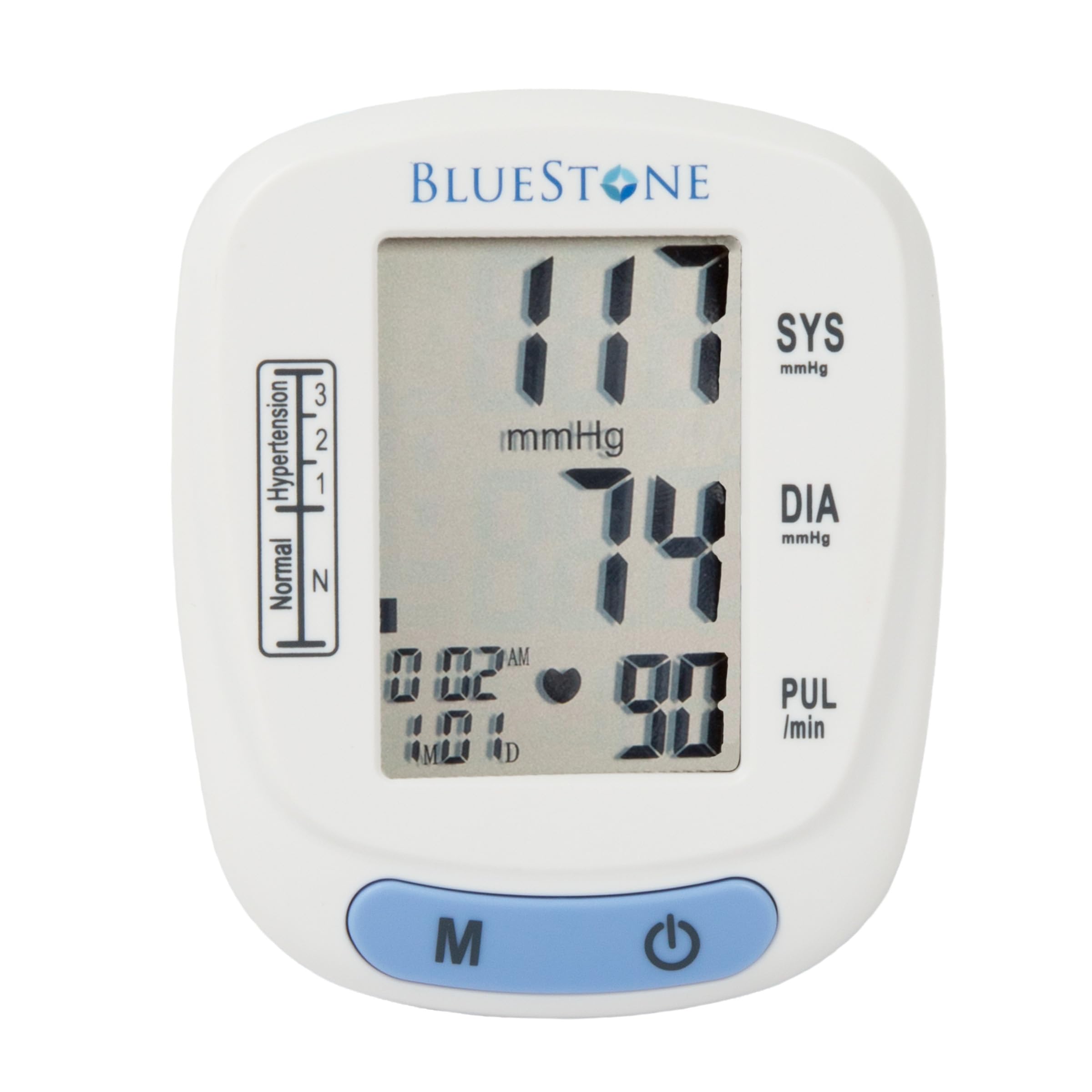
Image 3.1: Bluestone Automatic Wrist Blood Pressure Monitor on a user's wrist.
3.2 Karakteristike uređaja

Image 3.2: Labeled diagram highlighting the monitor's display elements and buttons.
- Veliki LCD ekran: Displays systolic, diastolic, pulse, date, and time.
- Blood Pressure Level Bar: Indicates blood pressure classification (Normal, Hypertension levels 1, 2, 3).
- Dugme za memoriju (M): Accesses stored readings.
- Dugme za uključivanje/isključivanje: Powers the device on and off, and initiates measurements.
- Podesiva manžetna: Designed to fit wrists up to 10 inches in circumference.
4. Podešavanje
4.1 Instalacija baterije
- Otvorite poklopac pretinca za baterije na stražnjoj strani monitora.
- Umetnite dvije AAA baterije (nisu uključene), pazeći na ispravan polaritet (+/-).
- Čvrsto zatvorite poklopac odeljka za baterije.
4.2 Postavljanje manžetne
- Skinite svu usku odjeću sa ručnog zgloba.
- Place the monitor on your left wrist with the display facing upwards. The cuff should be positioned approximately 1-2 cm above your wrist joint.
- Fasten the cuff snugly around your wrist. Ensure it is not too tight or too loose.
- Rest your arm on a table or flat surface so that the monitor is at the same level as your heart. Keep your palm open and relaxed.
5. Uputstvo za upotrebu
5.1 Mjerenje
- Ensure the cuff is correctly placed on your wrist and your arm is positioned at heart level.
- Press the On/Off button to power on the device. The display will show all symbols briefly, then '00'.
- Manžetna će se automatski napuhati i mjerenje će započeti. Ostanite mirni i tihi tokom mjerenja.
- Once the measurement is complete, the systolic pressure, diastolic pressure, and pulse rate will be displayed on the screen. The device will automatically store this reading.
- Press the On/Off button again to turn off the device, or it will automatically shut off after approximately one minute of inactivity.
5.2 Tumačenje rezultata
The monitor displays your systolic (SYS) and diastolic (DIA) blood pressure in mmHg, and your pulse (PUL) in beats per minute. The blood pressure level bar on the left side of the display indicates your reading's classification according to World Health Organization (WHO) guidelines:
- normalno: Optimalni krvni pritisak.
- Hypertension (Levels 1, 2, 3): Indicates elevated blood pressure. Consult a healthcare professional for advice.

Image 5.1: Monitor displaying a sample reading and highlighting key features.
6. Funkcija memorije
The monitor can store up to 120 measurements with date and time stamps, allowing you to track your blood pressure trends.
6.1 Storing Readings
Each successful measurement is automatically stored in the device's memory.
6.2 Recalling Readings
- Dok je uređaj isključen, pritisnite dugme 'M' (Memorija).
- Najnovije očitanje će biti prvo prikazano.
- Press the 'M' button repeatedly to scroll through previous measurements.
- To exit memory mode, press the On/Off button or wait for the device to automatically shut off.
7. Održavanje
7.1 Čišćenje
- Obrišite monitor i manžetnu mekom, suhom krpom.
- Ne koristite abrazivna sredstva za čišćenje niti uranjajte uređaj u vodu.
7.2 Skladištenje
- Store the monitor in its included protective case when not in use.
- Uređaj držite na hladnom i suhom mjestu, dalje od direktne sunčeve svjetlosti i ekstremnih temperatura.
- Ako se uređaj neće koristiti duži period, izvadite baterije kako biste spriječili curenje.

Image 7.1: Monitor stored in its protective case.
8. Otkrivanje problema
| Problem | Mogući uzrok | Rješenje |
|---|---|---|
| Nema prikaza kada je uključen | Baterije su prazne ili nepravilno umetnute. | Zamijenite baterije novim AAA baterijama, pazeći na ispravan polaritet. |
| Error message (e.g., 'Err') | Movement during measurement, improper cuff placement, or device malfunction. | Remain still and silent. Re-apply cuff correctly. If error persists, contact support. |
| Nekonzistentna čitanja | Improper posture, talking during measurement, or recent physical activity. | Ensure proper technique (see Section 5.1). Take measurements at the same time each day. |
9. Specifikacije

Image 9.1: Dimensions of the Bluestone Blood Pressure Monitor.
| Feature | Detalj |
|---|---|
| Broj modela | 80-5103 |
| Dimenzije proizvoda | 3 cm D x 2.5 cm Š x 2.5 cm Debljina |
| Težina artikla | 8.3 unce |
| Cuff Circumference | Fits up to 10" wrists |
| Izvor napajanja | 2 x AAA baterije (nisu uključene) |
| Display Type | Digitalni LCD |
| Kapacitet memorije | Up to 120 readings with date/time stamp |
10. Garancija i podrška
Bluestone products are manufactured with quality and care. For warranty information or technical support, please refer to the contact details provided with your purchase documentation or visit the official Bluestone webMolimo sačuvajte dokaz o kupovini za bilo kakve reklamacije u vezi s garancijom.


