Uvod
This manual provides essential information for the proper setup, operation, and maintenance of your RCA Cambio 10.1 W101 V2 Windows 10 2-in-1 Tablet PC. Please read these instructions thoroughly before using your device to ensure optimal performance and longevity.
The RCA Cambio 10.1 W101 V2 is a versatile 10-inch tablet powered by an Intel quad-core processor and preloaded with Windows 10. It features a detachable keyboard, allowing for flexible use as both a tablet and a laptop. Key features include Bluetooth connectivity, front and rear 2MP cameras, and 32GB of internal storage.
Setup
1. Raspakivanje i prvi pregled
Pažljivo izvadite sve komponente iz ambalaže. Provjerite da li su sljedeće stavke prisutne:
- RCA Cambio 10.1 W101 V2 Tablet
- Odvojiva tastatura
- Adapter za napajanje
Inspect the device for any visible damage. If any components are missing or damaged, contact customer support.
2. Punjenje uređaja
Before first use, fully charge the tablet. Connect the power adapter to the charging port on the tablet and then to a power outlet. The charging indicator will illuminate. A full charge may take several hours.
3. Attaching the Detachable Keyboard
Align the tablet with the magnetic connector on the detachable keyboard. Gently push the tablet down until it securely clicks into place. The keyboard does not require separate power or pairing.

Slika: Stražnja strana view of the RCA Cambio 10.1 W101 V2 tablet with the detachable keyboard attached, illustrating the connection point and available ports.
4. Početno uključivanje i podešavanje Windowsa 10
Press and hold the power button located on the side of the tablet until the screen illuminates. Follow the on-screen prompts to complete the initial Windows 10 setup, including language selection, network connection, and user account creation.
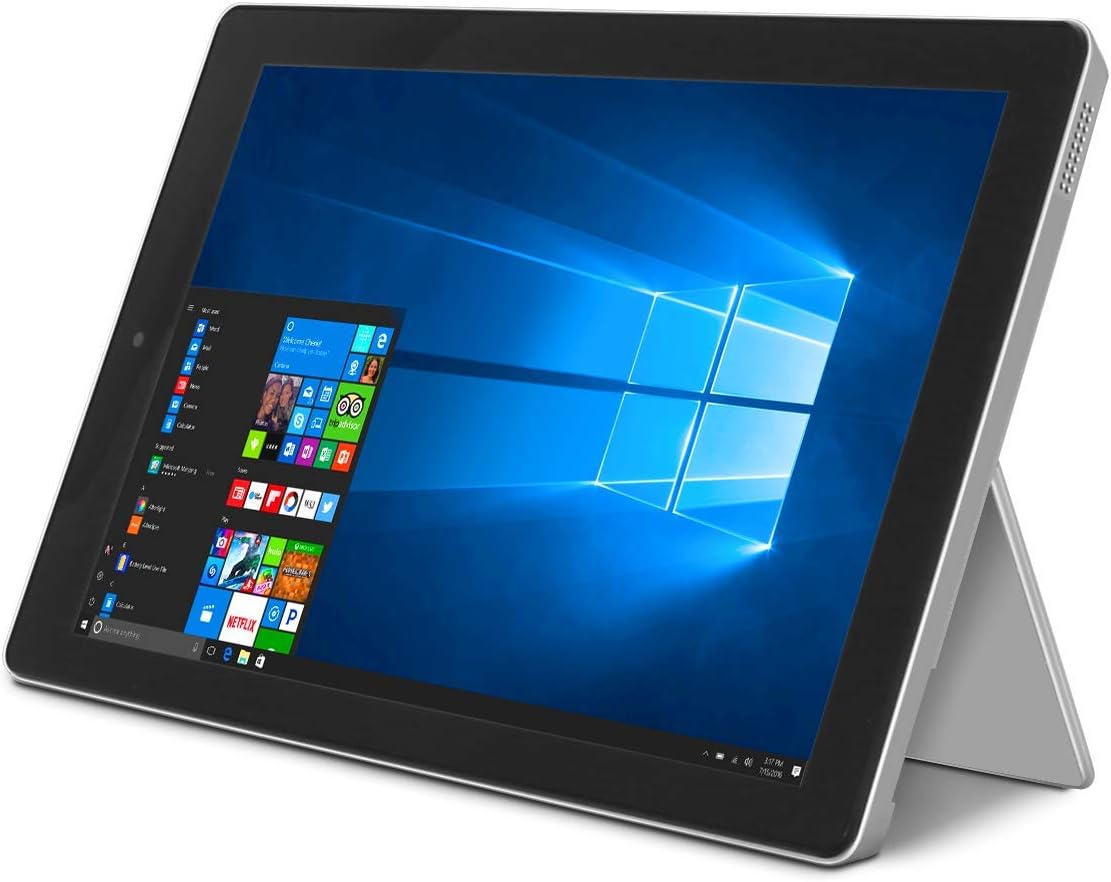
Image: The RCA Cambio 10.1 W101 V2 tablet in laptop mode, showcasing the Windows 10 operating system interface.
Uputstvo za upotrebu
1. Osnovna navigacija
Touchscreen:
The tablet features a multi-touch display. Use gestures such as tap, swipe, pinch-to-zoom, and press-and-hold to interact with the interface.
Tastatura i Touchpad:
When the detachable keyboard is connected, you can use the physical keys for typing and the integrated touchpad for cursor control. The touchpad supports multi-touch gestures similar to a laptop touchpad.

Image: The RCA Cambio 10.1 W101 V2 tablet in portrait orientation, showing the Windows 10 Start screen with application tiles.
2. Povezivanje na Wi-Fi
- Otvorite Start Menu i kliknite na Postavke.
- Odaberite Mreža i Internet.
- Izaberi Wi-Fi iz menija s lijeve strane.
- Uključi/isključi Wi-Fi On ako je isključen.
- Select your desired network from the list and click Povežite se.
- Unesite mrežnu lozinku ako se to od vas zatraži.
3. Bluetooth uparivanje
- Otvorite Start Menu i kliknite na Postavke.
- Odaberite Uređaji.
- Izaberi Bluetooth i drugi uređaji iz menija s lijeve strane.
- Uključite Bluetooth On.
- Kliknite Dodajte Bluetooth ili drugi uređaj and follow the instructions to pair with your desired device.
4. Korištenje kamera
The tablet is equipped with front and rear 2MP cameras. To access the camera, open the Kamera application from the Start Menu or search bar. You can switch between front and rear cameras within the application interface.
5. Productivity with Microsoft Office 365
The device comes preloaded with Windows 10, which supports Microsoft Office 365 applications. You can create and edit documents, spreadsheets, and presentations. An active subscription to Microsoft Office 365 may be required for full functionality.

Image: The RCA Cambio 10.1 W101 V2 tablet running Microsoft Office applications, highlighting its use for productivity tasks.
6. Upravljanje skladištem
The tablet includes 32GB of internal storage. To manage your storage, go to Postavke > Sistem > Pohrana. Možeš view storage usage, free up space, and change where new content is saved. Consider using cloud storage or an external microSD card (not included) for additional space.
Održavanje
1. Čišćenje uređaja
Use a soft, lint-free cloth to clean the screen and exterior surfaces. For stubborn smudges, slightly dampOperite krpu vodom ili sredstvom za čišćenje ekrana. Izbjegavajte upotrebu jakih hemikalija ili abrazivnih materijala.
2. Ažuriranja softvera
Regularly check for and install Windows updates to ensure your system has the latest security patches and features. Go to Postavke > Ažuriranje i sigurnost > Windows Update da provjerite ažuriranja.
3. Održavanje baterije
Da produžite vijek trajanja baterije:
- Izbjegavajte često potpuno pražnjenje baterije.
- Ne izlažite uređaj ekstremnim temperaturama.
- Unplug the charger once the battery is fully charged, especially during extended periods of non-use.
4. Sigurnosna kopija podataka
Regularly back up important data to an external drive or cloud storage to prevent data loss in case of device malfunction.
Rješavanje problema
This section addresses common issues you might encounter with your RCA Cambio 10.1 W101 V2.
Uređaj se ne uključuje:
- Ensure the device is fully charged. Connect the power adapter and wait a few minutes before attempting to power on again.
- Pritisnite i držite dugme za napajanje najmanje 10-15 sekundi da biste izvršili hard reset.
Spore performanse ili zamrzavanje:
- Zatvorite nepotrebne aplikacije koje rade u pozadini.
- Provjerite i instalirajte sva ažuriranja za Windows koja su na čekanju.
- Ensure sufficient free storage space. Delete unnecessary files or move them to external storage.
- Ponovo pokrenite uređaj.
Problemi s Wi-Fi vezom:
- Provjerite je li Wi-Fi omogućen u Postavke > Mreža i Internet > Wi-Fi.
- Ponovo pokrenite Wi-Fi ruter i tablet.
- Forget the network and reconnect by entering the password again.
- Provjerite da li ste u dometu Wi-Fi signala.
Problemi sa Bluetooth uparivanjem:
- Provjerite je li Bluetooth omogućen i na tabletu i na uređaju koji pokušavate upariti.
- Make sure both devices are in pairing mode and within close proximity.
- Remove previously paired devices from the tablet's Bluetooth settings if you are experiencing conflicts.
Tastatura ne reaguje:
- Ensure the keyboard is securely attached to the tablet's magnetic connector.
- Detach and reattach the keyboard.
- Ponovo pokrenite tablet.
Baterija se brzo prazni:
- Podesite svjetlinu ekrana na nižu postavku.
- Close background applications and disable unnecessary features like Bluetooth or Wi-Fi when not in use.
- Provjerite potrošnju baterije u Settings > System > Battery to identify power-consuming applications.
Vraćanje na tvorničke postavke (posljednja opcija):
If issues persist, you may consider performing a factory reset. This will erase all data and reinstall Windows 10. Napravite sigurnosnu kopiju svih važnih podataka prije nego što nastavite. Idi na Settings > Update & Security > Recovery > Reset this PC i pratite uputstva na ekranu.
Specifikacije
| Feature | Specifikacija |
|---|---|
| Broj modela | W101 V2 |
| Operativni sistem | Windows 10 |
| Veličina ekrana | 10.1 inča |
| Rezolucija ekrana | 1280 x 800 |
| Procesor | Intel Quad-Core (1.83 GHz) |
| RAM | 2 GB DDR3 SDRAM |
| Interna pohrana | 32 GB Flash memorije |
| Bežično povezivanje | 802.11b Wi-Fi, Bluetooth |
| Kamere | Front and Rear (2 MP) |
| Baterija | 1 litijum-jonska baterija (uključena) |
| Dimenzije (DxŠxV) | 12.2 x 8.5 x 3.15 inča |
| Težina artikla | 2.75 funte |
Garancija i podrška
Za informacije o garanciji i tehničkoj podršci, molimo pogledajte dokumentaciju koja dolazi s vašim proizvodom ili posjetite službenu RCA podršku. webSačuvajte dokaz o kupovini za slučaj reklamacije.
For further assistance, you may contact RCA customer service. Contact details are typically available on the manufacturer's website.


