1. Uvod
This manual provides essential information for the setup, operation, and maintenance of your Epson SureColor P400 Wireless Color Photo Printer. Please read this manual thoroughly before using the printer to ensure optimal performance and longevity.
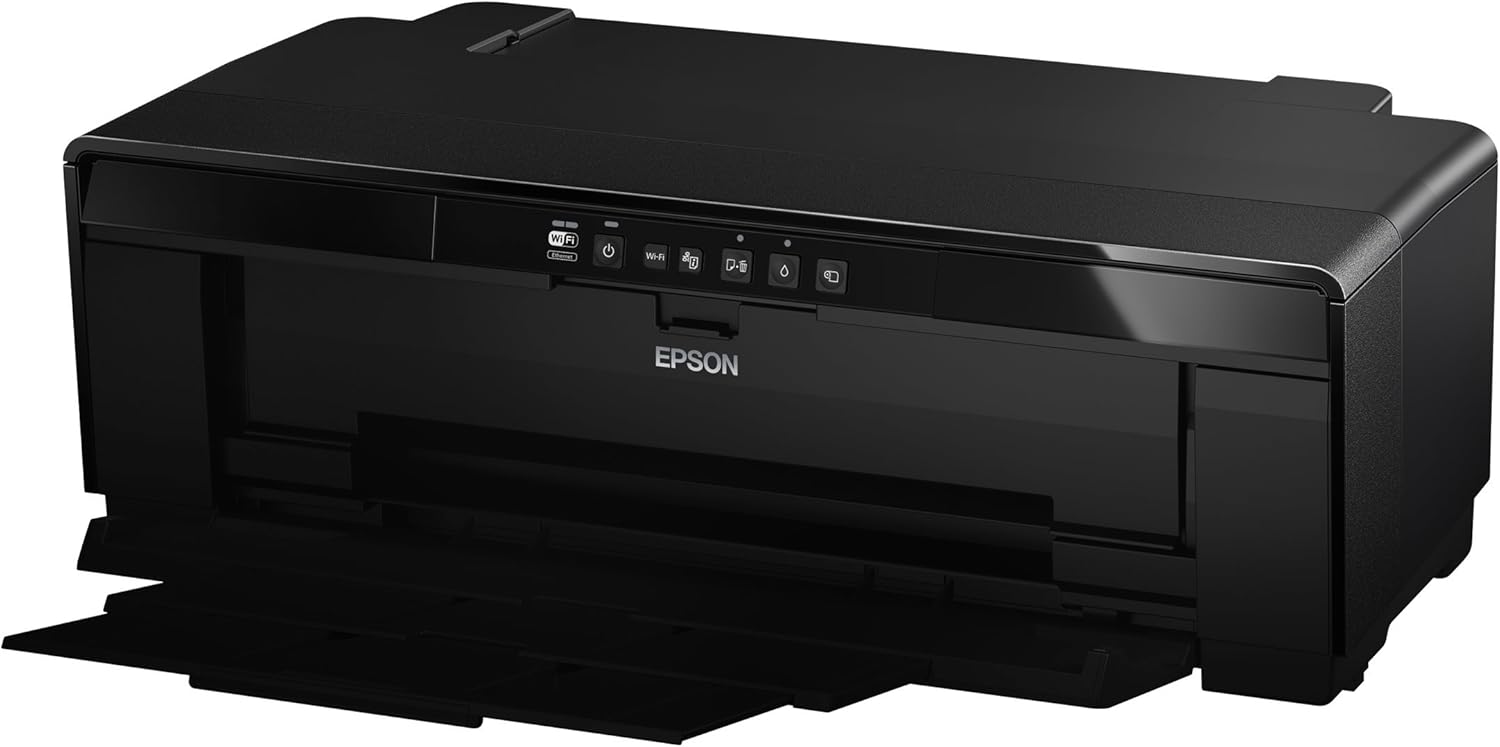
Slika 1: Prednja strana view of the Epson SureColor P400 Wireless Color Photo Printer.
2. Ključne karakteristike
- UltraChrome HG2 Ink: Utilizes an 8-color pigment ink set, including Red and Orange inks, for vibrant, true-to-life color and deep blacks.
- Gloss Optimizer: Provides a smooth, professional finish to prints.
- Svestrano rukovanje medijima: Supports 13-inch wide cut-sheet and roll paper, fine art paper, and art board up to 1.3 mm thick.
- Povezivanje: Features Wireless (Wi-Fi), Ethernet, and USB 2.0 for flexible printing options.
- Individual Ink Cartridges: High-capacity 14 mL cartridges allow for replacement of only the color needed.

Slika 2: Gotovoview of the Epson SureColor P400 highlighting advanced paper handling, versatile connectivity, and the MicroPiezo printhead.
3. Vodič za postavljanje
3.1 Raspakivanje i postavljanje
- Pažljivo izvadite štampač iz ambalaže.
- Postavite štampač na stabilnu, ravnu površinu sa dovoljno prostora oko njega za rad i ventilaciju.
- Remove all protective tapes and packing materials from the printer.
3.2 Instaliranje kertridža s tintom
- Open the printer cover to access the ink cartridge slots.
- Unpack each 14 mL ink cartridge (Cyan, Gloss Optimizer, Magenta, Matte Black, Orange, Photo Black, Red, Yellow).
- Insert each cartridge into its corresponding color-coded slot until it clicks into place.
- Zatvorite poklopac štampača.
Video 1: Official Epson SureColor P400 overview, demonstrating key features and ink installation. This video provides a visual guide to the printer's capabilities and how to manage ink cartridges.
3.3 Priključak za napajanje
- Spojite kabel za napajanje s pisačem, a zatim s električnom utičnicom.
- Pritisnite dugme za napajanje da uključite štampač.
3.4 Instalacija softvera i povezivanje
- Install the printer software on your computer (PC or Mac) from the provided CD or Epson's official website.
- Follow the on-screen instructions to set up your preferred connection method:
- Bežično (Wi-Fi): Povežite štampač sa bežičnom mrežom.
- Ethernet: Spojite Ethernet kabel iz pisača na ruter ili mrežno čvorište.
- USB 2.0: Connect a USB cable (not included) from the printer to your computer.

Image 3: Illustration of the Epson SureColor P400's compatibility and connectivity features, showing various devices and connection types.
4. Uputstvo za upotrebu
4.1 Umetanje papira
The SureColor P400 offers multiple paper loading options:
- Auto Sheet Feeder: For photo, matte, and plain papers. Load paper into the top rear slot.
- Rear Single Sheet Fine Art Paper Path: For heavier fine art papers and specialty media.
- Roll Paper Holder: For 8.3-inch or 13-inch wide roll paper, ideal for panoramas up to 129 inches long.
- Front Straight-Through Path: Handles art board up to 1.3 mm thick.

Image 4: Diagram illustrating the three media feed options available on the Epson SureColor P400, including the top-loading auto-sheet feeder, front fine-art media feed, and roll media feed.

Image 5: The Epson SureColor P400 is capable of printing on a wide range of media, including various types of Epson Legacy Papers, Velvet Fine Art, Premium Photo Paper Luster, and Exhibition Canvas Gloss.
4.2 Štampanje
- Provjerite je li štampač uključen i povezan s vašim uređajem.
- Otvorite dokument ili sliku koju želite odštampati na računaru.
- Select "Print" from your application's menu.
- Odaberite Epson SureColor P400 kao svoj štampač.
- Adjust print settings such as paper type, size, and quality in the printer driver dialog box.
- Click "Print" to begin the printing process.
5. Održavanje
5.1 Zamjena kertridža s tintom
- When an ink cartridge is low or empty, a notification may appear on your computer or the printer's indicator light will signal.
- Press the ink droplet button on the printer's control panel to move the print head to the replacement position.
- Otvorite poklopac spremnika s tintom.
- Pritisnite jezičak na praznom kertridžu da biste ga oslobodili, a zatim ga ravno izvucite.
- Unpack a new genuine Epson ink cartridge and insert it firmly into the correct slot until it clicks.
- Close the ink cartridge cover and press the ink droplet button again to return the print head to its home position.
5.2 Čišćenje glave za štampanje
If print quality declines or you notice missing lines or incorrect colors, perform a print head cleaning:
- Access the printer utility software on your computer.
- Select "Head Cleaning" or "Nozzle Check" to initiate the cleaning cycle.
- Follow the on-screen prompts. Repeat if necessary.
5.3 Cleaning the Paper Path
If you experience streaks on your prints, the paper path may need cleaning. Refer to the user guide for detailed instructions on how to clean the internal components, such as the pad that collects excess ink.
6. Otkrivanje problema
- Štampač ne reaguje:
- Provjerite priključak za napajanje i uvjerite se da je štampač uključen.
- Verify network or USB cable connection.
- Ponovo pokrenite štampač i računar.
- Loš kvalitet otiska (pruge, blijedilo):
- Provjerite nivo tinte i zamijenite sve prazne kertridže.
- Perform a print head cleaning and nozzle check.
- Provjerite da li koristite odgovarajuće postavke papira za vašu vrstu medija.
- Clean the paper path if streaks persist.
- Zaglavljivanje papira:
- Turn off the printer and carefully remove any jammed paper from the input or output trays.
- Refer to the user guide for instructions on clearing internal paper jams.
7. Specifikacije
| Feature | Detalj |
|---|---|
| Broj modela | C11CE85201 |
| Dimenzije proizvoda (D x Š x V) | 12.8" x 24.5" x 8.6" |
| Težina artikla | 27.1 funte |
| Tehnologija štampe | Inkjet (Pigment-based ink) |
| Izlaz štampača | Boja |
| Maksimalna rezolucija štampe | 5760 x 1440 dpi |
| Boje tinte | Cyan, Magenta, Yellow, Photo Black, Matte Black, Red, Orange, Gloss Optimizer |
| Tehnologija povezivanja | USB 2.0, Wireless (Wi-Fi), Ethernet |
| Podržane veličine medija | Up to 13" x 129" (roll paper), 13" x 19" (sheet) |
| Maksimalni kapacitet ulaznog lista | 1 (single sheet feed for specialty media) |
| Dvostrano štampanje (Duplex) | Da |
| Potrošnja energije | Printing: Approx. 20 W; Sleep mode: Approx. 1.4 W; Power off: Approx. 0.15 W |
| Kompatibilni uređaji | PC, Mac |

Image 6: Contents of the Epson SureColor P400 box, including the printer, ink cartridges, power cord, and user guide. Note that the USB cable is not included.
8. Informacije o garanciji
Specific warranty details for the Epson SureColor P400 are not provided in this manual. Please refer to the warranty card included with your product or visit the official Epson website for the most current and comprehensive warranty information.
9. Korisnička podrška
For technical assistance, troubleshooting, or further inquiries, please visit the official Epson support website or contact Epson customer service. Support resources often include FAQs, driver downloads, and contact information for live assistance.
Možete posjetiti Epson prodavnica na Amazonu za dodatne informacije o proizvodu i priboru.


