Uvod
Hvala na kupoviniasing the Soundbot SB210 HD Stereo Bluetooth Beanie. This manual provides essential information for the proper setup, operation, and maintenance of your device. Please read it thoroughly before use to ensure optimal performance and longevity of the product.
Sigurnosne informacije
- Ne izlažite uređaj ekstremnim temperaturama ili vlazi.
- Keep the device away from water and liquids, except when the electronic components are removed for washing.
- Ne pokušavajte rastavljati ili modificirati uređaj. To će poništiti garanciju.
- Koristite samo priloženi kabel za punjenje ili njegov certificirani ekvivalent.
- Izbjegavajte slušanje na velikoj glasnoći tokom dužeg perioda kako biste spriječili oštećenje sluha.
Sadržaj paketa
- Soundbot SB210 HD Stereo Bluetooth Beanie
- Micro USB kabl za punjenje
- Uputstvo za upotrebu
Product Overview
The Soundbot SB210 integrates Bluetooth audio technology into a comfortable beanie, allowing for wireless music playback and hands-free calling.

Image: The Soundbot SB210 Beanie featuring its integrated control panel on the side.
Funkcije kontrolne table
- Dugme za reprodukciju/pauzu: Uključivanje/isključivanje, reprodukcija/pauziranje muzike, odgovaranje/prekidanje poziva.
- Dugme za pojačavanje zvuka (+): Increase volume (short press), next track (long press).
- Dugme za smanjenje jačine zvuka (-): Decrease volume (short press), previous track (long press).
- mikrofon: Za hands-free pozive.
- Mikro USB port: Za punjenje interne baterije.
Setup
1. Charging the Beanie
Before initial use, fully charge the beanie. Locate the Micro USB charging port on the control panel. Connect the provided Micro USB cable to the port and the other end to a USB power source (e.g., wall adapter, computer USB port). The LED indicator will show charging status. A full charge typically takes approximately one hour and provides a full day of playback.
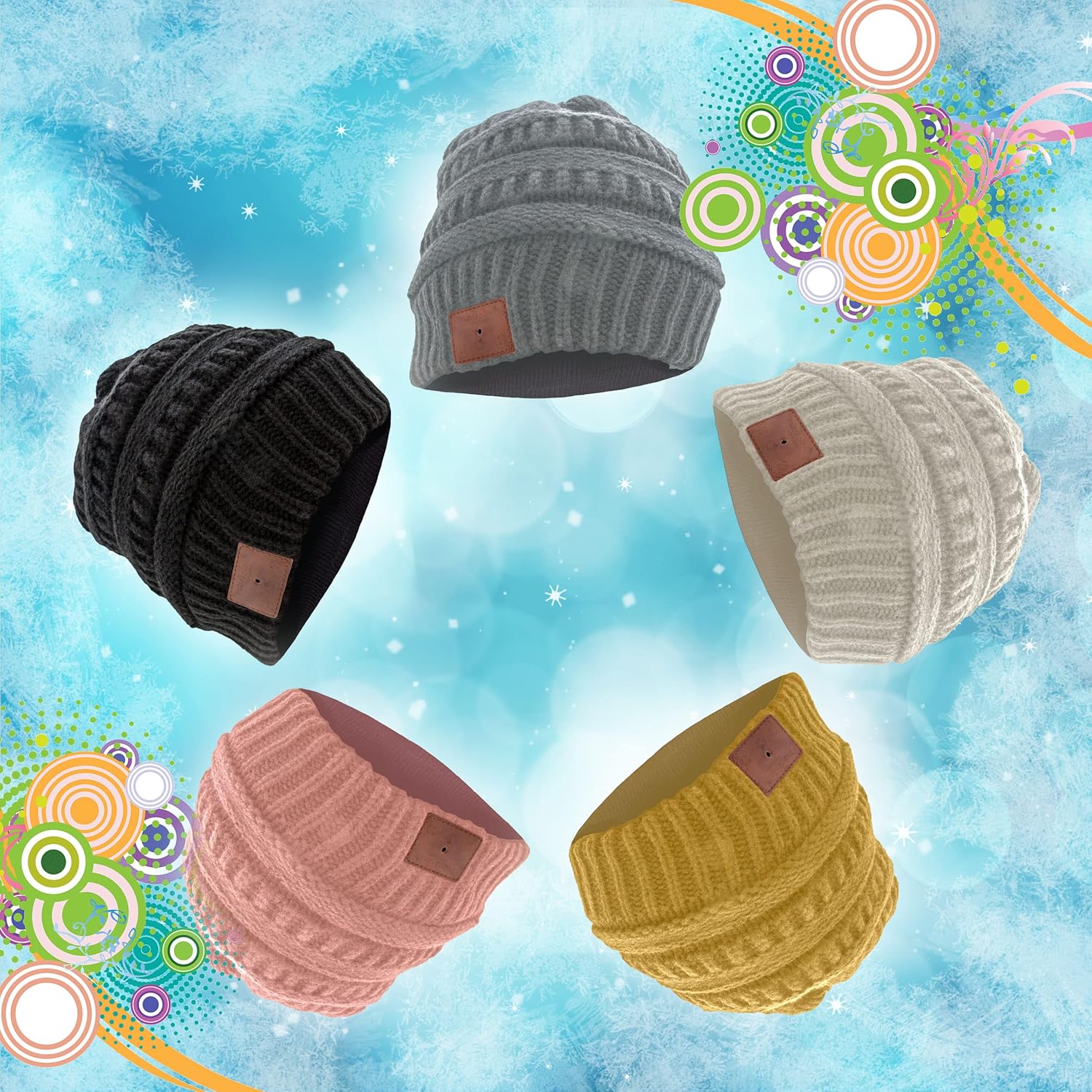
Image: The Micro USB charging port integrated into the beanie's control panel.
2. Uparivanje sa Bluetooth uređajem
- Ensure the beanie is charged and turned off.
- Press and hold the Play/Pause button on the control panel until the LED indicator flashes red and blue alternately. This indicates the beanie is in pairing mode.
- Na uređaju koji podržava Bluetooth (pametni telefon, tablet itd.), idite na postavke Bluetootha i omogućite Bluetooth.
- Traži available devices. You should see "SB210" or "Soundbot Beanie" in the list.
- Select "SB210" to connect. Once successfully paired, the LED indicator will typically show a solid blue light or flash blue slowly.
3. Wearing the Beanie
Place the beanie on your head, ensuring the integrated speakers are positioned comfortably over your ears. The beanie is designed to stay securely in place during various activities.
Video: Official product video demonstrating how to wear, remove components for washing, and charge the Soundbot SB210 Bluetooth Beanie.
Uputstvo za upotrebu
1. Uključivanje/isključivanje
- Uključeno: Press and hold the Play/Pause button for approximately 3 seconds until the LED indicator lights up.
- Iskljuciti: Press and hold the Play/Pause button for approximately 3 seconds until the LED indicator turns off.
2. Reprodukcija muzike
- Pusti/pauza: Kratko pritisnite dugme Play/Pause.
- Sljedeća pjesma: Dugo pritisnite dugme za pojačavanje zvuka (+).
- Prethodni zapis: Dugo pritisnite dugme za smanjenje jačine zvuka (-).
3. Kontrola jačine zvuka
- Povećajte jačinu zvuka: Kratko pritisnite dugme za pojačavanje zvuka (+).
- Smanji jačinu zvuka: Kratko pritisnite dugme za smanjenje jačine zvuka (-).
4. Pozivi bez upotrebe ruku
The integrated microphone allows for hands-free communication when paired with your smartphone.
- Odgovori/Završi poziv: Kratko pritisnite dugme Play/Pause.
- odbiti poziv: Dugo pritisnite dugme Play/Pause.
- Ponovno biranje zadnjeg broja: Dvaput pritisnite dugme Play/Pause.
Održavanje
1. Washing Instructions
The beanie is washable, but the electronic components must be removed first.
- Locate the zipper on the inside lining of the beanie.
- Unzip the lining and gently pull out the internal speakers and control module, which are typically held in place by Velcro. Be careful not to pull too hard on the connecting wires.
- Once the electronic components are removed, the beanie can be machine washed according to the fabric care instructions (100% Acrylic, Machine Wash).
- Allow the beanie to dry completely before reinserting the electronic components.
- Carefully reinsert the speakers and control module, ensuring they are properly positioned over the ears, and secure them with the Velcro. Zip up the lining.

Image: The internal speaker component that needs to be removed before washing.
2. Skladištenje
Store the beanie in a cool, dry place away from direct sunlight and extreme temperatures when not in use.
Rješavanje problema
- Uređaj se neće uključiti: Ensure the beanie is fully charged. Connect it to a power source using the Micro USB cable.
- Nije moguće uparivanje sa Bluetooth uređajem:
- Ensure the beanie is in pairing mode (LED flashing red and blue).
- Make sure Bluetooth is enabled on your device and it is within range (up to 33 feet).
- Try turning off and on both the beanie and your Bluetooth device.
- Clear previous Bluetooth connections on your device and attempt to pair again.
- Nema zvuka ili je jačina zvuka niska:
- Check the volume levels on both the beanie and your connected device.
- Ensure the beanie is properly paired and connected.
- Verify that the speakers are correctly positioned over your ears.
- Blue LED flashes during use: This is normal behavior indicating the Bluetooth connection is active.
Specifikacije
| Brand | Soundbot |
| Model | SB210 |
| Povezivanje | Bluetooth 4.1 |
| bežični domet | Do 33 stope (10 metara) |
| Baterija | Rechargeable (approx. 1 hour charge time for full day playback) |
| Materijal | 100% akril |
| Uputstva za njegu | Machine Wash (after removing electronics) |
| Težina | 9 grama |
| Boja | Crna |
Garancija i podrška
Soundbot products are designed and manufactured to the highest quality standards. For specific warranty details and support, please refer to the warranty card included with your purchase or visit the official Soundbot website.
Službeno Webstranica: www.SoundBot.com


