
Uvod
Thank you for choosing the Calypso K5684/6 Digital Watch. This manual provides essential information for the proper setup, operation, and maintenance of your watch. Please read it carefully to ensure optimal performance and longevity of your device.
The Calypso K5684/6 is a sporty and fashionable digital multifunction watch featuring a clear LCD display, 10 ATM (100 meters) water resistance, a durable plastic strap, chronograph, alarm, and dual time zone functions.
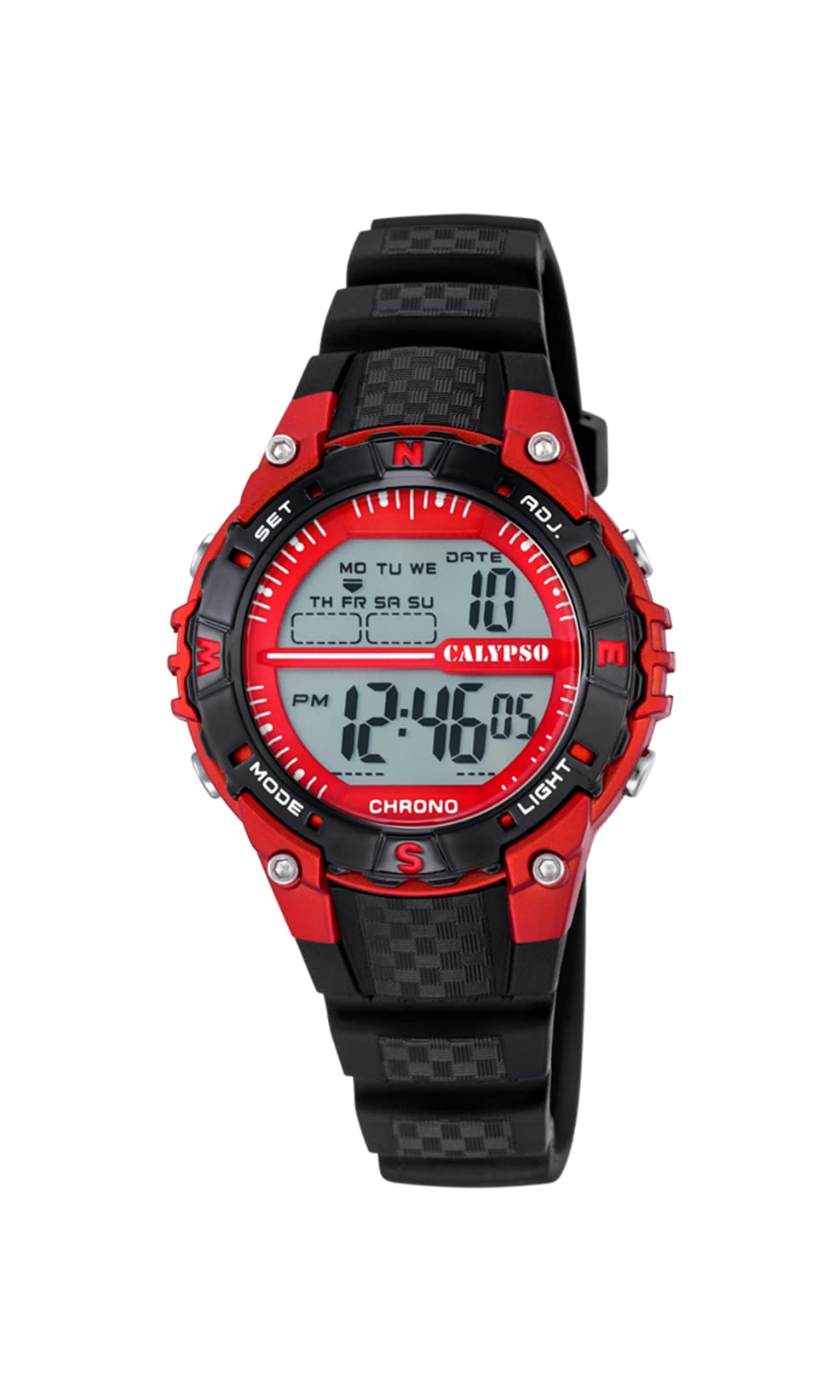
A front view of the Calypso K5684/6 digital watch, showcasing its LCD display, black plastic case, and strap. The display shows time, date, and mode indicators.
Initial Setup
Dugme Functions Overview
Your Calypso K5684/6 watch features four primary control buttons:
- UPUTE: Cycles through different display modes (Time, Alarm, Chronograph, Dual Time).
- SET: Used to enter and confirm settings in various modes.
- ADJ (Adjust): Used to adjust values (increment/decrement) during setting. Also functions as Start/Stop for Chronograph.
- SVJETLO: Aktivira pozadinsko osvjetljenje radi bolje vidljivosti u uslovima slabog osvjetljenja.

Krupni plan view of a Calypso digital watch, highlighting the 'MODE', 'SET', 'ADJ', and 'LIGHT' buttons on the sides of the watch case. The display shows 'MON 12:44 8-17 06'.
Uputstvo za upotrebu
1. Podešavanje vremena i datuma
- Iz normalnog prikaza vremena, pritisnite MODE više puta pritisnite dugme dok sekunde ne počnu treptati. Ovo označava da ste u režimu podešavanja vremena.
- Pritisnite SET dugme za ciklično prebacivanje kroz postavke: Sekunde → Sati → Minute → Godina → Mjesec → Dan.
- Dok vrijednost treperi, koristite ADJ button to increase or decrease the value. Hold ADJ za brže podešavanje.
- Kada su sva podešavanja tačna, pritisnite dugme MODE dugme za izlazak iz načina podešavanja i povratak na normalan prikaz vremena.
2. Funkcija alarma
- Pritisnite MODE button until the alarm time is displayed (usually indicated by 'AL' or a bell icon).
- Pritisnite i držite SET dugme dok sati alarma ne počnu treptati.
- Koristite ADJ dugme da biste podesili željeni sat alarma.
- Pritisnite SET again to move to the alarm minutes, then use ADJ za postavljanje minuta.
- Pritisnite SET za potvrdu i izlaz iz podešavanja alarma.
- To activate/deactivate the alarm, in alarm mode, press the ADJ dugme. Ikona alarma će se pojaviti/nestati na ekranu.
3. Hronograf (Štoperica)
- Pritisnite MODE button until 'CHRONO' or 'STW' is displayed. The display will show '00:00:00'.
- Pritisnite ADJ dugme za pokretanje hronografa.
- Pritisnite ADJ ponovo da zaustavite hronograf.
- Da biste hronograf resetovali na nulu, pritisnite SET button while the chronograph is stopped.
4. Dvostruka vremenska zona
- Pritisnite MODE button until 'DT' or 'DUAL TIME' is displayed.
- Pritisnite i držite SET dugme dok sati ne počnu da trepću.
- Koristite ADJ button to set the desired hour for the second time zone.
- Pritisnite SET again to move to the minutes, then use ADJ to set the minutes (minutes are usually synchronized with the main time zone).
- Pritisnite SET to confirm and exit the dual time setting.
5. Pozadinsko osvetljenje
Pritisnite LIGHT button to illuminate the display for a few seconds. This feature is useful in dark environments.
Njega i održavanje
1. Čišćenje
- Wipe the watch case and strap regularly with a soft, dry cloth to remove dirt and moisture.
- Za tvrdokornu prljavštinu koristite blagi damp krpu s blagim sapunom, a zatim odmah obrišite suhom krpom.
- Izbjegavajte upotrebu hemijskih sredstava za čišćenje, rastvarača ili abrazivnih materijala, jer oni mogu oštetiti završnu obradu i zaptivke sata.
2. Mjere opreza u vezi s vodootpornošću
Your Calypso K5684/6 watch is water-resistant up to 10 ATM (100 meters), making it suitable for swimming and snorkeling. However, please observe the following:
- Do not operate any buttons while the watch is submerged in water. This can compromise the water resistance.
- Avoid exposing the watch to hot water, steam, or extreme temperature changes, as this can affect the seals.
- Nakon izlaganja slanoj vodi, isperite sat slatkom vodom i temeljito ga osušite.
3. Zamjena baterije
When the display becomes dim or the watch stops functioning, the battery may need replacement. It is recommended to have the battery replaced by a qualified watch technician to ensure the water resistance is maintained.
Rješavanje problema
| Problem | Mogući uzrok | Rješenje |
|---|---|---|
| Ekran je prazan ili taman. | Slaba ili prazna baterija. | Zamijenite bateriju. Konsultujte se sa profesionalnim serviserom satova. |
| Dugmad ne reagiraju. | Watch may be in a locked mode or battery is low. | Try pressing the MODE button to cycle through modes. If unresponsive, consider battery replacement. |
| Vrijeme je netačno. | Time was not set correctly or watch was exposed to strong magnetic fields. | Za resetiranje vremena pogledajte odjeljak "Podešavanje vremena i datuma". |
| Voda unutar sata. | Ugrožena vodootpornost (npr. dugmad pritisnuta pod vodom, oštećeni zaptivci). | Odmah odnesite sat u profesionalni servis za popravku satova kako biste spriječili daljnja oštećenja. |
Specifikacije proizvoda
| Feature | Detalj |
|---|---|
| Broj modela | K5684/6 |
| Brand | Calypso |
| Display Type | Digitalni LCD |
| Materijal kućišta | Polycarbonate with Stainless Steel Back |
| Materijal remena | Plastika |
| Otpornost na vodu | 10 bankomata (100 metara) |
| Funkcije | Time, Date, Day, Alarm, Chronograph, Dual Time Zone, Backlight |
| Dimenzije proizvoda (D x Š x V) | 17.4 x 8.99 x 8.2 cm |
| Težina artikla | 50 grama |
| Zemlja porijekla | Spain |
Informacije o garanciji
Calypso watches typically come with a manufacturer's warranty covering defects in materials and workmanship. The specific terms and duration of your warranty are usually provided with your purchase documentation. Please retain your proof of purchase for any warranty claims.
The warranty does not cover damage resulting from improper use, accidents, unauthorized repairs, or normal wear and tear.
Korisnička podrška
For further assistance, technical support, or service inquiries regarding your Calypso K5684/6 Digital Watch, please contact your retailer or the official Calypso customer service in your region. Contact details can often be found on the Calypso official weblokaciji ili u materijalima za pakovanje.


