1. Uvod
This manual provides instructions for the Amcrest ProHD 720P 4-Channel Video Security System (Model: AMDV7204M-2B2D-W). This system features a 4-channel 720p Tribrid DVR with a pre-installed 1 TB HDD, accompanied by four 720p (1.0MP) cameras. It offers easy smartphone and web-browser access, VGA and HDMI output, and backup to external storage via USB. The system utilizes HDCVI technology for reliable HD video transmission without loss or delay, supporting both analog and IP cameras. A monitor or television is recommended for the initial setup.
2. Sadržaj paketa
Verify that all components are present in your package. If any items are missing or damaged, please contact Amcrest support.
- 1 x 4-Channel 720p Tribrid DVR with 1TB HDD
- 2 x 720p (1.0MP) IP67 Bullet Cameras
- 2 x 720p (1.0MP) IP67 Dome Cameras
- Adapteri za napajanje za DVR i kamere
- Video/Power Cables
- USB miš
- Montažni hardver
- Vodič za brzi početak
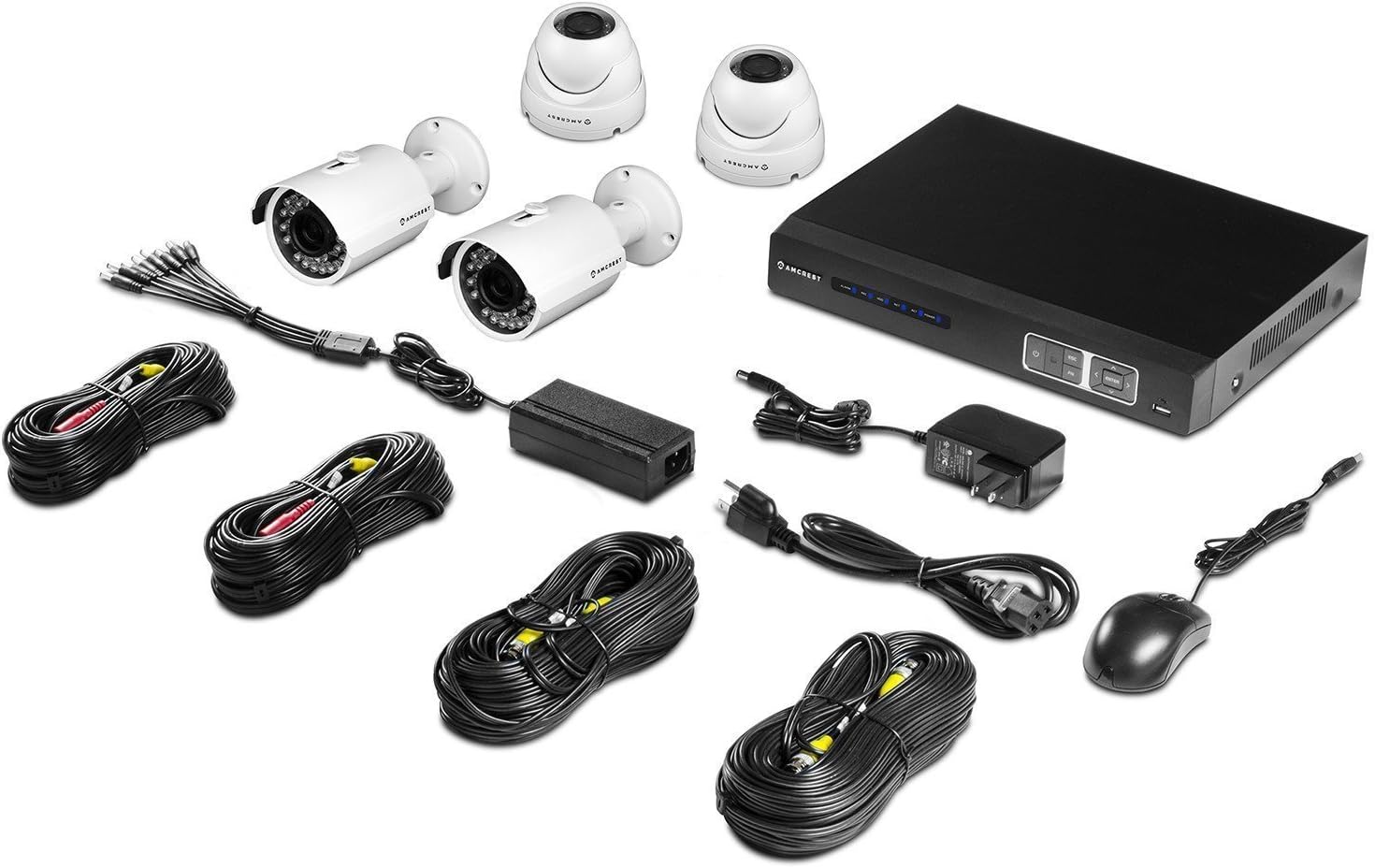
slika: Gotovoview of the Amcrest ProHD 720P 4-Channel Video Security System components, including the DVR, bullet cameras, dome cameras, cables, and accessories.
3. Značajke proizvoda
- HD Over Analog (HDCVI) Technology: Delivers crisp 1280x720p (1280TVL) resolution over existing coaxial infrastructure.
- High-Resolution Cameras: Includes 4 x HD 1.0MP IP67 heavy-duty metal bullet and dome cameras.
- Široko Viewugao ugla: 3.6mm lens provides a 75-degree viewing kut.
- noćni vid: Powerful IR-LEDs enable clear night vision capabilities.
- Daljinski Viewing: Pristupite uživo viewing and playback on standard web browsers (PC/MAC) and iOS/Android devices via the "Amcrest Viewaplikacija.
- Plug & Play postavka: Simplified installation and access.
- Secure Closed-Circuit System: The DVR acts as a single access point for all cameras, enhancing security.
- Pre-installed 1 TB HDD: Records approximately 360 hours on all 4 channels in 720p @ 30fps using motion detection or scheduled recording.
- USB sigurnosna kopija: Feature for convenient data transfer and storage.
- Dizajn otporan na vremenske uslove: IP67 rated cameras suitable for indoor/outdoor use.


slika: Examples of the Amcrest ProHD 720P bullet camera (left) and dome camera (right) included in the system.
4. Postavljanje i instalacija
4.1 Initial Setup Recommendations
For the initial setup and configuration of your DVR, it is recommended to connect it to a monitor or television using either the VGA or HDMI output. This allows for direct interaction with the DVR's interface.
4.2 DVR veze
The DVR unit features various ports for connecting cameras, a monitor, network, and power. Refer to the diagrams below for proper connection.

slika: Prednji i zadnji views of the Amcrest ProHD DVR, showing control buttons and various connection ports.

slika: Detailed diagram illustrating the various ports on the back of the Amcrest ProHD DVR and their corresponding connections, including VGA, HDMI, Ethernet, USB, Audio In/Out, and Video Input for cameras.
- adapter za napajanje: Connect the provided power adapter to the DC12V input.
- Video Input (Cameras): Connect the BNC connectors from your cameras to the Video In ports (1-4).
- Povezivanje monitora: Connect a monitor via the VGA port (PC Monitor) or HDMI port (HD TV).
- Mrežna veza: Connect an Ethernet cable from your router to the Ethernet port for network access.
- USB miš: Connect the USB mouse to one of the USB ports for navigation.
- Audio ulaz/izlaz: If using external audio devices, connect them to the Audio In/Out ports.
4.3 Instalacija kamere
Mount the IP67 weatherproof bullet and dome cameras in desired indoor or outdoor locations. Ensure the cameras are positioned to cover the intended surveillance areas. Connect the camera's video and power cables to the corresponding inputs on the DVR.
5. Uputstvo za upotrebu
5.1 Remote Access via Amcrest View App
Amcrest View app allows you to access live viewi reprodukciju sa vašeg pametnog telefona ili tableta.
- Download the "Amcrest View" aplikaciju iz App Store-a (iOS) ili Google Play Store-a (Android).
- Open the app and follow the on-screen instructions to add your DVR system.
- Scan the QR Code displayed on your DVR to instantly access live viewing i reprodukciju.

slika: Screenshots of the Amcrest View app interface on various mobile devices, demonstrating remote live viewing of security camera feeds.
5.2 Snimanje i reprodukcija
The DVR comes with a pre-installed 1 TB hard drive capable of recording 360 hours of footage across all 4 channels at 720p @ 30fps.
- Načini snimanja: Configure the DVR for continuous recording, scheduled recording, or motion detection recording through the DVR's on-screen menu.
- Reprodukcija: Pristup snimljen footage directly from the DVR interface or remotely via the Amcrest View app ili web pretraživač.
- USB sigurnosna kopija: Use the USB backup feature to transfer recorded video files to an external storage device.
6. Održavanje
Da biste osigurali optimalne performanse i dugotrajnost vašeg sigurnosnog sistema, razmotrite sljedeće savjete za održavanje:
- Objektivi kamere: Povremeno čistite objektive fotoaparata mekom krpom za čišćenje.amp krpom kako biste uklonili prašinu, prljavštinu ili mrlje od vode koje mogu prekriti view.
- Kablovske veze: Ensure all cable connections to the DVR and cameras are secure and free from corrosion.
- Ventilacija DVR-a: Keep the DVR unit in a well-ventilated area to prevent overheating. Avoid blocking ventilation openings.
- Ažuriranja softvera: Provjerite Amcrest website periodically for firmware updates for your DVR to ensure the latest features and security enhancements.
7. Otkrivanje problema
If you encounter issues with your Amcrest security system, refer to the following common troubleshooting steps:
- Nema video signala:
- Check all camera and DVR power connections.
- Ensure video cables are securely connected to the correct input ports on the DVR.
- Verify the monitor is correctly connected and set to the correct input source (VGA/HDMI).
- Problemi s daljinskim pristupom:
- Ensure the DVR is connected to your network via an Ethernet cable and has internet access.
- Verify your smartphone or tablet has a stable internet connection.
- Confirm the "Amcrest View" app is updated to the latest version.
- Check DVR network settings and port forwarding if necessary (refer to advanced network setup in the full manual or Amcrest support).
- Problemi sa snimanjem:
- Check the DVR's hard drive status to ensure it is functioning correctly and has available space.
- Verify recording schedules and motion detection settings are configured as desired.
- Loš kvalitet slike:
- Očistite objektive fotoaparata.
- Ensure cameras are properly focused (if adjustable).
- Provjerite integritet kabla na eventualna oštećenja ili smetnje.
For more detailed troubleshooting or persistent issues, please contact Amcrest Customer Support.
8. Specifikacije
Detailed technical specifications for the Amcrest ProHD 720P 4-Channel Video Security System.

slika: Technical specifications sheet for the Amcrest ProHD 720P 4-Channel Video Security System, detailing DVR, bullet camera, and dome camera specifications.
8.1 DVR Specifications (Model: AMDV7204M-2B2D-W)
- Video ulaz: 4-kanalni BNC
- Video izlaz: 1 HDMI, 1 VGA
- Audio ulaz/izlaz: 1 kanalni RCA
- Rezolucija ekrana: Do 1920x1080
- Rezolucija snimanja: 720P (1280x720) @ 30fps per channel
- tvrdi disk: 1TB SATA (Pre-installed)
- Mrežni interfejs: RJ45 (10/100M)
- USB sučelje: 2 x USB 2.0
- Napajanje: DC12V
- Dimenzije: 16 x 10 x 16 inches (Product Dimensions, likely package size)
- Težina: 0.01 ounces (Item Weight, likely incorrect or package weight)
- Radna temperatura: 14°F ~ 131°F (-10°C ~ 55°C)
8.2 Camera Specifications (Bullet & Dome)
- Senzor slike: 1/2.9" Megapixel CMOS
- rezolucija: 1.0 megapiksela (720P)
- Objektiv: 3.6mm fiksna leća
- Viewugao ugla: 75 stepeni
- noćni vid: IR LEDs, up to 65ft (20m)
- Vodootporna ocjena: IP67
- Napajanje: DC12V
- Radna temperatura: -22 ° F ~ 140 ° F (-30 ° C ~ 60 ° C)
9. Garancija i podrška
Amcrest provides a 1-godišnja garancija za SAD for this product. For technical support, warranty claims, or additional information, please visit the official Amcrest webstranice ili kontaktirajte njihovu korisničku službu.
Amcrest Webstranica: www.amcrest.com
Amcrest Technologies LLC
3692 Westchase Drive, Houston TX 77042


