1. Uvod
This manual provides essential information for the safe and efficient use of your Acer B326HK 32-inch UHD 4K monitor. Please read this manual thoroughly before operating the device and retain it for future reference.
The Acer B326HK monitor features a 32-inch Ultra HD (4K2K) display with a resolution of 3840 x 2160 pixels, offering detailed imagery. It includes an ergonomic stand and supports VESA mounting for flexible placement. Connectivity options include DVI, MHL, DisplayPort, Mini DisplayPort, and a 5-port USB 3.0 hub.
2. Sigurnosne informacije
- Uvijek postavljajte monitor na stabilnu, ravnu površinu kako biste spriječili njegov pad.
- Osigurajte odgovarajuću ventilaciju oko monitora. Ne blokirajte ventilacijske otvore.
- Koristite samo adapter za napajanje i kablove koje je isporučio proizvođač.
- Izbjegavajte izlaganje monitora vlazi, kiši ili ekstremnim temperaturama.
- Ne pokušavajte sami servisirati monitor. Za sve servisne radove obratite se kvalifikovanom osoblju.
- Isključite monitor iz utičnice prije čišćenja.
- Držite monitor dalje od jakih magnetnih polja.
3. Sadržaj paketa
Provjerite da li su sve stavke prisutne u paketu:
- Acer B326HK LED-backlit LCD monitor - 32"
- DisplayPort kabl
- DVI kabl
- SuperSpeed USB kabl
- Kabl za napajanje
- Korisnički priručnik (ovaj dokument)
4. Podešavanje
4.1 Sastavljanje postolja monitora
Carefully remove the monitor and stand components from the packaging. Follow the instructions below to attach the stand to the monitor panel.

Slika 4.1: Prednja strana view of the Acer B326HK monitor with its ergonomic stand.
- Postavite monitor licem prema dolje na meku, čistu krpu kako biste spriječili ogrebotine.
- Poravnajte krak postolja sa otvorom za montažu na zadnjoj strani monitora.
- Secure the stand arm to the monitor using the provided screws.
- Attach the base to the stand arm and tighten the thumb screw or screws from the bottom.
- Carefully lift the assembled monitor and place it on your desired surface.
The monitor also supports VESA compatible mounting (100x100mm) for wall mounts or alternative stands. Refer to your VESA mount's instructions for installation.
4.2 Kablovi za povezivanje
Spojite potrebne kablove na odgovarajuće priključke na stražnjoj strani monitora i računara.
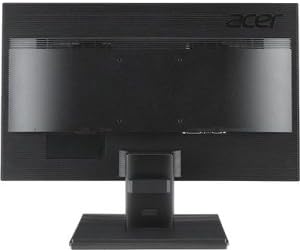
Slika 4.2: Pozadi view of the Acer B326HK monitor, highlighting the various input ports.
- Video ulaz: Connect one of the following video cables from your computer's graphics card to the monitor:
- DisplayPort cable (recommended for 4K resolution at 60Hz)
- Mini DisplayPort cable
- DVI cable (supports HDCP)
- MHL cable (for compatible mobile devices)
- USB upstream: Connect the SuperSpeed USB cable from your computer to the monitor's USB upstream port to enable the monitor's USB 3.0 hub.
- USB downstream: Use the 5 high-speed USB 3.0 ports on the monitor to connect peripherals like a mouse, keyboard, or for charging mobile devices.
- Snaga: Spojite kabel za napajanje na ulaz za napajanje monitora, a zatim drugi kraj uključite u uzemljenu električnu utičnicu.
5. Rukovanje monitorom
5.1 Uključivanje/isključivanje napajanja
Press the power button, usually located on the bottom right bezel, to turn the monitor on or off. The power indicator light will illuminate when the monitor is on.
5.2 Adjusting the Display (OSD Menu)
The On-Screen Display (OSD) menu allows you to adjust various monitor settings such as brightness, contrast, color, input source, and more. Use the control buttons located on the monitor's bezel to navigate the OSD menu.
- Pritisnite bilo koje dugme na ekranu (OSD) da biste aktivirali OSD meni.
- Use the navigation buttons (usually arrows) to move through the menu options.
- Press the select button to enter a sub-menu or confirm a setting.
- Use the navigation buttons to adjust values or select options.
- Press the exit button to leave the OSD menu.
5.3 Odabir ulaznog izvora
The monitor can automatically detect an active input source. If multiple sources are connected, you may need to manually select the desired input via the OSD menu. Navigate to the "Input" or "Source" section in the OSD and select your preferred input (e.g., DisplayPort, DVI, MHL).
5.4 Ergonomska podešavanja
Ergonomski stalak omogućava razna podešavanja za optimizaciju vašeg viewudobnost:
- Podešavanje visine: Gently push or pull the monitor panel up or down.
- Podešavanje nagiba: Tilt the monitor panel forward or backward to find the optimal viewing kut.
- Podešavanje okretanja: Okrenite monitor lijevo ili desno na njegovom postolju.
- Podešavanje osovine: Okrenite monitor za 90 stepeni za portretni režim (osigurajte dovoljan razmak).
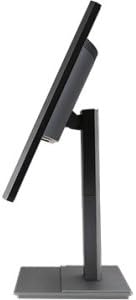
Slika 5.1: Bočna strana view of the Acer B326HK monitor, demonstrating its tilt capability.
6. Održavanje
Pravilna njega osigurava dugotrajnost vašeg monitora.
- Čišćenje ekrana:
- Isključite monitor i izvucite kabl za napajanje.
- Use a soft, lint-free cloth (e.g., microfiber) slightly dampočišćeno vodom ili sredstvom za čišćenje ekrana na bazi amonijaka i alkohola.
- Wipe the screen gently. Do not spray cleaner directly onto the screen.
- Čišćenje C-aasing:
- Koristite meku, suhu krpu za brisanje monitora casing.
- Izbjegavajte korištenje abrazivnih sredstava za čišćenje ili otapala.
- ventilacija: Ensure the ventilation openings on the monitor are clear of dust and debris.
7. Otkrivanje problema
Ako naiđete na probleme s monitorom, pogledajte sljedeća uobičajena rješenja:
| Problem | Moguće rješenje |
|---|---|
| Nema struje |
|
| Nema slike / Poruka "Nema signala" |
|
| Slika je mutna ili iskrivljena |
|
| Color issues or incorrect display |
|
| Nema zvuka iz zvučnika |
|
8. Specifikacije
Key technical specifications for the Acer B326HK monitor:
| Feature | Detalj |
|---|---|
| Broj modela | B326HK ymjdpphz |
| Veličina ekrana | 32 inča |
| Maksimalna rezolucija ekrana | 3840 x 2160 piksela (4K UHD 2160p) |
| Aspect Ratio | 16:9 |
| Vrijeme odgovora | 6ms |
| Kontrast Ratio | 100,000,000:1 (dinamički) |
| Signalni ulazi | 1 x DVI (w/HDCP), 1 x MHL, 1 x Display Port, 1 x Mini Display Port |
| USB portovi | 5 x USB 3.0 (1 upstream, 4 downstream) |
| Kompatibilan sa VESA nosačem | Da |
| Težina artikla | 26.4 funte |
| Dimenzije proizvoda (DxŠxV) | 10.49 x 29.05 x 18.63 inča |
| Proizvođač | Acer Computer |
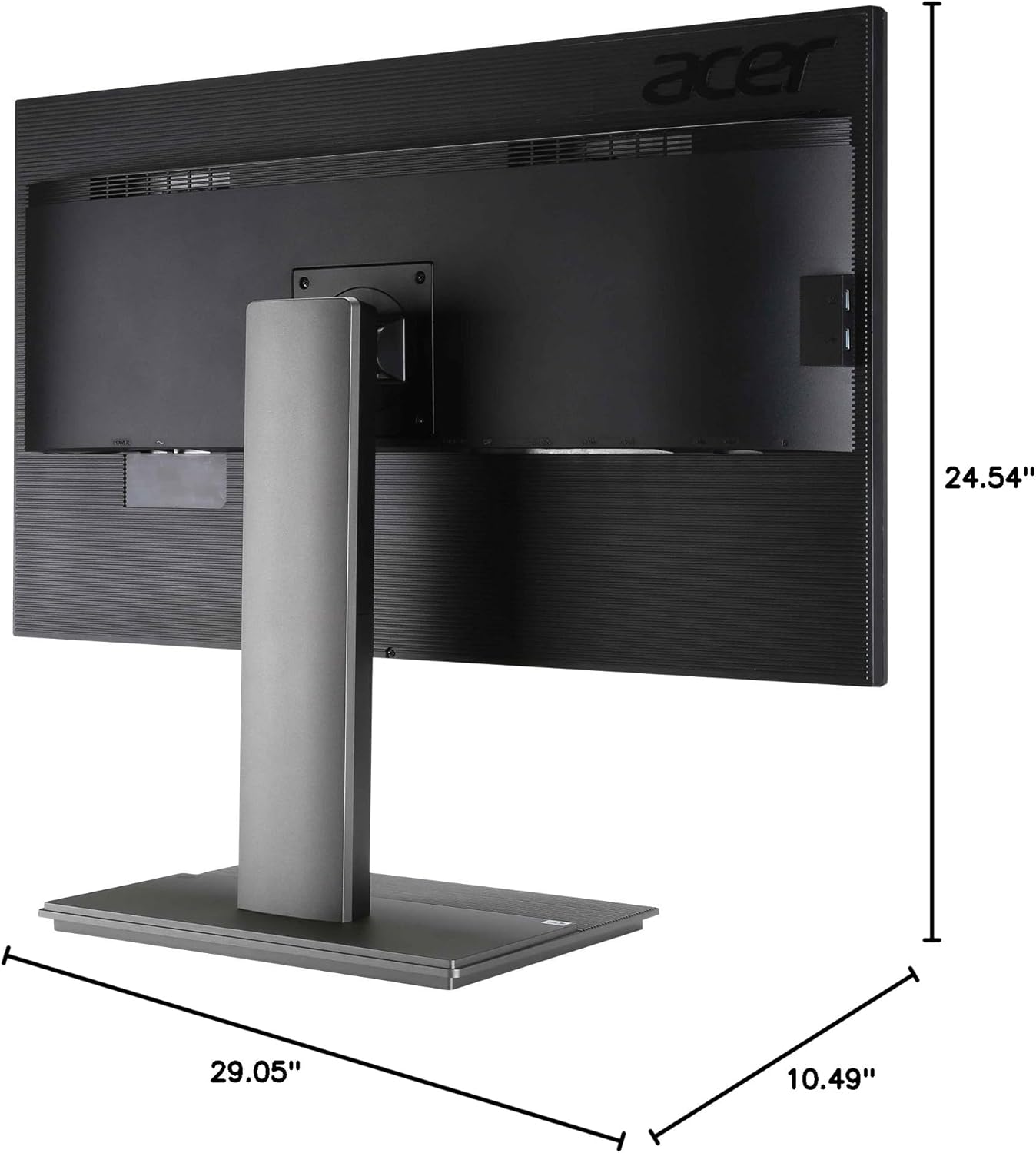
Slika 8.1: Dimenzionalno view of the Acer B326HK monitor.
9. Garancija i podrška
Za informacije o garanciji i tehničkoj podršci, pogledajte garantni list koji ste dobili uz proizvod ili posjetite službenu Acer podršku. website. You may need your monitor's serial number, which is typically located on a label on the back of the monitor.
Acerov službeni predstavnik Webstranica: https://www.acer.com/support


