Uvod
This manual provides essential information for setting up, operating, maintaining, and troubleshooting your Apple iPad Air 2. Please read this guide thoroughly to ensure optimal use of your device.
1. Podešavanje i početna konfiguracija
1.1 Unboxing Your iPad Air 2
Carefully remove your iPad Air 2 and its accessories from the packaging. The box typically contains the iPad Air 2 device, a Lightning to USB cable, and a USB power adapter.
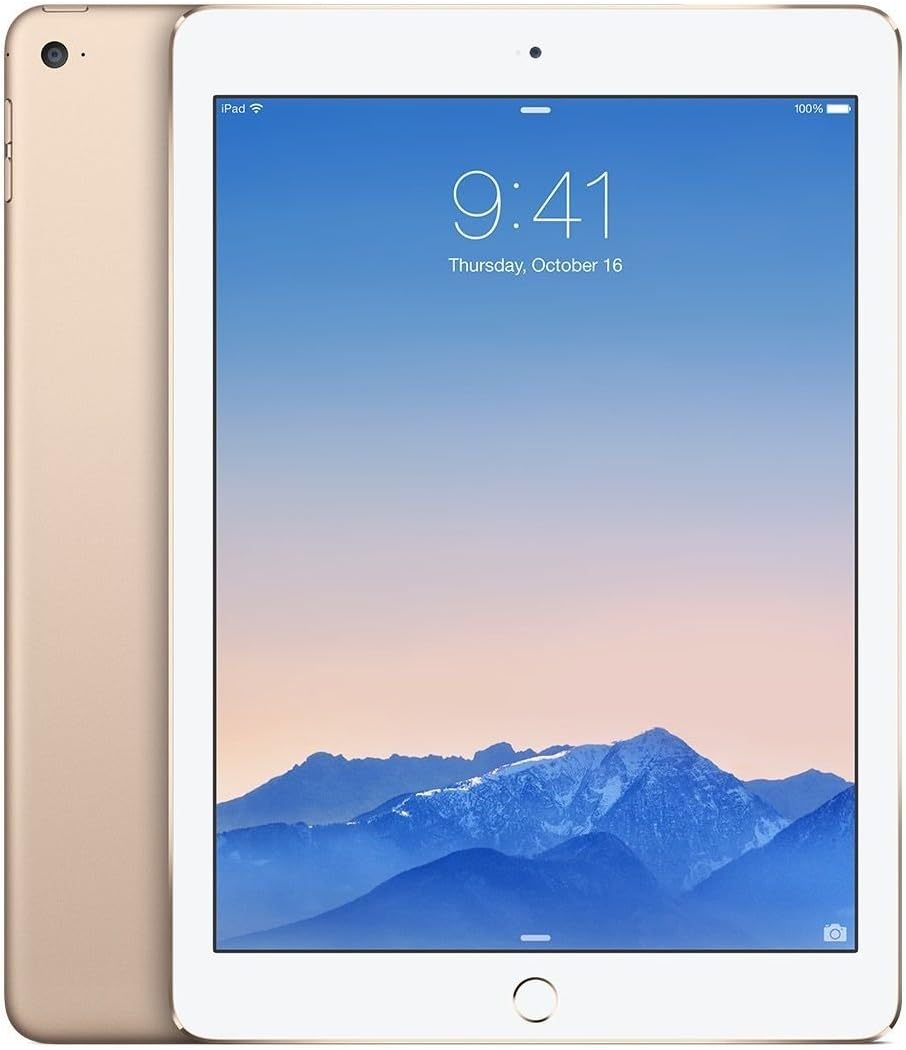
Slika: Prednja i zadnja strana view of the gold Apple iPad Air 2, showcasing njegov tanki profesionalacfile and gold finish.
1.2 Punjenje uređaja
Before first use, it is recommended to fully charge your iPad Air 2. Connect the Lightning to USB cable to the iPad's charging port and the USB power adapter. Plug the adapter into a power outlet. The battery icon on the screen will indicate charging status.
1.3 Početni proces podešavanja
Upon powering on your iPad Air 2 for the first time, you will be guided through the initial setup steps:
- Odaberite jezik i regiju: Choose your preferred language and country/region.
- Povežite se na Wi-Fi: Select a Wi-Fi network and enter the password if required.
- Enable Location Services: Decide whether to enable or disable location services.
- Postavite Touch ID: Follow the on-screen instructions to register your fingerprint for secure unlocking and purchases.
- Kreirajte šifru: Set a 4-digit or custom alphanumeric passcode.
- Restore or Set Up as New iPad: You can restore from an iCloud or iTunes backup, or set up the device as new.
- Prijavite se s Apple ID-om: Enter your Apple ID and password. If you don't have one, you can create one.
- Agree to Terms and Conditions: Read and accept Apple's terms and conditions.
- Set Up Siri: Configure Siri, Apple's voice assistant.
- Send Diagnostics: Odaberite želite li slati dijagnostičke podatke i podatke o korištenju kompaniji Apple.
2. Upravljanje vašim iPad Air 2
2.1 Osnovna navigacija
- Dugme za početnu stranicu: Press once to return to the Home screen. Double-press to open the multitasking switcher. Press and hold to activate Siri.
- Touch ID: Use your registered fingerprint on the Home button to unlock the device or authorize purchases.
- Gestovi: Swipe from the bottom for Control Center, swipe from the top for Notification Center, pinch to zoom, and swipe between apps.

Slika: Sa strane view of the gold Apple iPad Air 2, emphasizing its remarkably thin design.
2.2 Korištenje kamere
Your iPad Air 2 features an 8MP iSight camera on the rear and a 1.2MP FaceTime HD camera on the front.
- Slikati: Open the Camera app, select Photo mode, and tap the shutter button.
- Snimanje video zapisa: Select Video mode and tap the record button to start/stop.
- FaceTime pozivi: Use the FaceTime app with the front camera for video calls over Wi-Fi.
2.3 Wi-Fi povezivost
Za povezivanje na Wi-Fi mrežu:
- Idi na Postavke > Wi-Fi.
- Uključite Wi-Fi.
- Odaberite željenu mrežu s popisa.
- Unesite lozinku ako se to od vas zatraži.
3. Održavanje i njega
3.1 Cleaning Your iPad Air 2
To clean your iPad Air 2, use a soft, lint-free cloth. Avoid using abrasive materials, aerosols, solvents, or ammonia-based cleaners. For the screen, a slightly damp cloth is sufficient. Do not spray cleaners directly onto the device.
3.2 Ažuriranja softvera
Keep your iPad's software up to date for the best performance and security. Go to Postavke > Općenito > Ažuriranje softvera da biste provjerili i instalirali dostupna ažuriranja.
3.3 Njega baterija
Da biste maksimalno povećali vijek trajanja baterije:
- Izbjegavajte ekstremne temperature.
- Keep the software updated.
- Podesite svjetlinu ekrana.
- Isključite Wi-Fi ili Bluetooth kada ih ne koristite.
4. Rješavanje uobičajenih problema
4.1 Uređaj ne reaguje
If your iPad Air 2 is unresponsive, try a force restart: Press and hold both the Home button and the Top (Sleep/Wake) button for at least ten seconds, until you see the Apple logo.
4.2 Problemi s Wi-Fi vezom
If you're experiencing Wi-Fi issues:
- Provjerite je li Wi-Fi omogućen u Postavkama.
- Ponovo pokrenite svoj Wi-Fi ruter.
- Idi na Postavke > Općenito > Resetuj > Resetuj mrežne postavke.
4.3 Rušenje ili zamrzavanje aplikacija
If an app is misbehaving, try closing it: Double-press the Home button, then swipe the app's preview upward to close it. If the issue persists, delete and reinstall the app.
5. Specifikacije proizvoda
| Feature | Specifikacija |
|---|---|
| Naziv modela | iPad Air 2 |
| Broj modela stavke | MH182LL/A |
| Display | 9.7-inch Retina Display, 2048x1536 resolution at 264 ppi |
| Procesor | Čip A8X sa 64-bitnom arhitekturom, koprocesor za upravljanje pokretom M8 |
| RAM | 2 GB DDR2 |
| Skladištenje | 64 GB |
| Operativni sistem | iOS 8 (mogućnost nadogradnje) |
| Zadnja kamera | iSight kamera od 8 MP |
| Prednja kamera | 1.2 MP FaceTime HD kamera |
| Bežično povezivanje | Wi-Fi (802.11a/b/g/n/ac), Bluetooth 4.0 |
| Trajanje baterije | Do 10 sati |
| Dimenzije proizvoda | 30 x 30 x 6 inča (dimenzije pakovanja) |
| Težina artikla | 15.4 unce |
| Boja | Zlato |

Slika: Ugaona view of the gold Apple iPad Air 2, highlighting its sleek design and display.
6. Videozapisi proizvoda
Trenutno nema službenih videozapisa proizvoda od prodavača za ugrađivanje.
7. Informacije o garanciji
Your Apple iPad Air 2 comes with a one-year limited warranty from Apple, covering manufacturing defects. For detailed warranty terms and conditions, please refer to the documentation included with your device or visit the official Apple website.
8. Korisnička podrška
For further assistance, technical support, or service, please visit the official Apple Support website or contact Apple Customer Service directly. You can find contact information and extensive support resources at support.apple.com.


