Uvod
The Treemote Wireless Remote Switch provides a convenient solution for controlling indoor holiday lighting and other hard-to-reach light fixtures. This system allows you to turn your lights on and off from up to 100 feet away, eliminating the need to crawl under or behind your Christmas tree or other furniture.
The package includes a unique Christmas tree-shaped remote control and a compact receiver unit that plugs into any standard wall outlet.

Image: The Treemote Wireless Remote Switch in its original packaging, displaying both the green Christmas tree-shaped remote and the white receiver unit. The packaging highlights its wireless capability and ease of use.
Važne informacije o sigurnosti
Please read and understand all safety instructions before using the Treemote Wireless Remote Switch. Failure to follow these instructions may result in electric shock, fire, or serious injury.
- For indoor use only. Do not expose the device to water or moisture.
- Do not exceed the maximum electrical rating of the receiver unit. Refer to the product specifications for details.
- Ensure the receiver is securely plugged into a grounded outlet.
- Unplug the receiver from the wall outlet before cleaning or when not in use for extended periods.
- Keep the remote control and receiver out of reach of children.
- Ne pokušavajte rastavljati ili popravljati uređaj. Za pomoć se obratite korisničkoj podršci.
Sadržaj paketa
Provjerite da li se sve stavke nalaze u vašem paketu:
- 1 x Treemote Christmas Tree-Shaped Remote Control
- 1 x Treemote Receiver Unit
- 1 x CR2032 Battery (pre-installed in remote, with protective cover)
Uputstva za postavljanje
1. Aktivacija baterije
The CR2032 battery is pre-installed in the remote control. Before first use, you must remove the clear plastic protective cover from the battery compartment to activate the battery.
- Locate the battery compartment on the back of the Treemote remote control.
- Gently pull out the small, clear plastic tab protruding from the battery compartment. This tab prevents battery drain during shipping.
- Ensure the battery is seated correctly after removing the tab.
2. Veza sa prijemnikom
- Plug the Treemote receiver unit into a standard indoor wall outlet.
- Plug your Christmas lights, or any other compatible electrical device, into the receptacle on the front of the Treemote receiver unit.
- Ensure both the receiver and your device are securely plugged in.
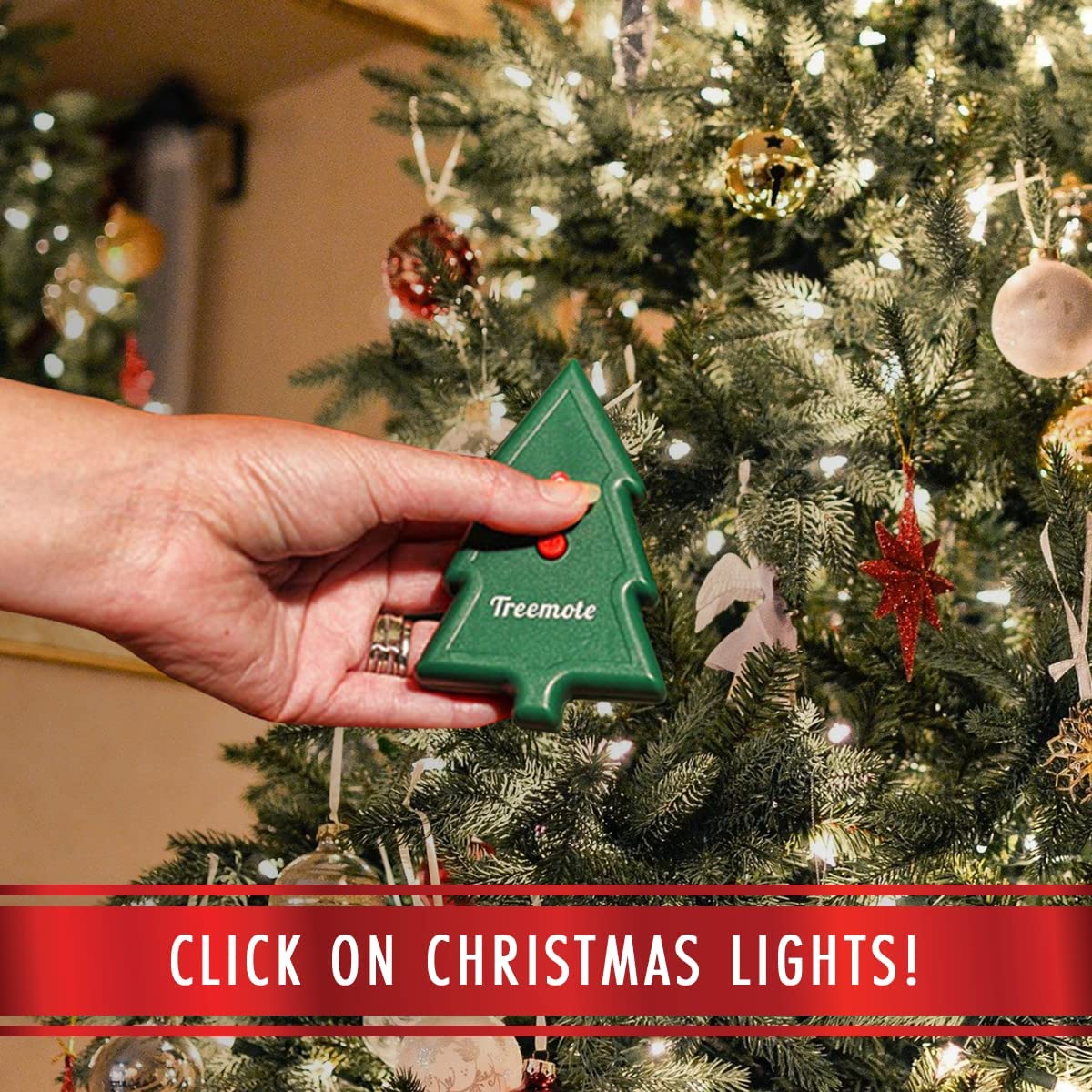
Image: A user's hand holding the Treemote remote control, demonstrating its compact size and how it can be easily held while operating lights near a decorated Christmas tree.
Uputstvo za upotrebu
Using the Treemote Wireless Remote Switch is simple:
- To turn on the connected lights: Press the red button on the Treemote remote control once. The lights will illuminate.
- To turn off the connected lights: Press the red button on the Treemote remote control again. The lights will turn off.
The Treemote operates wirelessly and can control your lights from up to 100 feet away, allowing you to manage your lighting from across the room or even from another area of your home.
Recommended Use Cases:
- božićna drvca: Easily turn your Christmas tree lights on and off without bending or reaching for the plug.
- Praznične dekoracije: Control lights on stairways, fireplaces, wreaths, and other festive displays.
- Hard-to-Reach Fixtures: Use year-round for lamps or other devices plugged into inconveniently located outlets.

Image: A user's hand holding the Treemote remote, with a large, illuminated Christmas tree visible in the background, emphasizing the product's effective operating range of up to 100 feet.
Održavanje
Zamjena baterije:
The Treemote remote control uses one CR2032 coin cell battery. If the remote's range decreases significantly or it stops responding, the battery may need replacement.
- Pronađite odeljak za baterije na poleđini daljinskog upravljača.
- Use a small screwdriver or coin to open the compartment.
- Izvadite staru CR2032 bateriju i umetnite novu, pazeći da pozitivna (+) strana bude okrenuta prema gore.
- Čvrsto zatvorite odeljak za baterije.
čišćenje:
Wipe the remote and receiver with a soft, dry cloth. Do not use abrasive cleaners or immerse in water.
Rješavanje problema
If you experience issues with your Treemote Wireless Remote Switch, please refer to the following common problems and solutions:
| Problem | Mogući uzrok | Rješenje |
|---|---|---|
| Lights do not turn on/off. | Battery protective tab not removed or battery is dead. Receiver not plugged in. Lights not plugged into receiver. Izvan opsega. | Remove plastic tab from battery. Replace battery if needed. Ensure receiver is firmly plugged into a live wall outlet. Ensure lights are firmly plugged into the receiver. Približite se prijemniku. |
| Smanjen radni domet. | Slaba baterija u daljinskom. Obstacles between remote and receiver. | Zamijenite CR2032 bateriju u daljinskom upravljaču. Ensure a clear line of sight or fewer obstructions between the remote and receiver. |
| Receiver not responding. | Power outagili je isključen prekidač. Receiver malfunction. | Check your home's power supply. Try plugging the receiver into a different outlet. If the issue persists, contact customer support. |
Specifikacije
| Feature | Detalj |
|---|---|
| Brand | TREEMOTE |
| Broj modela | TR-020 |
| Dimenzije proizvoda | 2.25 x 6 x 8 inches (Remote and Receiver combined, approximate) |
| Težina artikla | 5.93 unce |
| Boja | Green (Remote) |
| Maksimalni radni domet | Do 100 stope (30 metara) |
| Vrsta baterije za daljinsko upravljanje | 1 x CR2032 (uključeno) |
| Maksimalni broj podržanih uređaja | 1 (one device plugged into the receiver) |
| Compatible Devices (as per data) | Fan (and other indoor lighting/appliances within electrical rating) |
Garancija i podrška
For warranty information or technical support regarding your Treemote Wireless Remote Switch, please contact TREEMOTE customer service. Details on warranty coverage and how to obtain support are typically provided with your purchase documentation or can be found on the official TREEMOTE website.
Please have your model number (TR-020) and purchase details ready when contacting support.


