1. Uvod
This manual provides essential instructions for the proper setup, operation, and maintenance of your Argox AS-8250U Barcode Scanner. The AS-8250U is a long-range scanner designed for various applications, including retail, inventory management, invoicing, and factory receiving. It offers fast and accurate reading of PDF codes, Code 16K, and all standard linear symbologies.
2. Sigurnosne informacije
- Do not expose the scanner to extreme temperatures, humidity, or direct sunlight.
- Izbjegavajte ispuštanje skenera ili njegovo izlaganje jakim udarcima.
- Do not attempt to disassemble or modify the scanner. This will void the warranty.
- Keep the scanning window clean to ensure optimal performance.
- Use only the provided or recommended power source and cables.
3. Sadržaj paketa
Molimo označite kućicu za sljedeće stavke:
- Argox AS-8250U Barcode Scanner
- USB Interface Cable (or other specified interface cable)
- Korisnički priručnik (ovaj dokument)
4. Proizvod je gotovview
The Argox AS-8250U is a handheld barcode scanner designed for ergonomic use and efficient data capture.
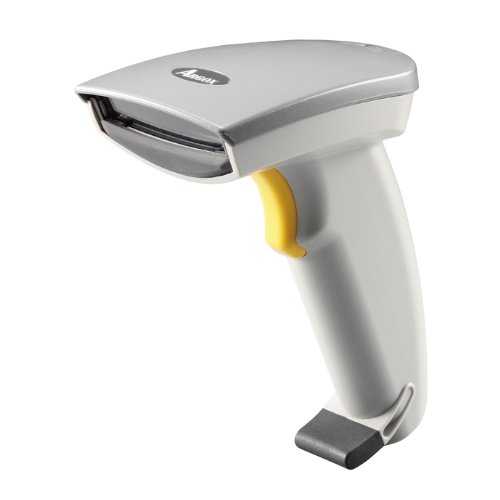
Slika 1: Prednja strana view of the Argox AS-8250U Barcode Scanner. This image shows the scanner's ergonomic design, scanning window, and trigger button.
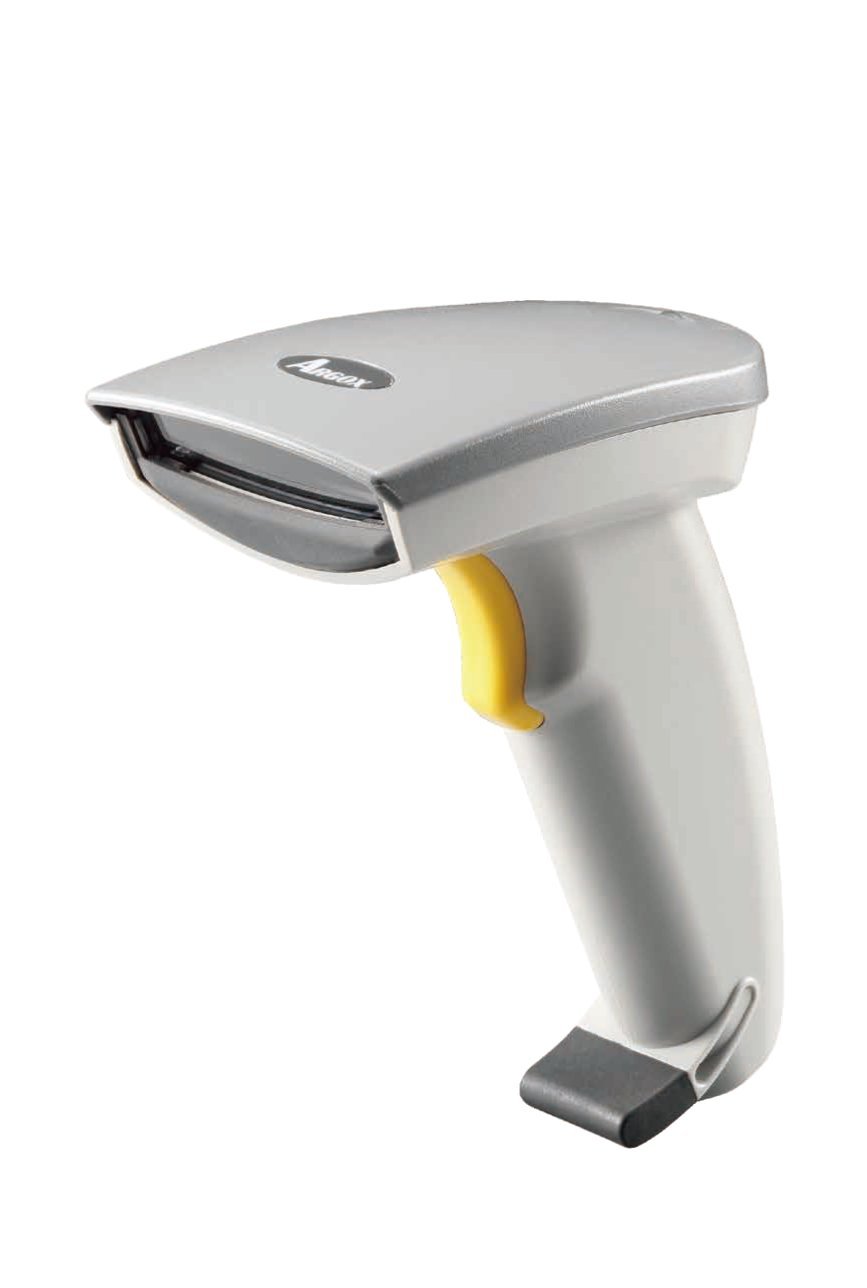
Slika 2: Pod uglom view of the Argox AS-8250U Barcode Scanner, highlighting its compact form factor and the Argox logo.
Ključne komponente:
- Prozor za skeniranje: Emits and receives the laser beam for barcode reading.
- Dugme za okidanje: Activates the scanning process.
- Indikatorsko svjetlo: Provides feedback on scanning status (e.g., successful read).
- Interface Port: Connects the scanner to the host device via USB, RS-232, or Keyboard Wedge (KBW).
5. Podešavanje
5.1 Povezivanje skenera
- Identify Interface: Determine the interface type required by your host system (USB, RS-232, or Keyboard Wedge). The AS-8250U supports all popular interfaces.
- Povezivanje kabla: Plug one end of the interface cable into the scanner's interface port.
- Poveži se s hostom: Plug the other end of the interface cable into the corresponding port on your computer or POS system.
- USB: Connect to an available USB port. The scanner is typically plug-and-play, and Windows will automatically install necessary drivers.
- RS-232: Connect to a serial port. You may need to configure serial port settings on your host system.
- Keyboard Wedge (KBW): Connect between your keyboard and the computer's keyboard port.
- Uključeno: Once connected, the scanner should power on automatically. The indicator light may illuminate briefly.
5.2 Instalacija drajvera (za USB)
For USB connections, the Argox AS-8250U is designed for plug-and-play functionality with Windows operating systems. Typically, no manual driver installation is required. Upon connecting the scanner to a USB port, your operating system should automatically detect and install the necessary drivers. If prompted, follow the on-screen instructions. A Windows utility is included for advanced configuration if needed.
6. Upravljanje skenerom
6.1 Osnovni postupak skeniranja
- Pripremite se za skeniranje: Ensure the scanner is connected and powered on. Open an application on your host system where you want the barcode data to appear (e.g., a text editor, spreadsheet, or POS software).
- Usmjerite skener: Point the scanning window of the AS-8250U at the barcode you wish to read. The optimal scanning distance ranges from contact up to 250mm, depending on the barcode density.
- Press Trigger: Press and hold the trigger button. A red laser line will emit from the scanning window.
- Skenirajte barkod: Position the laser line across the entire barcode. Once a successful read occurs, the scanner will typically emit an audible beep and/or the indicator light will flash. The barcode data will then be transmitted to your host system.
- Okidač za otpuštanje: Release the trigger button after a successful scan.
6.2 Podržane simbologije barkodova
The AS-8250U is capable of reading a wide range of barcode types, including:
- PDF codes
- Šifra 16K
- All standard linear (1D) symbologies (e.g., UPC/EAN/JAN, Code 39, Code 128, Interleaved 2 of 5, Codabar, etc.)
7. Održavanje
7.1 Čišćenje skenera
- Prozor za skeniranje: Koristite meku krpu koja ne ostavlja dlačice dampened with a mild, non-abrasive cleaner (e.g., glass cleaner) to gently wipe the scanning window. Avoid harsh chemicals or abrasive materials that could scratch the surface.
- Vanjski dio Casing: Obrišite vanjski dio skenera mekom,amp cloth. Do not allow liquids to enter the scanner's internal components.
- Kablovi: Inspect cables regularly for any signs of damage.
7.2 Skladištenje
When not in use, store the scanner in a clean, dry environment, away from direct sunlight and extreme temperatures. Protect it from dust and physical damage.
8. Otkrivanje problema
| Problem | Mogući uzrok | Rješenje |
|---|---|---|
| Skener se ne uključuje. | Cable not properly connected or damaged. | Check cable connections at both the scanner and the host device. Try a different USB port or cable if available. |
| Skener ne čita barkodove. |
|
|
| Barcode data is incorrect or incomplete. |
|
|
| No data transmitted to host. |
|
|
9. Specifikacije
| Feature | Detalj |
|---|---|
| Brand | Argox |
| Model | AS-8250U |
| Proizvođač | Argox Information Co., Ltd, Taiwan |
| Tehnologija povezivanja | USB Cable (also supports RS-232, KBW) |
| Scan Rate | 200 skeniranja u sekundi |
| Working Range | Contact to 250mm on medium density barcodes |
| Podržane simbolike | PDF codes, Code 16K, all standard linear (1D) symbologies |
| Kompatibilnost operativnog sistema | Windows |
| Kompatibilni uređaji | Stoni računar, Laptop |
| Izvor napajanja | Corded Electric |
| Težina artikla | 420 g |
| Dimenzije paketa | 22.8 x 11.8 x 11 cm |
10. Garancija i podrška
For warranty information and technical support, please refer to the warranty card included with your product or visit the official Argox webSačuvajte račun kao dokaz o kupovini za reklamacije u slučaju reklamacije.
For further assistance, please contact Argox customer support through their official channels.


