1. Uvod
This manual provides essential information for the safe and efficient installation, operation, and maintenance of your APEX AL-A300ATX 300W ATX12V Power Supply. Please read this manual thoroughly before installation and retain it for future reference.
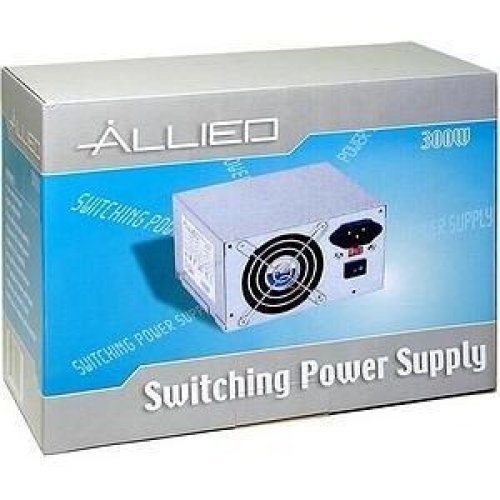
Image: The AL-A300ATX 300W ATX12V Power Supply shown in its retail packaging, indicating it is a "Switching Power Supply" from "ALLIED".
2. Sigurnosne informacije
Always observe the following safety precautions to prevent injury or damage to the power supply or other components:
- Ensure the power supply is disconnected from the AC outlet before installation or removal.
- Ne otvarajte napajanje casing. Visoka zapreminatages are present inside, even when disconnected. There are no user-serviceable parts.
- Instalirajte napajanje u dobro prozračenom prostoru. Ne blokirajte ventilacijske otvore.
- Izbjegavajte izlaganje napajanja vlazi ili ekstremnim temperaturama.
- Use only the cables provided or approved for use with this power supply.
- If the power supply is damaged or malfunctioning, discontinue use immediately and contact support.
3. Sadržaj paketa
Provjerite da li su sve stavke prisutne u paketu:
- APEX AL-A300ATX 300W ATX12V Power Supply Unit
- AC Power Cord (may vary by region)
- Montažni vijci
- Korisnički priručnik (ovaj dokument)
4. Postavljanje i instalacija
Follow these steps to install the power supply into your computer system:
- Priprema:
- Isključite računar i iskopčajte kabl za napajanje iz zidne utičnice.
- Otvorite kućište računara. Za konkretne upute pogledajte uputstvo za upotrebu kućišta računara.
- Ako mijenjate postojeće napajanje, odspojite sve kablove sa starog napajanja i izvadite ga iz kućišta.
- Montiranje napajanja:
- Carefully slide the AL-A300ATX power supply into the designated PSU bay in your computer case.
- Align the screw holes on the power supply with those on the case.
- Učvrstite napajanje pomoću priloženih montažnih vijaka.
- Priključni kablovi:
- 24-Pin ATX Main Power Connector: Connect this large connector to the corresponding port on your motherboard. Ensure it clicks into place.
- CPU Power Connector (4-pin or 8-pin): Connect the appropriate CPU power cable to the CPU power port on your motherboard.
- SATA konektori za napajanje: Connect these flat connectors to your SATA hard drives, SSDs, and optical drives.
- Molex (Peripheral) Connectors: Connect these 4-pin connectors to older drives or case fans if needed.
- PCI-E Power Connectors (if applicable): If your graphics card requires additional power, connect the appropriate PCI-E power cable from the PSU to the graphics card. This model is listed with a "24 Pin" PCI-Express Connector Configuration, implying the main ATX connector.
- Upravljanje kablovima: Uredno usmjerite kablove kako biste poboljšali protok zraka i estetski izgled unutar kućišta.
- Konačna provjera: Još jednom provjerite sve veze kako biste bili sigurni da su sigurni.
- Zatvori slučaj: Close your computer case and secure it.
5. Uputstvo za upotrebu
Nakon uspješne instalacije, slijedite ove korake za uključivanje sistema:
- Povežite AC napajanje: Plug the AC power cord into the power supply's inlet and then into a grounded wall outlet or surge protector.
- Prekidač: Locate the power switch on the back of the power supply (usually a rocker switch labeled "I" for ON and "O" for OFF). Ensure it is in the "ON" (I) position.
- Uključivanje računara: Press the power button on your computer case. The system should now power on.
To turn off your computer, always use the operating system's shutdown procedure. Do not use the power supply's switch for regular shutdowns, as this can lead to data loss or system instability.
6. Održavanje
Proper maintenance helps ensure the longevity and optimal performance of your power supply:
- Čišćenje prašine: Periodically (every 3-6 months, depending on environment) clean dust from the power supply's fan and ventilation grilles using compressed air. Ensure the computer is powered off and unplugged before cleaning.
- Protok zraka: Ensure that the computer case has adequate airflow and that the power supply's fan is not obstructed.
- Upravljanje kablovima: Maintain tidy cable routing to prevent obstruction of airflow.
7. Otkrivanje problema
Ako imate problema s napajanjem, pogledajte sljedeće uobičajene probleme i rješenja:
| Problem | Mogući uzrok | Rješenje |
|---|---|---|
| Računar se ne uključuje. |
|
|
| Sistem se uključuje, ali se odmah isključuje. |
|
|
| Fan is noisy or not spinning. |
|
|
If the problem persists after attempting these solutions, contact APEX customer support or a qualified technician.
8. Specifikacije
| Feature | Detalj |
|---|---|
| Naziv modela | AL-A300ATX |
| Brand | APEX |
| Output Wattage | 300 Watts |
| Form Factor | ATX12V |
| Kompatibilni uređaji | Personal Computer |
| Tip konektora | ATX (24 Pin PCI-Express Connector Configuration) |
| Metoda hlađenja | Vazduh |
| Minimalni ulazni volumentage | 110 volti (AC) |
| Težina artikla | 3.64 funte |
| Dimenzije paketa | 9.6 x 7.2 x 4.1 inča |
| Datum prve dostupnosti | 22. aprila 2014 |
9. Garancija i podrška
For information regarding warranty coverage, technical support, or service, please refer to the official APEX webweb-mjesto ili direktno kontaktirajte njihovu korisničku službu. Sačuvajte račun kao dokaz o kupovini.
APEX Contact Information: Please visit the official APEX webstranicu za najnovije kontakt podatke i resurse podrške.


