1. Uvod
Thank you for choosing the Rabbit Air BioGS 2.0 Air Purifier. This advanced system is designed to significantly improve your indoor air quality by effectively removing allergens, pollutants, odors, and harmful particles. Featuring a 4-stage filtration and deodorization process, including a BioGS HEPA filter and activated carbon filter, the SPA-550A is engineered for quiet operation and long-lasting performance. Please read this manual thoroughly to ensure proper setup, operation, and maintenance of your air purifier.

Slika 1: Prednja strana view of the Rabbit Air BioGS 2.0 Air Purifier.
2. Važna sigurnosna uputstva
Da biste smanjili rizik od požara, strujnog udara ili povrede, uvijek slijedite ove osnovne sigurnosne mjere:
- Pročitajte sve upute prije rukovanja uređajem.
- Uvijek isključite pročišćivač zraka iz struje prije premještanja, čišćenja ili bilo kakvog održavanja.
- Do not operate any appliance with a damaged cord or plug. If the cord or plug is damaged, contact customer support.
- Držite kabl za napajanje dalje od zagrejanih površina.
- Nemojte koristiti pročišćivač zraka na otvorenom ili na mokrim površinama.
- Ne blokirajte otvore za zrak niti postavljajte uređaj na meku površinu gdje bi otvori mogli biti blokirani.
- Do not insert foreign objects into any ventilation or exhaust opening.
- Ovaj uređaj ima polarizirani utikač (jedna oštrica je šira od druge). Kako bi se smanjio rizik od strujnog udara, ovaj utikač je namijenjen da stane u polariziranu utičnicu samo na jedan način. Ako utikač ne stane u potpunosti u utičnicu, okrenite utikač. Ako i dalje ne odgovara, obratite se kvalificiranom električaru. Ne pokušavajte da uništite ovu sigurnosnu funkciju.
3. Proizvod je gotovview
The BioGS 2.0 Air Purifier features an intuitive design with easy-to-access controls and indicators. Familiarize yourself with the main components and functions:

Figure 2: Top control panel and indicators.
Komponente:
- Izlaz zraka: Where purified air is released.
- držač daljinskog upravljača: Convenient storage for the remote control.
- Kontrolno dugme: Main power and mode selection.
- Pokazatelj kvaliteta zraka: LED lights indicating current air quality.
- Indikatori brzine ventilatora: Displays the current fan speed setting (1-5).
- Timer Indicators: Shows active timer settings.
- Negative Ion On/Off: Indicator for the negative ionizer function.
- Usis zraka: Located on both sides and bottom for efficient air circulation.
- Senzor kvaliteta zraka: Detects odors and particles in the air.
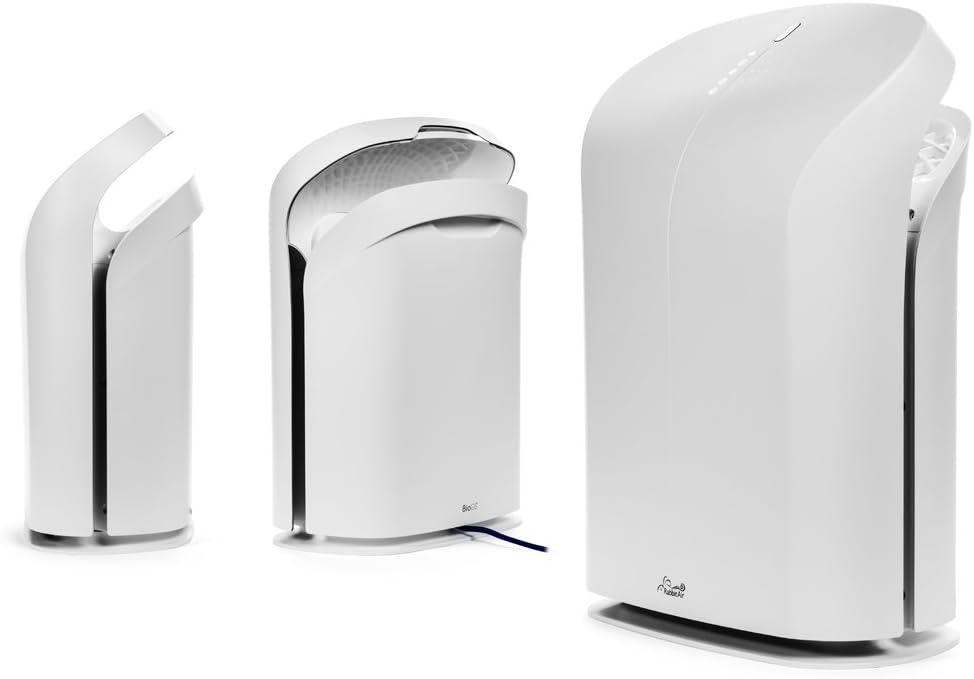
Slika 3: Razno views of the BioGS 2.0 Air Purifier.
4. Početno podešavanje
Follow these steps to set up your BioGS 2.0 Air Purifier:
- Raspakujte jedinicu: Carefully remove the air purifier from its packaging. Retain packaging for future transport or storage.
- Instalacija filtera: The filters are typically pre-installed. However, ensure all protective plastic packaging is removed from the filters before first use. Refer to the 'Maintenance' section for filter access.
- plasman: Place the air purifier on a firm, level surface. Ensure there is adequate space around the unit (at least 6 inches from walls or furniture) for optimal air intake and output. Avoid placing it near heat sources or in direct sunlight.
- Priključak za napajanje: Uključite kabl za napajanje u standardnu električnu utičnicu.

Figure 4: Recommended placement in a living room setting.
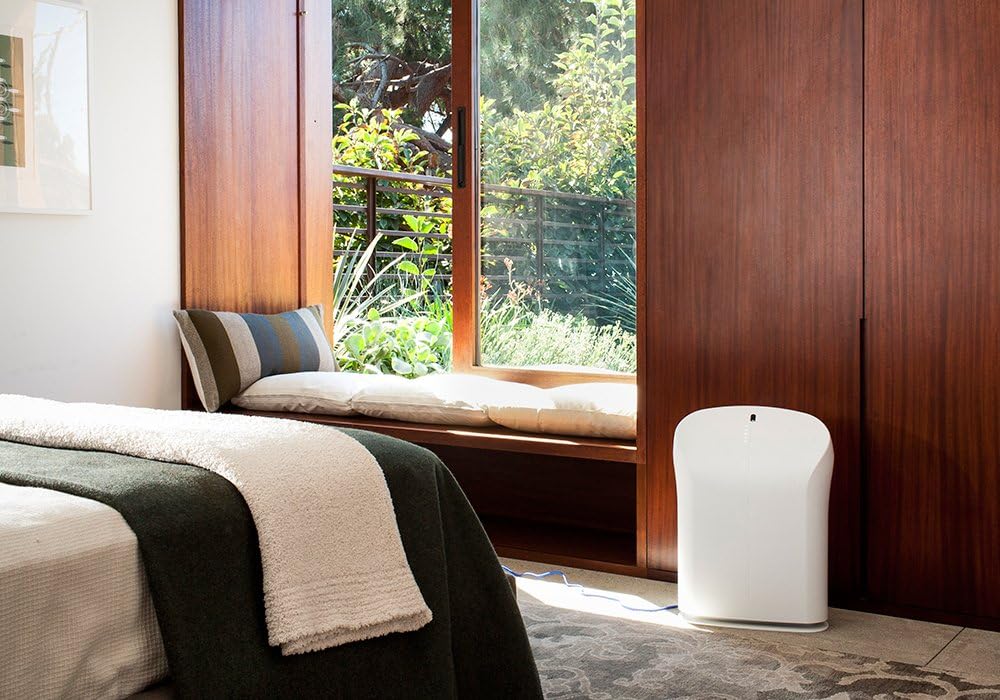
Figure 5: Recommended placement in a bedroom setting.
5. Uputstvo za upotrebu
The BioGS 2.0 can be operated using the control panel on the unit or the included remote control.

Figure 6: Remote control for the BioGS 2.0 Air Purifier.
5.1. Uključivanje/isključivanje
Press the power button (usually indicated by a circle with a vertical line) on the control panel or remote to turn the unit on or off.
5.2. Podešavanje brzine ventilatora
The unit has five adjustable fan speeds. Press the fan speed button (often depicted as a gear or fan icon) repeatedly to cycle through the speeds. The corresponding LED indicators will illuminate.
5.3. Auto Mode
Activate Auto Mode by pressing the dedicated button (often an 'A' or circular arrow icon). In this mode, the air purifier automatically adjusts the fan speed based on the detected air quality, optimizing performance and energy consumption.
5.4. Funkcija tajmera
Use the timer button (clock icon) to set the operating duration. You can typically set the unit to run for a specific number of hours before automatically turning off.
5.5. Negative Ion Function
The negative ionizer can be turned on or off by pressing its respective button (often a smiling face or wave icon). This function helps to freshen the air by releasing negativnih iona.
5.6. Pokazatelj kvalitete zraka
The LED lights on the control panel provide a visual indication of the current air quality, allowing you to monitor your environment at a glance.
6. Održavanje i njega
Redovno održavanje osigurava optimalne performanse i produžava vijek trajanja vašeg pročišćivača zraka.
6.1. Čišćenje pred-filtera
The washable pre-filter captures larger particles. It should be cleaned regularly, typically once a month or as needed. To clean:
- Isključite jedinicu.
- Remove the front panel and carefully detach the pre-filter.
- Vacuum the pre-filter with a brush attachment or rinse it under cool running water.
- Allow the pre-filter to air dry completely before reinstalling.
6.2. HEPA and Activated Carbon Filter Replacement
The BioGS HEPA and Charcoal-Based Activated Carbon Filters are designed to last up to three years with 12-hour daily use. Filter life may vary based on usage and air quality. Replace filters when the filter indicator light illuminates or when you notice a decrease in performance or an increase in odors.
- Isključite jedinicu.
- Uklonite prednju ploču i stare filtere.
- Install new genuine Rabbit Air replacement filters, ensuring they are correctly seated.
- Reset the filter life indicator according to the instructions provided with the replacement filters or in the full user manual.
6.3. Generalno čišćenje
Obrišite vanjski dio uređaja mekom, suhom krpom. Ne koristite abrazivna sredstva za čišćenje ili rastvarače. Prije čišćenja provjerite je li uređaj isključen iz struje.
7. Vodič za rješavanje problema
Pogledajte ovu tabelu za uobičajene probleme i njihova rješenja:
| Problem | Mogući uzrok | Rješenje |
|---|---|---|
| Jedinica se ne uključuje. | No power, power cord loose, unit not plugged in. | Provjerite priključak za napajanje, uvjerite se da je utičnica funkcionalna. |
| Slab protok vazduha. | Clogged pre-filter, dirty HEPA/Carbon filters. | Clean pre-filter, replace HEPA/Carbon filters. |
| Neobična buka. | Foreign object in fan, unit not on a level surface. | Unplug and check for obstructions. Place on a stable surface. |
| Miris i dalje postoji. | Activated carbon filter saturated, source of odor too strong. | Replace activated carbon filter. Identify and remove odor source. |
8. Tehničke specifikacije
| Feature | Specifikacija |
|---|---|
| Broj modela | SPA-550A |
| Dimenzije proizvoda (D x Š x V) | 9.8" x 16.6" x 22.2" |
| Težina | 16.8 funti |
| Preporučena površina poda | Do 550 kvadratnih stopa |
| Nivo buke | 25 Decibels (at lowest setting) |
| Wattage | 39 vati |
| Životni vijek filtra | Up to 3 years (HEPA & Activated Carbon, 12-hour daily use) |
9. Garancija i korisnička podrška
Rabbit Air stands behind the quality of its products. The BioGS 2.0 Air Purifier comes with an industry-leading five-year warranty, covering defects in materials and workmanship under normal use.
For technical assistance, warranty claims, or general inquiries, Rabbit Air offers 24/7 lifetime technical support. Please visit the official Rabbit Air website or refer to the contact information provided in your product packaging for the most current support details.
Online resursi: For additional information, FAQs, and filter purchasing, please visit the Rabbit Air Store on Amazon.


