1. Proizvod je gotovview
Nero 2014 is a comprehensive multimedia software suite designed for managing, creating, converting, playing, and burning digital media. It integrates various applications to facilitate an enhanced entertainment experience for users at home or on the go.
Key functionalities include robust ripping and conversion, extensive mobile device support, video editing, media management, disc and file playback (including DVD-Video and AVCHD), Nero Play to TV streaming, and disc burning.
Ključne karakteristike:
- Manage photos, videos, and music.
- Create multimedia content with integrated tools.
- Convert various file formats for compatibility across devices.
- Play all media files from a central location.
- Burn high-quality, reliable, and secure discs.
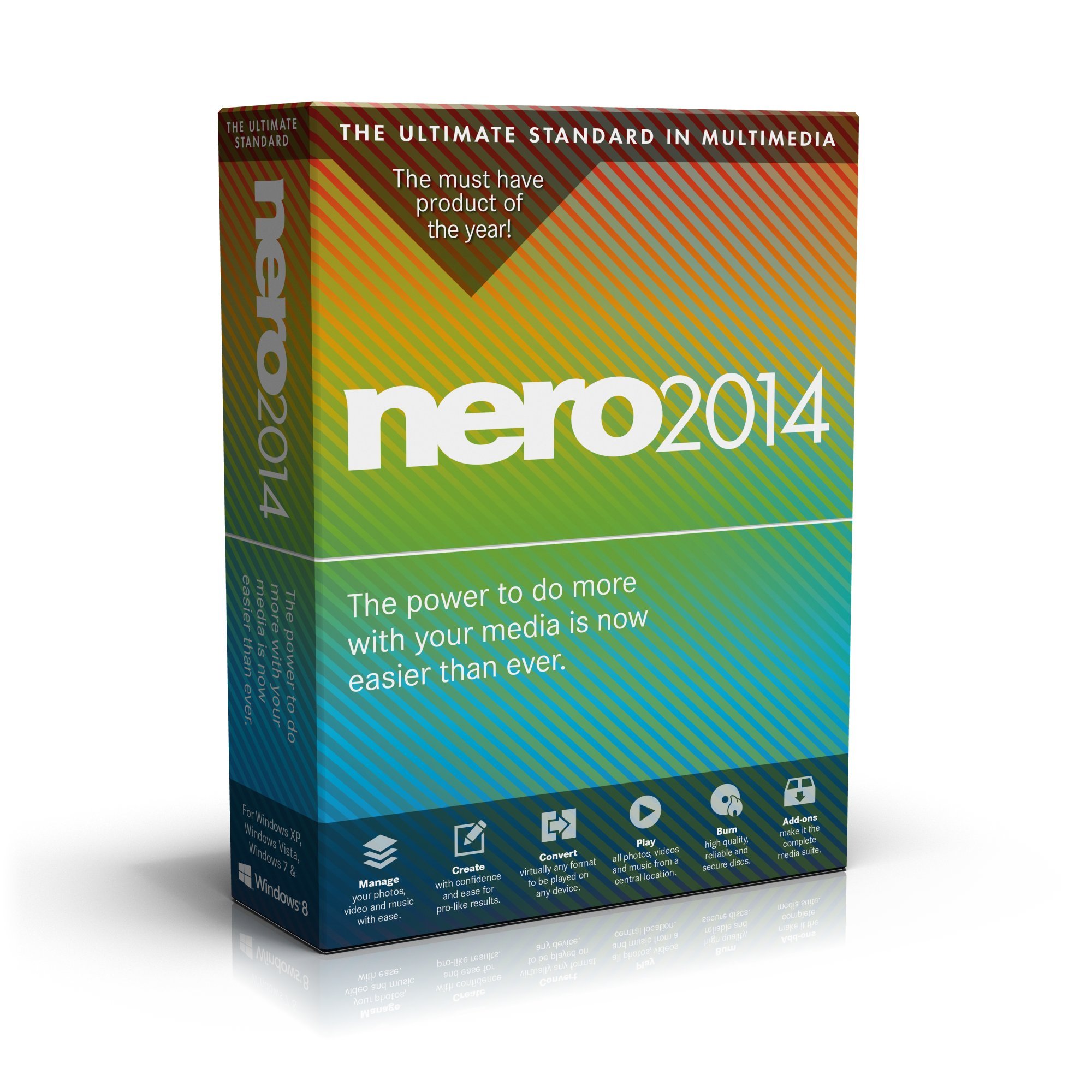
Figure 1.1: Nero 2014 software overview highlighting its core capabilities.
2. Postavljanje i instalacija
2.1 Sistemski zahtjevi
Pobrinite se da vaš sistem ispunjava sljedeće minimalne zahtjeve za optimalne performanse:
- Operativni sistem: Windows XP SP3 (32 bit), Windows Vista SP2 or later (32/64 bit), Windows 7 SP1 Home Premium, Professional or Ultimate (32/64 bit), Windows 8 (32/64 bit), Windows 8.1 (32/64 bit)
- procesor: 2 GHz AMD or Intel processor
- RAM: 1 GB RAM-a
- Prostor na tvrdom disku: 5 GB for typical installation (includes templates, content, temporary disk space)
- grafička kartica: Microsoft DirectX 9.0 compliant
- Optički pogon: DVD disc drive for installation and playback; CD, DVD, or Blu-ray Disc recordable/rewritable drive for burning
- Media Player: Windows Media Player 9 ili noviji
- Dodatne komponente: Microsoft Windows Installer 4.5, Microsoft .NET 4, Microsoft DirectX, or Adobe Flash (shipped with product or downloaded automatically)
- Internet veza: Required for some services; charges are user's responsibility. Online updates may be required for streaming functions.
2.2 Obim isporuke
Paket proizvoda uključuje:
- DVD za instalaciju

Slika 2.1: Prednja strana view of the Nero 2014 software package.
2.3 Koraci instalacije
- Insert the Nero 2014 installation DVD into your computer's DVD drive.
- The installer should launch automatically. If not, navigate to the DVD drive in 'My Computer' or 'This PC' and double-click 'setup.exe'.
- Follow the on-screen prompts to complete the installation. This typically involves accepting the license agreement, choosing an installation directory, and selecting components.
- Enter your product key when prompted.
- Restart your computer if required after installation.
3. Uputstvo za upotrebu
3.1 Media Management
Nero 2014 includes a media organizer for efficient management of your video, photo, and music files. This allows for easy categorization and retrieval of your digital content.
3.2 Ripping and Conversion
The software provides capabilities for ripping and converting various media formats. This includes 1-click Nero Disc to Device conversion for mobile and cloud platforms, ripping AVCHD, DVD-Video, and online videos (for non-commercial, personal content), and converting between a wide range of video and audio formats. Hardware-optimized encoding is supported.

Slika 3.1: Prample of the Nero 2014 interface for ripping and converting media files.
3.3 Video Editing and Authoring
Nero 2014 offers both express and powerful multitrack video editing functionalities. Users can edit movies and slideshows using high-quality movie themes, and apply video, transition, text, and Picture-in-Picture (PIP) effects. High-quality video editing with AVCHD 2.0 support is included, along with disc authoring and burning features that include 2D and 3D menu templates.

Figure 3.2: Screenshot of the Nero 2014 video editing interface, showing various effects.
3.4 Media Playback and Streaming
The software supports playback of video, photo, and music files, including DVD-Video. It also features Nero Play to TV streaming, allowing content to be streamed to compatible televisions. The creation of themed slideshows and photo products is also supported.
3.5 Disc Burning and Copying
Nero 2014 provides disc burning capabilities for all disc formats (CD, DVD, Blu-ray Disc). It includes Nero SecurDisc technology for burning secure and reliable discs. Users can burn discs from disc images, create disc images from burning projects, and span large files across multiple discs using Nero DiscSpan SmartFit. Burning DVD-Video, BDMV, and AVCHD compilations is also supported, along with ripping and converting Audio CDs and audio files to high-quality audio formats.
4. Održavanje
To ensure optimal performance of Nero 2014, regularly check for software updates. Updates often include bug fixes, performance enhancements, and compatibility improvements. Access the update feature through the software's main menu or settings. Ensure your operating system and drivers are also up to date.
5. Otkrivanje problema
If you encounter issues with Nero 2014, consider the following steps:
- Review Sistemski zahtjevi: Verify that your computer meets all minimum system requirements.
- Provjerite ima li ažuriranja: Ensure Nero 2014 and your operating system are fully updated.
- Ponovno pokretanje softvera/računara: Jednostavno ponovno pokretanje često može riješiti privremene probleme.
- Konsultujte dokumentaciju: Refer to the in-software help files or online knowledge base for specific error messages or issues.
- Ponovna instalacija: As a last resort, try uninstalling and reinstalling the software.
6. Specifikacije
| Specifikacija | Vrijednost |
|---|---|
| Broj modela stavke | AMER-10040010/553 |
| Dimenzije proizvoda | 5.25 x 7.5 x 1.25 inča |
| Težina artikla | 3.84 unce |
| Proizvođač | Nero |
| Datum prve dostupnosti | 3. septembra 2013 |
7. Garancija i podrška
For information regarding product warranty, please refer to the documentation included with your software package or visit the official Nero website. Technical support and additional resources can typically be found on the Nero support portal. Ensure you have your product key and purchase details available when contacting support.
You can visit the official Nero Store for more information: Nero Store on Amazon


