1. Proizvod je gotovview
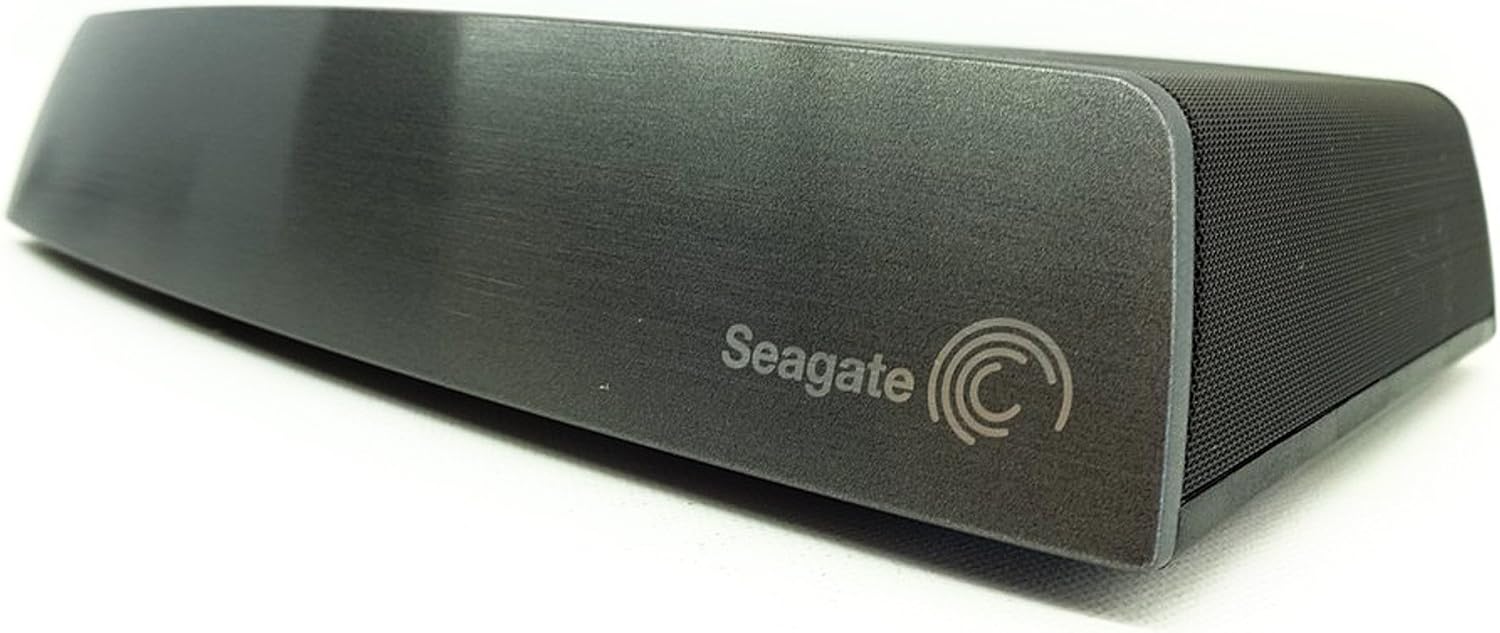
Seagate Central STCG3000100 je lični uređaj za pohranu u oblaku dizajniran za centralizaciju i sigurnosno kopiranje vašeg digitalnog sadržaja. Omogućava pristup vašem files različitih uređaja unutar vaše kućne mreže ili daljinski putem interneta.
Ključne karakteristike:
- Pristupite svom ličnom oblaku s bilo kojeg mjesta pomoću web preglednik ili besplatna aplikacija za tablete i pametne telefone.
- Automatski napravite sigurnosnu kopiju više PC i Mac računara.
- Prenesite i napravite sigurnosne kopije fotografija/videozapisa sa tableta i pametnih telefona bilo gdje s internetskom vezom.
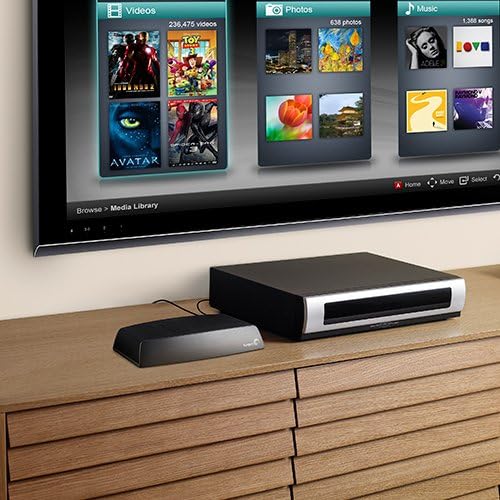
- Bežično strimujte svoju medijsku biblioteku na igraće konzole, medijske plejere, pametne televizore i povezane uređaje.
2. Šta se nalazi u kutiji
- Seagate Central uređaj za dijeljeno pohranjivanje podataka
- Ethernet kabl
- Napajanje
- Vodič za brzi početak

3. Upute za postavljanje
Slijedite ove korake za postavljanje vašeg Seagate Central uređaja:
- Povežite Ethernet kabel: Uključite jedan kraj priloženog Ethernet kabla u Ethernet port na poleđini vašeg Seagate Central uređaja. Drugi kraj uključite u dostupni LAN port na vašem bežičnom ruteru.
- Priključite napajanje: Spojite napajanje na ulaz za napajanje na stražnjoj strani Seagate Central uređaja. Uključite adapter za napajanje u zidnu utičnicu.
- Uključeno: Uređaj će se automatski uključiti. Sačekajte da lampica statusa na prednjoj strani uređaja počne stalno svijetliti zeleno, što označava da je spreman za upotrebu. To može potrajati nekoliko minuta.
- Početni pristup: Sa računara povezanog na istu mrežu, otvorite web pretraživač i idite na www.seagate.com/central/setup da biste dovršili početno podešavanje i kreirali svoj Seagate Access račun.
4. Uputstvo za upotrebu
4.1. Pristup vašem Files
Možete pristupiti svom filepohranjeno na Seagate Centralu na nekoliko načina:
- Lokalna mreža (PC/Mac): Seagate Central će se pojaviti kao mrežni disk na vašem računaru. Možete pregledavati i upravljati filedirektno putem vašeg operativnog sistema file explorer.
- Seagate Media aplikacija (mobilni uređaji): Preuzmite besplatnu aplikaciju Seagate Media iz trgovine aplikacija na vašem uređaju. Prijavite se sa svojim Seagate Access računom da biste pregledavali, strimovali i prenosili sadržaj.
- Web Preglednik (udaljeni pristup): Posjetite access.seagate.com i prijavite se sa svojim Seagate Access računom da biste pristupili svom files bilo kojeg uređaja povezanog na internet.
- DLNA/UPnP uređaji: Strimujte medije na kompatibilne pametne televizore, igraće konzole i medijske plejere koji podržavaju DLNA ili UPnP.

4.2. Automatska sigurnosna kopija
Konfigurišite automatske sigurnosne kopije za vaše PC i Mac računare pomoću softvera Seagate Dashboard (dostupan za preuzimanje sa Seagate webstranica). Ovo osigurava vaše važne filese redovno spremaju na vaš Seagate Central.
4.3. Mobilni otpremanja
Koristite aplikaciju Seagate Media na svom pametnom telefonu ili tabletu za automatsko otpremanje fotografija i videozapisa na Seagate Central, oslobađajući prostor na mobilnom uređaju i centralizirajući svoje uspomene.
5. Održavanje
- Ažuriranja firmvera: Redovno provjeravajte i instalirajte ažuriranja firmvera putem administratorskog interfejsa Seagate Centrala. Ažuriranja pružaju poboljšanja performansi, nove funkcije i sigurnosna poboljšanja.
- čišćenje: Uređaj održavajte čistim i bez prašine. Za brisanje vanjske površine koristite meku, suhu krpu. Ne koristite tekuća sredstva za čišćenje ili aerosole.
- ventilacija: Osigurajte da uređaj ima odgovarajuću ventilaciju. Ne blokirajte ventilacijske otvore niti postavljajte uređaj u zatvoreni prostor koji bi mogao ograničiti protok zraka.
- Integritet podataka: Iako Seagate Central pruža mogućnosti sigurnosnog kopiranja, preporučuje se održavanje dodatnih sigurnosnih kopija kritičnih podataka na odvojenim uređajima za pohranu ili uslugama u oblaku.
6. Otkrivanje problema
6.1. Uređaj nije otkriven na mreži
- Provjerite je li Ethernet kabel sigurno spojen i na Seagate Central i na vaš ruter.
- Provjerite je li adapter za napajanje priključen i je li lampica statusa uređaja stalno zelena.
- Ponovo pokrenite ruter, a zatim ponovo pokrenite Seagate Central uređaj.
- Provjerite postavke rutera kako biste bili sigurni da je DHCP omogućen i da uređaj prima IP adresu.
6.2. Nemoguć pristup FileDaljinski
- Potvrdite da je vaš Seagate Central povezan s internetom i da li lampica statusa svijetli zeleno.
- Provjerite da li koristite ispravne podatke za pristup Seagate Access računu.
- Provjerite postavke zaštitnog zida (firewall) vašeg rutera; neki zaštitni zidovi mogu blokirati udaljeni pristup.
6.3. Spore performanse
- Zagušenje mreže može utjecati na performanse. Pokušajte smanjiti broj aktivnih mrežnih uređaja ili aktivnosti streaminga.
- Provjerite da li su vaši mrežni kablovi u dobrom stanju i da li vaš ruter podržava Gigabit Ethernet za optimalne brzine.
- Provjerite ima li na Seagate Centralu tekućih pozadinskih zadataka, kao što su velike sigurnosne kopije ili indeksiranje medija.
7. Tehničke specifikacije
| Feature | Detalj |
|---|---|
| Brand | Seagate |
| Broj modela | STCG3000100 |
| Digital Storage Capacity | 3 TB |
| Faktor oblika tvrdog diska | 3.5 inča |
| Tehnologija povezivanja | Ethernet |
| Interfejs domaćina | USB 2.0 |
| Maksimalna brzina prijenosa vanjskih podataka | 60 MBps (480 Mbps) |
| Hardverska platforma | Mac, PC |
| Boja | Crna |
| Dimenzije artikla (DxŠxV) | 5.7 x 8.5 x 1.7 inča |
| Težina artikla | 2.2 funte |
8. Garancija i podrška
8.1. Ograničena garancija
Seagate Central STCG3000100 dolazi sa 2-godišnja ograničena garancijaMolimo sačuvajte dokaz o kupovini za potrebe reklamacije. Za potpune uslove i odredbe, pogledajte dokumentaciju o garanciji koja je priložena uz vaš proizvod ili posjetite službenu Seagate stranicu. website.
8.2. Tehnička podrška
Za tehničku pomoć, registraciju proizvoda ili preuzimanje najnovijeg softvera i firmvera, posjetite službenu Seagate podršku webstranica:
Na stranici za podršku možete pronaći i korisne resurse, često postavljana pitanja i forume zajednice.
9. Video resursi
Seagate Central eksterni tvrdi diskview
Ovaj video pruža kratak pregledview o eksternom tvrdom disku Seagate Central, ističući njegove karakteristike i kako on može centralizirati vaš digitalni život. Demonstrira se kako uređaj organizira i pravi sigurnosne kopije fotografija, muzike, filmova i dokumenata, čineći ih dostupnim s različitih uređaja poput računara, tableta, pametnih telefona, igraćih konzola i pametnih televizora. Video također prikazuje jednostavnost podešavanja priključivanjem na bežični ruter i korištenjem aplikacije Seagate Media.


