1. Uvod i krajview
The Alpine VIE-X007-WS-E is a dedicated in-dash car navigation system designed for specific vehicle models, featuring a high-definition 7-inch wide VGA LED LCD display. This unit provides clear and detailed maps, high-quality video playback, and integrates advanced features for an enhanced driving experience. It includes a 32GB SDHC memory for map and music data, a built-in terrestrial digital TV tuner, and Bluetooth connectivity for hands-free calling and audio streaming. The system is 'Tuned by Alpine' to ensure optimal acoustic settings and vehicle-specific functionalities.
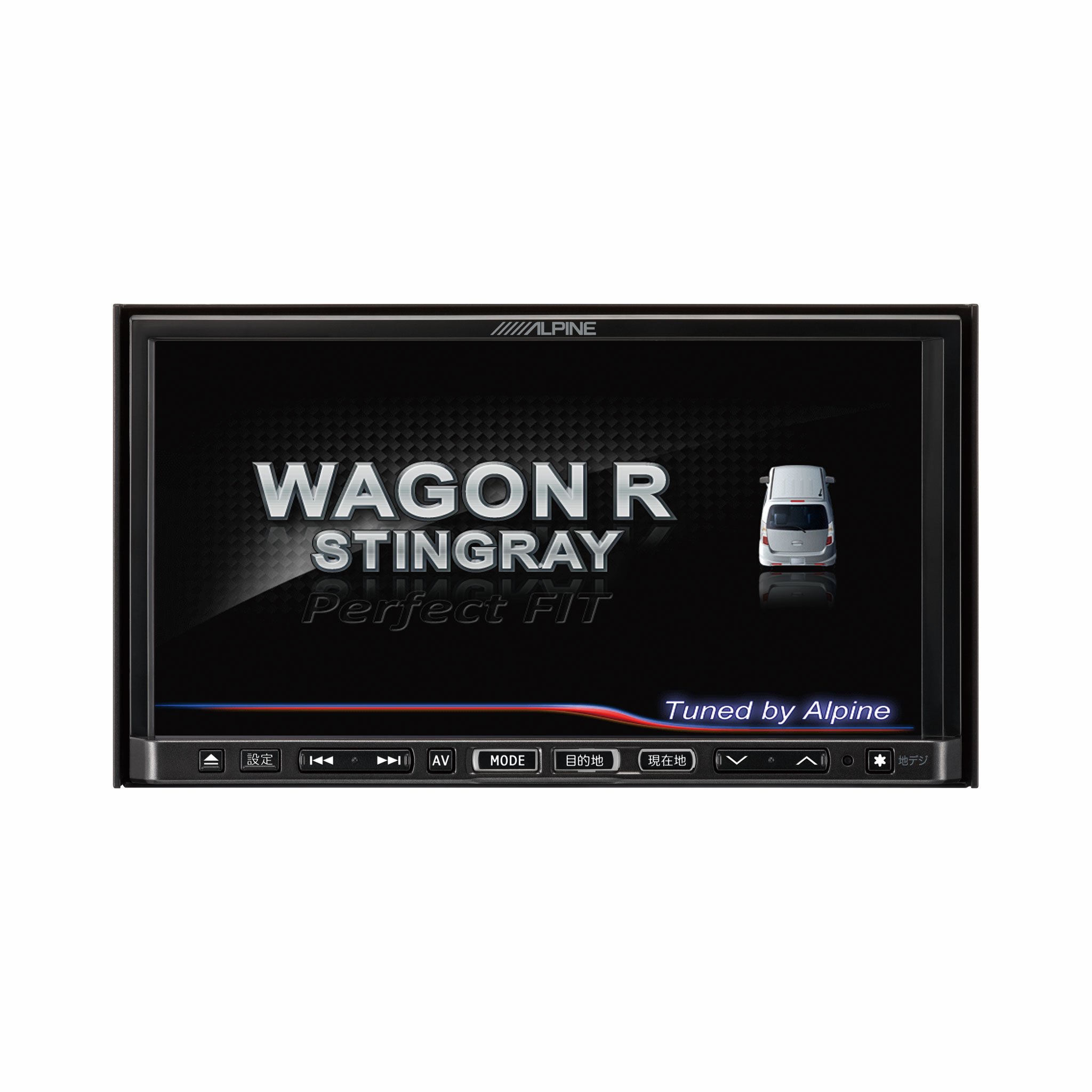
Slika 1.1: Prednja strana view of the Alpine VIE-X007-WS-E In-Dash Car Navigation System, showcasing njegov 7-inčni ekran i kontrolni interfejs.
2. Ključne karakteristike
- Prikaz: 7-inch LED / WVGA Touch Panel Monitor for clear visuals and intuitive control.
- Skladištenje: 32GB SD memory (16GB for Map Data + 16GB for Music Data).
- tjuner: Built-in Terrestrial Digital TV Tuner (12 Segments/One Segment) for broadcast reception.
- Povezivanje: Built-in Bluetooth for hands-free calling and Bluetooth audio support.
- Reprodukcija medija: Supports DVD/CD, FM/AM radio, SD Memory Card, iPod/iPhone, USB, and Walkman (connection cable not included).
- Integracija vozila: Alpine system link functions for rear vision camera and vehicle-specific settings.
3. Upute za postavljanje
Proper installation is crucial for optimal performance and safety. It is highly recommended that this unit be installed by a qualified professional car audio technician.
3.1. Provjere prije instalacije
- Prije početka instalacije provjerite je li akumulator vozila isključen.
- Verify all necessary mounting hardware and wiring harnesses are present.
- Confirm compatibility with your specific vehicle model (Wagon R MH23 Stingray).
3.2. Ožičenje
- Priključak za napajanje: Spojite glavni kabel napajanja na napajanje vozila, osiguravajući pravilno uzemljenje.
- Priključci zvučnika: Connect the speaker wires to the corresponding vehicle speakers, observing polarity.
- Antenski priključci: Connect the GPS antenna and the terrestrial digital TV antenna to their respective inputs on the unit. Position antennas in locations with clear line of sight.
- Veze eksternih uređaja: Connect any optional devices such as a rear-view camera, USB devices, or iPod/iPhone using the appropriate cables (sold separately).
3.3. Montaža jedinice
- Carefully insert the unit into the vehicle's dashboard opening.
- Pričvrstite uređaj pomoću priloženih nosača i vijaka za montažu.
- Re-connect the vehicle's battery.
3.4. Početno uključivanje
- Turn on the vehicle's ignition. The unit should power on and display the Alpine logo.
- Follow any on-screen prompts for initial setup, such as language selection and time zone.
4. Uputstvo za upotrebu
This section provides general guidance on operating your Alpine navigation system.
4.1. Uključivanje/isključivanje
- The unit typically powers on automatically with the vehicle's ignition.
- To manually turn off or put the unit into standby, press and hold the power button (location may vary, refer to specific vehicle integration manual).
4.2. Rad sa ekranom osetljivim na dodir
- Navigate menus and select functions by lightly touching the screen icons.
- Use swipe gestures for scrolling through lists or maps.
4.3. Funkcije navigacije
- Pristup navigaciji: Tap the 'Navigation' or 'Map' icon on the main menu.
- Entering Destination: Use the on-screen keyboard to input an address, point of interest (POI), or select from recent destinations.
- Upute za rutu: Once a destination is set, the system will calculate a route and provide turn-by-turn voice guidance and visual cues.
- Mapa View: Switch between 2D, 3D, and various zoom levels using the on-screen controls.
4.4. Reprodukcija medija
- radio: Select 'FM' or 'AM' from the main menu. Use the tuner controls to scan for stations or select presets.
- CD/DVD: Insert a disc into the slot. Playback should begin automatically or can be selected from the 'Disc' source.
- SD kartica/USB: Insert an SD card or USB device. Select 'SD' or 'USB' as the source and browse for media files.
- Bluetooth Audio: Pair your Bluetooth device (see section 4.5) and select 'Bluetooth Audio' as the source to stream music.
- Zemaljska digitalna televizija: Select 'TV' from the main menu. The system will scan for available channels.
4.5. Bluetooth uparivanje
- On the unit, go to the 'Bluetooth' menu.
- Omogućite Bluetooth na svom mobilnom uređaju i potražite dostupne uređaje.
- Select 'Alpine VIE-X007-WS-E' (or similar name) from your device's list.
- Potvrdite kod za uparivanje na oba uređaja ako se to od vas zatraži.
- Nakon uparivanja, možete upućivati/primati pozive i strimovati zvuk.
5. Održavanje
Regular maintenance ensures the longevity and optimal performance of your navigation system.
5.1. Čišćenje uređaja
- Koristite meku, suhu krpu za brisanje ekrana i kontrolne ploče.
- Za tvrdokorne mrlje na ekranu, lagano prebrišiteampen the cloth with a screen cleaner specifically designed for electronics. Do not spray cleaner directly onto the unit.
- Izbjegavajte upotrebu abrazivnih sredstava za čišćenje, rastvarača ili jakih hemikalija.
5.2. Ažuriranja softvera i mapa
- Povremeno provjeravajte službene podatke Alpinea website for available software and map updates.
- Follow the instructions provided with the update package carefully to ensure proper installation. Updates typically involve downloading files to an SD card or USB drive and inserting it into the unit.
5.3. Rukovanje SD karticama
- Always eject the SD card safely through the unit's menu before physically removing it.
- Store the SD card in a protective case when not in use to prevent damage.
6. Otkrivanje problema
Ovaj odjeljak se bavi uobičajenim problemima s kojima se možete susresti i njihovim mogućim rješenjima.
| Problem | Mogući uzrok | Rješenje |
|---|---|---|
| Jedinica se ne uključuje. | Labav priključak za napajanje, pregorjeli osigurač, problem s akumulatorom vozila. | Check power wiring and fuse. Ensure vehicle battery is charged. Consult a professional if issues persist. |
| Nema GPS signala ili je pozicioniranje netačno. | GPS antenna obstructed or improperly connected, unit in an area with poor satellite reception. | Osigurajte da GPS antena ima čist view of the sky. Check antenna connection. Move to an open area. |
| Bluetooth device fails to pair. | Bluetooth not enabled on device, incorrect pairing mode, interference. | Ensure Bluetooth is active on your device. Put the unit in pairing mode. Try re-pairing. Move closer to the unit. |
| Ekran osjetljiv na dodir ne reagira. | Temporary software glitch, screen calibration issue. | Restart the unit (turn vehicle ignition off and on). If available, perform screen calibration via settings. |
| Nema zvuka iz zvučnika. | Jačina zvuka je preniska, uključeno isključivanje zvuka, problem sa ožičenjem zvučnika. | Povećajte jačinu zvuka. Provjerite je li uključeno isključivanje zvuka. Provjerite priključke zvučnika. |
If you encounter problems not listed here or if the suggested solutions do not resolve the issue, please contact Alpine customer support or a certified service center.
7. Specifikacije
| Feature | Specifikacija |
|---|---|
| Brand | Alpine |
| Model | VIE-X007-WS-E |
| Veličina ekrana | 7 inča |
| Display Type | WVGA LED LCD Touch Panel Monitor |
| Kapacitet memorije | 16 GB (for Map Data, total 32GB SDHC) |
| Posebne karakteristike | Hands Free (Bluetooth) |
| Tehnologija povezivanja | Bluetooth, USB |
| Unos ljudskog interfejsa | Touchscreen |
| Podržani tipovi medija | Memory, DVD, CD, FM/AM, SD Card, iPod/iPhone, USB, Walkman |
| Ugrađeni tjuner | Terrestrial Digital TV Tuner (12 Segments/One Segment) |
| Baterije uključene | br |
| Dimenzije proizvoda | 18.66 x 17.8 x 10 cm |
| Težina artikla | 6.44 kg |
8. Garancija i podrška
Warranty information for the Alpine VIE-X007-WS-E is typically provided with the product packaging or at the point of purchase. Please refer to these documents for details regarding warranty coverage, terms, and conditions.
For technical support, service inquiries, or to find authorized service centers, please visit the official Alpine website or contact Alpine customer service directly. Ensure you have your product model number (VIE-X007-WS-E) and proof of purchase available when seeking support.
Alpski službenik Webstranica: www.alpine.com


