1. Važna sigurnosna uputstva
Please read these safety instructions carefully before operating your monitor. Keep this manual for future reference.
- Ne postavljajte monitor na nestabilna kolica, postolje ili stol.
- Ne blokirajte otvore za ventilaciju.
- Ne koristiti u blizini vode.
- Čistite samo suhom krpom.
- Isključite monitor iz struje tokom oluje sa grmljavinom ili kada ga ne koristite duži period.
- Sav servis prepustite kvalifikovanom serviseru.
2. Sadržaj paketa
Provjerite da li se sve stavke nalaze u vašem paketu:
- AOC E2060 Monitor
- Power Cable
- VGA kabel
- Korisnički priručnik (ovaj dokument)
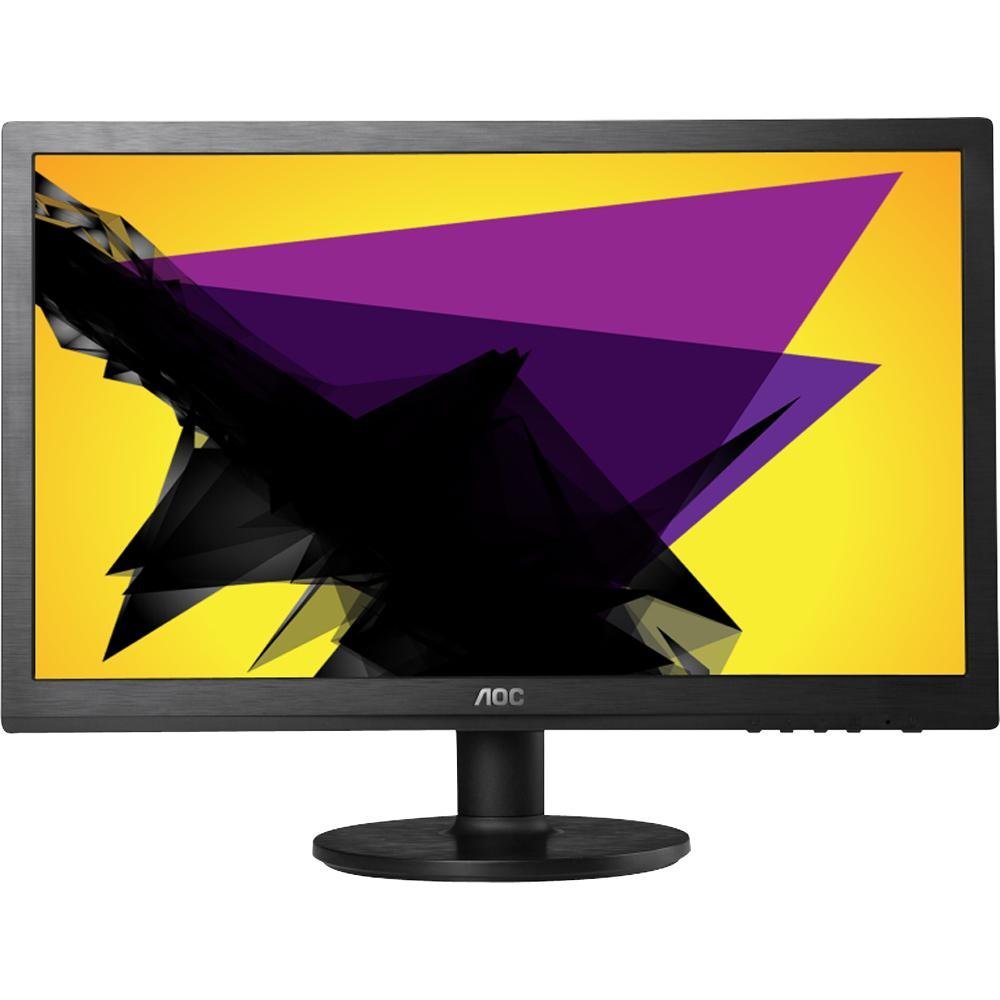
Image: The AOC E2060 20-inch LED Backlit Computer Monitor, showcasinnjegov tanki okvir i postolje.
3. Podešavanje
3.1 Sastavljanje postolja
- Pažljivo izvadite monitor iz ambalaže i postavite ga licem prema dolje na meku, čistu površinu kako biste spriječili ogrebotine.
- Attach the stand base to the stand neck, ensuring it clicks securely into place or is fastened with the provided screw.
- Connect the assembled stand to the back of the monitor until it locks securely.
3.2 Kablovi za povezivanje
Prije bilo kakvog povezivanja provjerite da li su računar i monitor isključeni.
- Priključak za napajanje: Spojite jedan kraj kabela za napajanje na ulaz za napajanje monitora, a drugi kraj na uzemljenu električnu utičnicu.
- Video priključak (VGA): Connect the VGA cable from your computer's VGA output port to the VGA input port on the monitor. Tighten the screws on the VGA connector to secure the connection.
4. Rukovanje monitorom
4.1 Uključivanje/isključivanje napajanja
Press the power button located on the front or bottom bezel of the monitor to turn it on or off. The power indicator light will illuminate when the monitor is on.
4.2 On-Screen Display (OSD) meni
The OSD menu allows you to adjust various monitor settings. Use the buttons on the monitor's bezel to navigate and select options.
- Dugme menija: Pritisnite da biste otvorili OSD meni.
- Up/Down or Left/Right Buttons: Use to navigate through menu options.
- Dugme za odabir/unos: Pritisnite za potvrdu odabira ili ulazak u podmeni.
- Dugme za izlaz: Press to exit the current menu or the OSD entirely.
4.3 Podešavanje postavki slike
Unutar OSD menija možete podesiti postavke kao što su:
- Svjetlina: Podešava ukupnu svjetlinu ekrana.
- Kontrast: Podešava razliku između svijetlih i tamnih područja.
- Temperatura boje: Changes the color balance (e.g., Warm, Cool, sRGB).
- Automatsko podešavanje: Optimizes the image automatically for analog (VGA) input.
5. Održavanje
5.1 Čišćenje monitora
To ensure a long lifespan and optimal performance, clean your monitor regularly.
- Uvijek isključite monitor iz električne utičnice prije čišćenja.
- Lagano koristite meku krpu koja ne ostavlja dlačice dampvodom ili blagim, neabrazivnim sredstvom za čišćenje ekrana.
- Ne prskajte sredstvo za čišćenje direktno na ekran.
- Avoid using benzene, thinner, ammonia-based cleaners, or abrasive materials.
5.2 Skladištenje
If storing the monitor for an extended period, ensure it is powered off, unplugged, and stored in a cool, dry place away from direct sunlight and extreme temperatures. Use original packaging if available.
6. Otkrivanje problema
Ako imate problema s monitorom, pogledajte sljedeće uobičajene probleme i rješenja:
- Nema napajanja: Ensure the power cable is securely connected to both the monitor and the electrical outlet. Check if the power outlet is functional.
- Nema signala/Prazan ekran: Verify that the video cable (VGA) is correctly connected to both the monitor and the computer. Ensure the computer is powered on and not in sleep mode. Try restarting the computer.
- Image is Fuzzy/Distorted: For VGA connections, use the 'Auto Adjust' function in the OSD menu. Ensure the display resolution on your computer is set to the monitor's native resolution (1600x900).
- Colors are Incorrect: Adjust color settings in the OSD menu, or reset to factory defaults. Check your computer's display settings.
- Dugmad ne reagiraju: Unplug the monitor's power cable, wait 30 seconds, then plug it back in and try again.
If the problem persists after trying these steps, please contact AOC customer support.
7. Specifikacije
| Feature | Specifikacija |
|---|---|
| Brand | AOC |
| Naziv modela | E2060 |
| Veličina ekrana | 20 inča |
| Rezolucija ekrana | 1600 x 900 piksela |
| Display Technology | LED pozadinsko osvetljenje |
| Tehnologija povezivanja | VGA |
| Boja | Crna |
| Težina artikla | 0.28 g (approx. 0.01 Ounces) |
| Broj modela stavke | e2060Sn |
| UPC | 685417047789 |
8. Garancija i podrška
For warranty information and technical support, please refer to the warranty card included with your product or visit the official AOC website. You can typically find support resources, FAQs, and contact information for your region there.
Please have your monitor's model number (E2060) and serial number ready when contacting support.


