1. Uvod
This manual provides essential information for the safe and efficient use of your Philips GoGear Vibe SA3VBE04KP/94 4GB MP4 Player. Please read these instructions carefully before using your device.
The Philips GoGear Vibe is a portable media player designed for enjoying music, videos, and FM radio on the go. It features a 1.8-inch full-color display, 4GB of internal storage, and supports MP3, MP4, and WMA audio formats.
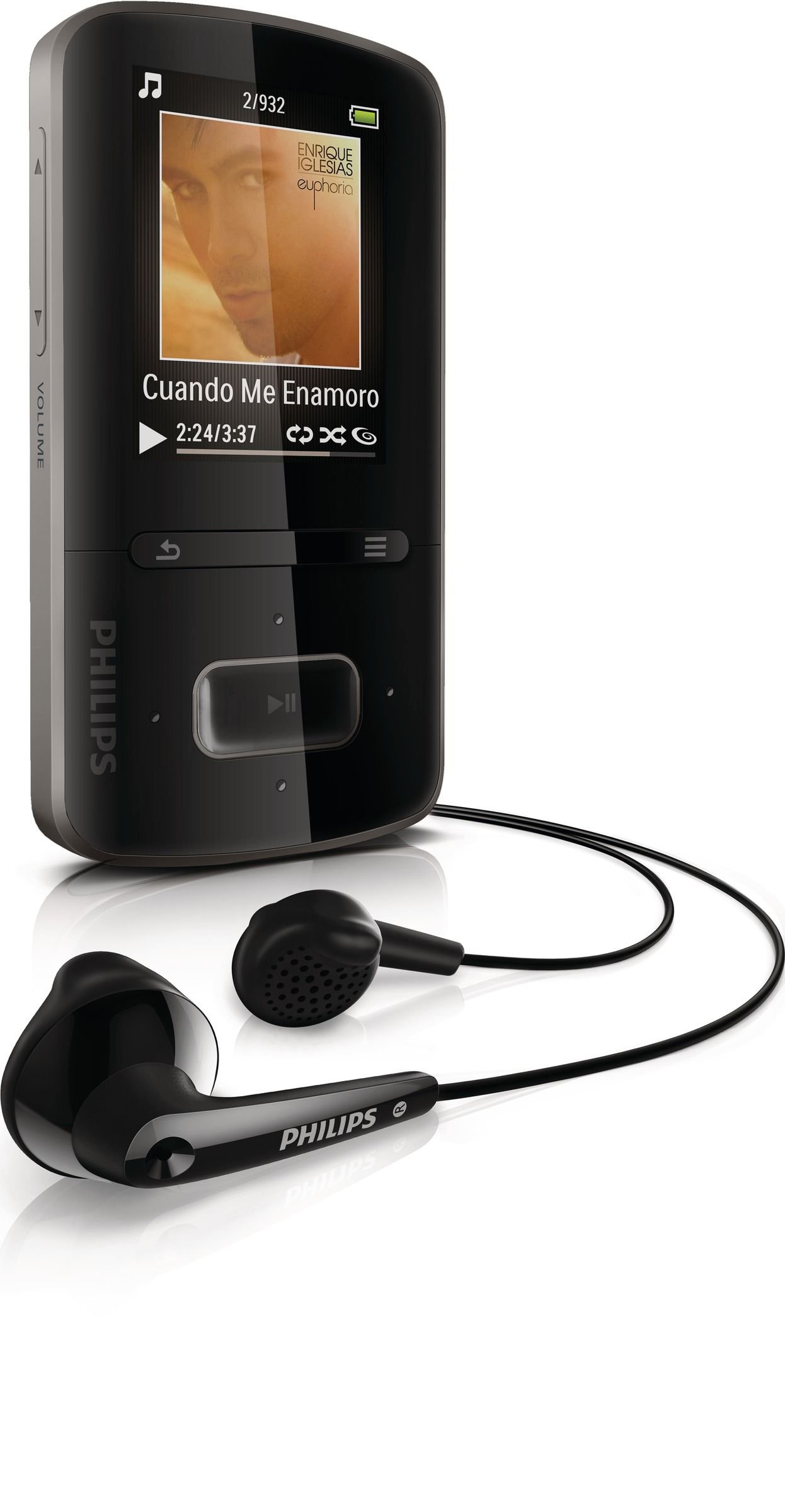
Image 1.1: Philips GoGear Vibe SA3VBE04KP/94 MP4 Player. This image displays the front view of the black MP4 player, highlighting its screen and navigation controls.
2. Podešavanje
2.1 Punjenje uređaja
Before first use, fully charge your GoGear Vibe. Use the provided USB power adaptor and cable to connect the player to a power source. A full charge provides up to 25 hours of music playback or 5 hours of video playback. A quick 5-minute charge can provide up to 90 minutes of playback.
- Connect the small end of the USB cable to the player's USB port.
- Connect the large end of the USB cable to the USB power adaptor.
- Plug the USB power adaptor into a wall outlet.
- Indikator baterije na ekranu će prikazivati status punjenja.
2.2 Povezivanje sa računarom
To transfer music and video files, connect your GoGear Vibe to a computer using the supplied USB cable.
- Connect the small end of the USB cable to the player's USB port.
- Connect the large end of the USB cable to an available USB port on your computer.
- Plejer će se na vašem računaru pojaviti kao prenosivi disk.
- Use Philips Songbird software (available for download from the Philips website) to manage and sync your media files efikasno.
3. Uputstvo za upotrebu
3.1 Uključivanje/isključivanje napajanja
Pritisnite i držite dugme za napajanje nekoliko sekundi da biste uključili ili isključili uređaj.
3.2 Navigacija
The GoGear Vibe features an easy and intuitive user interface with a 1.8-inch full-color display. Use the navigation buttons to browse menus and select options.
- Gore/dolje/lijevo/desno: Krećite se kroz opcije menija.
- Centralno dugme: Select an option or play/pause media.
- Dugme za povratak: Povratak na prethodni meni ili ekran.
3.3 Reprodukcija muzike
Access the "Music" menu to browse your audio files. The device supports MP3, MP4, and WMA formats and features Fullsound technology for enhanced audio quality.
- Browse by artist, album, genre, or use the "Folder view" to navigate your file strukturu.
- "LikeMusic" feature can create playlists of songs that sound similar.
- Connect the soft rubber earbuds for comfortable listening.
3.4 Reprodukcija video zapisa
Select the "Video" menu to watch your stored video content. The player supports MP4 video format.
3.5 FM radio
The integrated FM radio with RDS allows you to listen to your favorite stations. It supports up to 30 presets.
- Access the "FM Radio" menu.
- Use the navigation buttons to tune to stations.
- Save preferred stations as presets for quick access.
4. Održavanje
4.1 Čišćenje
To clean your GoGear Vibe, use a soft, dry cloth. Do not use liquid or aerosol cleaners, as they may damage the device.
4.2 Njega baterija
Da produžite vijek trajanja baterije:
- Izbjegavajte izlaganje uređaja ekstremnim temperaturama.
- Ne dozvolite da se baterija često potpuno isprazni.
- Redovno punite uređaj, čak i ako ga ne koristite duži period.
5. Otkrivanje problema
If you encounter issues with your Philips GoGear Vibe, refer to the following common solutions:
- Uređaj se ne uključuje: Provjerite je li baterija napunjena. Spojite je na izvor napajanja i pokušajte ponovo.
- Nema zvuka: Check the volume level. Ensure headphones are properly connected. Test with different headphones if possible.
- Nije moguće prenijeti files: Ensure the USB cable is securely connected to both the player and the computer. Try a different USB port or cable. Restart your computer and the player.
- FM radio not working: Ensure you are in an area with good signal reception. The headphones act as an antenna, so ensure they are plugged in.
- Device freezes: Press and hold the power button for approximately 10 seconds to perform a hard reset.
For further assistance, visit the official Philips support website.
6. Specifikacije
| Feature | Specifikacija |
|---|---|
| Broj modela | SA3VBE04KP/94 |
| Kapacitet memorije | 4 GB |
| Display | 1.8-inch full color display |
| Podržani audio formati | MP3, MP4, WMA |
| Podržani video formati | MP4 |
| Tehnologija tjunera | FM with RDS |
| FM preseti | 30 |
| Tehnologija povezivanja | USB |
| Kompatibilni uređaji | Earphone, Laptop, Personal Computer |
| Trajanje baterije (muzika) | Do 25 sati |
| Trajanje baterije (video) | Do 5 sati |
| Boja | Crna |
7. Garancija i podrška
Your Philips GoGear Vibe SA3VBE04KP/94 is covered by a manufacturer's warranty. For detailed information regarding warranty terms, conditions, and duration, please refer to the warranty card included with your product or visit the official Philips support website.
For technical support, frequently asked questions, and software updates, please visit www.philips.com/support.


