1. Uvod
The ZIPRO Boost Gold stationary exercise bike is designed to provide perfect conditions for an effective home workout. This ergometer bike allows you to enthusiastically work towards your fitness goals. Its magnetic resistance system enables precise adjustment of workout intensity, helping you track and achieve satisfying progress.
2. Sigurnosne informacije
- Konsultujte se sa lekarom pre nego što započnete bilo koji program vežbanja.
- Držite djecu i kućne ljubimce podalje od opreme tokom upotrebe.
- Postavite sobni bicikl na ravnu, stabilnu površinu s dovoljno prostora oko njega.
- Nosite odgovarajuću odjeću i obuću za vježbanje.
- Nemojte prekoračiti maksimalnu težinu korisnika od 120 kg.
- Inspect the bike for loose or worn parts before each use.
- Odmah prestanite s vježbanjem ako osjetite nesvjesticu, vrtoglavicu ili bol.
3. Sadržaj paketa
Molimo Vas da prije montaže provjerite da li su sve komponente prisutne:
- Sklop glavnog okvira
- Cijev volana i volani
- Seat Post and Seat
- Pedale (lijeva i desna)
- Prednji i zadnji stabilizatori
- Digital Computer Console
- Držač za flašu vode
- Assembly Hardware Kit (bolts, washers, nuts, tools)
- Uputstvo za upotrebu
4. Postavljanje i montaža
Follow these general steps for assembly. Refer to the included assembly diagram for detailed instructions.
- Pričvrstite stabilizatore: Pričvrstite prednje i zadnje stabilizatore na glavni okvir pomoću priloženih vijaka i podloški. Osigurajte da su čvrsto zategnuti radi stabilnosti.
- Instalirajte pedale: Attach the left and right pedals to the crank arms. Note that the left pedal is reverse-threaded. Tighten securely.
- Montirajte šipku sjedišta i sjedište: Insert the seat post into the main frame and secure it at the desired height. Attach the seat to the seat post and adjust its position.
- Ugradnja cijevi volana i volana: Umetnite držač volana u glavni okvir. Pričvrstite volan na držač i osigurajte ga.
- Connect Computer Console: Connect the sensor wires from the main frame and handlebars to the back of the computer console. Mount the console onto the handlebar post.
- Attach Water Bottle Holder: Secure the water bottle holder to the designated spot on the main frame.
- Konačna provjera: Ensure all bolts and nuts are tightened and the bike is stable before first use.

The Zipro Boost Gold Exercise Bike, showcasing its sleek black and gold design, adjustable seat, handlebars, and integrated water bottle holder.

This image illustrates the compact dimensions of the Zipro Boost Gold Exercise Bike, measuring 107 cm in length, 47 cm in width, and 141 cm in height, making it suitable for home use.
5. Uputstvo za upotrebu
5.1 Podešavanje otpora
The Zipro Boost Gold features an 8-step magnetic resistance system. To adjust the resistance, turn the knob located on the main frame below the handlebars. Turn clockwise to increase resistance and counter-clockwise to decrease it. Levels 1-3 are for easy workouts, 4-6 for medium intensity, and 7-8 for hard, challenging sessions.

Detail of the magnetic resistance adjustment knob, offering 8 distinct levels from 1-3 (easy), 4-6 (medium), to 7-8 (hard), allowing users to customize their workout intensity.
5.2 Adjusting Seat and Handlebars
For optimal comfort and effective training, adjust the seat height, horizontal position, and handlebar angle to fit your body. Loosen the adjustment knobs, set to your preferred position, and tighten securely.
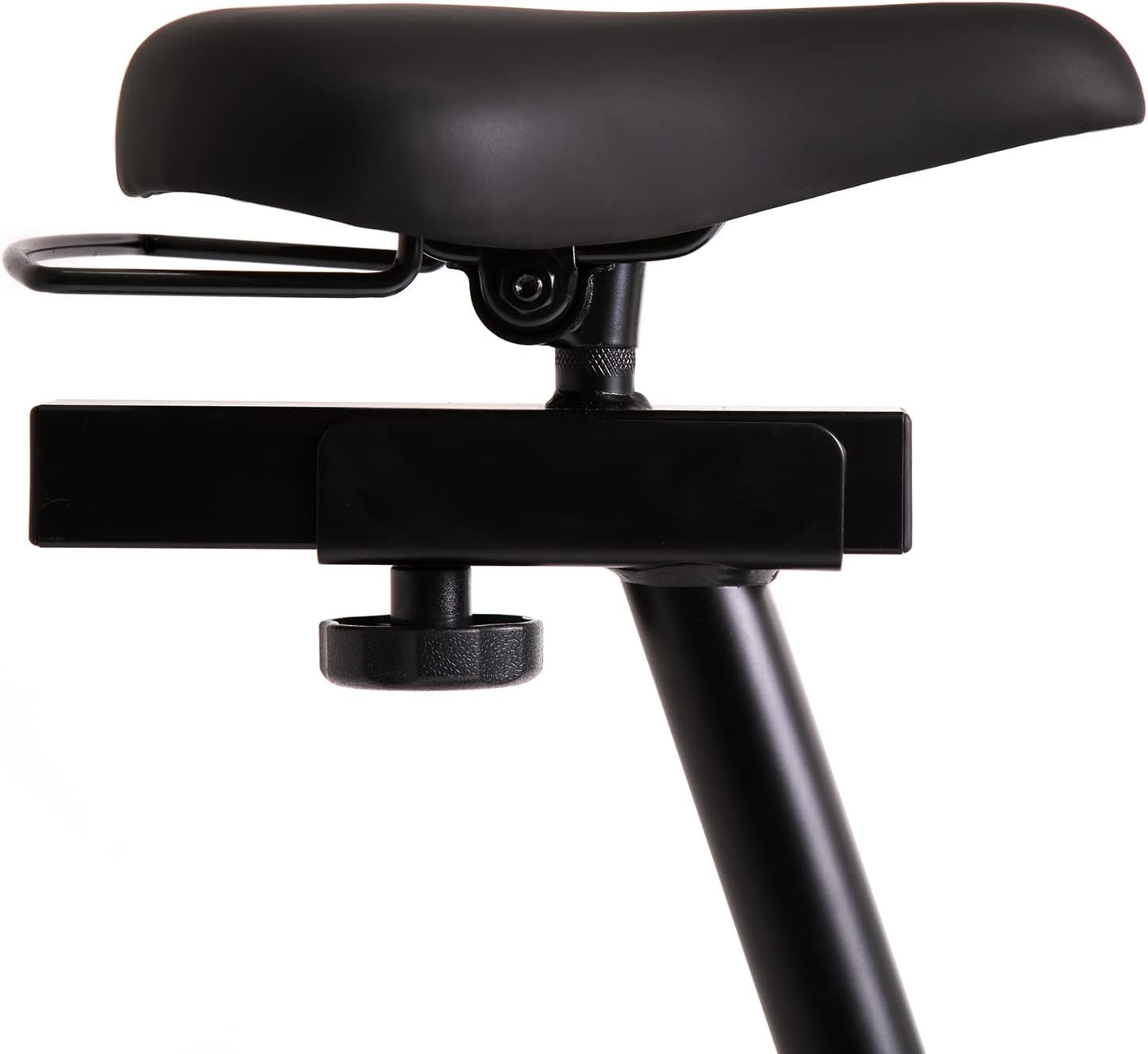
This image highlights the robust adjustment mechanism for the seat, allowing for precise positioning to optimize comfort and biomechanics during exercise.
5.3 Using the Computer Console
The modern computer console tracks your workout data. It typically displays:
- VRIJEME: Trajanje vašeg treninga.
- KALORIJE: Procijenjene sagorene kalorije.
- BRZINA: Your current speed.
- PULS: Your heart rate (measured via handlebar sensors).
Use the 'MODE' button to cycle through display functions, 'RESET' to clear data, and 'SET' for specific settings if available.

The modern computer display provides essential workout data, including elapsed time, calories burned, current speed, and pulse rate, to help track progress.
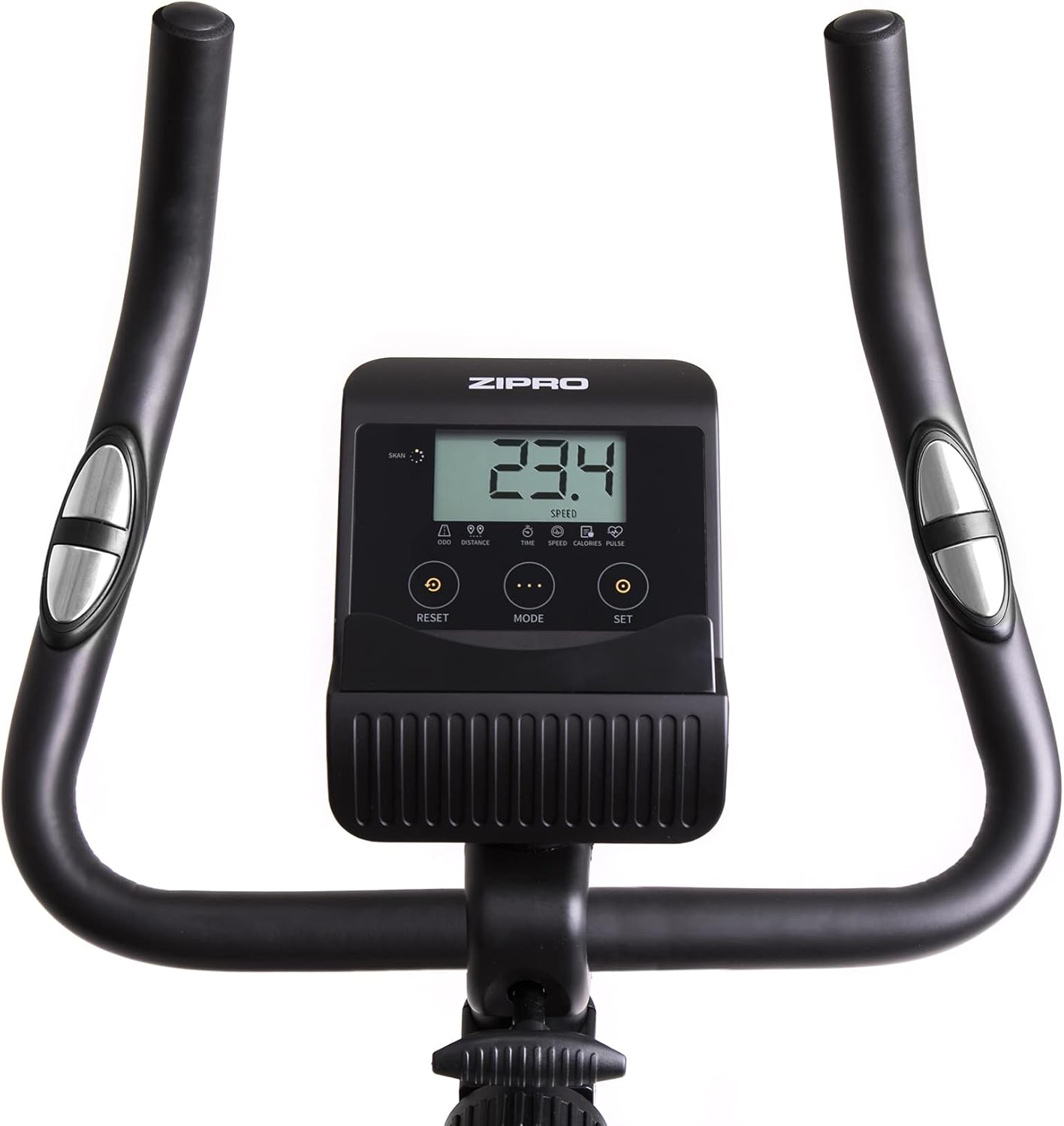
A closer look at the exercise bike's computer, displaying various metrics and featuring intuitive buttons for 'RESET', 'MODE', and 'SET' to navigate and control workout data.
5.4 Smartphone/Tablet Holder
The integrated holder allows you to place your smartphone or tablet for entertainment or to follow fitness apps during your workout.

A convenient stand for mobile devices is integrated into the handlebars, enabling users to enjoy their favorite digital content, such as music or videos, while exercising.
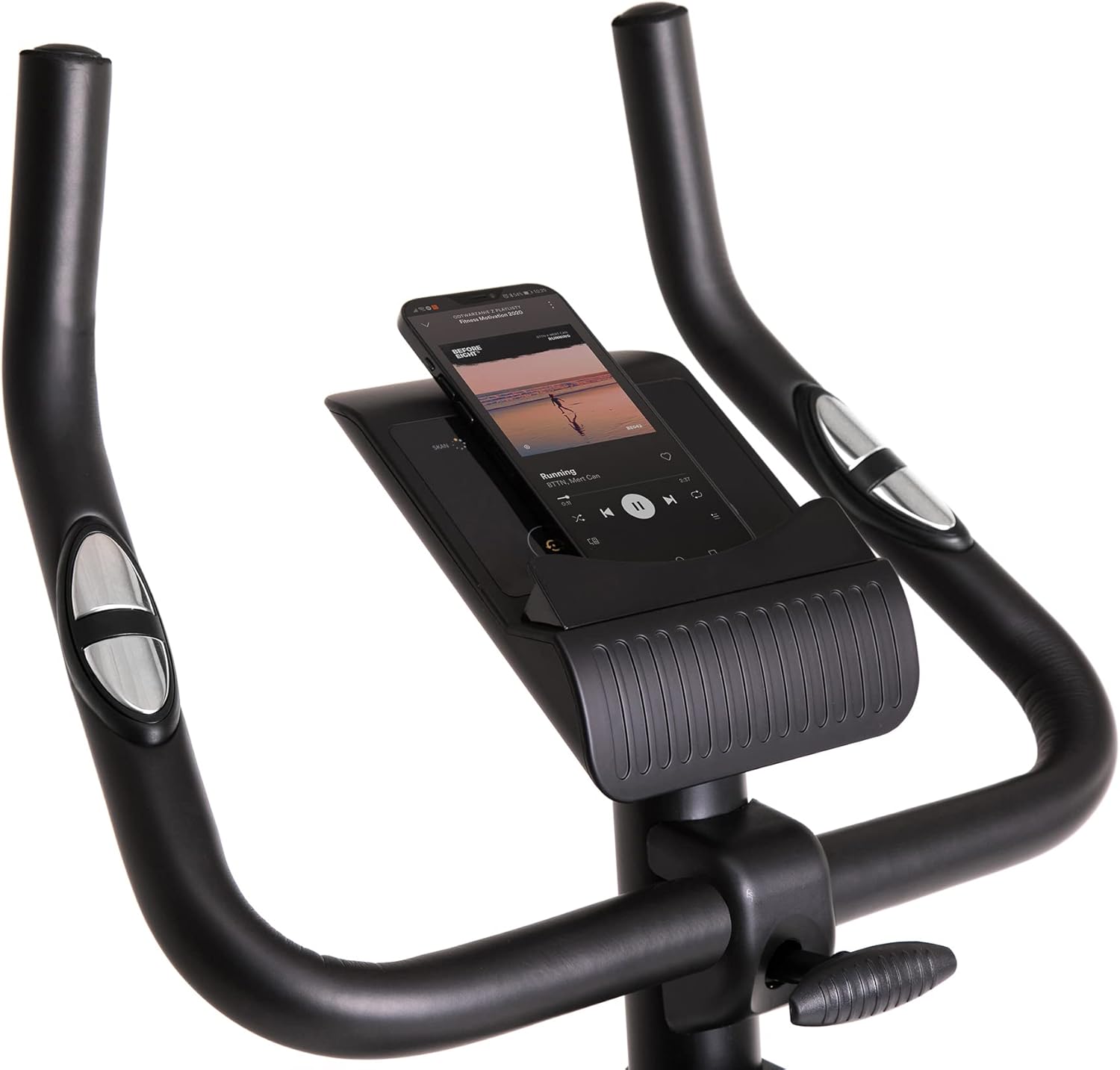
Demonstrates a smartphone securely placed in the integrated holder, ready for entertainment or fitness app use during a workout session.
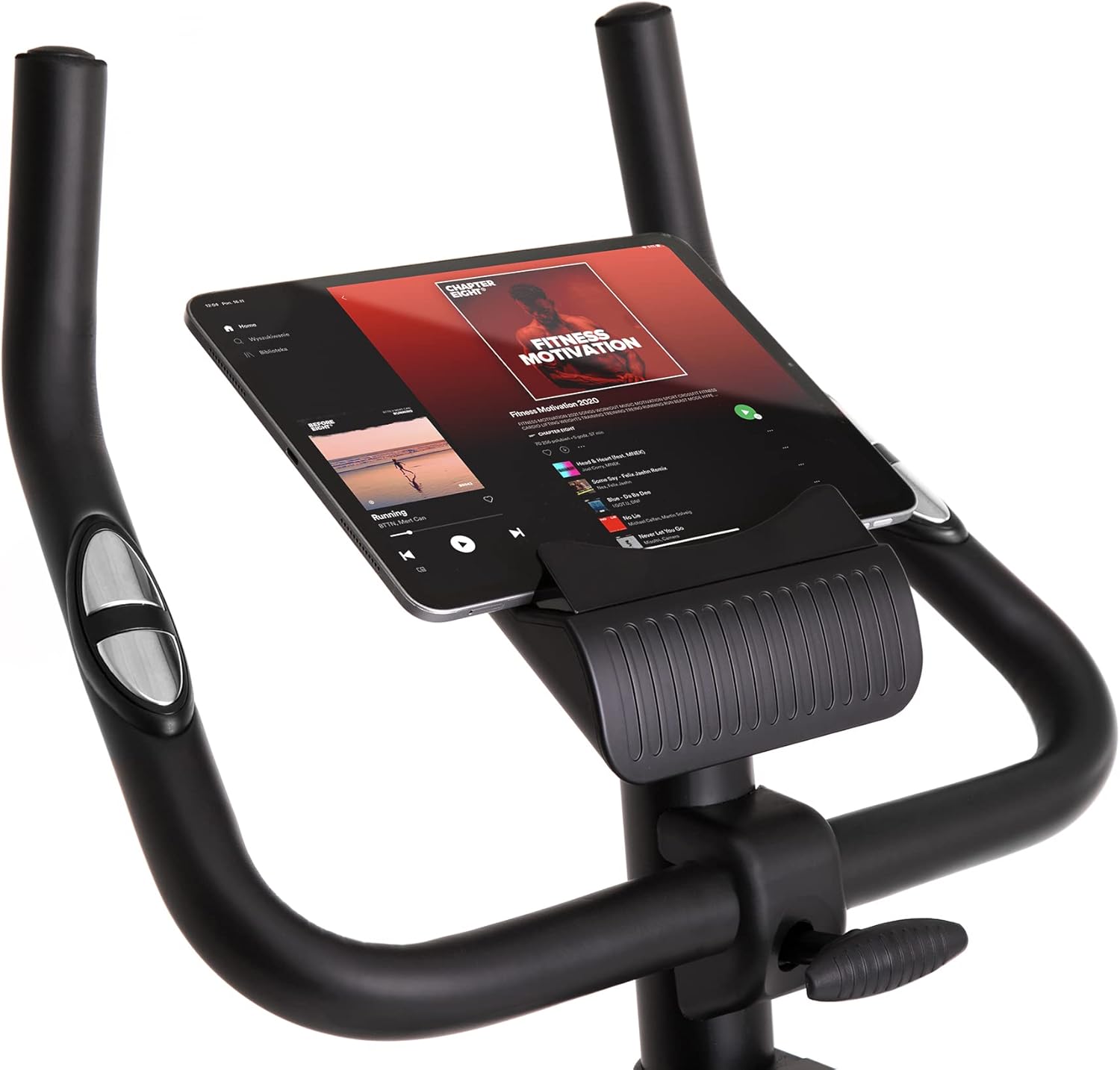
Shows a larger tablet device fitting comfortably in the holder, providing a wider screen for viewing media or following guided workouts.
6. Održavanje
- čišćenje: Obrišite bicikl oglasomamp Nakon svake upotrebe obrišite krpom kako biste uklonili znoj i prašinu. Ne koristite abrazivna sredstva za čišćenje.
- podmazivanje: Periodically check and lubricate moving parts as recommended in the full manual (if applicable).
- inspekcija: Redovno provjeravajte sve vijke, matice i pokretne dijelove na zategnutost i istrošenost. Zategnite sve labave pričvršćivače.
- Skladištenje: Store the bike in a dry, cool place away from direct sunlight and extreme temperatures. Use the transport wheels for easy relocation.
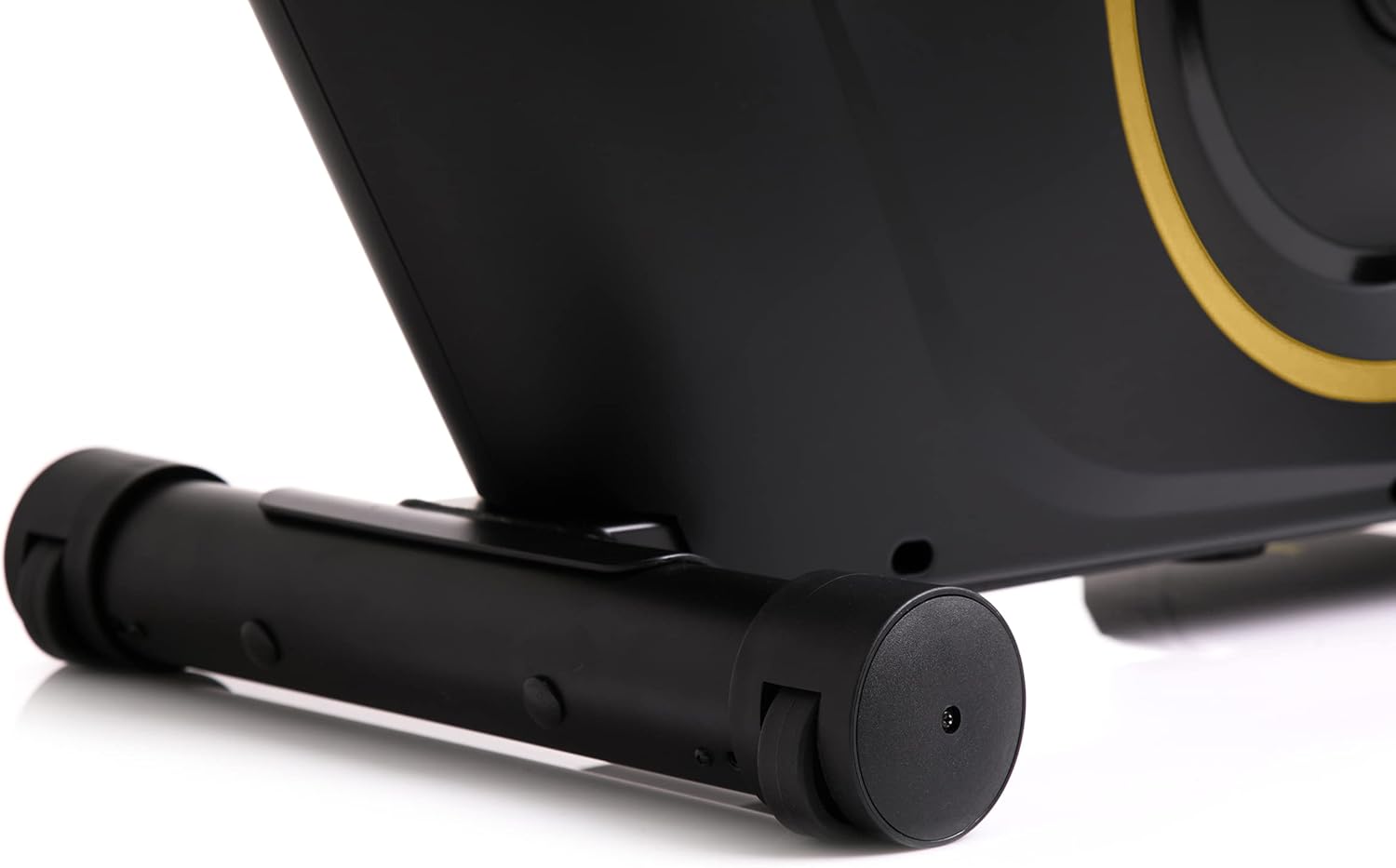
The front stabilizer features integrated transport wheels, making it easy to move the exercise bike around your home for convenient storage or placement.

A practical water bottle holder is positioned on the main frame, ensuring hydration is always within reach during your workout.
7. Otkrivanje problema
| Problem | Mogući uzrok | Rješenje |
|---|---|---|
| Ekran računara ne radi | Labava kablovska veza, prazne baterije | Check all cable connections. Replace batteries in the computer console. |
| Neobična buka tokom rada | Loose parts, friction | Check all bolts and nuts for tightness. Ensure no parts are rubbing against each other. |
| Bicikl se čini nestabilnim | Uneven surface, loose stabilizers | Place the bike on a flat, level surface. Tighten bolts on front and rear stabilizers. |
| Otpor se ne mijenja | Problem s mehanizmom otpora | Ensure the resistance knob is turning freely. If the issue persists, contact customer support. |
8. Specifikacije
| Feature | Detalj |
|---|---|
| Boja modela | Crna/zlatna |
| Stil | Boost Gold |
| Drive System | Pojas |
| Glavni materijal | Plastic, Metal, Polyethylene |
| Izvor napajanja | Battery Powered |
| Maksimalni kapacitet težine | 120 kilograma |
| Proizvođač | Morele.net Sp. z oo |
| Broj modela stavke | 5944584 |
| Dimenzije proizvoda (D x Š x V) | 107 x 47 x 141 cm |
| Težina artikla | 23 kilograma |
| Mehanizam otpora | Magnetic |
| Preporučena upotreba | Home, Gym, Studio, Indoor |
9. Video o proizvodu
This video provides a general presentation of the ZIPRO product range, showcasing various fitness equipment designed for home use. While not specific to the Boost Gold model, it highlights the brand's commitment to quality and home fitness solutions.
10. Garancija i podrška
For warranty information and customer support, please refer to the documentation included with your purchase or visit the official ZIPRO webSačuvajte dokaz o kupovini za eventualne reklamacije.