1. Uvod i krajview
The EPOS PC 7 USB is a lightweight, single-sided wired headset designed for clear communication and audio. It connects via USB, offering plug-and-play functionality for various computer systems. Its noise-cancelling microphone ensures clear conversations, making it suitable for online calls, gaming, and listening to audio while remaining aware of your surroundings.

Figure 1: EPOS PC 7 USB Wired Headset
2. Značajke proizvoda
- Mikrofon sa poništavanjem buke: Provides clear audio transmission by filtering out background noise.
- USB Plug-and-Play: Simple connection to your computer's USB port for immediate use without additional software installation.
- Single-Sided Wearing Style: Allows you to keep one ear free to stay aware of your environment.
- Lagan i udoban dizajn: Engineered for extended periods of use without discomfort.
- Širokopojasni zvuk: Delivers high-quality sound for both listening and speaking.

Figure 2: Key features of the EPOS PC 7 USB Headset including noise-cancelling microphone, lightweight design, and plug-and-play simplicity.
3. Podešavanje
- Povežite se na USB port: Locate an available USB-A port on your computer (Windows, macOS, or Chromebook). Insert the headset's USB connector firmly into the port.
- Automatsko prepoznavanje: Your operating system should automatically detect and install the necessary drivers for the headset. This process typically takes a few moments.
- Provjerite postavke zvuka: After connection, check your computer's sound settings to ensure the EPOS PC 7 USB is selected as the default input (microphone) and output (speaker) device.
The headset is designed for immediate plug-and-play functionality, requiring no complex installation steps.

Figure 3: Close-up of the single-sided USB headset, highlighting the plug-and-play USB connection and noise-cancelling microphone.
4. Uputstvo za upotrebu
4.1 Podešavanje mikrofona
- Pozicioniranje: Gently adjust the flexible boom arm to position the microphone approximately 1-2 inches from your mouth for optimal voice pickup.
- Poništavanje buke: The microphone features noise-cancelling technology to reduce ambient sounds, ensuring your voice is heard clearly.
4.2 Inline Controls
The headset features an inline control unit for convenient management of calls and audio.
- Kontrola jačine zvuka: Use the '+' and '-' buttons to increase or decrease the listening volume.
- Isključivanje mikrofona: Press the microphone icon button to mute or unmute your microphone.
- Upravljanje pozivima: Use the call button (phone icon) to answer or end calls in compatible applications (e.g., Skype, Zoom, Teams).

Figure 4: Detail of the earcup and microphone, designed for clear audio and comfortable fit.
5. Udobnost i dizajn
The EPOS PC 7 USB is engineered for user comfort during prolonged use.
- Lagana konstrukcija: The headset's minimal weight reduces pressure on the head and ears.
- On-Ear Earpad: The single earpad rests comfortably on one ear, allowing for situational awareness.
- Podesiva traka za glavu: The headband can be adjusted to fit various head sizes securely.

Figure 5: User demonstrating the comfortable fit of the EPOS PC 7 USB Headset during a call.
6. Specifikacije
| Feature | Detalj |
|---|---|
| Naziv modela | PC 7 USB |
| Brand | EPOS |
| Tehnologija povezivanja | Žični (USB-A) |
| Postavljanje uha | Na uhu (mono) |
| Form Factor | On Ear |
| Kontrola buke | Aktivno poništavanje buke (mikrofon) |
| Frekvencijski odziv | 42 - 17000 Hz |
| Impedansa | 32 Ohma |
| Težina artikla | 2.19 unce |
| Materijal | Plastika |
| Boja | Crna |
| Kompatibilni uređaji | Computers (Windows, macOS, Chromebook) |
7. Održavanje
- čišćenje: Za čišćenje slušalica koristite meku, suhu krpu. Izbjegavajte upotrebu jakih hemikalija ili abrazivnih materijala.
- Skladištenje: Store the headset in a cool, dry place when not in use. Avoid extreme temperatures and direct sunlight.
- Održavanje kablova: Do not excessively bend or pull the cable to prevent damage.
8. Otkrivanje problema
- Nema zvuka/Mikrofon ne radi:
- Provjerite je li USB konektor potpuno umetnut u priključak.
- Check your computer's audio settings to confirm the EPOS PC 7 USB is selected as the default input/output device.
- Verify that the microphone is not muted via the inline control unit or your computer's software.
- Try connecting the headset to a different USB port or another computer to rule out port or system issues.
- Loš kvalitet zvuka:
- Podesite polugu mikrofona bliže ustima.
- Ensure the earpad is properly positioned on your ear.
- Check for any software conflicts or outdated audio drivers on your computer.
9. Zvanični video proizvoda
Video 1: EPOS PC7 USB Mono Headset for Clear Office Calls. This video provides a visual overview of the headset's features and benefits for office communication.
10. Garancija i podrška
The EPOS PC 7 USB Headset comes with a 2-year warranty, as indicated on the product packaging. For further support, product registration, or warranty claims, please visit the official EPOS webstranice ili kontaktirajte njihovu korisničku službu.
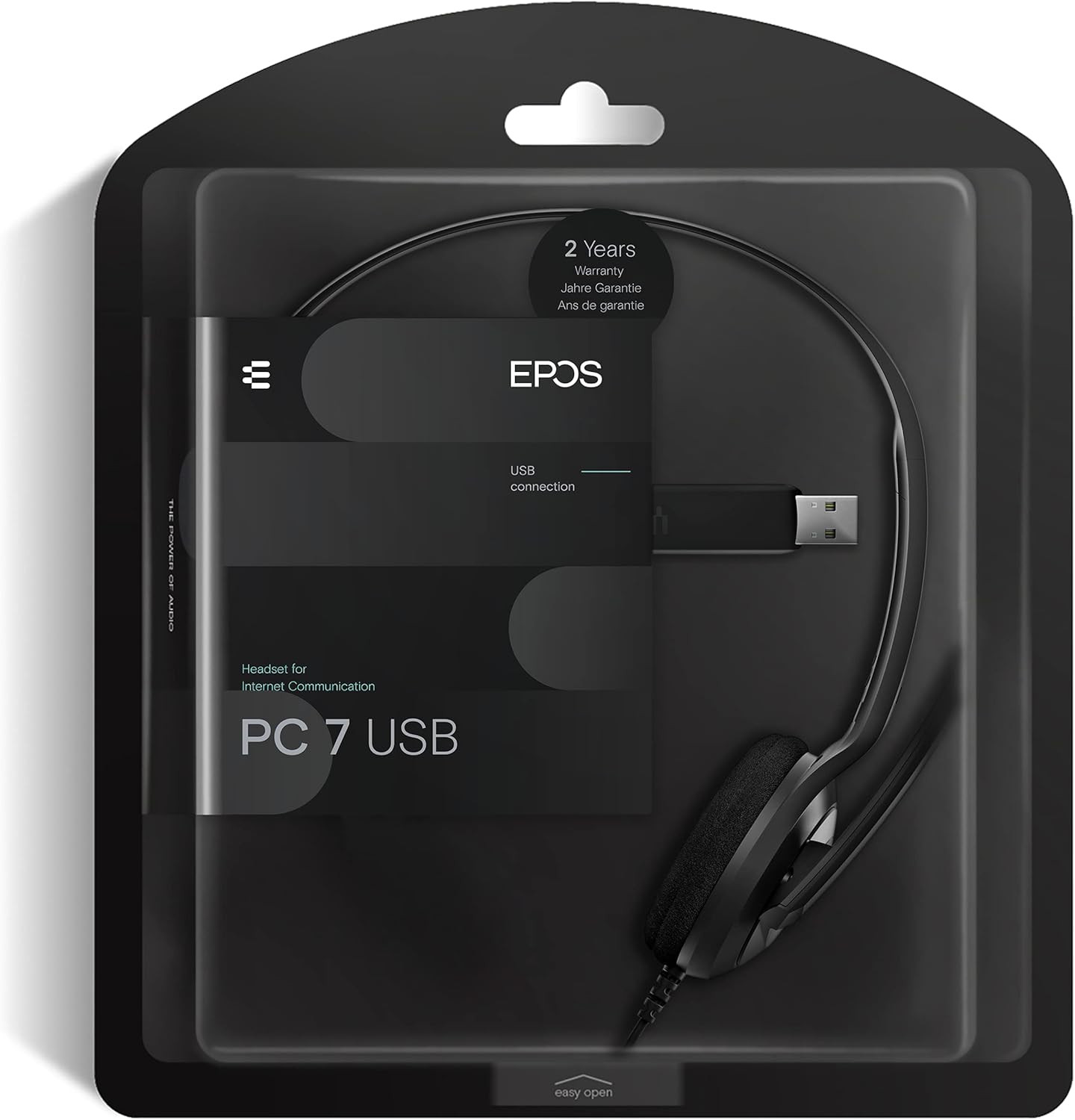
Figure 6: Product packaging highlighting the 2-year warranty information.


