Uvod
This manual provides essential instructions for setting up, operating, maintaining, and troubleshooting your Kodak EasyShare M583 14 MP Digital Camera. Please read this guide thoroughly to ensure proper use and to maximize your camera's performance.
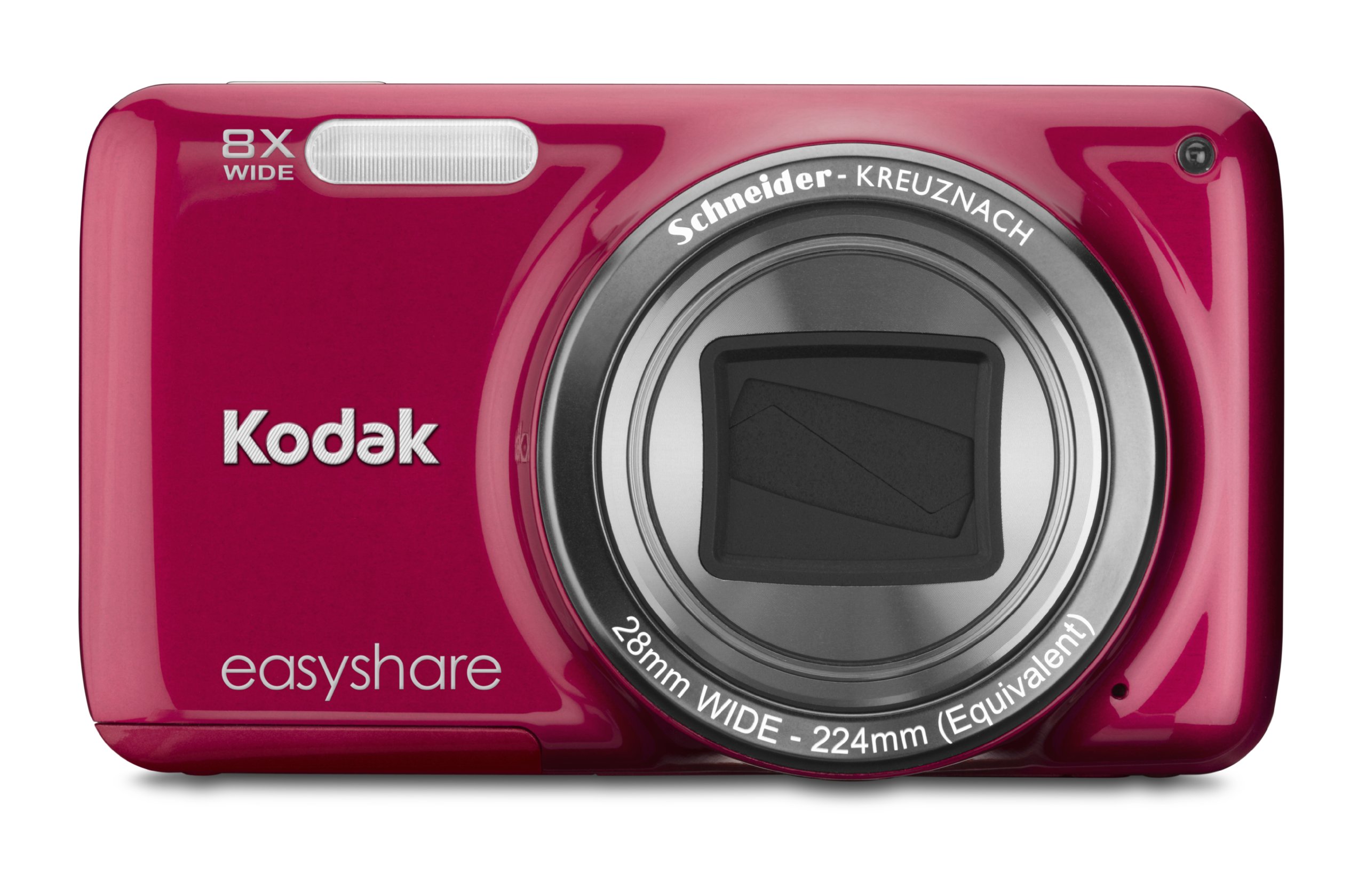
Slika: Front view of the Kodak EasyShare M583 Digital Camera in red, showcasing sočivo i brendiranje.
Setup
1. Ugradnja i punjenje baterije
The Kodak EasyShare M583 uses a rechargeable Li-Ion battery.
- Otvorite poklopac pretinca za bateriju koji se nalazi na dnu kamere.
- Insert the Li-Ion battery, ensuring the contacts align correctly.
- Čvrsto zatvorite poklopac odeljka za baterije.
- Connect the camera to a power source using the supplied USB cable for charging. The battery indicator light will show charging status.
2. Instalacija memorijske kartice
The camera supports MicroSD and MicroSDHC memory cards. A memory card is required to store photos and videos.
- Pronađite utor za memorijsku karticu, obično blizu odjeljka za bateriju.
- Insert the MicroSD/MicroSDHC card with the gold contacts facing down, pushing gently until it clicks into place.
- To remove, press the card in again until it springs out.
Napomena: The camera supports up to 4 GB of memory. Ensure the card is formatted in the camera before first use.
Uputstvo za upotrebu
1. Powering On and Basic Photography
- Pritisnite Snaga button to turn on the camera. The lens will extend.
- Kadrirajte snimak pomoću LCD ekrana od 3 inča.
- Pritisnite okidač do pola da biste fokusirali. Fotoaparat će potvrditi fokus.
- Press the shutter button completely to capture the image.

Slika: Front view of the Kodak EasyShare M583 camera, showing the extended lens and flash unit.
2. Funkcija zumiranja
The camera features an 8x optical zoom. Use the zoom lever (W/T) located near the shutter button to adjust the focal length.
- Pomaknite polugu prema T (Telefoto) za zumiranje.
- Pomaknite polugu prema W (Široki prikaz) za zumiranje.
3. Video snimanje
To record videos, press the dedicated video record button. The camera supports 720p HD video.
- Pritisnite Video zapis dugme za početak snimanja.
- Pritisnite dugme ponovo da zaustavite snimanje.
- Videos are saved to the memory card in MP4 format.
4. Image Stabilization and Flash Modes
- The camera incorporates both digital and optical image stabilization to reduce blur caused by camera shake.
- The built-in flash operates in automatic mode, activating when lighting conditions require it.
5. Reviewkreiranje i dijeljenje sadržaja
View snimljene fotografije i videozapise na 3-inčnom LCD ekranu.
- Pritisnite Review button (usually indicated by a play icon) to enter playback mode.
- Koristite navigacijsku tipku za navigaciju kroz slike i videozapise.
- To share content, press the dedicated Dijeli button. This allows one-button upload to email, KODAK PULSE Display, and various social networking sites.

Slika: Stražnja strana view of the Kodak EasyShare M583 camera, displaying the 3-inch LCD screen with sharing options for platforms like Twitter and Facebook.
6. Povezivanje sa računarom
Connect the camera to your computer using the supplied USB cable to transfer photos and videos.
- Uvjerite se da je kamera uključena.
- Spojite jedan kraj USB kabla na USB port fotoaparata, a drugi kraj na računar.
- The camera will appear as a removable drive, allowing you to access your media files.
Održavanje
1. Čišćenje kamere
- Za čišćenje kućišta fotoaparata koristite meku krpu koja ne ostavlja dlačice.
- Za objektiv i LCD ekran koristite specijaliziranu krpu i otopinu za čišćenje objektiva. Izbjegavajte abrazivne materijale.
- Ne koristite organske rastvarače poput alkohola ili razrjeđivača.
2. Održavanje baterije
- Prije prve upotrebe do kraja napunite bateriju.
- Izbjegavajte izlaganje baterije ekstremnim temperaturama.
- Ako se kamera neće koristiti duži period, izvadite bateriju.
3. Skladištenje
- Čuvajte kameru na hladnom i suhom mjestu, dalje od direktne sunčeve svjetlosti i visoke vlažnosti.
- Koristite futrolu za kameru kako biste je zaštitili od prašine i ogrebotina.
Rješavanje problema
| Problem | Rješenje |
|---|---|
| Kamera se ne uključuje. | Ensure the battery is fully charged and correctly inserted. Try charging the battery for at least 30 minutes. |
| Blurred pictures. | Press the shutter button halfway to allow the camera to focus before fully pressing to capture. Ensure sufficient lighting. Image stabilization is active, but excessive movement can still cause blur. |
| Lens does not extend or retract. | Check for obstructions around the lens. Remove and reinsert the battery to reset the camera. If the issue persists, contact support. |
| Memorijska kartica nije prepoznata. | Ensure the MicroSD/MicroSDHC card is inserted correctly. Try reinserting the card. If possible, test with another compatible memory card. Format the card in the camera if it's new or causing issues (this will erase all data). |
| Kamera se zamrzava ili prestaje reagovati. | Izvadite bateriju na nekoliko sekundi, zatim je ponovo umetnite i uključite kameru. |
Specifikacije
| Feature | Detalj |
|---|---|
| Naziv modela | M583 |
| Rezolucija foto senzora | 14 MP |
| Optički zum | 8x |
| Digitalni zum | 5x |
| Veličina ekrana | 3 inča (LCD) |
| Stabilizacija slike | Digitalni, optički |
| Video Rezolucija | 720p (30 sličica u sekundi) |
| Podržano File Format | JPEG (slike), MP4 (video) |
| Vrsta memorijske kartice | Micro SD, Micro SDHC |
| Vrsta baterije | Lithium Ion |
| Povezivanje | USB |
| Težina artikla | 0.32 funti |
| Objektiv | 28mm wide-angle lens with 8x optical zoom |
| Maksimalni otvor blende | F2.8 |
Informacije o garanciji
KODAK products are manufactured to high quality standards. For specific warranty terms and conditions applicable to your Kodak EasyShare M583 camera, please refer to the warranty card included with your purchase or visit the official KODAK support webSačuvajte dokaz o kupovini za slučaj reklamacije.
Korisnička podrška
If you encounter issues not covered in this manual or require further assistance, please contact KODAK customer support.
- Online podrška: Visit the official KODAK support webStranica za često postavljana pitanja, upravljačke programe i preuzimanje softvera.
- Telefonska podrška: Refer to your product packaging or the KODAK webstranica za regionalne kontakt brojeve.
When contacting support, please have your camera model (M583) and serial number ready.


