Uvod
This manual provides essential information for setting up, operating, and maintaining your Logitech Wireless Mouse M215. Please read this manual thoroughly before using the product to ensure optimal performance and longevity.
Sadržaj paketa
- Logitech bežični miš M215
- USB nano prijemnik
- 1 AA baterija (unaprijed instalirana ili uključena)
- Korisnička dokumentacija (ovaj priručnik)
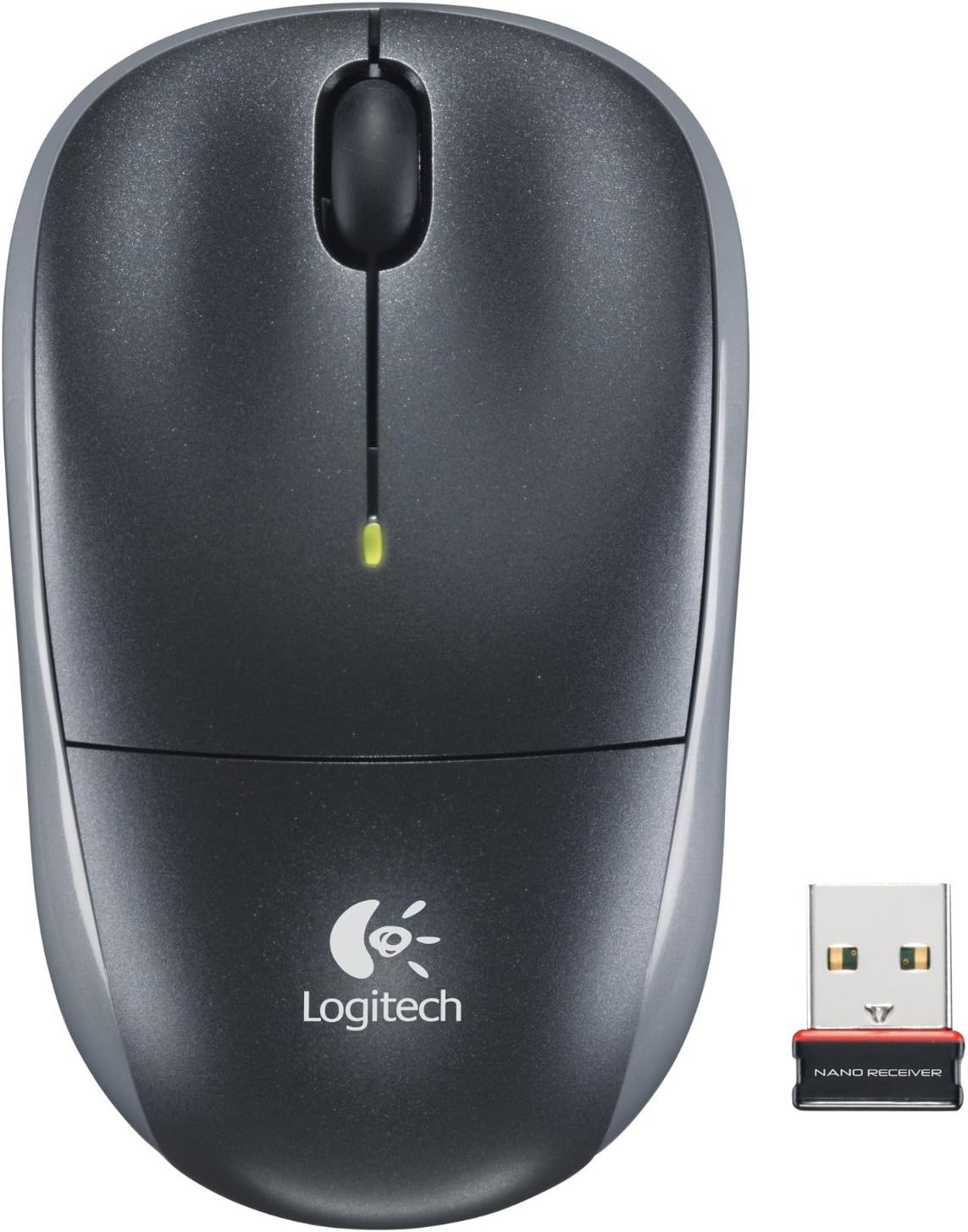
Image: The Logitech Wireless Mouse M215, a compact dark grey mouse with a scroll wheel and two main buttons, shown alongside its small USB Nano Receiver. The mouse features the Logitech logo on its palm rest.
Setup
1. Instalirajte bateriju
The Logitech Wireless Mouse M215 requires one AA battery. The battery compartment is located on the underside of the mouse. Open the compartment, insert the AA battery ensuring correct polarity (+/-), and close the compartment. A battery is included with the mouse.
2. Connect USB Nano Receiver
Locate an available USB port on your computer (desktop or laptop). Insert the USB Nano Receiver firmly into the USB port. Your operating system should automatically detect and install the necessary drivers. No additional software installation is typically required.
3. Power On Mouse
On the underside of the mouse, locate the On/Off switch. Slide the switch to the "On" position. The mouse is now ready for use.
Uputstvo za upotrebu
The Logitech Wireless Mouse M215 provides intuitive control for your computer.
- Lijevi klik: Pritisnite lijevu tipku za odabir stavki, otvaranje linkova ili aktiviranje funkcija.
- Desni klik: Pritisnite desni taster da biste otvorili kontekstne menije ili pristupili dodatnim opcijama.
- Točak za pomicanje: Pomičite kotačić za pomicanje gore ili dolje za navigaciju kroz dokumente i web stranice.
- Srednji klik (dugme kotačića za pomicanje): Press the scroll wheel down to activate middle-click functions, such as opening links in new tabs or auto-scrolling.
- Kretanje: Move the mouse across a flat surface to control the cursor on your screen. The optical sensor provides smooth and precise tracking.
The mouse is designed for comfortable use, allowing for easy text selection and effortless scrolling.
Održavanje
- čišćenje: Za čišćenje vanjske strane miša koristite meku, suhu krpu. Za tvrdokornu prljavštinu, laganoamp Može se koristiti krpa, ali pazite da vlaga ne uđe u unutrašnje komponente. Izbjegavajte abrazivna sredstva za čišćenje ili rastvarače.
- Zamjena baterije: When the battery indicator light (if present) glows red or mouse performance degrades, replace the AA battery. Ensure the mouse is turned off before replacing the battery.
- Skladištenje prijemnika: The USB Nano Receiver can be stored inside the mouse's battery compartment when not in use, which is convenient for travel and prevents loss.
Rješavanje problema
| Problem | Rješenje |
|---|---|
| Miš ne reaguje. |
|
| Kretanje kursora je nepravilno ili isprekidano. |
|
| Mouse disconnects frequently. |
|
Specifikacije
- Model: M215 (910-001543)
- Povezivanje: 2.4 GHz bežično (USB Nano prijemnik)
- Detekcija pokreta: Optički
- Vrsta baterije: 1 x AA (uključeno)
- Dimenzije: 5.88 x 3.5 x 8.25 inča (dimenzije proizvoda)
- Težina: 8 unci (težina artikla)
- Proizvođač: Logitech, Inc.
- Boja: Black, red and blue
Garancija i podrška
Za informacije o garanciji i tehničkoj podršci, posjetite službenu stranicu Logitech podrške webweb-mjesto ili pogledajte garantni list koji ste dobili uz proizvod. Također možete posjetiti Logitech trgovina na Amazonu za više detalja.
Logitech, Inc.
ASIN: B003OX1LEO


