Uvod
The Logitech B100 Wired Mouse is a reliable and essential peripheral designed for comfortable and efficient computer use. This optical mouse features an ambidextrous design, making it suitable for both right and left-handed users. With its 800 DPI sensitivity, it provides precise cursor control for various tasks, from document editing to web navigation. Its plug-and-play functionality ensures immediate usability without complex setup.
This manual provides detailed instructions for setting up, operating, maintaining, and troubleshooting your Logitech B100 mouse.
Sadržaj paketa
Prije nego što počnete, molimo vas da se uvjerite da su sve stavke prisutne u paketu:
- Logitech B100 Wired Mouse
- Quick Start User Guide (this document)
Setup
The Logitech B100 mouse is designed for simple plug-and-play installation. No additional software or drivers are typically required for basic functionality.
Povezivanje miša
- Pronađite slobodan USB port na vašem računaru ili laptopu.
- Insert the USB connector of the Logitech B100 mouse firmly into the USB port.
- Your operating system should automatically detect and install the necessary drivers. This process usually takes a few seconds.
- Once installed, the mouse cursor should appear on your screen and respond to movement.

Image: The Logitech B100 mouse showing its USB connector, ready for plug-and-play setup.
Upravljanje mišem
The B100 mouse offers standard three-button functionality with a scroll wheel for intuitive navigation.
Osnovne funkcije
- Lijevi klik: Koristi se za odabir stavki, otvaranje filei aktiviranje linkova.
- Desni klik: Otvara kontekstne menije, pružajući dodatne opcije za odabrane stavke.
- Točak za pomicanje: Used to scroll up and down through documents and web stranice.
- Srednji klik (dugme kotačića za pomicanje): Can be pressed to open links in new tabs or activate auto-scrolling in some applications.
Ambidextrous Design
The symmetrical design of the Logitech B100 allows for comfortable use by both right-handed and left-handed individuals. Simply position the mouse as preferred for your dominant hand.

Image: A hand demonstrating comfortable use of the Logitech B100 mouse, highlighting its ergonomic design.
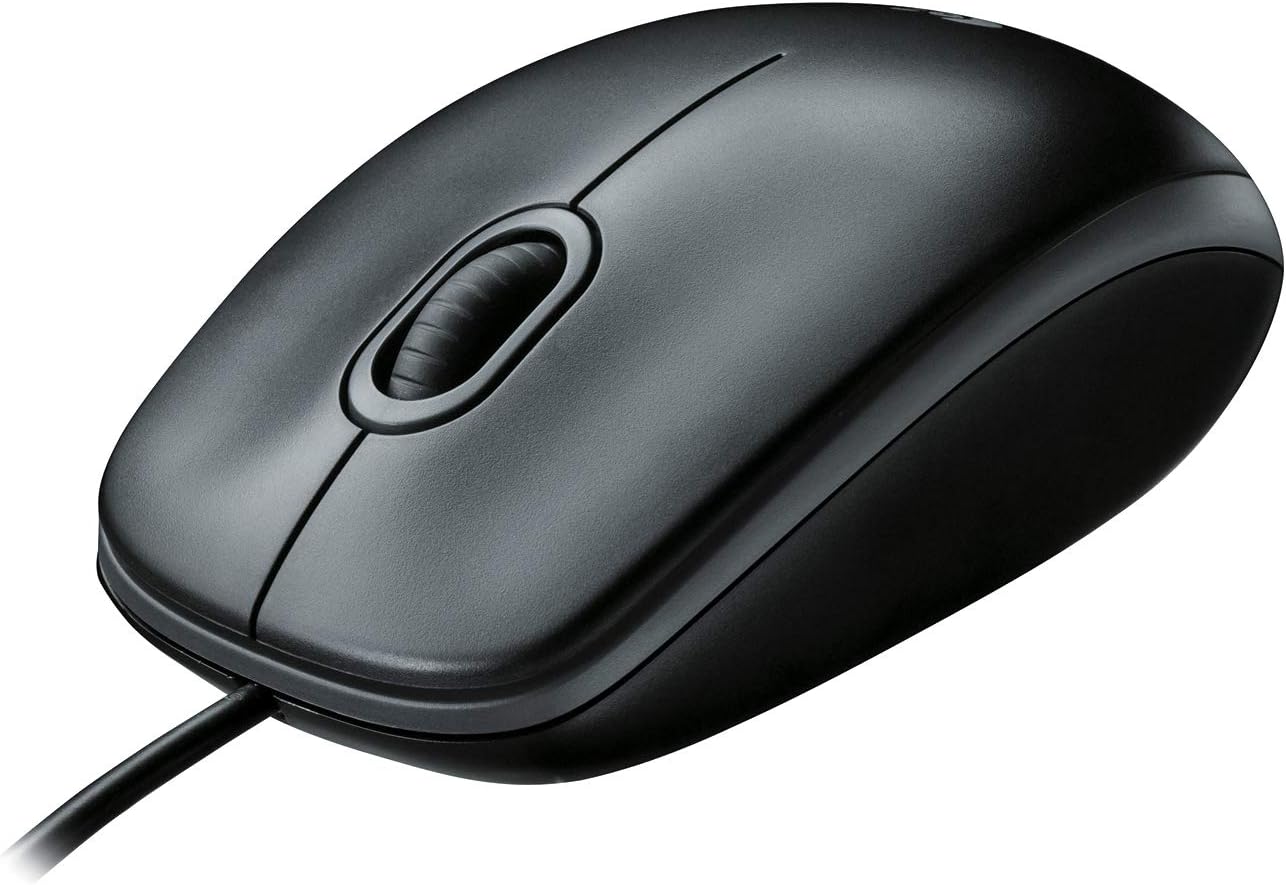
Slika: Jasan pogled odozgo prema dolje view of the Logitech B100 wired mouse, showcasing njegovog klasičnog dizajna.
Održavanje
To ensure optimal performance and longevity of your Logitech B100 mouse, follow these simple maintenance guidelines:
- čišćenje: Koristite meku krpu koja ne ostavlja dlačiceampOperite površinu miša vodom ili blagim rastvorom za čišćenje. Izbjegavajte jake hemikalije ili abrazivne materijale.
- optički senzor: Periodically check the optical sensor on the bottom of the mouse for dust or debris. Gently clean it with a cotton swab if necessary.
- Održavanje kablova: Izbjegavajte oštre savijanja ili pretjerano povlačenje USB kabela kako biste spriječili oštećenja.
- Skladištenje: Kada se ne koristi, miš čuvajte na čistom i suhom mjestu, dalje od ekstremnih temperatura.

Image: The underside of the Logitech B100 mouse, showing the optical sensor and product labeling.
Rješavanje problema
If you encounter issues with your Logitech B100 mouse, try the following troubleshooting steps:
- Miš ne reaguje:
- Provjerite je li USB kabel sigurno priključen u ispravan USB priključak. Pokušajte s drugim USB priključkom.
- Ponovo pokrenite računar.
- Check if the optical sensor on the bottom of the mouse is clean and unobstructed.
- Nepravilno kretanje kursora:
- Očistite optički senzor.
- Pazite da miš koristite na čistoj, nereflektirajućoj i ujednačenoj površini. Preporučuje se upotreba podloga za miš.
- Dugmad ili kotačić za pomicanje ne rade:
- Ponovo pokrenite računar.
- Try connecting the mouse to a different computer to determine if the issue is with the mouse or the computer's software/drivers.
For more detailed troubleshooting, you may refer to the official Vodič za rješavanje problema (PDF) obezbedio Logitech.
Specifikacije
| Feature | Detalj |
|---|---|
| Broj modela | 910-001439 |
| Povezivanje | USB (žični) |
| Tehnologija detekcije pokreta | Optički |
| DPI osetljivost | 800 DPI |
| Boja | Crna |
| Dimenzije (DxŠxV) | 1.49 x 2.44 x 4.44 inča (37.8 x 62 x 112.8 mm) |
| Težina | 3.84 unce (108.86 grama) |
| Dužina kabla | Nije navedeno |
| Kompatibilnost operativnog sistema | Windows 10, 11 or later, Linux, Chrome OS, macOS 10.5 or later |
| Posebne karakteristike | Ambidextrous design, Plug-and-Play |

Image: A diagram illustrating the physical dimensions (length, width, height) of the Logitech B100 mouse.
Garancija i podrška
The Logitech B100 Wired Mouse is engineered by Logitech, a leader in computer peripherals. This product is serviced and supported exclusively by Logitech in accordance with their terms and conditions.
For warranty information, technical support, or customer service, please contact Logitech directly through their official support channels. You can typically find support contact details on the Logitech weblokaciji ili unutar ambalaže proizvoda.
For general information about Logitech products, you can visit the Logitech trgovina na Amazonu.


