Uvod
This manual provides comprehensive instructions for the setup, operation, maintenance, and troubleshooting of your Logitech G Cordless Rumblepad 2. Please read this manual thoroughly before using the device to ensure optimal performance and longevity.
The Logitech Cordless Rumblepad 2 offers a wireless gaming experience with vibration feedback, designed for PC and Mac compatibility. It features 2.4 GHz cordless technology for a 30-foot range and dual vibration motors for immersive gameplay.
Sadržaj paketa
Prije početka, provjerite da li su sve stavke prisutne u paketu:
- Logitech Cordless Rumblepad 2
- 2.4 GHz bežični prijemnik
- Two (2) AA Batteries
- Korisnička dokumentacija (ovaj priručnik)
- Gaming Software CD (or download instructions)
- Informacije o garanciji
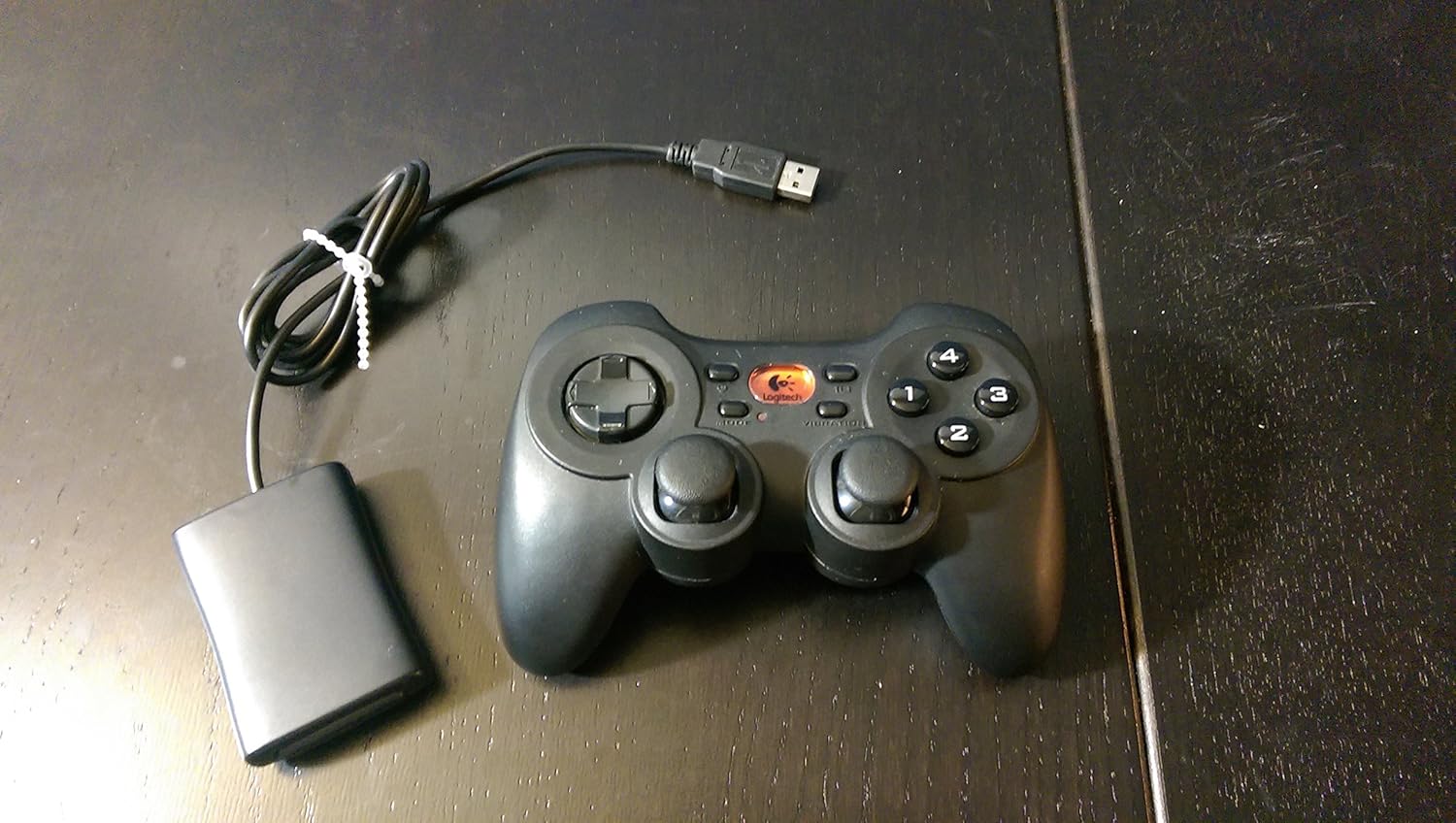
Image: The Logitech G Cordless Rumblepad 2 gamepad shown alongside its compact USB wireless receiver.
Setup
1. Instalacija baterije
- Locate the battery compartment on the underside of the Cordless Rumblepad 2.
- Otvorite poklopac odeljka za baterije.
- Insert the two (2) AA batteries, ensuring correct polarity (+/-) as indicated inside the compartment.
- Čvrsto zatvorite poklopac odeljka za baterije.
2. Povezivanje bežičnog prijemnika
- Plug the 2.4 GHz wireless receiver into an available USB port on your PC or Mac.
- Allow your operating system to detect and install the necessary drivers. This process may take a few moments.

Slika: Krupni plan view of the compact Logitech 2.4 GHz wireless receiver, which connects to a computer's USB port.
3. Software Installation (Optional, Recommended)
For full functionality, including button customization and game profiles, install the Logitech gaming software:
- Insert the provided gaming software CD into your computer's optical drive.
- Pratite uputstva na ekranu da biste dovršili instalaciju.
- Alternatively, download the latest software from the official Logitech support website.
Operating the Cordless Rumblepad 2
Raspored i funkcije kontrolera

Slika: Sporedni profesionalacfile view of the Logitech G Cordless Rumblepad 2, highlighting its ergonomic design and button placement.
The Cordless Rumblepad 2 features a familiar button layout for intuitive control:
- Dvostruke analogne palice: Provide smooth 360-degree control for precise movement and camera control.
- D-pad sa 8 smjerova: For directional input, commonly used in fighting games or menu navigation.
- 10 Programmable Action Buttons: Customizable buttons for in-game actions.
- Dugme za način rada: Toggles between different controller modes or profiles.
- Vibration Selector: Activates or deactivates the dual vibration feedback motors.
Vibration Feedback
The dual vibration feedback motors provide tactile sensations for in-game events such as hits, crashes, and explosions. Ensure the Vibration Selector is enabled for this feature to function.
Upravljanje napajanjem
The Cordless Rumblepad 2 is designed for extended battery life, offering up to 100 hours of gameplay. To conserve battery power, the gamepad will enter a low-power state after a period of inactivity. Press any button to reactivate it.
Održavanje
- čišćenje: Use a soft, dry cloth to clean the surface of the gamepad. For stubborn dirt, a slightly damp Može se koristiti krpa, ali pazite da vlaga ne uđe u uređaj. Izbjegavajte abrazivna sredstva za čišćenje ili rastvarače.
- Zamjena baterije: Replace AA batteries when the gamepad's performance degrades or it fails to power on. Always use fresh, high-quality batteries.
- Skladištenje: When not in use for extended periods, remove the batteries to prevent leakage and store the gamepad and receiver in a cool, dry place away from direct sunlight.
Rješavanje problema
| Problem | Mogući uzrok | Rješenje |
|---|---|---|
| Gamepad not responding. | Low or dead batteries. Receiver not connected or recognized. Out of range. | Replace batteries. Ensure receiver is securely plugged into a USB port. Move closer to the receiver (within 30 feet). |
| Vibraciona povratna informacija ne radi. | Vibration feature disabled. Game does not support vibration. Software issue. | Check the Vibration Selector button on the gamepad. Verify game compatibility. Reinstall Logitech gaming software. |
| Buttons or analog sticks are unresponsive or sticky. | Dirt or debris under buttons. Hardware malfunction. | Clean the gamepad thoroughly. If problem persists, contact Logitech support. |
| Interference or lag. | Other wireless devices nearby. Obstructions. | Move the receiver to a different USB port, preferably one with a clear line of sight to the gamepad. Minimize other 2.4 GHz wireless devices in the area. |
Specifikacije
- Naziv modela: Bežični Rumblepad 2
- Broj modela: 963326-0403
- Povezivanje: 2.4 GHz bežični
- Bežični domet: Do 30 stope (10 metara)
- Vrsta baterije: 2 x AA baterije
- Procijenjeni vijek trajanja baterije: Do 100 sati
- Vibraciona povratna informacija: Dvostruki motori
- Kontrole: 2 Analog Sticks, 8-Way D-Pad, 10 Programmable Action Buttons, Mode Button, Vibration Selector
- Kompatibilni uređaji: PC, Mac
- Dimenzije proizvoda: 9 x 8.5 x 3.25 inča (približno)
- Težina artikla: 8.8 unci (približno)
- Proizvođač: Logitech G
- Prvo dostupno: 20. novembra 2006
Informacije o garanciji
The Logitech G Cordless Rumblepad 2 comes with a limited hardware warranty. Please refer to the warranty information included in your product package or visit the official Logitech support website for detailed terms and conditions, including warranty period and claim procedures.
Podrška
Za dodatnu pomoć, tehničku podršku ili preuzimanje najnovijih upravljačkih programa i softvera, posjetite službenu stranicu za podršku kompanije Logitech. webstranica. Tamo možete pronaći i često postavljana pitanja i forume zajednice.
Logitech podrška Webstranica: www.logitech.com/support


