Uvod
This manual provides essential information for the proper use and care of your Minolta AF Zoom Lens 35-70mm f/3.5-4.5. This lens is designed for Minolta A-mount cameras, offering a versatile focal range suitable for various photographic situations.
The lens features autofocus capabilities and a variable aperture from f/3.5 to f/4.5 across its zoom range. It is equipped with a 49mm filter thread.
Setup
Pričvršćivanje sočiva
- Provjerite da li su i kamera i objektiv čisti i bez prašine.
- Align the mounting index (usually a red or white dot) on the lens barrel with the corresponding index on the camera's lens mount.
- Pažljivo umetnite objektiv u nosač kamere.
- Rotate the lens clockwise (or counter-clockwise, depending on the camera model) until it clicks into place. Do not force the lens.
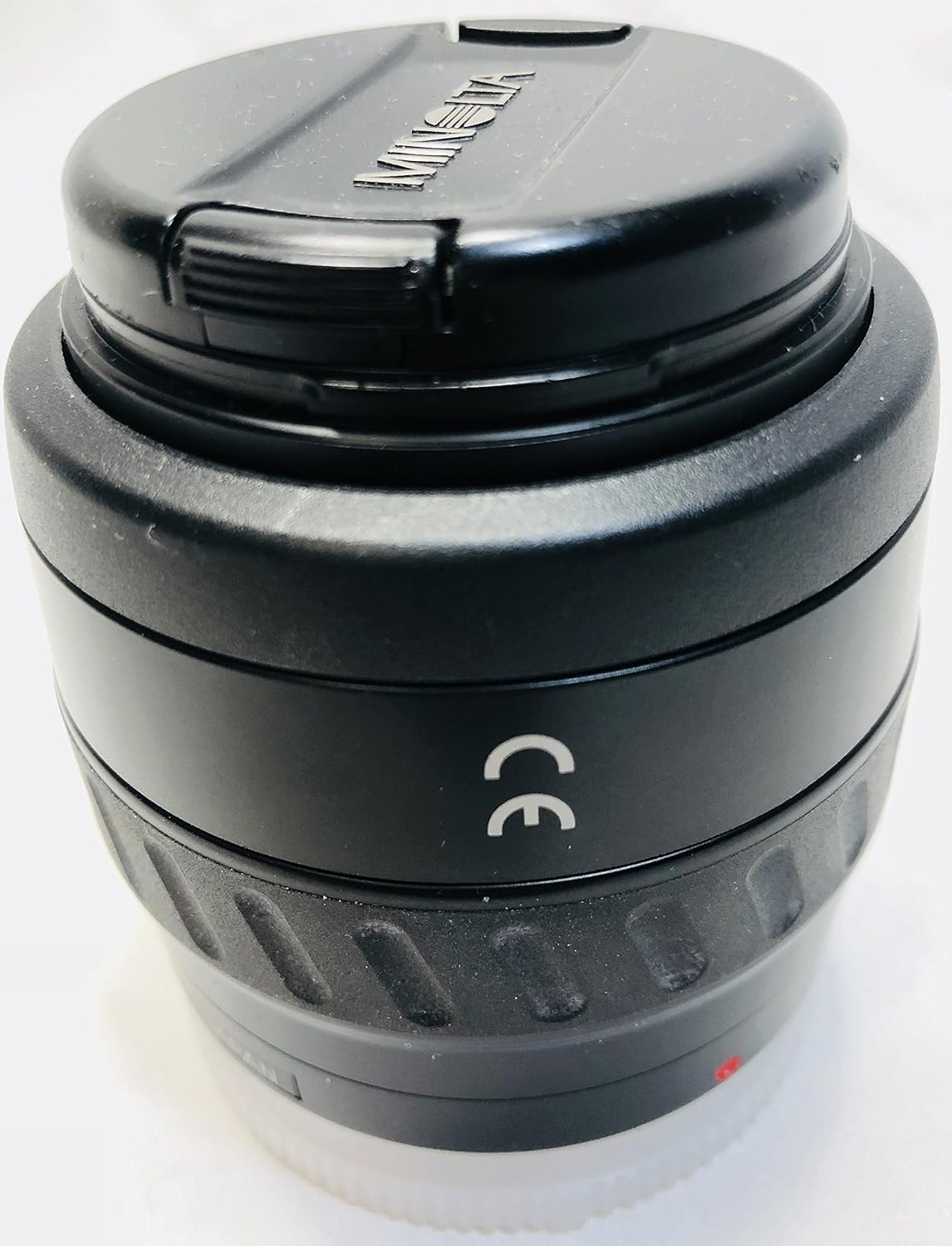
Slika: Front view of the Minolta AF Zoom Lens 35-70mm f/3.5-4.5 with its front cap on, showing the lens barrel and branding.
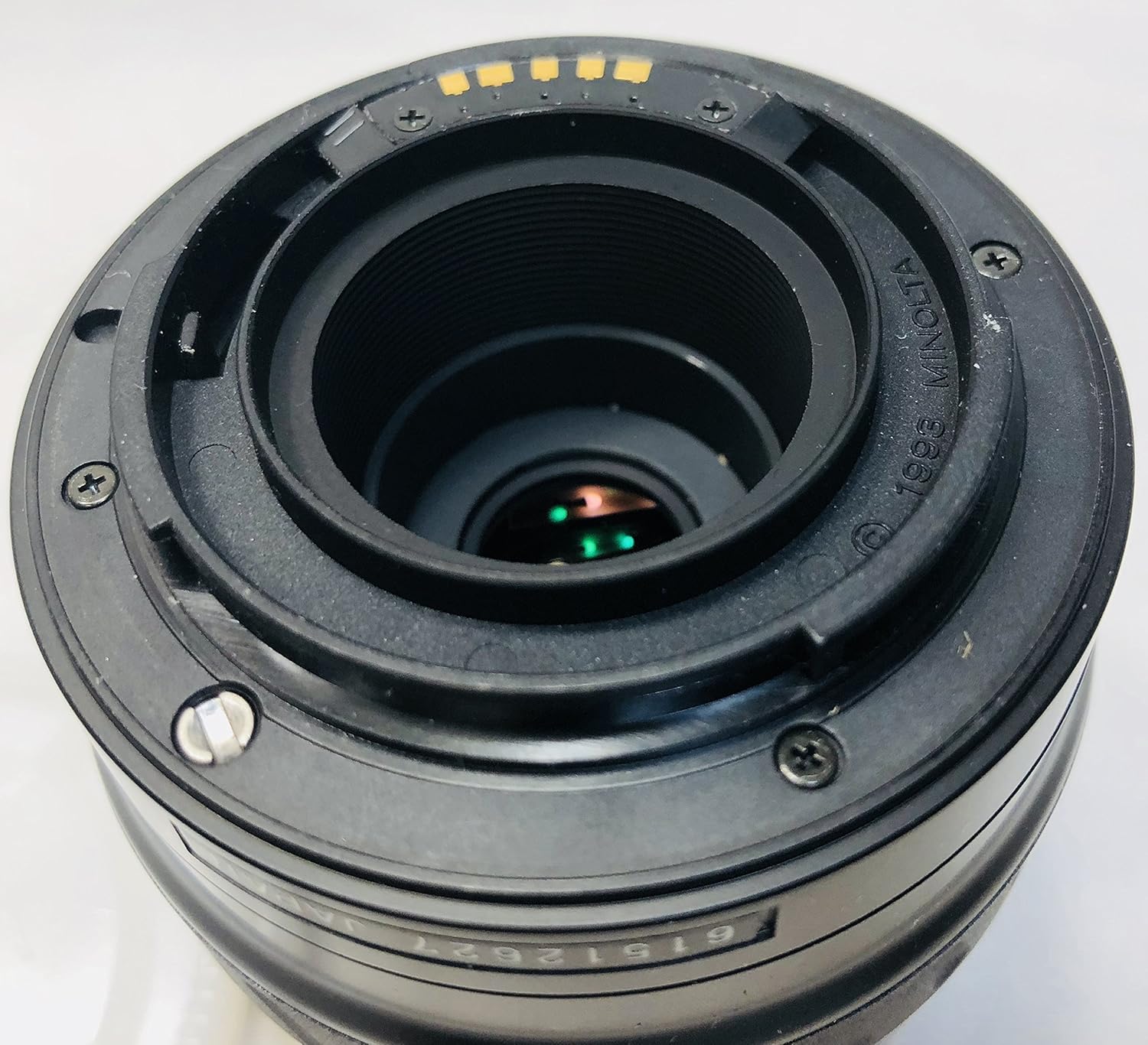
Slika: Stražnja strana view of the Minolta AF Zoom Lens 35-70mm f/3.5-4.5, showing the A-mount bayonet, electronic contacts, and rear optical element.
Odvajanje objektiva
- Isključite kameru.
- Pritisnite i držite dugme za otpuštanje objektiva na kućištu fotoaparata.
- Rotate the lens in the opposite direction (counter-clockwise or clockwise) until it detaches from the camera mount.
- Immediately attach the rear lens cap to protect the rear element and mount.

Image: The Minolta AF Zoom Lens 35-70mm f/3.5-4.5 with its white rear cap attached, protecting the lens mount and rear element.
Upravljanje objektivom
Zumiranje
To change the focal length, rotate the zoom ring on the lens barrel. The lens offers a focal range from 35mm (wide-angle) to 70mm (short telephoto). Markings for 35, 50, and 70mm are present on the barrel.

Slika: Sa strane view of the Minolta AF Zoom Lens 35-70mm f/3.5-4.5, highlighting the zoom ring with focal length markings (35mm, 50mm, 70mm) and the autofocus distance scale.
autofokus (AF)
This lens supports autofocus when used with compatible Minolta A-mount cameras. Ensure your camera's focus mode is set to AF. The lens will automatically focus on your subject when the shutter button is half-pressed.
The minimum autofocus distance is approximately 0.5 meters (1.6 feet).
Kontrola otvora blende
The aperture (f-stop) is controlled electronically by the camera. The lens has a variable maximum aperture of f/3.5 at 35mm and f/4.5 at 70mm. Select your desired aperture setting through your camera's controls.
Održavanje i njega
- Čišćenje elemenata objektiva: Use a soft, lint-free microfiber cloth specifically designed for optics. For stubborn smudges, use a small amount of lens cleaning fluid applied to the cloth, not directly to the lens. Avoid touching the glass surfaces with your fingers.
- Čišćenje tijela objektiva: Wipe the lens barrel with a soft, dry cloth. Do not use harsh chemicals or solvents.
- Skladištenje: When not in use, always attach both the front and rear lens caps. Store the lens in a cool, dry place, away from direct sunlight and extreme temperatures. Consider using a desiccant packet in humid environments to prevent fungus growth.
- Rukovanje: Avoid dropping or subjecting the lens to strong impacts. Protect the lens from dust, dirt, and moisture.
Rješavanje problema
- Objektiv ne fokusira:
- Ensure the camera's focus mode is set to Autofocus (AF).
- Check if the lens is securely mounted to the camera body.
- Verify that there is sufficient light for the autofocus system to operate.
- Clean the lens contacts on both the lens and camera body with a clean, dry cloth.
- "Lens not attached" error:
- Re-attach the lens, ensuring it clicks firmly into place.
- Clean the electronic contacts on both the lens and camera body.
- Ensure the camera is turned off before attaching or detaching the lens.
- Image quality issues (e.g., blurry, soft):
- Check for smudges or dirt on the front or rear lens elements and clean them carefully.
- Ensure the camera is not shaking during exposure (use a tripod or faster shutter speed if necessary).
- Verify that the lens is properly focused on your subject.
Specifikacije
| Brand | Minolta |
| Broj modela | 2652-100 |
| Lens Type | AF Zoom Lens |
| Focal Length | 35-70mm |
| Maksimalni otvor blende | f/3.5-4.5 |
| Kompatibilni nosači | Minolta A-mount |
| Minimalna udaljenost fokusa | 0.5m (1.6ft) |
| Veličina navoja filtera | 49mm |
| Težina artikla | 12 unci (otprilike 340 grama) |
| Dimenzije paketa | 4.6 x 4.3 x 4.1 inča |
| ASIN | B00006B86N |
| Datum prve dostupnosti | 21. juna 2002 |
Garancija i podrška
Specific warranty information for this product may vary depending on the retailer and region of purchase, especially for older or pre-owned items. Please refer to your purchase documentation or contact your seller for details regarding warranty coverage.
For technical support or service inquiries, it is recommended to contact Minolta's official support channels or an authorized service center. Information can typically be found on the official Minolta website or through a general web search for "Minolta camera support".


