
Uvod
These Earbay Wireless Headphones are designed for an immersive and private audio experience, particularly for TV watching. They feature Bluetooth 5.4 technology for ultra-low latency and a stable connection, ensuring audio-video synchronization. The included charging base provides convenience and extended usage time. This manual provides instructions for setup, operation, and maintenance to ensure optimal performance.

Image: The Earbay wireless headphones provide a private listening experience, allowing one person to watch TV without disturbing others.
Šta je u kutiji
Provjerite da li su sve stavke prisutne u paketu:
- TV-Headphones (1 unit)
- Transmitter - Charging Station (1 unit)
- Optički kabl
- AUX 3.5 mm kabl
- RCA kabel
- USB-A na USB-C kabl za punjenje
- DC-5V adapter za napajanje

Image: All components included in the Earbay wireless headphones package.
Product Overview
Slušalice
The over-ear headphones feature soft protein leather ear pads and high-density memory foam for comfort during extended use. They are designed with 180° rotatable adaptive foam cushions and an adjustable stainless steel headband for a secure and comfortable fit.

Image: Key comfort and adjustability features of the Earbay headphones.
Transmitter / Charging Base
The transmitter doubles as a charging base for the headphones. It features multiple audio input ports (Optical, AUX 3.5mm, RCA) and a power input. A switch on the base allows selection between AUX and Optical input modes.

Image: The Earbay transmitter and charging base with headphones.
Vodič za postavljanje
Follow these steps to set up your Earbay Wireless Headphones for TV watching.
1. Powering the Transmitter/Charging Base
- Connect the DC-5V power adapter to the transmitter's power input port.
- Plug the power adapter into a wall outlet. The indicator light on the base will illuminate.

Image: The transmitter/charging base connected to power.
2. Povezivanje na vaš TV
The headphones offer multiple connection options: Optical, 3.5mm AUX, and RCA. Choose the method compatible with your TV.
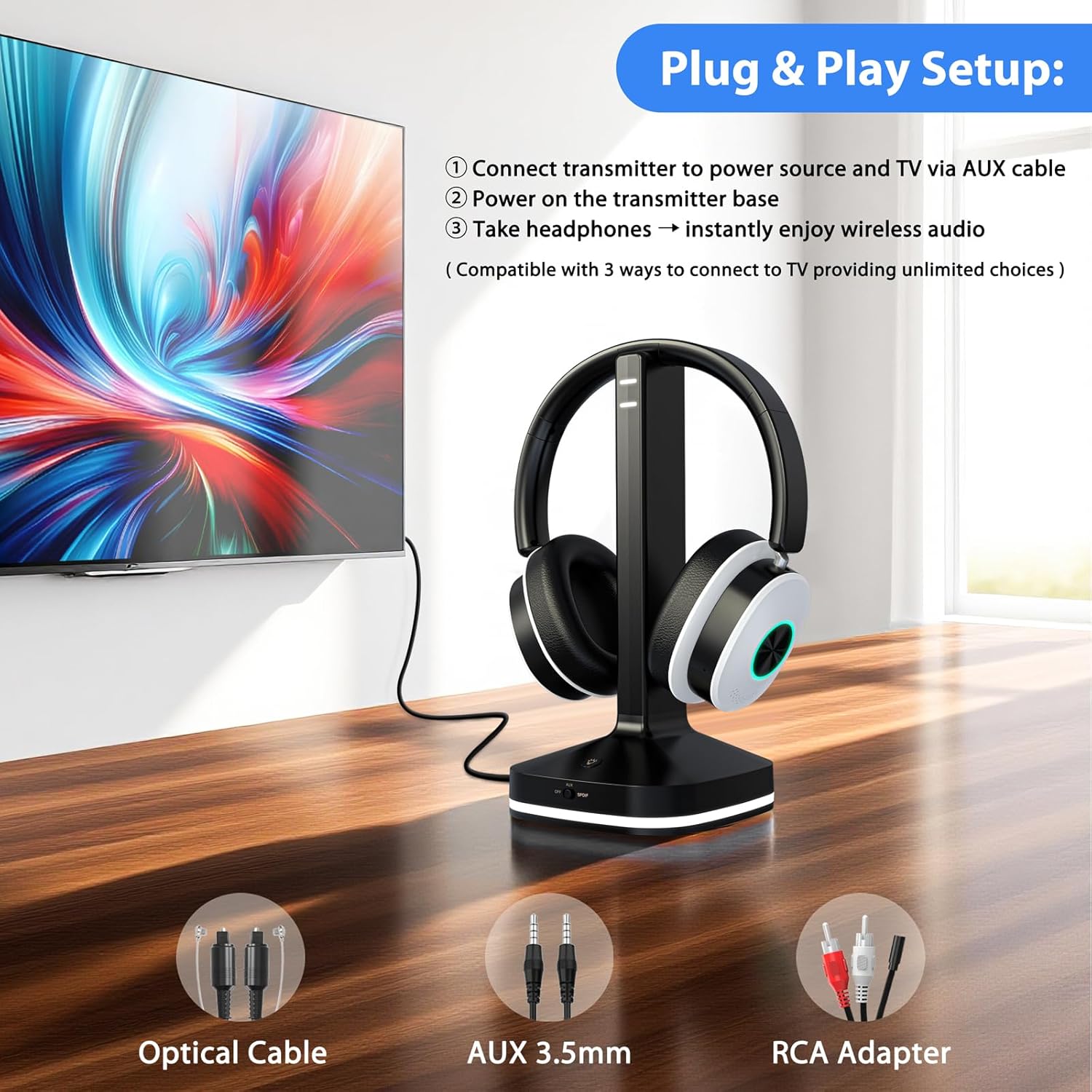
Slika: Prekoview of connection options for the Earbay headphones.
Method A: Optical Audio Output
- Spojite jedan kraj optičkog kabela na OPTICAL OUT priključak na vašem TV-u.
- Connect the other end of the optical cable to the OPTICAL IN port on the transmitter base.
- On the transmitter base, ensure the input switch is set to the "Optical" position.
- Važno: Access your TV's audio settings. Navigate to "Sound" or "Audio Output" and set the "Digital Output Audio Format" to PCM. Refer to your TV's manual for specific steps.

Slika: prample TV audio settings for Optical output (set to PCM).
Method B: 3.5mm AUX Audio Output
- Connect one end of the 3.5mm AUX cable to the HEADPHONE OUT or AUX OUT port on your TV.
- Connect the other end of the 3.5mm AUX cable to the AUX IN port on the transmitter base.
- On the transmitter base, ensure the input switch is set to the "AUX" position.

Image: Transmitter connected via AUX cable to a TV.
Method C: RCA Audio Output
- Connect the 3.5mm end of the RCA adapter cable to the AUX IN port on the transmitter base.
- Connect the red and white RCA plugs to the corresponding AUDIO OUT ports (red for right, white for left) on your TV. Ensure these are "AUDIO OUT" ports, not "AUDIO IN".
- On the transmitter base, ensure the input switch is set to the "AUX" position.
Video: Step-by-step guide for connecting the transmitter via RCA audio output.
Method D: Bluetooth Connection (Direct to TV)
If your TV has built-in Bluetooth, you can connect the headphones directly without the transmitter. Refer to your TV's Bluetooth pairing instructions. The headphones will appear as "Earbay JLS-TV966CD" in your TV's Bluetooth device list.
Image: Visual representation of various connection methods for the headphones.
3. Pairing Headphones with Transmitter
- Ensure the transmitter is powered on and connected to your TV's audio output.
- Uključite slušalice pritiskom i držanjem dugmeta za napajanje dok indikatorska lampica ne zatreperi.
- The headphones and transmitter should automatically pair. A solid blue light on both devices indicates a successful connection.
- If pairing fails, place the headphones on the charging base, then remove them after a few seconds to re-initiate pairing.
Operacija
Nositi slušalice
Adjust the headband for a comfortable fit. The earcups are designed to rotate 180° for adaptive comfort. Ensure the ear pads fully cover your ears for optimal sound isolation and quality.
Kontrole
The headphones feature intuitive controls on the earcup:
- Dugme za napajanje: Pritisnite i držite za uključivanje/isključivanje.
- Dugmad za jačinu zvuka (+/-): Podesite jačinu zvuka.
- EQ taster: Short-press to cycle through audio modes: Vocal, Cinema, Bass, Balanced.
- Višenamjensko dugme: For calls, long-press for 1 second to mute the microphone.

Image: Headphone earcup controls and their functions.
Audio modovi
The headphones offer three distinct audio modes to enhance your listening experience:
- Vokalni način rada: Optimizes clarity for dialogue and vocals.
- Bioskop način rada: Enhances cinematic soundscapes with broader dynamics.
- Bas način rada: Boosts low frequencies for a richer, more impactful sound.
- Uravnoteženi način rada: Pruža neutralan zvuk profesionalnofile pogodno za opšte slušanje.
Punjenje slušalica
The headphones can be charged by placing them on the transmitter base. Ensure the base is connected to power. The headphones offer up to 40 hours of continuous use on a single charge.
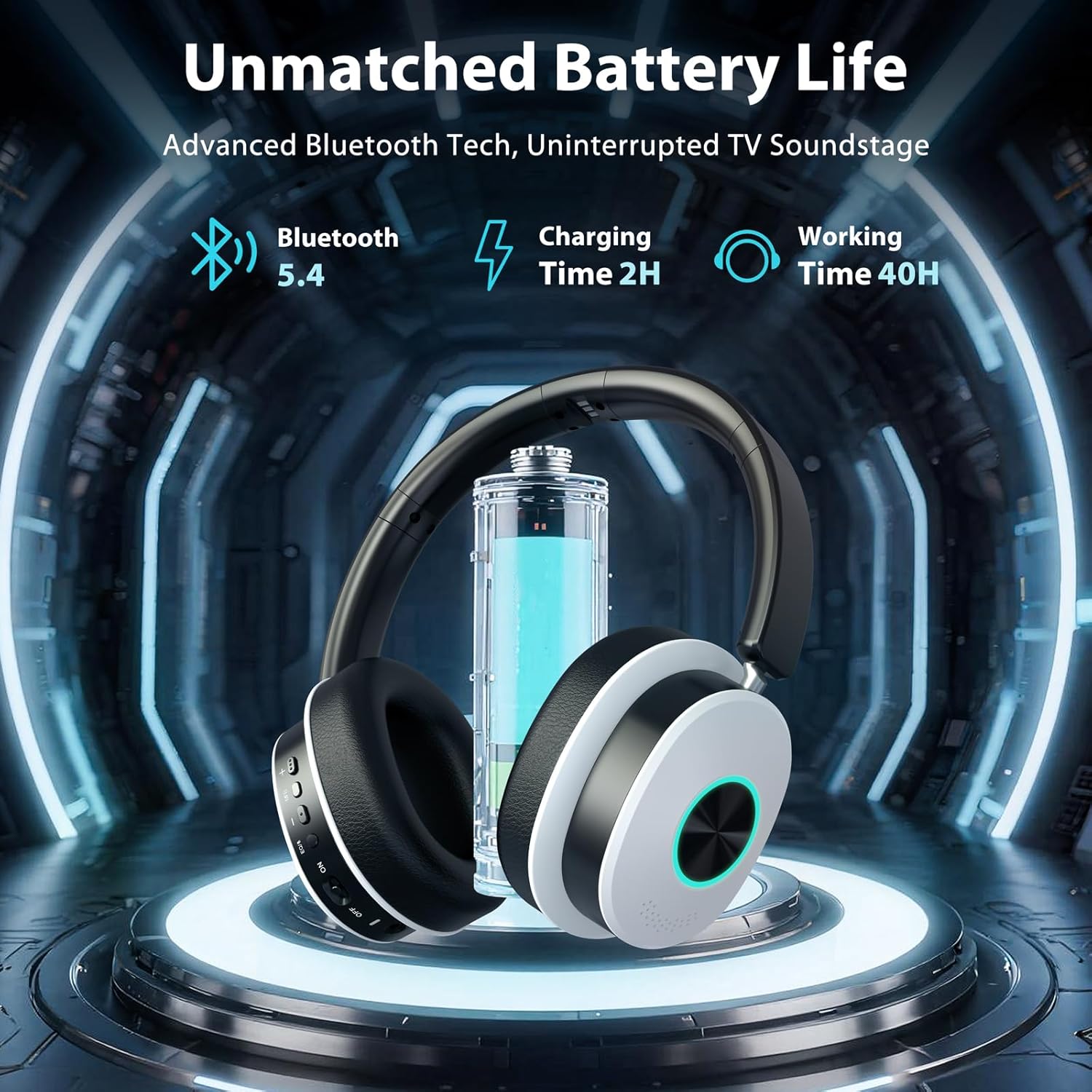
Image: Headphones charging on the base, highlighting battery life.
Održavanje
- čišćenje: Use a soft, dry cloth to clean the headphones and charging base. Do not use liquid cleaners or aerosols.
- Skladištenje: When not in use, store the headphones on the charging base or in a cool, dry place away from direct sunlight and extreme temperatures.
- Izbjegavajte vlagu: Keep the devices away from water and high humidity to prevent damage.
- Održavanje kablova: Handle cables gently. Avoid sharp bends or excessive pulling to prevent internal wire damage.
Rješavanje problema
No Sound from Headphones
- Provjerite snagu: Ensure both the transmitter and headphones are powered on and charged.
- Potvrdite vezu: Confirm the audio cable (Optical, AUX, RCA) is securely connected from the TV to the transmitter.
- Način unosa: Ensure the input switch on the transmitter base matches the connected cable type (AUX or Optical).
- Postavke zvuka na TV-u: For Optical connection, verify your TV's digital audio output is set to PCM. For AUX/RCA, ensure your TV's audio output is active.
- Nivoi glasnoće: Increase the volume on both the headphones and your TV.
- Ponovo upariti: If connected wirelessly, try re-pairing the headphones with the transmitter or TV.
Headphones Not Pairing
- Ciklus napajanja: Turn off both the headphones and transmitter, then turn them back on.
- blizina: Ensure the headphones are within close range of the transmitter during pairing.
- Resetovati: Place the headphones on the charging base for a few seconds, then remove them to attempt re-pairing.
Audio Delay (Latency)
- The headphones utilize Bluetooth 5.4 for ultra-low latency. Ensure no other strong wireless signals are interfering.
- If connecting directly to a TV via Bluetooth, some TVs may have higher inherent latency. Using the included transmitter is recommended for the lowest latency experience.
Specifikacije
| Feature | Detalj |
|---|---|
| Brand | Eabay |
| Broj modela | JLS-TV966CD |
| Tehnologija povezivanja | Bežično (Bluetooth 5.4) |
| Bluetooth domet | Do 100 stope (30 metara) |
| Postavljanje uha | Preko uha |
| Impedansa | 32 Ohma |
| Trajanje baterije (prosječno) | 40 sata |
| Vrsta audio drajvera | Dynamic Driver |
| Frekvencijski opseg | 20Hz - 20,000Hz |
| Kontrola buke | Environmental Noise Cancellation |
| Priključak za slušalice | Optical / 3.5mm (AUX) / RCA |
| Kompatibilni uređaji | TVs, Laptops, Desktops, Tablets, Telephones, Smartphones |
| Materijali | Aluminum, Faux Leather, Plastic, Stainless Steel |
Garancija i podrška
The Earbay Wireless Headphones (Model JLS-TV966CD) come with a 1-godišnja garancija od datuma kupovine. Ova garancija pokriva nedostatke u proizvodnji i izradi pri normalnoj upotrebi.
For technical support, warranty claims, or further assistance, please contact Earbay customer service through the retailer where the product was purchased or visit the official Earbay website.