
Uvod
Thank you for choosing the OneOdio Focus A1Pro Wireless On-Ear Headphones. This manual provides detailed instructions for setting up, operating, maintaining, and troubleshooting your new headphones. Please read this manual thoroughly before use to ensure optimal performance and longevity of your device.
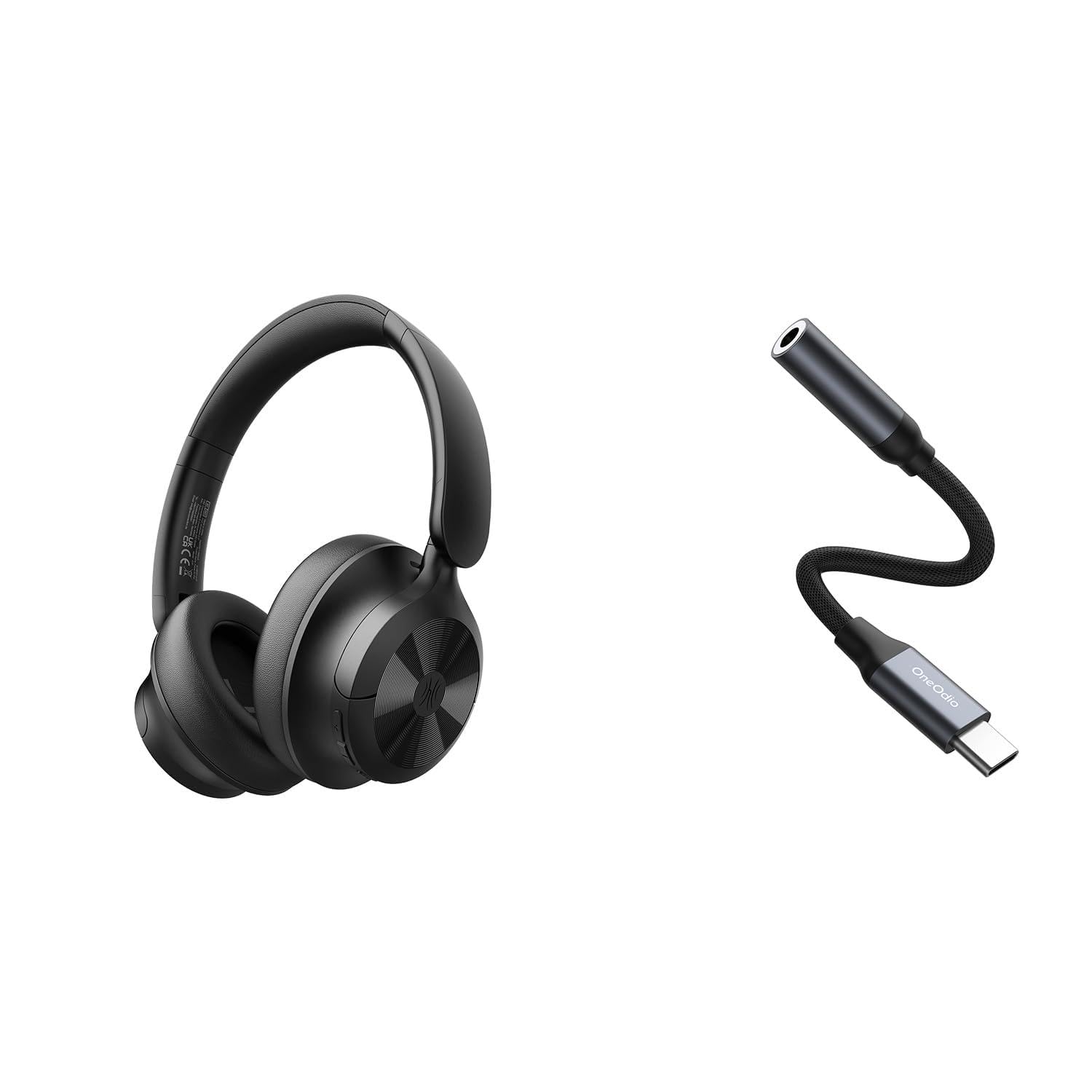
Image: OneOdio Focus A1Pro Wireless On-Ear Headphones. This image displays the headphones in their typical on-ear design, showcasing slušalice i traku za glavu.
Sadržaj paketa
Molimo Vas da provjerite paket za sljedeće stavke:
- OneOdio Focus A1Pro Wireless On-Ear Headphones
- USB-C na 3.5 mm audio adapter
- USB-C kabl za punjenje
- Torbica za nošenje
- Korisnički priručnik (ovaj dokument)
Setup
1. Punjenje slušalica
Before first use, fully charge the headphones. Connect the USB-C charging cable to the charging port on the headphones and the other end to a USB power source (e.g., computer USB port, wall adapter). The LED indicator will show charging status and turn off or change color when fully charged.

Image: Close-up of the USB-C charging port on the OneOdio Focus A1Pro headphones, with a charging cable connected.
2. Uključivanje / isključivanje napajanja
- Za uključivanje: Press and hold the Multi-function button for approximately 3 seconds until the LED indicator flashes blue.
- Za isključivanje: Press and hold the Multi-function button for approximately 3 seconds until the LED indicator flashes red and then turns off.
3. Bluetooth uparivanje
- Uvjerite se da su slušalice isključene.
- Press and hold the Multi-function button for 5-7 seconds until the LED indicator flashes red and blue alternately. This indicates pairing mode.
- Na svom uređaju (pametnom telefonu, tabletu, računaru) omogućite Bluetooth i potražite dostupne uređaje.
- Select "OneOdio A1Pro" from the list of found devices.
- Kada se poveže, LED indikator će polako treptati plavo.
- If a password is required, enter "0000".
Slušalice će se automatski pokušati ponovo povezati s posljednjim uparenim uređajem kada se uključe.
4. Wired Connection (using USB-C to 3.5mm Audio Adapter)
For a wired connection, use the provided USB-C to 3.5mm audio adapter. This allows you to connect the headphones to devices with a standard 3.5mm audio jack.
- Plug the USB-C end of the adapter into the USB-C port on the headphones.
- Plug the 3.5mm end of the adapter into the 3.5mm audio jack of your audio source device.
- Ensure the headphones are powered off for wired mode to function correctly and conserve battery.

Image: The OneOdio Focus A1Pro headphones connected to an audio source via the USB-C to 3.5mm audio adapter.
Uputstvo za upotrebu
Kontrole prekoview
The headphones feature intuitive controls located on the earcup. Familiarize yourself with these buttons for seamless operation.

Image: Diagram showing the location and function of control buttons on the OneOdio Focus A1Pro headphones, including volume, multi-function, and ANC buttons.
Reprodukcija muzike
- Pusti/pauza: Pritisnite višenamjenski taster jednom.
- Sljedeća pjesma: Pritisnite i držite dugme za pojačavanje jačine zvuka 2 sekunde.
- Prethodni zapis: Pritisnite i držite dugme za smanjenje jačine zvuka 2 sekunde.
- Povećavanje glasnoće: Kratko pritisnite dugme za pojačavanje jačine zvuka.
- Smanjivanje jačine zvuka: Kratko pritisnite dugme za smanjenje jačine zvuka.
Upravljanje pozivima
- Odgovori/Završi poziv: Pritisnite višenamjenski taster jednom.
- odbiti poziv: Pritisnite i držite višenamensko dugme 2 sekunde.
- Ponovno biranje zadnjeg broja: Dvaput pritisnite višenamensko dugme.
Otkazivanje aktivne buke (ANC)
The Focus A1Pro headphones feature Active Noise Cancellation to reduce ambient noise.
- Aktivirajte ANC: Press the ANC button once. The ANC indicator light will turn green.
- Deaktiviraj ANC: Pritisnite dugme ANC još jednom. Indikatorska lampica ANC-a će se ugasiti.
Nositi slušalice
Adjust the headband to fit comfortably over your head. The earcups should fully cover your ears for optimal sound quality and noise cancellation. The earcups are typically marked 'L' for left and 'R' for right.
Održavanje
Čišćenje
- Obrišite slušalice mekom, suhom krpom koja ne ostavlja dlačice.
- Ne koristite abrazivna sredstva za čišćenje, alkohol ili hemijske rastvarače.
- Izbjegavajte ulazak vlage u bilo kakve otvore.
- The earpads can be gently wiped with a slightly damp cloth and mild soap solution, then dried thoroughly.
Skladištenje
When not in use, store the headphones in the provided carrying pouch to protect them from dust and scratches. Store in a cool, dry place away from extreme temperatures.
Battery Care
- Izbjegavajte često potpuno pražnjenje baterije.
- Redovno punite slušalice, čak i ako se ne koriste duži period, kako biste održali stanje baterije.
- Do not expose the headphones to high temperatures, as this can degrade battery performance.
Rješavanje problema
Nema snage
- Provjerite jesu li slušalice potpuno napunjene.
- Press and hold the Multi-function button for 3 seconds to power on.
Nema zvuka
- Bluetooth:
- Ensure the headphones are paired and connected to your device.
- Check the volume level on both the headphones and your device.
- Pokušajte odvojiti i ponovo upariti slušalice.
- Ožičeno:
- Ensure the USB-C to 3.5mm adapter is securely connected to both the headphones and the audio source.
- Provjerite da li se audio izvor reprodukuje i da li je jačina zvuka pojačana.
- Test with a different audio cable or device if possible.
Problemi sa Bluetooth vezom
- Ensure the headphones are in pairing mode (red and blue flashing LED).
- Približite slušalice svom uređaju.
- Clear the Bluetooth list on your device and try pairing again.
- Izbjegavajte smetnje od drugih bežičnih uređaja.
Resetovanje slušalica
If you experience persistent issues, you can try resetting the headphones to their factory settings. (Note: Specific reset procedures vary by model. A common method is to press and hold the Multi-function and Volume Down buttons simultaneously for 5-10 seconds while powered on, or connect to power while holding a button. Refer to the manufacturer's official support for exact steps if this general method does not work.)
Specifikacije
| Naziv modela | Focus A1Pro |
| Bluetooth verzija | 5.0 (Estimated, common for modern headphones) |
| Driver Diameter | 40 mm (Procijenjeno) |
| Frekvencijski odziv | 20Hz - 20kHz (Tipično) |
| Kapacitet baterije | 500mAh (Procijenjeno) |
| Vrijeme punjenja | Pribl. 2-3 sati |
| Vrijeme reprodukcije | Do 30 sati (Varies with volume and ANC usage) |
| Težina | Approx. 250g (Procijenjeno) |
Note: Specifications are subject to change without notice. Actual performance may vary.
Garancija i podrška
Informacije o garanciji
OneOdio products are covered by a limited warranty from the date of purchase. This warranty covers manufacturing defects in materials and workmanship. It does not cover damage caused by misuse, accidents, unauthorized modifications, or normal wear and tear. Please retain your proof of purchase for warranty claims.
Korisnička podrška
For technical support, warranty inquiries, or other assistance, please contact OneOdio customer service through their official webweb-mjesto ili prodavača gdje ste kupili proizvod.
Službeno Webstranica: www.oneodio.com
Podrška putem e-pošte: support@oneodio.com