
1. Proizvod je gotovview
The Hunter ZenTech 52 Inch Smart Ceiling Fan (Model 53638) is designed for both indoor and covered outdoor spaces, offering quiet, efficient performance with advanced smart home integration. This 5-blade fan features a slim DC motor, adjustable LED lighting with TrueLight technology, and Wi-Fi connectivity for control via the HunterSMART app, Amazon Alexa, Google Assistant, and Apple HomeKit. It is ENERGY STAR certified and damp-rated for versatile use.
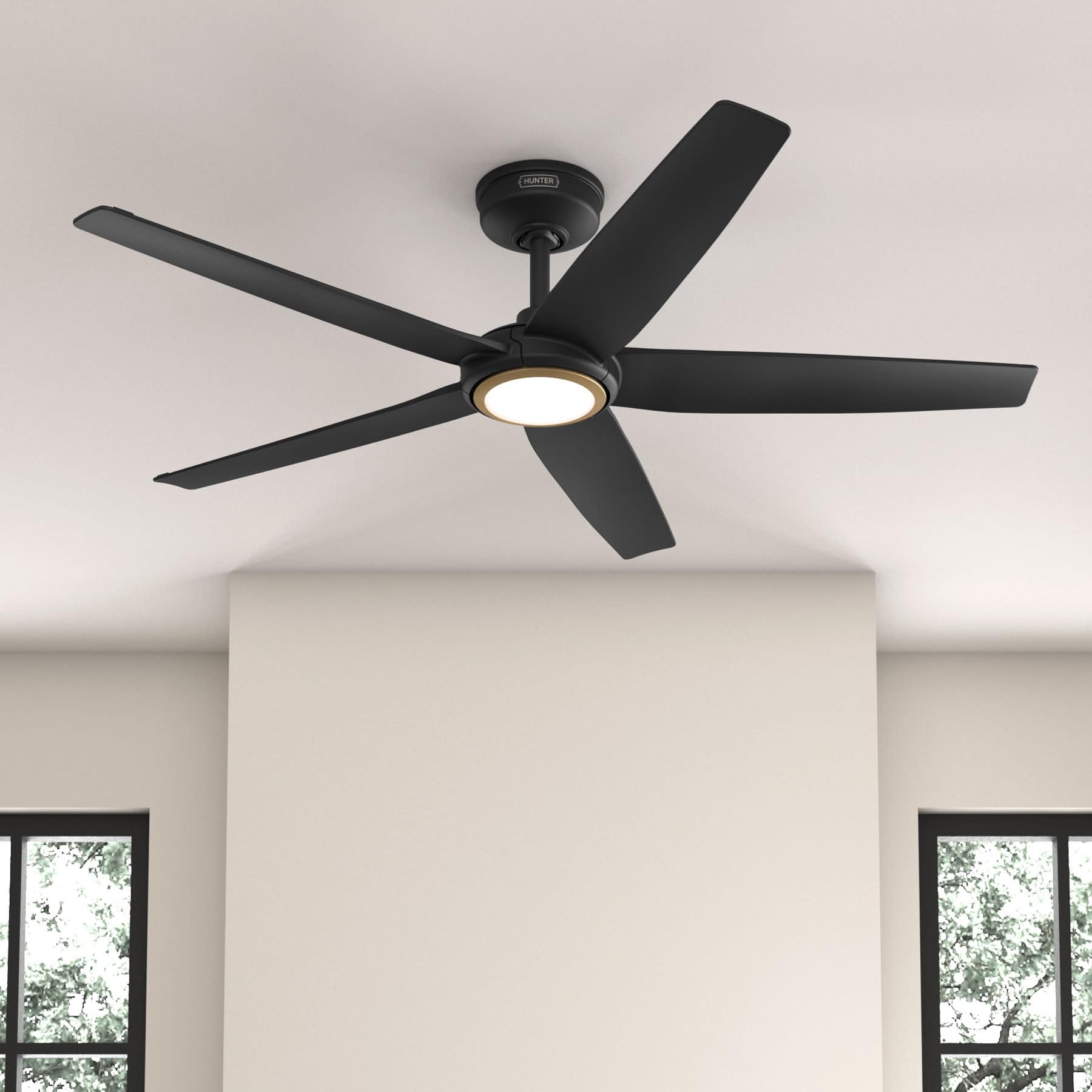
Figure 1: Hunter ZenTech 52 Inch Smart Ceiling Fan (Matte Black)
Ključne karakteristike:
- Napredni dizajn: Ultra-slim DC motor for powerful, quiet airflow and a modern aesthetic.
- Integracija pametnog doma: HunterSMART technology for app and voice control via Amazon Alexa, Google Assistant, and Apple HomeKit.
- Podesiva LED rasvjeta: TrueLight LED offers 10 brightness levels and 10 color temperatures, protected by a durable Duralight lens.
- SureSpeed Guarantee: Delivers strong, consistent airflow with quiet, wobble-free performance.
- Energetski efikasan: ENERGY STAR certified reversible 6-speed DC motor.
- Damp Ocijenjeno: Suitable for indoor and covered outdoor areas.
2. Važna sigurnosna uputstva
Pažljivo pročitajte sva uputstva prije početka instalacije. Nepoštivanje ovih uputstava može dovesti do strujnog udara, požara ili tjelesnih povreda.
- Uvijek isključite napajanje na glavnom prekidaču prije instalacije ili servisiranja.
- Osigurajte da svi električni priključci budu u skladu s lokalnim propisima i uredbama. Ako niste upoznati s električnim ožičenjem, obratite se kvalificiranom električaru.
- The mounting structure must be capable of supporting the fan's weight (approximately 14.11 lbs).
- Do not bend blade brackets during installation or cleaning.
- Držite ruke dalje od lopatica ventilatora dok ventilator radi.
- Ovaj ventilator je damp-rated for use in covered outdoor areas but should not be exposed directly to water.
3. Sadržaj paketa
Prije početka instalacije provjerite da li se u vašem paketu nalaze sve dolje navedene komponente.
- Kućište motora stropnog ventilatora
- 5 lopatica ventilatora
- Light Kit with Duralight Lens
- 6-inčna donja šipka
- Nadstrešnica i nosač za montažu
- Ručni daljinski upravljač
- Paket hardvera (vijci, podloške, matice)

Figure 2: ZenTech 52 Inch Fan Components
4. Vodič za instalaciju
Professional installation is recommended. Ensure the power is OFF at the circuit breaker before starting.
4.1 Montiranje ventilatora
- Secure the mounting bracket to the ceiling junction box. The junction box must be listed for fan support.
- Assemble the downrod (6-inch included, compatible with up to 24-inch downrods) to the fan motor housing.
- Hang the fan assembly from the mounting bracket.
- Complete electrical wiring connections as per the wiring diagram provided in the full manual.
- Pričvrstite lopatice ventilatora na kućište motora.
- Install the light kit and Duralight lens.

Figure 3: ZenTech Fan installed in a covered outdoor space
5. Uputstvo za upotrebu
The ZenTech fan can be operated using the included handheld remote control or through the HunterSMART app.
5.1 Rad na daljinskom upravljaču
- Uključivanje/isključivanje ventilatora: Pritisnite dugme za ventilator da biste uključili ili isključili ventilator.
- Brzina ventilatora: Koristite tipke za brzinu za odabir između 6 brzina ventilatora.
- Uključeno/isključeno svjetlo: Pritisnite dugme za osvetljenje da biste uključili ili isključili svetlo.
- Prigušivanje svjetla: Hold the light button to dim or brighten the light.
- Temperatura boje: Press the color temperature button to cycle through different color temperatures (warm to cool).
- Reverzna funkcija: Press the reverse button to change the fan's direction for seasonal use.
5.2 LED Light Control (TrueLight Technology)
The TrueLight LED system allows for precise control over your lighting environment. You can select from 10 brightness levels and 10 color temperatures to match your preference.

Figure 4: TrueLight LED Technology for adjustable lighting
6. Integracija pametnog doma
The ZenTech fan features HunterSMART technology, enabling seamless integration with popular smart home ecosystems.
6.1 Connecting to HunterSMART App
- Download the HunterSMART app from your device's app store.
- Follow the in-app instructions to create an account and add your ZenTech fan.
- Ensure your fan is powered on and your mobile device is connected to a 2.4 GHz Wi-Fi network during setup.
6.2 Voice Control Compatibility
Once connected to the HunterSMART app, you can link your fan to:
- Amazon Alexa
- Google Assistant
- Apple HomeKit
Refer to the respective smart home platform's instructions for linking smart devices.

Figure 5: HunterSMART Control Options
7. Njega i održavanje
Redovno održavanje osigurava optimalne performanse i dugotrajnost vašeg stropnog ventilatora.
- čišćenje: Dust the fan blades and motor housing periodically with a soft, lint-free cloth. For damp-rated areas, wipe down with a slightly damp cloth, then dry thoroughly. Do not use abrasive cleaners or solvents.
- Provjera nepropusnosti: Annually, check all screws and connections for tightness. Vibrations can cause them to loosen over time.
- Light Kit: The LED light source is designed for long life and is not user-serviceable.
8. Vodič za rješavanje problema
If you encounter issues with your ZenTech ceiling fan, refer to the table below for common problems and solutions.
| Problem | Mogući uzrok | Rješenje |
|---|---|---|
| Ventilator se ne pokreće | Nema napajanja ventilatora; Labavi spojevi žica; Prazna baterija daljinskog upravljača. | Provjerite osigurač; Provjerite jesu li svi priključci žica sigurni; Zamijenite bateriju daljinskog upravljača. |
| Svetlo ne radi | No power to the light kit; Loose wire connection; Light kit malfunction. | Check circuit breaker; Verify light kit wiring; Contact customer support if LED is faulty. |
| Ventilator se ljulja | Loose blades or blade holders; Improperly balanced blades; Loose mounting bracket. | Ensure all blade screws are tight; Use a blade balancing kit (not included); Tighten mounting bracket screws. |
| Pametne funkcije se ne povezuju | Incorrect Wi-Fi network (not 2.4 GHz); Incorrect app setup; Router issues. | Ensure connection to 2.4 GHz Wi-Fi; Re-attempt app setup; Restart router and fan. |
9. Tehničke specifikacije
| Specifikacija | Detalj |
|---|---|
| Brand | Hunter |
| Naziv modela | ZenTech |
| Broj modela | 53638 |
| Veličina | 52 inča |
| Boja | Mat crna |
| Dimenzije proizvoda | 52"D x 52"Š x 11.78"H |
| Težina artikla | 14.11 funti |
| Broj oštrica | 5 |
| Tip motora | DC |
| Broj brzina | 6 |
| Kapacitet protoka zraka | 5443.94 kubnih stopa u minuti |
| Wattage | 17 vati |
| Voltage | 120 Volts |
| Unutrašnja/vanjska upotreba | Unutrašnji, Natkriveni vanjski (Damp Ocijenjeno) |
| Posebne karakteristike | LED Light, Quiet Operation, Water Resistant, Wi-Fi Enabled |
| Tip kontrolera | Kontrola aplikacije, Daljinsko upravljanje |
| Certifikati | ETL, Energy Star, FCC |
| Dužina potisne šipke | 6 inča (uključeno) |
10. Informacije o garanciji
The Hunter ZenTech 52 Inch Smart Ceiling Fan is backed by Hunter's commitment to quality. It includes a limited lifetime motor warranty, ensuring long-term confidence in your product. For full warranty details and terms, please refer to the documentation included with your fan or visit the official Hunter Fan Company website.
11. Korisnička podrška
If you require further assistance, have questions about installation, operation, or troubleshooting that are not covered in this manual, please contact Hunter Fan Company customer support. You can typically find contact information on the official Hunter Fan Company weblokaciji ili unutar ambalaže proizvoda.