
Uvod
The LOFREE Pudding Dual Mode Wireless Mouse (Model OE929) is designed for versatile use across various operating systems and devices. It offers both Bluetooth and 2.4G wireless connectivity, adjustable DPI settings, and a comfortable, ergonomic design. This manual provides instructions for setup, operation, maintenance, and troubleshooting to ensure optimal performance of your device.
Sadržaj paketa
- LOFREE Pudding Dual Mode Wireless Mouse
- USB prijemnik (2.4G)
- Charging Cable (USB-C to USB-A, typically)
- Uputstvo za upotrebu
Product Overview
The LOFREE Pudding mouse features a unique transparent texture and an ergonomic design for comfortable use. It includes an adjustable ambient light feature and a scroll wheel with integrated button functionality.

slika: The LOFREE Pudding mouse showcasing its high transparency texture and sleek design.

slika: A hand holding the LOFREE Pudding mouse, illustrating its comfortable, skin-like touch and ergonomic grip.
Setup
1. Punjenje miša
Before first use, ensure the mouse is fully charged. Connect the provided charging cable to the mouse's charging port and to a USB power source. The ambient light may indicate charging status (e.g., breathing light while charging, solid when full).

slika: The LOFREE Pudding mouse, highlighting its approximately 100 hours of battery life on a single charge.
2. Dual-Mode Connection
The mouse supports two wireless connection methods: 2.4G via USB receiver and Bluetooth.
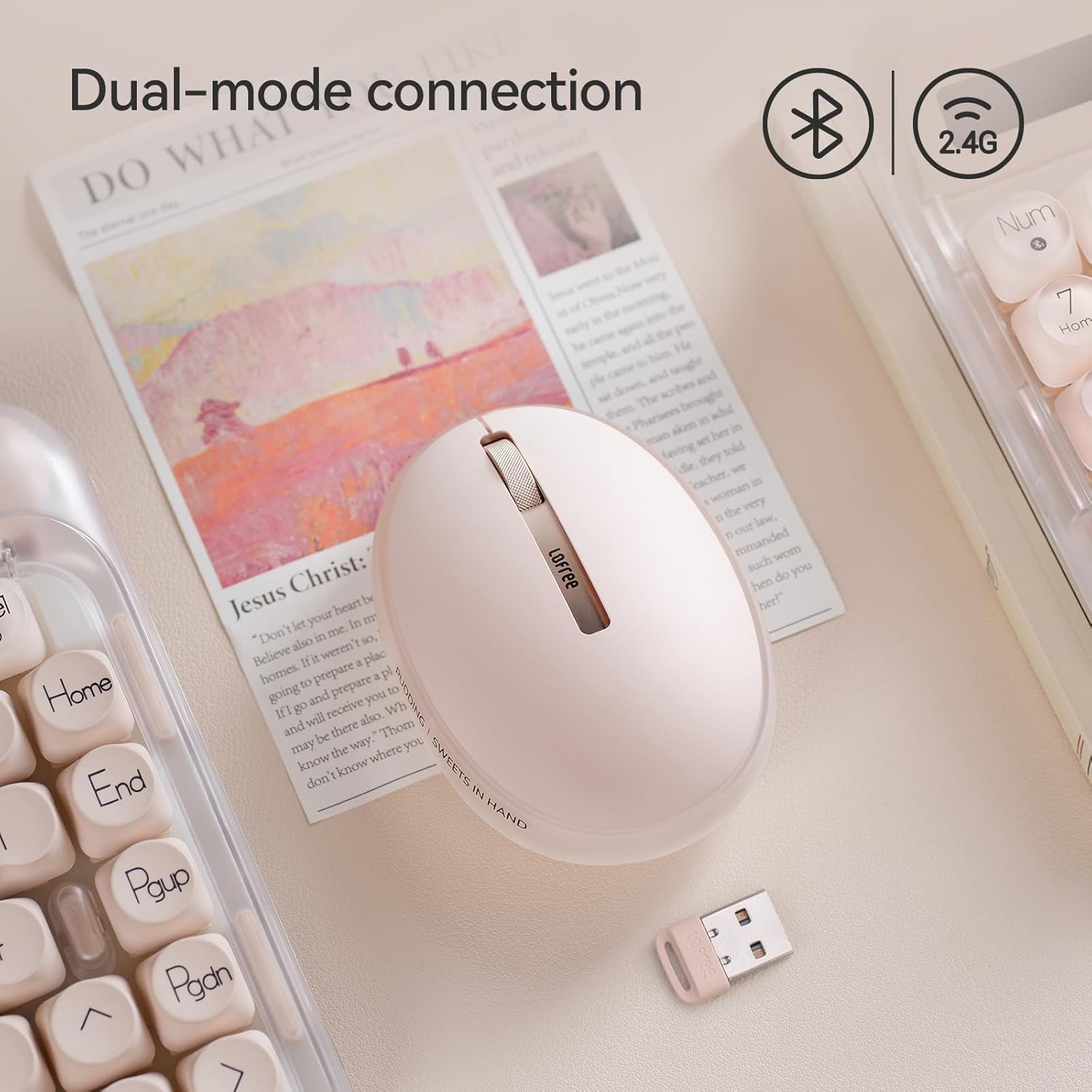
slika: The LOFREE Pudding mouse demonstrating its dual-mode connection capability, supporting both Bluetooth and 2.4G wireless technologies.
2.1. 2.4G bežična veza
- Locate the USB receiver, typically stored in a compartment on the mouse or in the packaging.
- Uključite USB prijemnik u slobodan USB port na vašem računaru.
- Turn on the mouse. The computer should automatically detect and install the necessary drivers.
- Napomena: For systems below Windows 7, the 2.4G connection is recommended as Bluetooth mode may not be supported.
2.2. Bluetooth veza
- Provjerite je li Bluetooth na vašem uređaju omogućen.
- Switch the mouse to Bluetooth mode (refer to the mouse's bottom switch or button for mode selection).
- On your device, search for Bluetooth devices. The mouse should appear as "LOFREE Pudding Mouse" or similar.
- Odaberite miš za uparivanje. Slijedite upute na ekranu da biste dovršili proces uparivanja.
3. Kompatibilnost
The LOFREE Pudding mouse is compatible with a wide range of operating systems and devices, including:
- Windows (Windows 7 and above for Bluetooth)
- macOS
- iOS
- Android
- PC, Mac, Laptop, and other compatible devices.
Uputstvo za upotrebu
1. Podešavanje nivoa DPI-ja
The mouse features 5 adjustable DPI levels to suit different tasks and preferences. You can cycle through these settings by pressing the DPI button, usually located near the scroll wheel or on the bottom of the mouse.
- Available DPI settings: 600, 800, 1200, 1600, 3600.
- Press the DPI button to switch between levels. The mouse cursor speed will change accordingly.

slika: A hand demonstrating the adjustment of DPI levels on the LOFREE Pudding mouse, with available settings of 600, 800, 1200, 1600, and 3600.
2. Ambient Light Modes
The mouse is equipped with an adjustable ambient light feature, offering two modes:
- Constant Always On: The light remains steadily illuminated.
- Način disanja: The light gently pulses on and off.
To switch between these modes, refer to the dedicated light control button or combination of buttons on the mouse. In dormant state, the ambient light will turn off and can be reactivated by clicking any button on the mouse.

slika: The LOFREE Pudding mouse displaying its adjustable ambient light feature, with options for "Always On" or "Breathing" modes.
3. Upravljanje napajanjem
The mouse is designed to conserve battery life. It will enter a dormant state after a period of inactivity, turning off the ambient light. To wake the mouse, simply click any button.
Održavanje
1. Čišćenje
- Za čišćenje površine miša koristite meku, suhu krpu koja ne ostavlja dlačice.
- Za tvrdokornu prljavštinu, lagano dampi krpu vodom ili blagim neabrazivnim sredstvom za čišćenje.
- Izbjegavajte upotrebu jakih hemikalija, rastvarača ili abrazivnih materijala, jer oni mogu oštetiti završnu obradu miša.
- Pazite da tekućina ne uđe u unutrašnje komponente miša.
2. Održavanje baterije
- Redovno punite miš kako biste održali bateriju u ispravnom stanju.
- Izbjegavajte često potpuno pražnjenje baterije.
- If storing the mouse for an extended period, charge it to approximately 50% to prevent deep discharge.
Rješavanje problema
Mouse Not Responding / Disconnecting
- Provjerite bateriju: Ensure the mouse is charged. Connect it to a power source.
- 2.4G konekcija:
- Provjerite je li USB prijemnik sigurno priključen u ispravan USB priključak.
- Pokušajte s drugim USB portom.
- Ensure the mouse is switched to 2.4G mode.
- Bluetooth veza:
- Provjerite je li Bluetooth omogućen na vašem uređaju.
- Ensure the mouse is switched to Bluetooth mode.
- Unpair and re-pair the mouse from your device's Bluetooth settings.
- Ensure your device's operating system supports Bluetooth for mice (e.g., Windows versions below 7 may have limited support).
- smetnje: Move the mouse closer to the receiver/device. Avoid using it near other wireless devices that might cause interference.
DPI se ne mijenja
- Provjerite da li pritiskate ispravno dugme za podešavanje DPI-ja.
- If the mouse is unresponsive, try restarting it (turn off and on).
Ambient Light Not Working
- Check if the mouse is in a dormant state; click a button to wake it.
- Uvjerite se da je baterija dovoljno napunjena.
- Verify you are using the correct button or combination to cycle through light modes.
Specifikacije
| Feature | Detalj |
|---|---|
| Broj modela | OE929 |
| Tehnologija povezivanja | Bluetooth, 2.4G Radio Frequency |
| Tehnologija detekcije pokreta | Optički |
| DPI nivoi | 600, 800, 1200, 1600, 3600 (podesivo) |
| Kapacitet baterije | 500mAh |
| Trajanje baterije | Približno 100 sata |
| Posebne karakteristike | LED Lights (Ambient), Lightweight, Rechargeable, Wireless |
| Kompatibilnost | Windows, macOS, iOS, Android (PC, Mac, Laptop) |
| Težina artikla | 8.9 unce |
| Dimenzije paketa | 5.2 x 4.13 x 2.4 inča |
Garancija i podrška
LOFREE products are manufactured to high-quality standards. For warranty information, technical support, or service inquiries, please refer to the official LOFREE webweb-mjesto ili direktno kontaktirajte njihovu korisničku podršku. Sačuvajte račun za kupovinu u slučaju reklamacije.
Za više informacija posjetite LOFREE trgovina na Amazonu.