
1. Uvod
This manual provides detailed instructions for the installation, operation, and maintenance of your JOOAN 4G Solar Security Camera. This outdoor wireless surveillance camera is designed for areas without traditional power or network infrastructure, utilizing 4G cellular connectivity and solar power for continuous operation. Please read this manual thoroughly before use to ensure proper setup and functionality.

Image 1.1: JOOAN 4G Solar Security Camera with its solar panel and a smartphone displaying the camera's live feed, highlighting its 4MP/5MP HD resolution capability.
2. Značajke proizvoda
- 4G povezivanje: Operates independently using a SIM card, ideal for remote locations.
- Solarni pogon: Equipped with a solar panel for continuous charging, reducing the need for external power sources.
- Visoka rezolucija: Snima jasne video zapisetage for effective surveillance.
- Noćni vid u boji: Offers multiple night vision modes including infrared, full-color, and smart color night vision for enhanced visibility in low-light conditions up to 10 meters.
- Lokalna i pohrana u oblaku: Supports up to 256GB SD card storage and optional cloud storage for recorded footage.
- Jednostavna instalacija: Designed for straightforward setup and mounting.
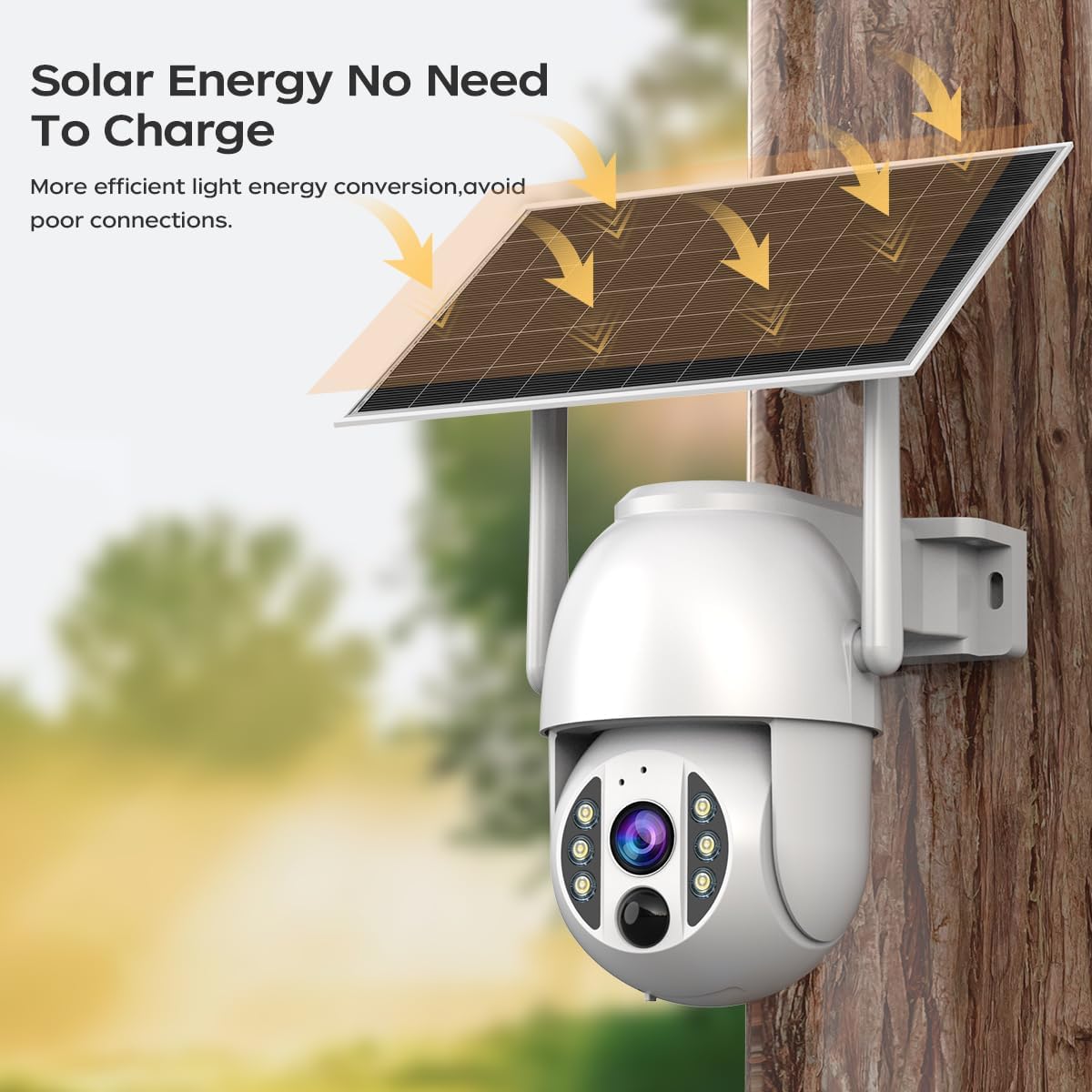
Image 2.1: The JOOAN 4G Solar Security Camera mounted with its solar panel, illustrating its solar energy capability for efficient light energy conversion and avoiding poor connections.
3. Postavljanje i instalacija
3.1. Instalacija SIM kartice i SD kartice
Before mounting, install a 4G SIM card (not included) and an SD card (up to 256GB, not included) into the designated slots on the camera. Ensure the camera is powered off before inserting or removing cards.

Slika 3.1: Krupni plan view of the JOOAN camera's SD card slot, indicating support for cloud storage and a maximum 256GB SD card.
3.2. Koraci montaže
- Pozicioniranje i probijanje: Select a suitable location for the camera and solar panel. Mark the drilling points on the wall. Use a drill to create holes at the marked positions.
- Insert Expansion Screws: Gently tap the expansion screws into the drilled holes until they are flush with the surface.
- Montirajte kameru: Align the camera bracket with the expansion screws and secure it using the provided screws.
- Kompletna instalacija: Attach the solar panel to the camera bracket or mount it separately in a location with ample sunlight. Ensure all connections are secure.

Image 3.2: Visual guide showing the four installation steps: 1. Positioning and punching, 2. Inserting expansion screws, 3. Mounting the camera with screws, and 4. Completing the installation with the solar panel.
3.3. Povezivanje aplikacije
Download the official JOOAN app from your smartphone's app store. Follow the in-app instructions to add your camera. There are typically two methods:
- Add APP Phone Code: Scan the QR code displayed on your mobile phone APP with the camera lens from a distance of 20-30cm to add the distribution network.
- Add Camera Body Code: Scan the QR code located on the camera body using the mobile phone APP to add the distribution network.

Image 3.3: Illustration of the two connection methods: scanning the APP phone code or scanning the camera body code to establish a network connection.
4. Operacija
4.1. Uključivanje / isključivanje napajanja
The camera automatically powers on when sufficient solar power is available or when connected to a power source. To power off, disconnect the power source and allow the battery to deplete, or use the app if a power-off function is available.
4.2. Uživo View i Snimanje
Once connected to the app, you can access the live video feed. The camera supports continuous recording to the SD card or cloud storage (subscription may be required). You can also manually record video or capture screenshots from the live view.
4.3. Detekcija pokreta i upozorenja
Configure motion detection sensitivity and alert settings within the app. The camera will send notifications to your smartphone when motion is detected. Recorded events can be reviewed in the app's playback section.
4.4. Režimi noćnog vida
The camera offers three night vision modes, selectable via the app:
- Infracrveni noćni vid: Pruža jasne crno-bijele slike u potpunom mraku.
- Noćni vid u punom koloru: Koristi ugrađene reflektore za pružanje slika u boji u uslovima slabog osvjetljenja.
- Pametni noćni vid u boji: Automatically switches from infrared to full-color vision upon detection of motion or specific events.

Image 4.1: Comparison of the three night vision modes: Infrared night vision, Full color night vision, and Smart color night vision, demonstrating the camera's ability to pick out details in darkness up to 10 meters away.
5. Održavanje
- Čišćenje sočiva: Redovno čistite objektiv kamere mekom, suhom krpom kako biste osigurali jasnu sliku. Izbjegavajte abrazivna sredstva za čišćenje.
- Čišćenje solarnih panela: Keep the solar panel free from dust, dirt, and debris to maximize charging efficiency. Clean with a damp tkanina po potrebi.
- Ažuriranja firmvera: Check the app periodically for available firmware updates to ensure optimal performance and security.
- Zdravlje baterije: Ensure the solar panel receives adequate sunlight to maintain battery charge. Prolonged periods without sunlight may require temporary charging via a USB power adapter (not included).
6. Otkrivanje problema
6.1. Camera Not Connecting to 4G Network
- Provjerite je li SIM kartica ispravno umetnuta i aktivirana s važećim podatkovnim planom.
- Provjerite jačinu 4G signala na lokaciji kamere.
- Ponovo pokrenite kameru kratkim isključivanjem i ponovnim uključivanjem napajanja.
6.2. No Video Feed or Poor Quality
- Verify the camera has sufficient power.
- Check the 4G signal strength.
- Očistite sočivo kamere.
6.3. Solar Panel Not Charging
- Osigurajte da solarni panel bude postavljen tako da prima direktnu sunčevu svjetlost nekoliko sati dnevno.
- Clean any dirt or obstructions from the solar panel surface.
- Provjerite priključni kabel između solarnog panela i kamere.
6.4. SD Card Not Recording
- Provjerite je li SD kartica ispravno umetnuta i formatirana u aplikaciji.
- Check if the SD card has sufficient free space.
- Provjerite postavke snimanja u aplikaciji.
7. Specifikacije
| Feature | Detalj |
|---|---|
| Brand | JOOAN |
| Model | B0GCFGYCLX |
| Izvor napajanja | Solar Powered |
| Connectivity Protocol | 4G Cellular (SIM card required), Wi-Fi (for initial setup/local access if applicable) |
| Preporučena upotreba | Indoor/Outdoor Surveillance |
| Posebna karakteristika | Lako se instalira |
| Skladištenje | Supports up to 256GB SD card, Cloud Storage (subscription may apply) |
8. Garancija i podrška
For warranty information and technical support, please refer to the JOOAN official webweb-mjesto ili direktno kontaktirajte njihovu korisničku službu. Sačuvajte račun kao dokaz o kupovini.
Za dalju pomoć posjetite: JOOAN Store on Amazon