
Uvod
The Marshall Heston 60 Soundbar is designed to enhance your home audio experience with immersive cinematic sound. Featuring Dolby Atmos, it delivers three-dimensional audio for movies, music, and TV. Its design is inspired by classic Marshall amplifiers, offering both versatility and convenience for various setups.
Ključne karakteristike uključuju:
- Immersive Dolby Atmos Sound: Experience clear, detailed, three-dimensional audio.
- Multi-Wireless Connectivity: Connect via Bluetooth, Wi-Fi (AirPlay, Google Cast, Spotify Connect, TIDAL Connect).
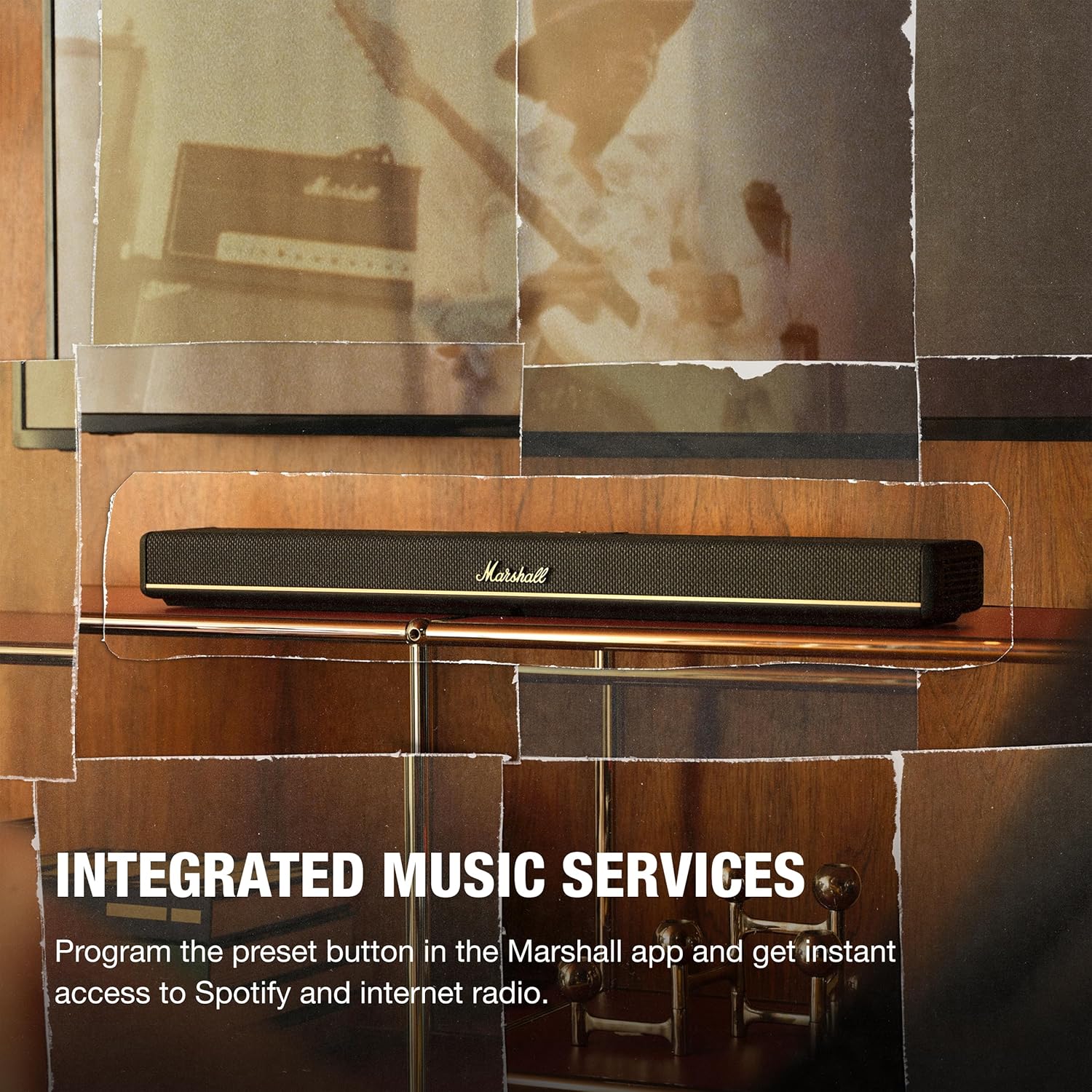
- Integrisane muzičke usluge: Program preset buttons in the Marshall app for instant access to Spotify or internet radio.
- Višestruki načini zvuka: Choose from Movie, Voice, Music, or Night Mode to optimize your listening experience.
- Fleksibilan plasman: Designed for TV shelf placement or wall mounting, with a reversible control panel and removable magnetic logo for aesthetic alignment.
- Marshall App Control: Access advanced audio settings, customize presets, calibrate sound, and fine-tune EQ settings.
Šta je u kutiji
Carefully unpack the following items:
- Heston 60 Soundbar
- Power Cable
- HDMI kabl
- 2 Pcs Wall Mount Grommets
- Vodič za brzi početak

Setup
- plasman: Place the Heston 60 Soundbar on a flat surface, centered under your TV, or mount it to the wall. Ensure at least 15 cm clearance above and on each side for optimal sound. If wall mounting, follow the included wall mount instructions.
- HDMI veza: Connect one end of the HDMI cable to the HDMI 1 (TV) port on the Heston 60 and the other end to an HDMI port supporting eARC/ARC on your TV.
- Priključak za napajanje: Connect the mains lead to the soundbar, then to the mains plug on the wall socket, and close the back panel hatch. Ensure the mains lead, plug, and soundbar are compatible with your mains supply and wall socket. Caution: Always unplug the mains lead from the wall socket before disconnecting it from the soundbar.
- Aesthetic Setup: Place the magnetic Marshall script logo on the front center of the Heston 60. Then, position the magnetic user panel with the text oriented correctly.
- Preuzimanje i podešavanje aplikacije: Download the Marshall app to complete the setup. The app guides you through Wi-Fi setup, audio adjustments, customizing playlists, and selecting sound modes. The app also functions as a remote control for the Heston 60.


Uputstvo za upotrebu
Kontrole prekoview
The Heston 60 features intuitive controls located on the top panel for easy access to various functions.

- Birač izvora: Switch between input sources (HDMI, Aux, Bluetooth, Wi-Fi).
- Kontrola jačine zvuka: Podesite ukupni nivo zvuka.
- Kontrole basa/visokih tonova: Fine-tune the bass and treble frequencies to your preference.
- Kontrola medija: Play, pause, skip tracks when using connected music services.
- Dugme za režim zvuka: Cycle through available sound modes (Music, Movie, Night, Voice).
- Programabilno dugme: Customize this button via the Marshall app for quick access to favorite features or internet radio stations.

Režimi zvuka
The Heston 60 offers specialized sound modes to optimize audio for different content:
- Režim filma: Enhances drama and intensifies effects for a cinematic experience.
- Muzički način rada: Delivers rich, balanced sound for your playlists.
- Glasovni način rada: Keeps dialogue clear and prominent, ideal for news or podcasts.
- Noćni način rada: Reduces loud effects and maintains speech clarity for late-night listening without disturbing others.

Povezivanje
Žičane veze
The Heston 60 offers several wired input options:
- HDMI eARC/ARC: For high-quality audio connection to your TV.
- 3.5 mm Aux Input: Connect external audio devices using a standard auxiliary cable.
- Sub Out: Spojite vanjski subwoofer za pojačani bas.
- Izlazna snaga USB-C: Provides 5V 1A power output for charging small devices.
Bežično povezivanje
Enjoy seamless audio streaming with multiple wireless options:
- Bluetooth: Pair your smartphone, tablet, or other Bluetooth-enabled devices.
- Wi-Fi: Connect to your home network for streaming via AirPlay, Google Cast, Spotify Connect, or TIDAL Connect.

Zidna montaža
The Heston 60 Soundbar is designed for flexible placement, including wall mounting. Use the provided wall mount grommets and follow the detailed instructions in the Quick Start Guide for secure installation. The reversible control panel and removable magnetic logo ensure optimal appearance regardless of mounting orientation.

Specifikacije
| Feature | Detalj |
|---|---|
| Brand | Marshall |
| Naziv modela | Heston 60 |
| Broj modela | 1008949 |
| Maksimalna izlazna snaga zvučnika | 56 Watts |
| Frekvencijski odziv | 45 Hz |
| Tehnologija povezivanja | Auxiliary, Bluetooth, HDMI, Wi-Fi |
| Način audio izlaza | Stereo |
| Vrsta montaže | Zidni nosač |
| Dodatne karakteristike | Dolby Enabled, Hi Res Audio |
| Kontrolni metod | Dodirnite |
| Broj audio kanala | 5.1 |
| Dimenzije artikla (D x Š x V) | 4.88"D x 28.74"Š x 2.68"H |
| Težina artikla | 6.1 funti |
| Izvor napajanja | Corded Electric |
Održavanje
To ensure the longevity and optimal performance of your Marshall Heston 60 Soundbar, follow these maintenance guidelines:
- čišćenje: Use a soft, dry cloth to clean the exterior surfaces. Avoid abrasive cleaners, solvents, or sprays that could damage the finish.
- ventilacija: Ensure the soundbar has adequate ventilation and that no vents are blocked.
- Skladištenje: Ako skladištite soundbar duži period, isključite ga iz struje i čuvajte ga na hladnom i suhom mjestu.
- Izbjegavajte vlagu: Keep the soundbar away from water, high humidity, and extreme temperatures.
Rješavanje problema
If you encounter issues with your Heston 60 Soundbar, refer to the following common troubleshooting steps:
- Nema napajanja: Check that the power cable is securely connected to both the soundbar and a working wall outlet.
- Nema zvuka: Verify the correct input source is selected on the soundbar and your TV. Ensure the volume is not muted or set too low on both devices. Check all cable connections (HDMI, Aux).
- Problemi sa Bluetooth uparivanjem: Ensure the soundbar is in Bluetooth pairing mode. Disable and re-enable Bluetooth on your device, then try pairing again. Move your device closer to the soundbar.
- izobličeni zvuk: Reduce the volume on both the soundbar and your connected device. Check for loose cable connections. Try a different audio source to isolate the problem.
- Problemi s Wi-Fi vezom: Ensure your Wi-Fi network is active and the soundbar is within range. Restart your router and the soundbar. Use the Marshall app to reconfigure Wi-Fi settings.
For more detailed troubleshooting or persistent issues, consult the full user manual or contact Marshall customer support.
Garancija i podrška
The Marshall Heston 60 Soundbar comes with a 1 godine garancije proizvođača. Ova garancija pokriva nedostatke u materijalu i izradi pod normalnom upotrebom.
For warranty claims, technical support, or service inquiries, please refer to the contact information provided in your Quick Start Guide or visit the official Marshall website.


