
1. Proizvod je gotovview
The HP Laptop 15-fd2353la is a versatile and efficient computing device designed for everyday tasks, entertainment, and productivity. It features an Intel Core Ultra 5 processor, a vibrant 15.6-inch Full HD display, ample memory, and fast solid-state storage. This manual will guide you through the setup, operation, and maintenance of your new laptop.

Front view of the HP Laptop 15-fd2353la, highlighting its Intel Core Ultra 5 processor, 24 GB RAM, 512 GB SSD, and 15.6-inch Full HD display.
2. Podešavanje
2.1 Raspakivanje
Carefully remove your laptop and all accessories from the packaging. Ensure the following items are present:
- HP Laptop 15-fd2353la
- Adapter za napajanje i kabl
- Dokumentacija (Kratki vodič, Informacije o garanciji)
2.2 Spajanje adaptera za napajanje
Before first use, connect the power adapter to the laptop's power port and then plug it into a wall outlet. Allow the battery to charge for a few hours, or until fully charged, before initial use.
2.3 Početno uključivanje i podešavanje Windowsa
Press the power button located on the keyboard to turn on the laptop. Follow the on-screen instructions to complete the Windows 11 Home setup process. This includes selecting your language, connecting to a Wi-Fi network, and creating a user account.
3. Uputstvo za upotrebu
3.1 Uključivanje/isključivanje i režim spavanja
- Uključeno: Pritisnite dugme za napajanje.
- Isključi: Kliknite na dugme Start, zatim Napajanje > Isključi.
- Režim spavanja: Zatvorite poklopac ili kliknite na dugme Start, a zatim na Napajanje > Spavanje.
3.2 Korištenje tastature i touchpada
The laptop features a full-size Spanish QWERTY keyboard and a precision touchpad. Use the touchpad for navigation, clicking, and multi-touch gestures. Refer to Windows settings for touchpad customization.
3.3 Povezivanje na Wi-Fi
Za povezivanje na bežičnu mrežu:
- Kliknite na ikonu Wi-Fi mreže u traci zadataka.
- Odaberite željenu mrežu s popisa.
- Unesite mrežnu lozinku ako se to od vas zatraži, a zatim kliknite na Poveži se.
4. Ključne karakteristike
The HP Laptop 15-fd2353la offers a range of features designed to enhance your computing experience:
- procesor: Intel Core Ultra 5 225U (up to 4.8 GHz with Intel Turbo Boost Technology, 12 MB L3 Cache, 12 cores, 14 threads) for efficient multitasking.
- Skladištenje: 512 GB PCIe NVMe M.2 Solid State Drive for fast boot times and application loading.
- Memorija: 24 GB DDR5-5600 MT/s RAM for smooth performance across demanding applications.
- Prikaz: 15.6-inch Full HD (1920 x 1080) IPS anti-glare display with 250 nits brightness and 62.5% sRGB for clear visuals.
- Operativni sistem: Unaprijed instaliran Windows 11 Home.
- Trajanje baterije: Up to 9 hours and 45 minutes of AI-optimized battery life, with HP Fast Charge capable of recharging 50% in approximately 30 minutes.
- Webcam and Audio: Integrisano webcam with a privacy shutter and a clear microphone featuring external noise reduction for improved video calls.
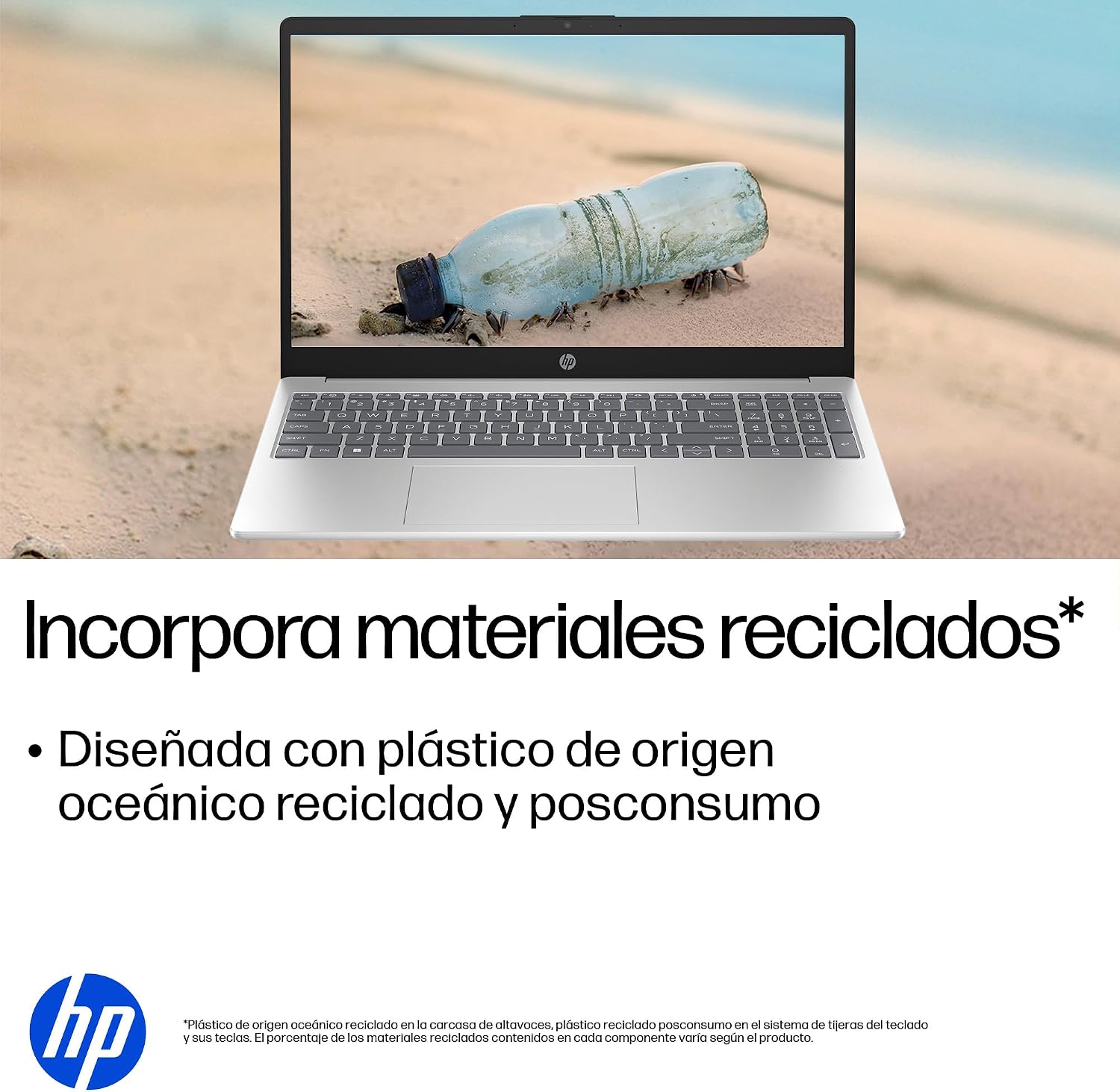
- Održivi dizajn: Constructed with ocean-bound and post-consumer recycled plastics in various components.

The laptop features an integrated webcam shutter for privacy and a clear microphone with external noise reduction.

Experience an immersive visual display with an 85% screen-to-body ratio and an anti-glare Full HD screen.

Enjoy extended use with up to 9 hours and 45 minutes of AI-optimized battery life, and quickly recharge 50% in 30 minutes with HP Fast Charge.

This laptop incorporates recycled materials, including ocean-bound and post-consumer plastics, in its design.
5. Portovi i povezivanje
Your HP Laptop 15-fd2353la is equipped with various ports for connecting peripherals and external devices:

Diagram illustrating the location and type of ports on the HP Laptop 15-fd2353la.
- Lijeva strana:
- 1 x USB Type-A 5 Gbps signaling rate port
- 1 x HDMI port
- 1 x USB Type-C 5 Gbps signaling rate port
- 1 x Headphone/Microphone combo jack
- Desna strana:
- 1 x USB Type-A 5 Gbps signaling rate port
- 1 x Power connector
6. Specifikacije
| Feature | Specifikacija |
|---|---|
| Brand | HP |
| Naziv modela | 15-fd2353la |
| Veličina ekrana | 15.6 inča |
| Maksimalna rezolucija ekrana | 1920 x 1080 piksela (FHD) |
| Display Type | IPS, Anti-glare LCD |
| Boja | Srebro |
| CPU model | Intel Core Ultra 5 225U |
| Brzina procesora | Do 4.8 GHz |
| Veličina RAM-a | 24 GB |
| RAM tehnologija | DDR5-5600 MT/s |
| Veličina tvrdog diska | 512 GB SSD (PCIe NVMe M.2) |
| Operativni sistem | Windows 11 Home |
| Grafički koprocesor | Intel integrisana grafika |
| USB portovi | 3 (2x USB Type-A, 1x USB Type-C) |
| HDMI portovi | 1 |
| Vrsta baterije | Lithium Ion |
| Energetski sadržaj baterije | 41 vat-sati |
| Raspored tipkovnice | QWERTY (Spanish) |
| Težina | 1.65 kilograma |
| Dimenzije (D x Š x V) | 23.6 x 36 x 1.9 cm |
Visual representation of the laptop's dimensions and weight.
7. Održavanje
7.1 Čišćenje laptopa
- Koristite meku krpu koja ne ostavlja dlačiceampvodom ili sredstvom za čišćenje ekrana da biste očistili ekran.
- Za tastaturu i kućište koristite meku krpu. Izbjegavajte jake hemikalije ili abrazivne materijale.
- Koristite komprimirani zrak za uklanjanje prašine s tipki i otvora za ventilaciju na tastaturi.
7.2 Njega baterija
- Izbjegavajte ekstremne temperature.
- Nemojte često potpuno prazniti bateriju.
- Ako laptop skladištite duži period, provjerite da li je baterija napunjena na oko 50%.
7.3 Ažuriranja softvera
Redovno ažurirajte svoj Windows operativni sistem i upravljačke programe kako biste osigurali optimalne performanse i sigurnost. Windows Update-u se može pristupiti putem Postavke > Windows Update.
7.4 Upravljanje skladištem
Periodično review i izbrišite nepotrebne files to maintain sufficient free space on your 512 GB SSD, which helps in sustaining system performance.
8. Otkrivanje problema
8.1 Problemi s napajanjem
- Laptop se ne uključuje: Provjerite da li je adapter za napajanje sigurno priključen i na laptop i na ispravnu utičnicu. Provjerite da li je utičnica funkcionalna.
- Baterija se ne puni: Verify the power adapter is correctly connected. Try a different power outlet.
8.2 Problemi sa ekranom
- Nema slike na ekranu: Connect an external monitor to the HDMI port to check if the issue is with the laptop's display or the graphics card.
- Tamni ili treperavi ekran: Podesite svjetlinu ekrana pomoću funkcijskih tipki na tastaturi. Ažurirajte upravljačke programe ekrana.
8.3 Problemi s povezivanjem
- Wi-Fi se ne povezuje: Ensure Wi-Fi is enabled. Restart your router and modem. Check network settings in Windows.
- USB uređaji nisu prepoznati: Pokušajte spojiti uređaj na drugi USB priključak. Provjerite jesu li instalirani upravljački programi uređaja.
8.4 Problemi s performansama
- Spore performanse: Close unnecessary applications. Check for background processes consuming high resources (Task Manager). Ensure sufficient free storage space.
- Sistem se zamrzava: Restart the laptop. Check for recent software installations or updates that might be causing conflicts.
9. Garancija i podrška
9.1 Informacije o garanciji
Your HP Laptop 15-fd2353la comes with a 1 godine ograničene garancijeOva garancija pokriva nedostatke u proizvodnji i kvarove hardvera u normalnim uslovima upotrebe. Molimo pogledajte dokumentaciju o garanciji koja je priložena uz vaš proizvod za potpune uslove i odredbe.
9.2 Tehnička podrška
For technical assistance, warranty claims, or service inquiries, please visit the official HP support website or contact HP customer service. Have your product model number (15-fd2353la) and serial number ready when contacting support.
You can find more information and support resources at the official HP webstranica: www.hp.com/support