
1. Uvod
Thank you for choosing the Picun G2 Wireless Gaming Headset. This manual provides detailed instructions for setting up, operating, and maintaining your headset to ensure optimal performance and an immersive gaming experience. Please read this manual thoroughly before use.
Šta je u kutiji
- 1 x Picun G2 Wireless Gaming Headset
- 1 x USB-A & Type-C 2-in-1 Wireless Dongle
- 1 x USB-C kabel za punjenje
- 1 x 3.5 mm audio kabel
- 1 x Uputstvo za upotrebu
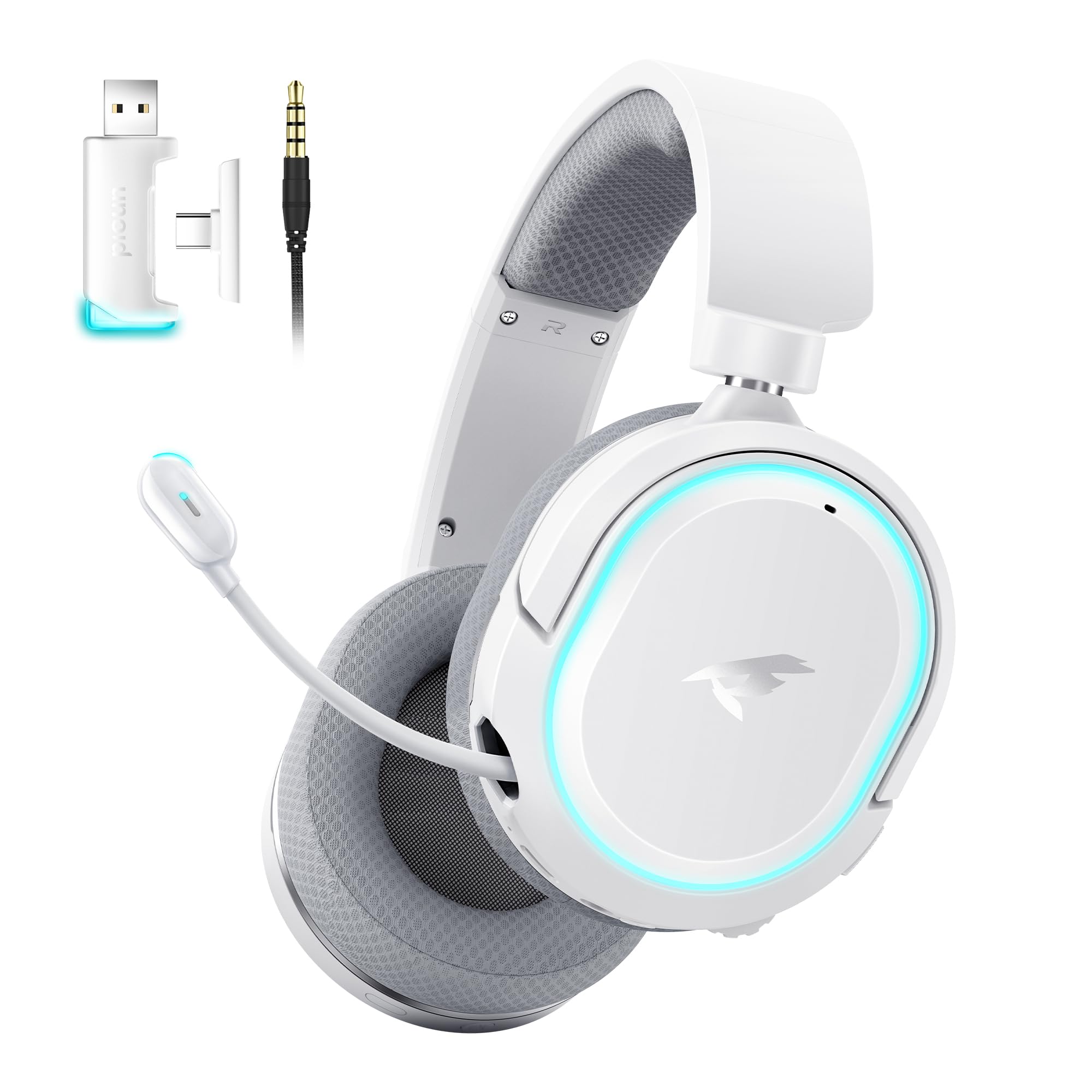
Image: Picun G2 Wireless Gaming Headset (Grey)
2. Proizvod je gotovview
Familiarize yourself with the various components and controls of your Picun G2 headset.

Image: Headset Controls Diagram
- 7.1 Mode Light Control: Button to activate/deactivate 7.1 virtual surround sound and control RGB lighting.
- Port za punjenje: USB-C priključak za punjenje slušalica.
- 3.5 mm audio port: Za žičano povezivanje pomoću priloženog 3.5 mm audio kabla.
- Dugme za napajanje: Press and hold to power on/off. Short press for play/pause in Bluetooth mode.
- Točak jačine zvuka: Scroll up or down to adjust the volume.
- Isključivanje mikrofona: Slide switch to mute or unmute the microphone.
3. Podešavanje i povezivanje
3.1 Punjenje slušalica
Before first use, fully charge the headset using the provided USB-C charging cable. Connect the USB-C end to the headset's charging port and the USB-A end to a power source (e.g., computer USB port, USB wall adapter).
3.2 Connecting via 2.4GHz Wireless (Dongle)
For ultra-low latency gaming on PC, PS5, PS4, or Nintendo Switch (docked mode):
- Insert the 2.4GHz USB-A/Type-C dongle into an available USB port on your device.
- Power on the headset. It will automatically connect to the dongle.
- Provjerite jesu li slušalice odabrane kao audio izlazni i ulazni uređaj u postavkama zvuka vašeg uređaja.
3.3 Povezivanje putem Bluetootha 5.4
For wireless connection to smartphones, tablets, and other Bluetooth-enabled devices:
- With the headset powered off, press and hold the Power Button until the LED indicator flashes blue and red, indicating pairing mode.
- On your device, enable Bluetooth and search for "Picun G2".
- Select "Picun G2" to pair. The LED will turn solid blue once connected.
3.4 Connecting via 3.5mm Wired
For universal compatibility with devices featuring a 3.5mm audio jack:
- Connect one end of the 3.5mm audio cable to the headset's 3.5mm audio port.
- Connect the other end to your device's 3.5mm audio jack.
- Note: Microphone functionality may vary or be unavailable in wired mode depending on the device.

Image: Multiple Connection Options
4. Uputstvo za upotrebu
4.1 Uključivanje/isključivanje napajanja
- Uključeno: Pritisnite i držite tipku za napajanje 3 sekunde.
- Iskljuciti: Pritisnite i držite tipku za napajanje 3 sekunde.
4.2 Kontrola jačine zvuka
- Rotirajte Volume Wheel upwards to increase volume.
- Rotirajte Volume Wheel downwards to decrease volume.
4.3 Microphone Usage (Retractable ENC Noise-Canceling Mic)
- Extend/Retract Mic: Gently pull out or push in the microphone from the left earcup.
- Isključi/Uključi zvuk: Koristite Mic Mute slide switch located on the earcup.

Image: Retractable ENC Noise-Canceling Microphone
4.4 7.1 Virtual Surround Sound Activation
- Pritisnite 7.1 Mode Light Control button to toggle 7.1 virtual surround sound on or off.
- The RGB lighting will indicate the status of the 7.1 mode.

Image: 7.1 Surround Sound Activation
5. Informacije o bateriji
The Picun G2 headset offers extended battery life for prolonged usage.
- Up to 100 hours playtime in Bluetooth mode (RGB off).
- Approximately 42-45 hours playtime via 2.4GHz wireless (RGB on).
- Full charge typically takes 2-3 hours.
- The headset supports charging while in use.

Image: Battery Life and Charging
6. Udobnost i dizajn
The Picun G2 is designed for comfort during extended gaming sessions.
- Podesiva traka za glavu: Customize the fit for various head sizes.
- Rotatable Earcups: Allows for flexible positioning and storage.
- Soft Memory Sponge Cushions: Breathable fabric earcups and headband provide comfort and reduce pressure.

Image: Comfort Features
7. Otkrivanje problema
If you encounter any issues with your Picun G2 headset, please refer to the following common solutions:
| Problem | Rješenje |
|---|---|
| Nema zvuka iz slušalica |
|
| Mikrofon ne radi |
|
| Ne mogu se povezati putem bežične mreže od 2.4 GHz |
|
| Povezivanje putem Bluetooth-a nije moguće |
|
| Kratko trajanje baterije |
|
8. Specifikacije
| Feature | Detalj |
|---|---|
| Brand | Picun |
| Naziv modela | Picun-G2 |
| Tehnologija povezivanja | 2.4 GHz bežično, Bluetooth 5.4, 3.5 mm žičano |
| Postavljanje uha | Preko uha |
| Vrsta audio drajvera | Dinamički drajver (40 mm) |
| Impedansa | 32 Ohma |
| Frekvencijski opseg | 20 Hz - 20,000 Hz |
| Audio kašnjenje | 5 Milliseconds (2.4GHz) |
| Bluetooth verzija | 5.4 |
| Bluetooth domet | 10 metara |
| Trajanje baterije | Up to 100 Hours (Bluetooth, RGB off) / 42-45 Hours (2.4GHz, RGB on) |
| Vrijeme punjenja | 2-3 sati |
| Mikrofon | Retractable ENC Noise-Canceling Omnidirectional Mic |
| Kompatibilni uređaji | PC, Mac, Laptop, Desktop, Phone, Pad, Tablet, PlayStation 4/5/pro/Slim, Gaming Consoles, Switch, Nintendo Switch (microphone invalid on Switch via 3.5mm) |
| Materijal | ABS, Breathable Fabric, PC, Soft Memory Sponge Cushions |
| Dodatne karakteristike | 7.1 Virtual Surround Sound, RGB Lighting, Adjustable Headband, Rotatable Earcups |
9. Garancija i podrška
9.1 Informacije o garanciji
The Picun G2 Wireless Gaming Headset comes with a 1 godine garancije from the date of purchase. This warranty covers manufacturing defects and ensures the product is free from defects in material and workmanship under normal use. Please retain your proof of purchase for warranty claims.
Garancija ne pokriva:
- Šteta uzrokovana nepravilnom upotrebom, zloupotrebom, nesrećom ili nemarom.
- Neovlaštena popravka ili modifikacija.
- Normalno habanje.
9.2 Korisnička podrška
For technical assistance, warranty claims, or any questions regarding your Picun G2 Wireless Gaming Headset, please contact Picun customer support through the following channels:
- Email: support@picun.com (Nprampnpr., stvarna e-mail adresa nije navedena)
- Webstranica: Visit the official Picun webstranica za često postavljana pitanja i resurse podrške.
Please have your model number (Picun-G2) and proof of purchase ready when contacting support.