
Uvod
This manual provides essential information for the safe and efficient operation of your GooDee 4K UHD Smart Projector. Please read it thoroughly before using the device and retain it for future reference. This projector integrates Google TV, AI voice control, advanced connectivity, and automatic image adjustments for a premium viewing iskustvo.
Šta je u kutiji
Provjerite da li su svi artikli prisutni prilikom raspakivanja:
- Kabl za napajanje
- HDMI kabl
- Poklopac sočiva projektora
- Daljinski upravljač
- Uputstvo za upotrebu
Product Overview
Familiarize yourself with the physical components and features of your projector.
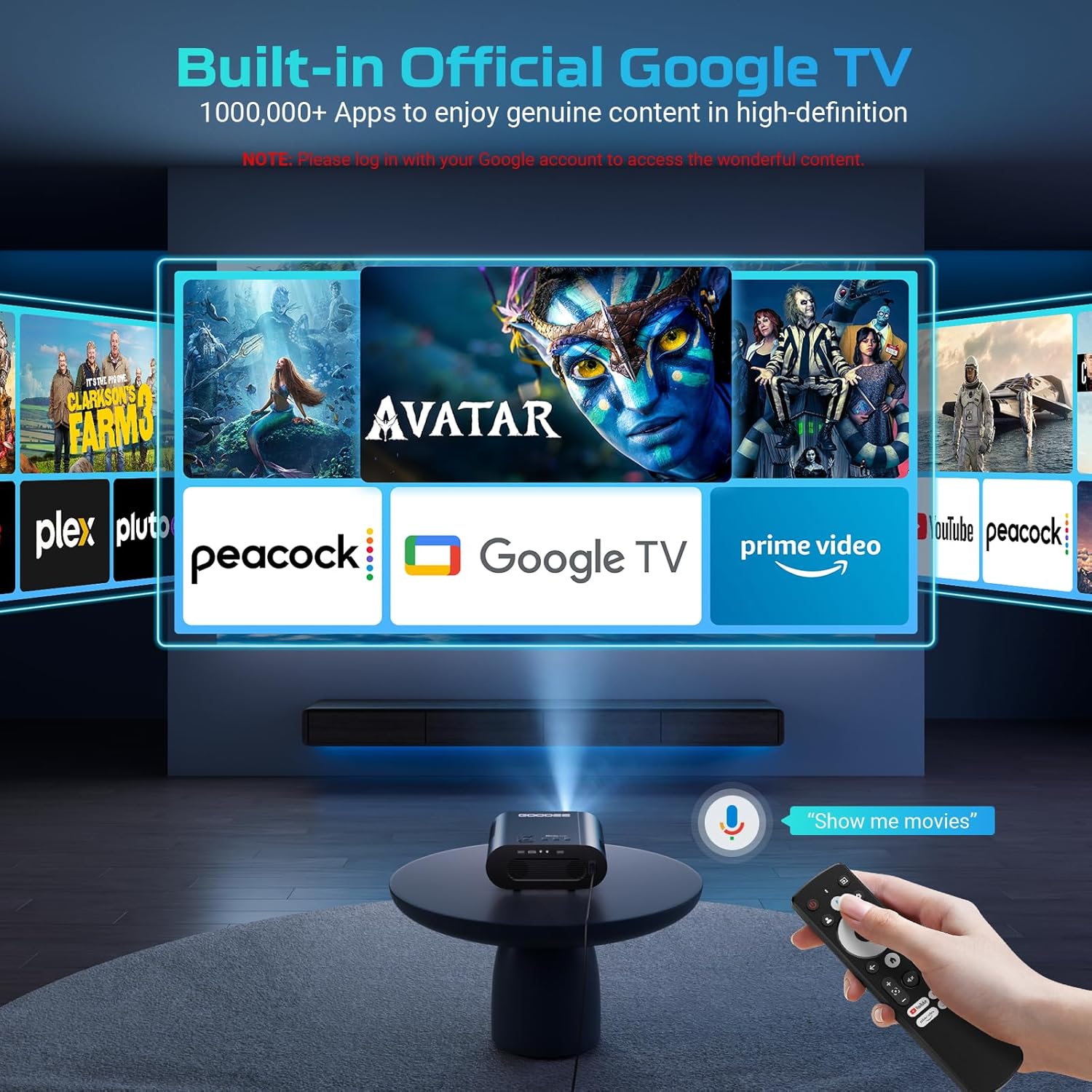
slika: The GooDee 4K UHD Smart Projector, showcasing its compact design and the Google TV interface projected onto a large screen, with the remote control visible in the foreground.
Portovi i veze

slika: Detaljno view of the projector's rear panel, highlighting the HDMI, USB, and audio output ports for connecting external devices.
- HDMI ulaz: Supports 4K resolution for connecting external media players, gaming consoles, or laptops.
- USB portovi (x2): For connecting USB flash drives to play media directly.
- Audio izlaz (3.5 mm): Za spajanje eksternih slušalica ili zvučnika.
- AV ulaz: Za povezivanje starijih uređaja pomoću AV kabla.
- Ulazna snaga: Standard AC 100-240V, 50/60Hz.
Kontrole i podešavanja
- Manual Focus/Keystone Dials: Located on the top of the projector for fine-tuning image clarity and shape.
- daljinski upravljač: Full-function remote with dedicated buttons for popular streaming apps (Netflix, YouTube, Prime Video) and Google Assistant voice control.
- Montažni navoj: A 1/4-inch thread on the bottom allows for tripod or ceiling mounting. An adjustable bolt is also present for desktop angle adjustment.
Vodič za postavljanje
Follow these steps for initial setup and configuration.
1. Početno uključivanje
- Spojite kabel za napajanje na projektor i utičnicu.
- Pritisnite dugme za napajanje na projektoru ili daljinskom upravljaču da uključite uređaj.
- The projector will boot up and display the initial setup screen.
2. Povezivanje na Wi-Fi
- On the setup screen, select your preferred language.
- Navigate to the Wi-Fi settings and select your home network.
- Enter your Wi-Fi password using the on-screen keyboard and remote control.
- Once connected, the projector will guide you through Google TV setup, including signing in with your Google account.

slika: The projector displaying the Google TV home screen, showing popular streaming applications like YouTube, Prime Video, and Hulu, indicating successful Wi-Fi and Google TV setup.
3. Image Adjustment (Auto Focus & Keystone)
The projector features Smart AI Setup for automatic image correction.
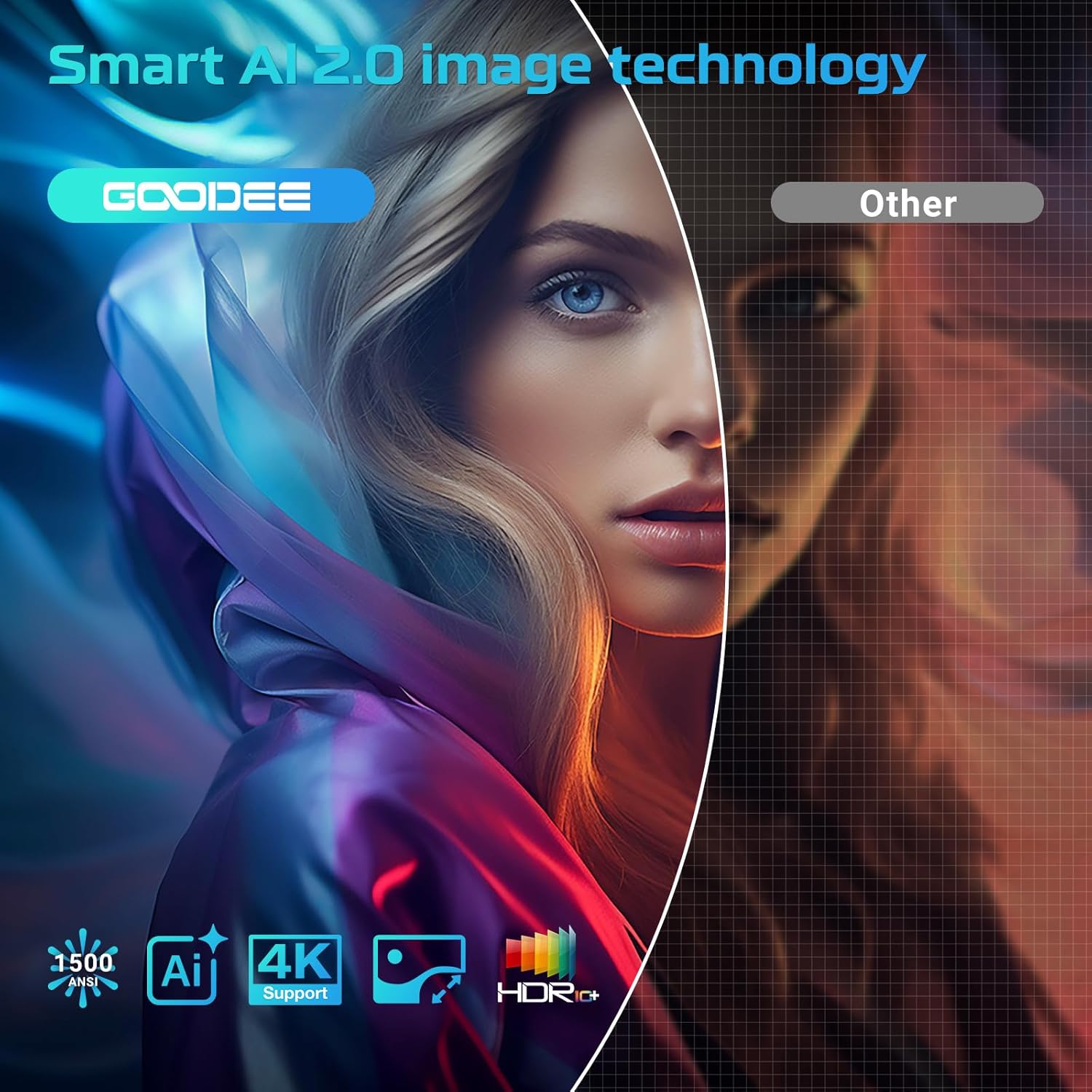
slika: The projector demonstrating its AI Auto Focus and Auto Keystone Correction features, ensuring a clear and perfectly shaped image on the screen.
- The projector will automatically detect and correct image distortion and focus upon startup or movement.
- For manual adjustments, use the focus and keystone dials on the projector or the corresponding buttons on the remote control.
- Zoom & Shift: Adjust the screen size from 50% to 100% and reposition the image using the remote control settings.
4. Povezivanje vanjskih uređaja
- HDMI: Connect your device to the HDMI port. The projector will automatically switch to the HDMI input.
- USB: Insert a USB flash drive into a USB port. The media player app will usually launch automatically.
- Bluetooth: Navigate to the Bluetooth settings in the Google TV menu to pair with external Bluetooth speakers or headphones.
Uputstvo za upotrebu
Maksimizirajte svoje viewing experience with the projector's smart features.
Interfejs Google TV-a
The projector comes with officially authorized Google TV, providing access to over 1,000,000 applications.
video: An official GooDee video demonstrating the Google TV interface and its seamless navigation, highlighting the integration of various streaming services and apps.
- The home screen displays recommended content and your installed apps.
- Navigate using the directional pad on the remote control.
- Access the App Store to download additional applications.
AI Smart Voice Assistant
Use your voice to control the projector and access content quickly.

slika: A user holding the remote control and speaking into it, demonstrating the AI Smart Voice Assistant feature to control the projector and search for content.
- Press and hold the voice control button (microphone icon) on your remote.
- Speak your command clearly, such as "Open Netflix," "Traži movies," or "Adjust volume."
- The projector will execute the command or display relevant search results.
Aplikacije za streaming
Enjoy a wide range of entertainment directly from your projector.
- Popular apps like YouTube, Prime Video, Hulu, and Disney+ are readily available.
- Ensure you are logged into your respective accounts for full access to content.
Image & Sound Settings
Prilagodite svoj viewiskustvo slušanja i slušanja.
Postavke slike
- Access picture settings via the Google TV menu.
- Choose from preset modes: Standard, Vivid, Movie, or Game.
- Utilize the Custom mode to manually adjust Contrast, Saturation, Sharpness, Color Temperature, and Gamma.
Postavke zvuka

slika: The projector highlighting its Bluetooth 5.2 and Dolby Audio capabilities, showing a cinematic setup with external speakers for an immersive sound experience.
- The projector features dual 15W speakers with Dolby Audio for 360° surround sound.
- Select from sound modes: Standard, Movie, Music, or Sport.
- Adjust advanced sound controls, including surround sound and expert settings.
Održavanje
Pravilno održavanje osigurava dugotrajnost i optimalne performanse vašeg projektora.
- Čišćenje sočiva: Use the provided lens cloth to gently wipe the projector lens. Avoid abrasive materials or harsh chemicals.
- Uklanjanje prašine: Regularly clean the air inlet and outlet vents to prevent dust buildup, which can affect performance and lead to overheating.
- Skladištenje: When not in use, cover the lens with the provided lens cap and store the projector in a cool, dry place.
Rješavanje problema
Pogledajte ovaj odjeljak za rješenja uobičajenih problema.
| Issue | Moguće rješenje |
|---|---|
| Mutna slika | Adjust the focus manually using the dial or remote. Ensure the projector is placed at an optimal distance from the screen. |
| Distorted Image (Trapezoid) | Use the auto keystone correction feature or manually adjust keystone via the remote control settings. |
| Nema Wi-Fi veze | Check your Wi-Fi password and ensure the projector is within range of your router. Restart the projector and router if necessary. |
| Nema zvuka | Check volume levels on the projector and any connected external audio devices. Ensure correct audio output settings are selected. |
| Daljinski upravljač ne reaguje | Ensure batteries are correctly inserted and charged. Re-pair the remote control if necessary (refer to remote's specific instructions). |
Specifikacije
| Feature | Detalj |
|---|---|
| Dimenzije proizvoda | 16.9 x 31.6 x 12.7 inča |
| Težina artikla | 4.24 funte |
| Rezolucija ekrana | 1920 x 1080 (Native 1080P, 4K support) |
| Tehnologija povezivanja | Dual-Band Wi-Fi 6, Bluetooth 5.2, HDMI, USB, AV |
| Posebne karakteristike | Built-in Google TV, AI Smart Voice Assistant, Auto Focus, Auto Keystone Correction, Dolby Audio, 50%-100% Zoom |
| Preporučena upotreba | Home Cinema, Indoor/Outdoor Entertainment |
Garancija i podrška
For warranty information, technical support, or service inquiries, please refer to the contact details provided in your product packaging or visit the official GooDee website.