
1. Uvod
Welcome to the user manual for your LAXASFIT T900 Ultra2 Smartwatch. This guide provides essential information on setting up, operating, and maintaining your device. The T900 Ultra2 is designed to be a comprehensive fitness companion and personal assistant, featuring a 2.19-inch HD IPS display and various health monitoring capabilities.
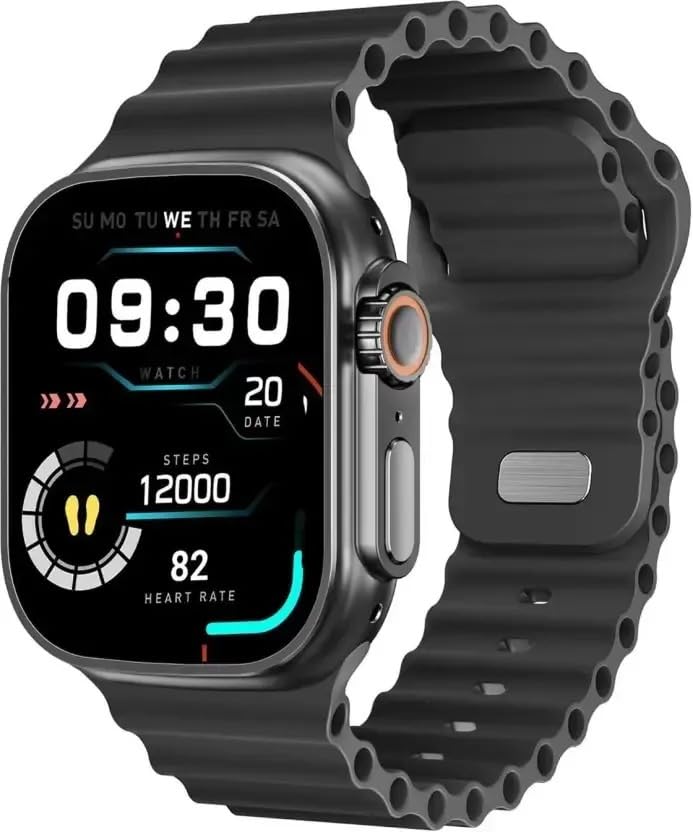
Figure 1: LAXASFIT T900 Ultra2 Smartwatch with main display showing time, steps, and heart rate.
2. Sigurnosne informacije
- Ne pokušavajte rastavljati ili modificirati pametni sat.
- Držite uređaj dalje od ekstremnih temperatura i direktne sunčeve svjetlosti.
- Izbjegavajte izlaganje pametnog sata jakim udarcima ili padovima.
- Prije početka bilo kakvog novog režima vježbanja, posavjetujte se s liječnikom, posebno ako imate već postojeća zdravstvena stanja.
- Ovaj uređaj nije medicinski instrument i ne smije se koristiti u dijagnostičke svrhe.
- Ensure the charging cable is used correctly to prevent damage to the device or charger.
3. Šta se nalazi u kutiji
Upon opening your LAXASFIT T900 Ultra2 Smartwatch package, you should find the following items:
- LAXASFIT T900 Ultra2 Smartwatch
- Kabel za punjenje
- Korisnički priručnik (ovaj dokument)
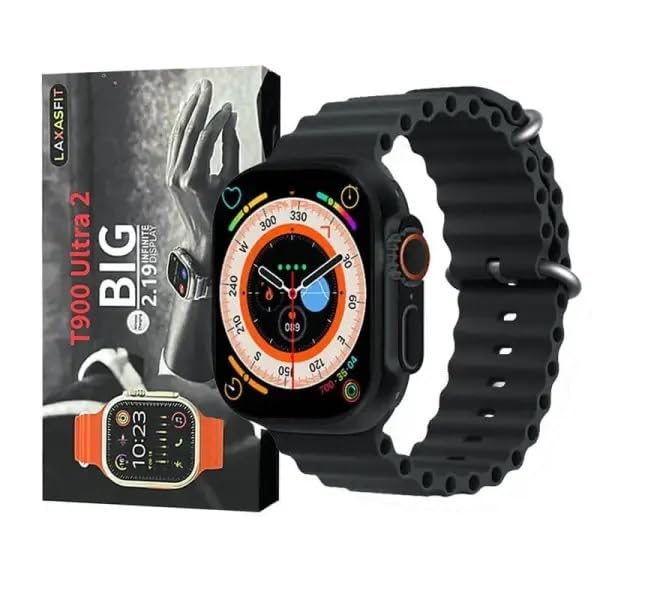
Figure 2: Contents of the LAXASFIT T900 Ultra2 Smartwatch package, including the smartwatch and its box.
4. Podešavanje
4.1 Punjenje pametnog sata
- Spojite kabel za punjenje na kompatibilni USB adapter za napajanje (nije uključen).
- Attach the magnetic end of the charging cable to the charging contacts on the back of the smartwatch. Ensure a secure connection.
- The smartwatch display will indicate charging status. A full charge typically takes approximately 2 hours.
4.2 Uključivanje/isključivanje
- Za uključivanje: Press and hold the side button until the LAXASFIT logo appears on the screen.
- Za isključivanje: Pritisnite i držite bočni taster, a zatim na ekranu odaberite opciju "Isključivanje".
4.3 Pairing with Your Mobile Device
To unlock the full functionality of your T900 Ultra2 Smartwatch, pair it with your smartphone via Bluetooth.
- Provjerite je li vaš pametni sat napunjen i uključen.
- Omogućite Bluetooth na svom mobilnom telefonu.
- Download and install the companion application (refer to the smartwatch display or packaging for app name, typically found by scanning a QR code).
- Open the companion app and follow the on-screen instructions to search for and connect to your LAXASFIT T900 Ultra2.
- Potvrdite zahtjev za uparivanje i na telefonu i na pametnom satu.
5. Uputstvo za upotrebu
5.1 Navigacija kroz interfejs
- Touchscreen: Prevucite prstom lijevo, desno, gore ili dolje za navigaciju kroz menije i ekrane. Dodirnite za odabir stavki.
- Bočno dugme: Press to return to the home screen or wake the device. Press and hold for power options.
- digitalna kruna: Rotate to scroll through lists or zoom in/out (functionality may vary by app). Press to access the app menu.
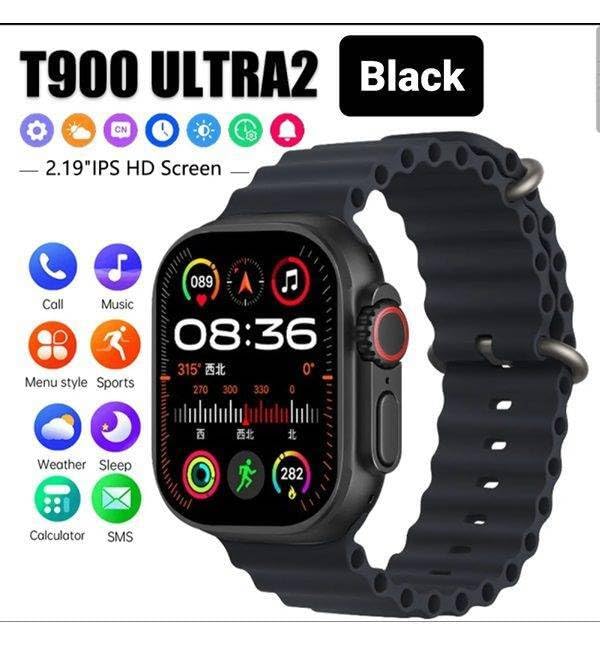
Figure 3: Smartwatch display illustrating various functions such as call, music, sports, weather, sleep, and calculator.
5.2 Ključne karakteristike
The LAXASFIT T900 Ultra2 Smartwatch offers a range of features to enhance your daily life and fitness routine:
- Monitor otkucaja srca: Continuously tracks your heart rate. Access historical data through the companion app.
- Praćenje aktivnosti: Records steps, distance, and calories burned. Supports various sports modes (e.g., running, cycling, swimming).
- Praćenje spavanja: Prati obrasce i kvalitet spavanja.
- Kontrola muzike: Control music playback on your paired smartphone directly from your smartwatch.
- Prikaz vremena: Provides current weather conditions and forecasts.
- Obavještenja: Receive call, SMS, and app notifications from your paired smartphone.
- Kalkulator: Basic arithmetic functions available on your wrist.
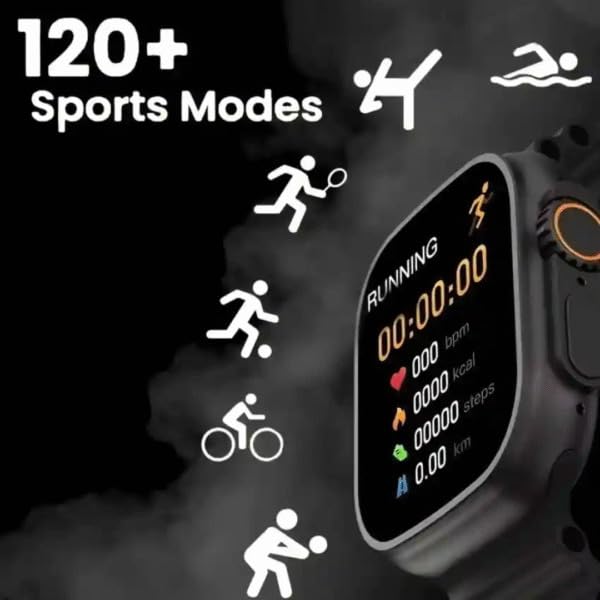
Figure 4: Smartwatch screen showing active sports tracking for running, including duration, heart rate, calories, steps, and distance.
6. Održavanje
6.1 Čišćenje pametnog sata
- Obrišite ekran i kućište pametnog sata mekom krpom koja ne ostavlja dlačice.
- Za tvrdokorne mrlje, lagano dampIsperite krpu vodom. Izbjegavajte upotrebu jakih hemikalija ili abrazivnih materijala.
- Prije punjenja provjerite jesu li kontakti za punjenje čisti i suhi.
6.2 Njega narukvice
- Clean the sport band regularly with a damp krpom za uklanjanje znoja i prljavštine.
- Allow the band to air dry completely before wearing.
7. Otkrivanje problema
| Problem | Moguće rješenje |
|---|---|
| Smartwatch does not power on. | Ensure the device is fully charged. Press and hold the side button for at least 10 seconds. |
| Nije moguće uparivanje s telefonom. |
|
| Heart rate readings are inaccurate. | Ensure the smartwatch is worn snugly on your wrist, not too tight or too loose. Clean the sensor on the back of the device. |
| Obavještenja se ne primaju. |
|
8. Specifikacije
| Feature | Detalj |
|---|---|
| Model | T900 Ultra2 |
| Display | 2.19 Inches IPS HD |
| Operativni sistem | Vlasnički operativni sistem |
| Kapacitet memorije | 256 MB |
| Povezivanje | Bluetooth, GPS |
| Kapacitet baterije | 1200 Milliamp Sati |
| Vrijeme punjenja | Približno 2 sata |
| Prosječni vijek trajanja baterije | Up to 8 Hours (usage dependent) |
| Posebne karakteristike | Activity Tracker, Heart Rate Monitor, Music Player, Sleep Tracking, Weather Display |
| Kompatibilni uređaji | Mobile Phones, Smartphones |
| Materijal | Metal, silikon |
| Težina artikla | 100 g |
| Zemlja porijekla | Kina |
9. Garancija i podrška
For warranty information and customer support, please refer to the documentation provided with your purchase or contact the retailer. Keep your proof of purchase for warranty claims.
Manufacturer: Retailix Solution
Importer: Retailix Solution Basti Uttar Pradesh 272170