
Uvod
The DOGNESS 9L Automatic Pet Feeder (Model F09) is designed to provide scheduled meals for your pets, offering convenience and consistent feeding. This feeder features a large 9-liter capacity, flexible meal scheduling, dual power options, and a built-in voice recorder. It is suitable for dry kibble between 0.2 and 0.6 inches (5-15mm) in size.
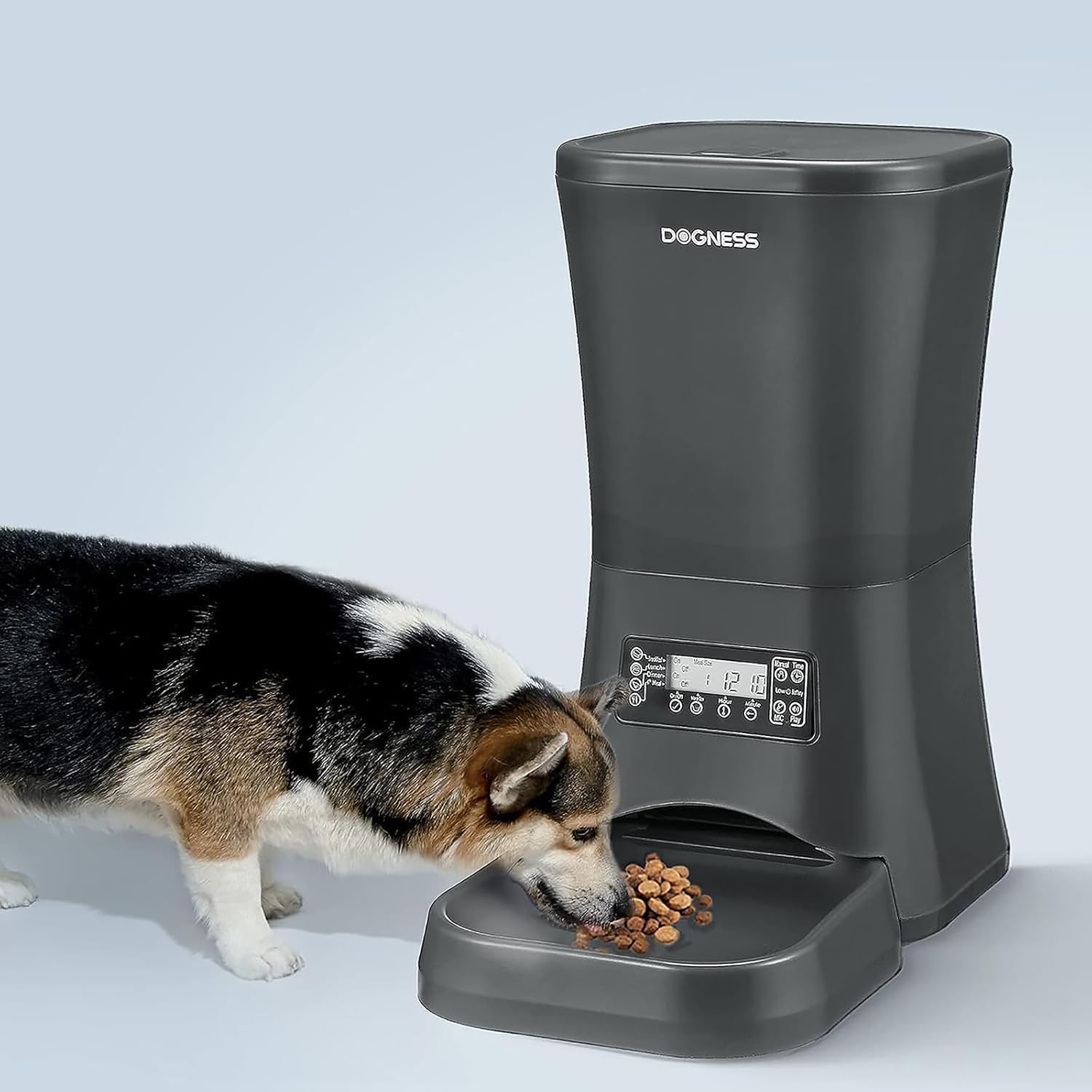
Image: The DOGNESS 9L Automatic Pet Feeder in use, with a dog eating kibble from the attached bowl.
Vodič za postavljanje
- Raspakujte komponente: Carefully remove the feeder unit, food hopper lid, food bowl, and power adapter from the packaging.
- Position the Feeder: Place the feeder on a flat, stable surface in a location accessible to your pet.
- Priključite napajanje: Plug the AC power adapter into the feeder's power port and then into a standard wall outlet.
- Install Backup Batteries (Optional): Za neprekidno hranjenje tokom nestanka strujetages, open the battery compartment on the bottom of the feeder and insert three (3) D-cell batteries (not included). Ensure correct polarity.
- Fill Food Hopper: Open the food hopper lid and pour dry kibble into the hopper. Ensure the kibble size is between 0.2 and 0.6 inches (5-15mm) to prevent blockages.
- Sigurni poklopac: Close the food hopper lid securely to maintain food freshness and prevent spills.
- Attach Food Bowl: Slide the food bowl into the designated slot at the base of the feeder until it clicks into place.

Slika: Detaljna view of the feeder's control panel with LCD screen and buttons for programming.
Uputstvo za upotrebu
1. Postavljanje trenutnog vremena
- Press the 'SET' button to enter time setting mode.
- Use the 'HOUR' and 'MINUTE' buttons to adjust the current time.
- Ponovo pritisnite 'SET' za potvrdu i izlaz.
2. Programiranje vremena obroka i porcija
The feeder allows you to schedule up to 4 meals per day.
- Press the 'MEAL' button to cycle through Meal 1 (M1) to Meal 4 (M4).
- When a meal (e.g., M1) is selected, use the 'HOUR' and 'MINUTE' buttons to set the desired dispensing time for that meal.
- Use the 'PORTION' button to set the number of portions to be dispensed for the selected meal. Each press increases the portion size. Adjust based on your pet's dietary needs.
- Repeat for M2, M3, and M4 as needed. If a meal is not set, it will not dispense.
3. Snimanje glasa
Record a personalized message to call your pet at meal times.
- Press and hold the 'MIC' button to begin recording your voice message (up to 10 seconds).
- Otpustite dugme 'MIC' da biste sačuvali snimak.
- Press the 'PLAY' button to listen to your recorded message.
- The recorded message will play three times during each scheduled meal dispensing.
4. Ručno hranjenje
- Press the 'MANUAL FEED' button once to dispense a single portion immediately.
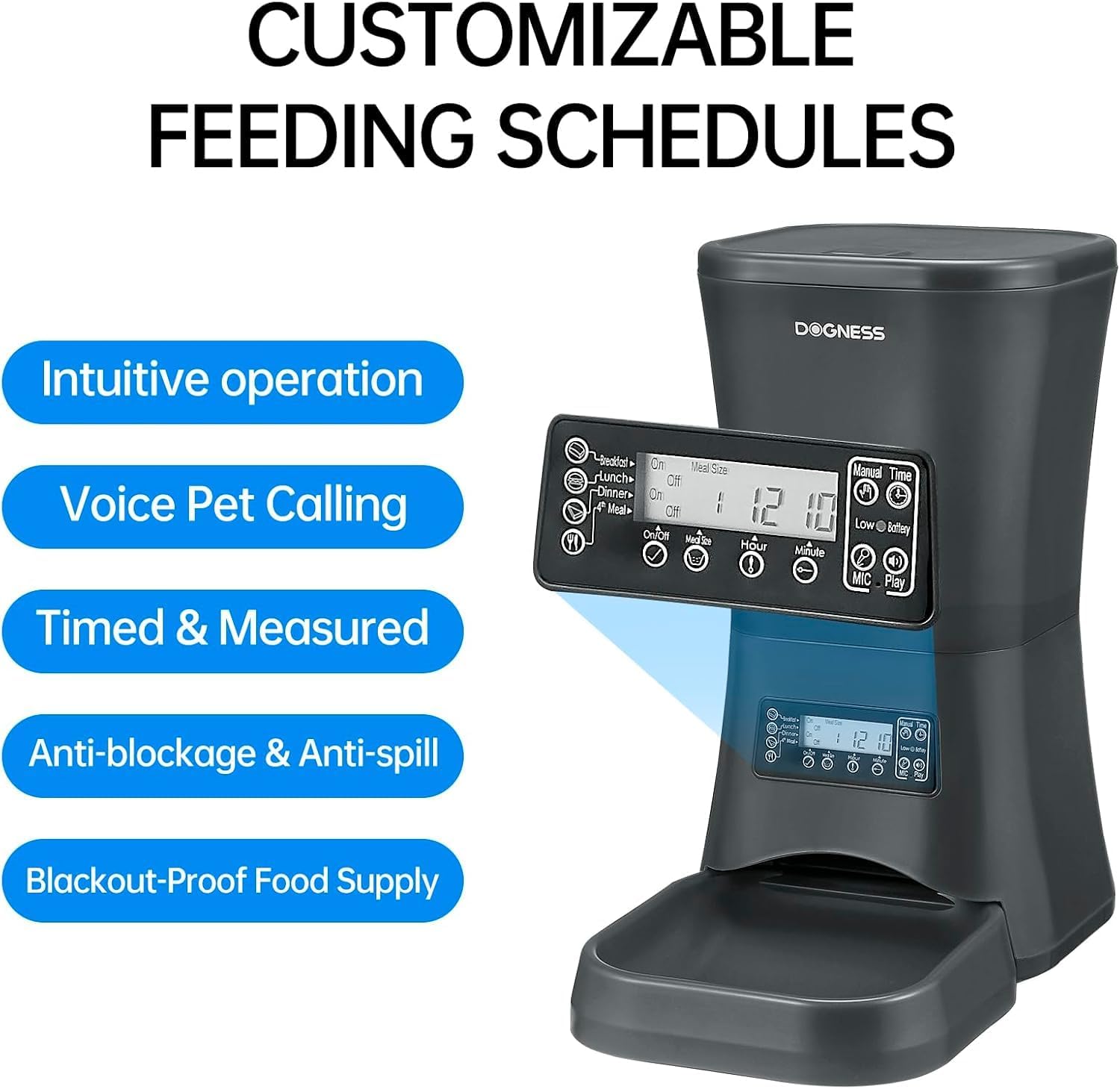
Image: The feeder's display showing customizable feeding schedules and features like voice pet calling and blackout-proof food supply.
Održavanje
Čišćenje hranilice
- Before cleaning, unplug the feeder from the power outlet and remove any backup batteries.
- Remove the food bowl and wash it with mild soap and water. Rinse thoroughly and dry completely before reattaching.
- Wipe the main feeder unit and the inside of the food hopper with a damp tkanina. Ne uranjajte glavnu jedinicu u vodu.
- Ensure all parts are completely dry before reassembling the feeder and adding food.
Food Storage and Inspection
- Store dry pet food in a cool, dry environment to maintain freshness.
- Regularly check the food hopper for any signs of moisture, pests, or stale food.
- Periodically inspect the dispensing mechanism and chute for any lodged kibble that could cause blockages.
Rješavanje problema
Hranilica ne izdaje hranu
- Provjera napajanja: Ensure the AC adapter is securely plugged into both the feeder and a working wall outlet. If using batteries, check their charge level and correct installation.
- Veličina zrna: Verify that the kibble size is within the recommended range of 0.2 to 0.6 inches (5-15mm). Larger kibble can cause blockages.
- Provjera blokade: Inspect the dispensing mechanism and chute for any lodged kibble or debris. Gently clear any obstructions.
- Programiranje: Confirm that meal times and portion sizes are correctly programmed and enabled.
Inaccurate Portion Sizes
- Kibble Density: The feeder dispenses by volume. Different kibble shapes and densities may result in varying weights per portion. Adjust the portion settings to achieve the desired weight for your pet.
- Bowl Overflow: Ensure the food bowl is not overfilled from previous meals, which can cause food to back up into the dispenser and affect subsequent portions.
Voice Recording Not Playing
- Recording Check: Confirm that a voice message has been successfully recorded and saved. Try re-recording.
- Nivo baterije: Low battery power can affect speaker functionality. Check or replace batteries if necessary.
Feeder Not Turning On
- Priključak za napajanje: Ensure the AC power adapter is firmly connected to both the feeder and a functional power outlet.
- Provjera baterije: If using battery power, ensure batteries are new or fully charged and inserted with correct polarity.
Specifikacije
| Brand | DOGNESS |
| Model | F09 |
| Kapacitet | 9 litara (otprilike 37 šolja) |
| Dimenzije (D x Š x V) | 15 x 14 x 8 inča |
| Težina | 5.69 funte |
| Materijal | Materijal za hranu |
| Compatible Kibble Size | 0.2 - 0.6 inča (5-15 mm) |
| Napajanje | AC Adapter (included), 3 x D-cell batteries (not included) for backup |
| Max Meals Per Day | 4 |
| Snimanje glasa | Da |

Image: The feeder with its key dimensions (height, width, depth) indicated.
Informacije o garanciji
No specific warranty information is provided in the product data. Please refer to the product packaging or contact the manufacturer directly for warranty details.
Korisnička podrška
For further assistance, technical support, or inquiries regarding your DOGNESS 9L Automatic Pet Feeder, please contact DOGNESS customer support through their official webweb stranicu ili kontakt informacije koje ste dobili uz kupovinu.


