
Uvod
This manual provides detailed instructions for the installation, operation, and maintenance of your GNCC GT1ProB-2P Outdoor Security Camera. Designed for reliable home surveillance, this 2K camera features motion detection, color night vision, two-way audio, and 24/7 recording capabilities. Please read this manual thoroughly before use to ensure proper setup and optimal performance.
Sadržaj paketa
- GNCC GT1ProB-2P Outdoor Security Camera (2 units)
- Adapter za napajanje
- Montažno postolje
- Montažni vijci
- Uputstvo za upotrebu
Setup
1. Fizička instalacija
The GNCC GT1ProB-2P camera is designed for outdoor use and is IP65 waterproof. Select a suitable location that provides the desired viewing angle and is within range of a power outlet and your 2.4 GHz Wi-Fi network.
- Označite pozicije za bušenje: Place the mounting stand against the wall or surface where you intend to install the camera. Use a pencil to mark the positions for the mounting screws.
- Izbušite rupe: Drill pilot holes at the marked positions. Insert wall anchors if necessary for your mounting surface.
- Osigurajte postolje: Attach the mounting stand to the wall using the provided mounting screws.
- Priloži kameru: Sigurno pričvrstite kameru na nosač. Podesite ugao kamere po potrebi.
- Priključite napajanje: Connect the power adapter to the camera and plug it into a power outlet. The camera will power on.

Image: The GNCC GT1ProB-2P camera, demonstrating its IP65 waterproof design, suitable for outdoor installation.
2. Instalacija i uparivanje aplikacije
The GNCC GT1ProB-2P camera uses the Osaio app for control and monitoring.
- Preuzmi aplikaciju: Traži "Osaio" in your smartphone's app store (App Store for iOS or Google Play Store for Android) and download the application.
- Kreirajte račun: Open the Osaio app and follow the on-screen instructions to create a new user account or log in if you already have one.
- Dodaj uređaj: Tap the "+" icon or "Add Device" option within the app. Select your camera model (GT1ProB-2P) from the list.
- Povežite se na Wi-Fi: Follow the app's prompts to connect the camera to your 2.4 GHz Wi-Fi network. Ensure your phone is also connected to the same 2.4 GHz Wi-Fi network during the pairing process.
- Skenirajte QR kod: The app may display a QR code. Hold your camera up to your phone screen to scan the QR code. A voice prompt from the camera will confirm successful connection.
- Kompletno podešavanje: Nakon povezivanja, dajte naziv svojoj kameri i dovršite postupak podešavanja unutar aplikacije.
Uputstvo za upotrebu
Uživo View i Snimanje
Access the Osaio app to view live footage from your camera. The camera supports 24/7 continuous recording.
- Lokalna pohrana: Insert a MicroSD card (up to 128GB, not included) into the camera's MicroSD card slot for local storage of recordings.
- Cloud Storage: An optional cloud storage service is available, offering a 14-day free trial. This provides remote backup of your recordings.

Image: A smartphone interface showing 24/7 recording playback from the GNCC camera, with a timeline of events.
Detekcija pokreta i obavještenja
The camera features advanced motion detection. When motion is detected, the camera can send instant notifications to your smartphone via the Osaio app.
- Omogući/onemogući: You can enable or disable motion detection and adjust sensitivity settings within the Osaio app.
- Upozorenja: Receive push notifications on your phone when motion or sound is detected.
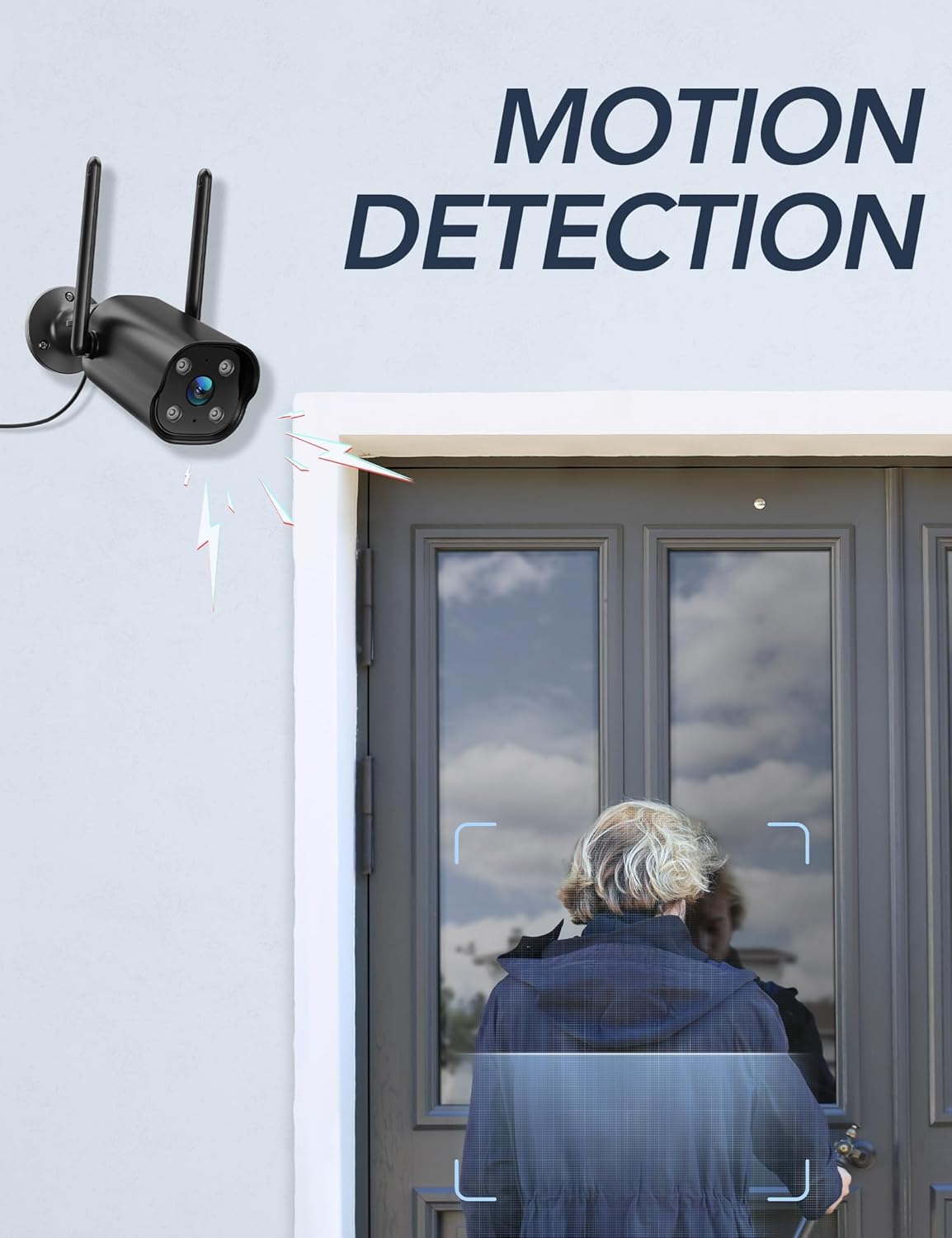
Image: The GNCC camera illustrating its motion detection capability, highlighting a person entering the detection zone.

Image: A smartphone displaying push notifications from the Osaio app, indicating detected motion and sound events.
Dvosmjerni audio
The integrated microphone and speaker allow for two-way communication through the camera. This feature enables you to speak to visitors or deter intruders remotely.
- Aktiviraj: U živo view interface of the Osaio app, locate and tap the microphone icon to speak through the camera.
- slušaj: Mikrofon kamere će snimati zvuk iz okoline, koji možete čuti putem telefona.

Image: The GNCC camera demonstrating its two-way audio function, allowing communication between the user and the monitored area.
Night Vision
The camera is equipped with enhanced night vision, providing clear visibility up to 50 feet (15 meters) in low-light conditions. It also supports color night vision for improved detail.
Integracija pametnog doma
The GNCC GT1ProB-2P camera is compatible with Amazon Alexa and Google Home. Refer to the Osaio app settings or your smart home assistant's documentation for instructions on linking your camera.
Održavanje
Čišćenje
To ensure optimal image quality, periodically clean the camera lens. Use a soft, damp cloth to gently wipe away dust and dirt. Avoid using harsh chemicals or abrasive materials that could scratch the lens.
Ažuriranja firmvera
GNCC regularly releases firmware updates to improve camera performance and add new features. Check for available updates through the Osaio app settings. It is recommended to keep your camera's firmware up to date.
Rješavanje problema
Uobičajeni problemi i rješenja
- Kamera van mreže:
- Provjerite je li kamera uključena i je li adapter za napajanje sigurno spojen.
- Provjerite svoj Wi-Fi ruter i internetsku vezu.
- Verify the camera is within range of your 2.4 GHz Wi-Fi network.
- Ponovo pokrenite kameru isključivanjem i ponovnim uključivanjem adaptera za napajanje.
- Nema snimanja:
- If using local storage, ensure a MicroSD card is properly inserted and formatted within the Osaio app.
- Check recording settings in the Osaio app to ensure 24/7 recording or motion-triggered recording is enabled.
- If using cloud storage, verify your subscription status.
- Loš kvalitet slike:
- Očistite objektiv fotoaparata mekom krpom.
- Ensure the camera is receiving sufficient power.
- Provjerite jačinu Wi-Fi signala; slab signal može utjecati na kvalitetu video streaminga.
- Detekcija pokreta ne radi:
- Verify motion detection is enabled in the Osaio app settings.
- Podesite postavke osjetljivosti na pokret.
- Provjerite da nema prepreka koje blokiraju kameru view.
Specifikacije
| Naziv modela | GT1ProB-2P |
| Brand | GNCC |
| Tehnologija povezivanja | Wired (Power), Wi-Fi (2.4 GHz), Bluetooth |
| Rezolucija video snimanja | 2K |
| Rezolucija foto senzora | 3 MP |
| Noćni vid | Do 50 stope (15 metara) |
| Posebne karakteristike | 2-Way Audio, HD Resolution, Motion Sensor, Night Vision, Weatherproof (IP65) |
| Unutrašnja/vanjska upotreba | Na otvorenom |
| Kompatibilni uređaji | Smartphone (via Osaio App), Amazon Alexa, Google Home |
| Izvor napajanja | Corded Electric |
| Lokalna pohrana | MicroSD kartica do 128 GB (nije uključena) |
| Cloud Storage | Optional, 14-day free trial available |
| Dimenzije artikla (D x Š x V) | 11 x 7.6 x 5 centimetara |
| Boja | Crna |
| Proizvođač | Kalado |

Image: The GNCC camera highlighting its dual storage options: optional cloud storage and local MicroSD card storage (up to 128GB).
Informacije o garanciji
GNCC products are covered by a limited warranty from the date of purchase. This warranty typically covers defects in materials and workmanship under normal use. Please refer to the warranty card included in your product packaging or visit the official GNCC webweb-mjesto za specifične uvjete i odredbe garancije, uključujući detalje o trajanju i pokriću.
The warranty does not cover damage caused by improper installation, accident, misuse, abuse, natural disaster, or unauthorized modification or repair.
Korisnička podrška
If you encounter any issues or have questions regarding your GNCC GT1ProB-2P Outdoor Security Camera, please contact our customer support team. Before contacting support, please ensure you have reviewed the troubleshooting section of this manual.
- Online podrška: Visit the official GNCC webstranica za često postavljana pitanja, članke podrške i kontakt obrasce.
- Podrška putem e-pošte: Refer to your product packaging or the GNCC webweb-stranicu za namjensku adresu e-pošte za korisničku podršku.
- Osaio App: The Osaio app may also offer in-app support options or a help section.
When contacting support, please have your product model (GT1ProB-2P) and purchase information readily available.