
1. Uvod
This manual provides detailed instructions for the installation, operation, and maintenance of your GNCC GT1Pro-W-1P Outdoor Security Camera. This product is designed to enhance your home security with features such as 2K resolution, motion detection, color night vision, and two-way audio. Please read this manual thoroughly before use to ensure proper functionality and safety.
2. Sadržaj paketa
Provjerite da li se u vašem paketu nalaze svi artikli. Ako neki artikli nedostaju ili su oštećeni, obratite se korisničkoj podršci.
- GNCC GT1Pro-W-1P Outdoor Security Camera (2 units)
- Uputstvo za upotrebu
- Vijci za montažu i zidni tiplovi
- Adapteri za napajanje (2 jedinice)
- Mounting Stands (2 units)
3. Postavljanje i instalacija
3.1 Fizička instalacija
The GNCC GT1Pro-W-1P camera is designed for wall mounting. Choose a location that provides the desired viewing angle and is within reach of a power outlet. Ensure the camera is positioned to cover the area you wish to monitor.
- Označite tačke bušenja: Use the included mounting stand as a template to mark the screw holes on the wall.
- Izbušite rupe: Drill pilot holes at the marked positions. Insert the wall plugs if mounting on masonry.
- Osigurajte postolje: Attach the mounting stand to the wall using the provided screws.
- Priloži kameru: Sigurno pričvrstite kameru na nosač. Podesite ugao kamere po potrebi.
- Priključite napajanje: Connect the power adapter to the camera and plug it into a suitable outdoor-rated power outlet.

Image: The GNCC GT1Pro-W-1P camera mounted on a wall, highlighting its IP65 waterproof rating, suitable for outdoor use.
3.2 Preuzimanje aplikacije i kreiranje računa
The GNCC camera operates with the Osaio app. Download the app to your smartphone to manage your camera settings and view live feeds.
- Download Osaio App: Traži "Osaio" in your smartphone's app store (Apple App Store or Google Play Store) and download the application.
- Kreirajte račun: Open the Osaio app and follow the on-screen instructions to create a new user account.
3.3 Povezivanje na Wi-Fi
Ensure your Wi-Fi network is 2.4 GHz, as the camera is compatible only with this frequency band. If your router uses both 2.4 GHz and 5 GHz, ensure the 2.4 GHz band is enabled and accessible.
- Uključivanje kamere: Plug in the camera. Wait for the indicator light to flash, indicating it's ready for pairing.
- Dodaj uređaj u aplikaciju: Open the Osaio app, tap the "+" icon to add a new device. Select your camera model from the list.
- Slijedite upute u aplikaciji: The app will guide you through connecting the camera to your 2.4 GHz Wi-Fi network. This typically involves scanning a QR code generated by the app with the camera lens.
- Potvrda: Nakon povezivanja, indikatorska lampica kamere će se promijeniti, a aplikacija će potvrditi uspješno uparivanje.
4. Operacija
4.1 Uživo View i 2K rezolucija
Access the live video feed from your camera through the Osaio app. The camera provides 2K Ultra HD resolution, offering clear and detailed images of your monitored area.

Slika: prample of 2K HDR video quality, showcasing the camera's ability to capture clear details.
4.2 Dvosmjerni audio
The camera features built-in two-way audio, allowing you to communicate with individuals near the camera through the Osaio app. This is useful for speaking to visitors or deterring unwanted guests.
- Aktiviraj mikrofon: U živo view interface of the Osaio app, tap the microphone icon to speak.
- slušaj: The camera's speaker will transmit your voice, and you can hear responses through your phone's speaker.

Image: Illustration of the camera's two-way audio feature, enabling communication with people near the camera.
4.3 Detekcija pokreta i upozorenja
The camera is equipped with advanced motion detection. When motion is detected, the camera can record footage and send instant notifications to your smartphone via the Osaio app.
- Omogući detekciju pokreta: Navigate to the camera settings in the Osaio app to enable motion detection.
- Podesite osjetljivost: Podesite osjetljivost detekcije pokreta kako biste smanjili lažne alarme.
- Primanje obavještenja: Ensure app notifications are enabled on your smartphone to receive alerts.
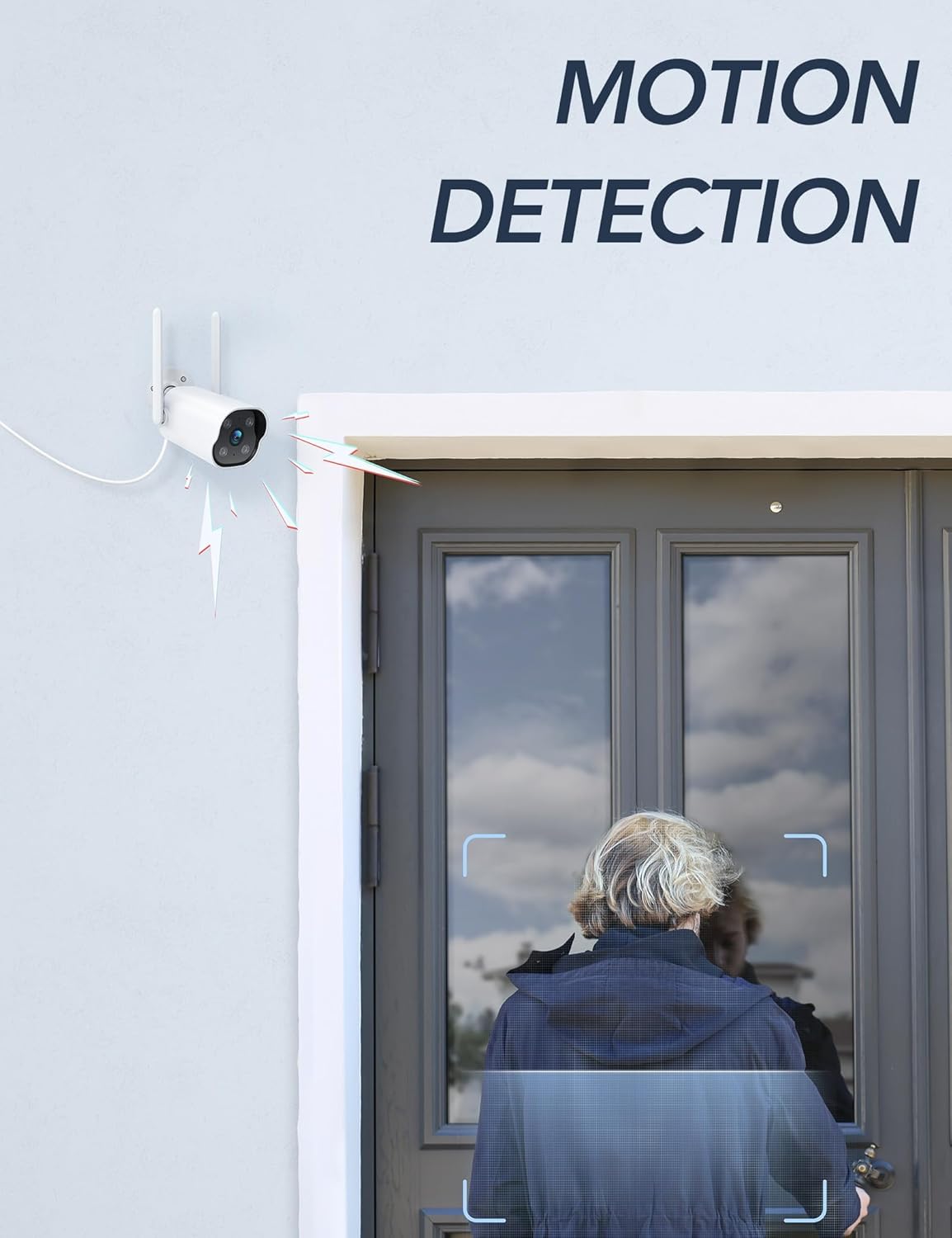
Image: The camera's motion detection feature, showing it identifying a person at a doorway.

Slika: prample of push notifications received on a smartphone when motion or sound is detected by the camera.
4.4 Noćni vid
The camera provides enhanced night vision, allowing clear visibility up to 50 feet (15 meters) in low-light conditions. It supports color night vision for improved detail.
4.5 Snimanje 24/7
The camera supports continuous 24/7 recording, ensuring constant surveillance of your property. Recorded footage can be accessed via the Osaio app.

Image: The Osaio app interface displaying a timeline of continuous 24/7 video recording, with thumbnails of captured events.
5. Opcije za pohranu videa
Your GNCC camera offers flexible options for storing recorded video footage.
- Lokalna pohrana (SD kartica): The camera supports local storage via a Micro SD card (not included). Insert an SD card (up to 128 GB) into the designated slot on the camera for continuous recording or event-triggered footage.
- Cloud Storage: Optional cloud storage services are available through the Osaio app. This provides off-site backup of your recordings. A free trial period may be offered.

Image: Visual representation of the camera's dual storage options: cloud storage and local SD card storage (up to 128GB).
6. Održavanje
- čišćenje: Povremeno čistite objektiv kamere mekom, suhom krpom kako biste osigurali jasnu sliku. Ne koristite jake hemikalije.
- Ažuriranja firmvera: Check the Osaio app regularly for available firmware updates. Keeping your camera's firmware updated ensures optimal performance and security.
- Priključak za napajanje: Ensure the power connection remains secure and free from damage.
7. Otkrivanje problema
| Problem | Rješenje |
|---|---|
| Kamera se ne povezuje na Wi-Fi. | Ensure your Wi-Fi network is 2.4 GHz. The camera does not support 5 GHz Wi-Fi. Check Wi-Fi password and signal strength. Restart your router and camera. |
| Nije primljena nijedna obavještenja. | Verify that motion detection is enabled in the Osaio app. Check your smartphone's notification settings to ensure the Osaio app has permission to send alerts. |
| Loš kvalitet slike. | Očistite objektiv kamere. Provjerite da nema prepreka u vidnom polju kamere. viewProvjerite brzinu vaše internet veze. |
| Dvosmjerni audio ne radi. | Ensure your smartphone's microphone and speaker are enabled and not muted. Check the volume settings in the Osaio app. |
| SD kartica ne snima. | Ensure the SD card is correctly inserted and formatted within the Osaio app. Check if the SD card has sufficient free space. The camera supports up to 128 GB. |
8. Specifikacije
| Feature | Detalj |
|---|---|
| Broj modela | GT1Pro-W-1P |
| Video Rezolucija | 2K Ultra HD |
| Povezivanje | 2.4 GHz Wi-Fi, Wired (Power) |
| Posebne karakteristike | 2-Way Audio, Motion Sensor, Night Vision (Color), Weather Proof (IP65) |
| Opcije skladištenja | Micro SD kartica (do 128 GB, nije uključena), pohrana u oblaku (opciono) |
| Unutarnja/vanjska upotreba | Na otvorenom |
| Izvor napajanja | Corded Electric |
| Kompatibilni uređaji | Smartphone (via Osaio App) |
| Dimenzije (D x Š x V) | 11 x 7.6 x 5 cm |
| Težina | 608 g |
| Uključene komponente | Instruction Manual, Mounting Screws, Power Adapter, Stand |
9. Garancija i podrška
For warranty information or technical support, please refer to the warranty card included with your product or visit the official GNCC website. You can also contact GNCC customer service through the Osaio app or their website for assistance with product inquiries, troubleshooting, or service requests.
Online podrška: www.gncc.com/support