
1. Uvod
This manual provides detailed instructions for the LAXASFIT GT1 Smart Watch. Please read this manual thoroughly before using your device to ensure proper operation and to maximize its features. Keep this manual for future reference.
2. Proizvod je gotovview
2.1 Sadržaj paketa
Prilikom otvaranja paketa, provjerite da li su svi artikli prisutni:
- LAXASFIT GT1 Smart Watch
- USB kabl za punjenje
- Korisnički priručnik (ovaj dokument)
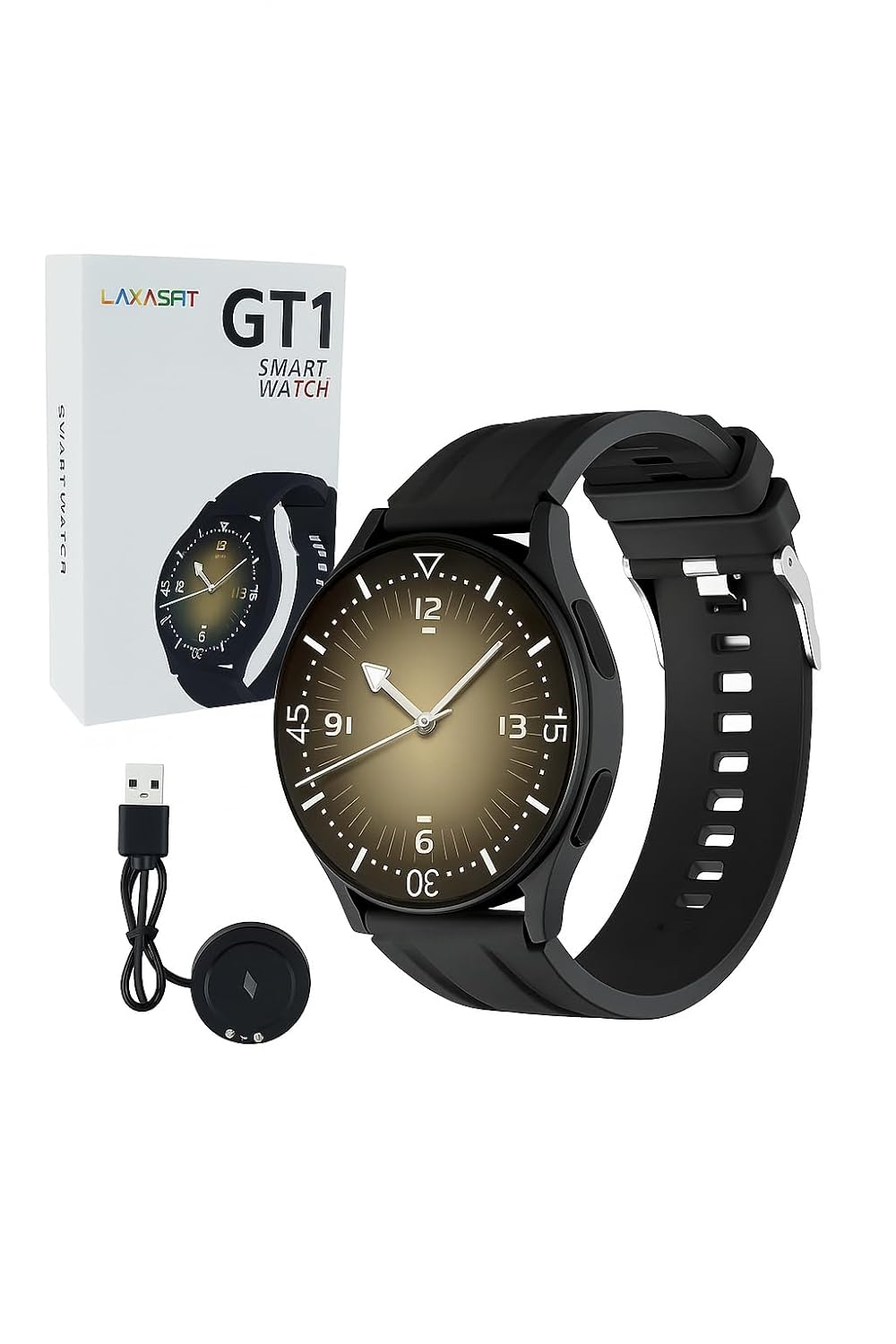
Image: The LAXASFIT GT1 Smart Watch, its retail packaging, and the included USB charging cable.
2.2 Ključne karakteristike
The LAXASFIT GT1 Smart Watch offers a range of functionalities designed to enhance your daily life:
- 1.32" IPS Pure Round Full Touch Screen: Vibrant and responsive display for clear interaction.
- Funkcija Bluetooth poziva: Upućujte i primajte pozive direktno sa svog ručnog zgloba.
- Praćenje spavanja: Tracks sleep patterns to help assess sleep quality.
- Više sportskih modova: Records data for various physical activities.
- IP67 vodootporna ocjena: Resistant to splashes and brief immersion.
- SpO2 monitor: Mjeri nivo zasićenosti krvi kisikom.
- Praćenje srčanog ritma: Kontinuirano praćenje otkucaja srca.
- Brojač koraka: Tracks daily steps and activity.
- Obavještenja: Receives alerts for calls, messages, and app notifications.
- Izdržljiv dizajn: Features a black silicone strap with ventilation for comfort.
3. Vodič za postavljanje
3.1 Punjenje pametnog sata
Before initial use, fully charge your LAXASFIT GT1 Smart Watch.
- Connect the USB charging cable to a standard USB power adapter (not included) or a computer's USB port.
- Attach the magnetic charging pins to the charging contacts on the back of the watch. Ensure a secure connection.
- Ekran sata će prikazivati status punjenja. Potpuno punjenje obično traje otprilike 2 sata.
3.2 Uključivanje/isključivanje napajanja
- Za uključivanje: Press and hold the side button until the LAXASFIT logo appears on the screen.
- Za isključivanje: From the watch face, swipe down to access the quick settings, then tap the power icon, or navigate to Settings > System > Power Off. Confirm your selection.
3.3 Instalacija aplikacije i uparivanje uređaja
To unlock the full potential of your LAXASFIT GT1 Smart Watch, install the companion application on your smartphone.
- Preuzmite aplikaciju: Traži "Laxasfit" in the Google Play Store (for Android devices) or the Apple App Store (for iOS devices).
- Instalirajte aplikaciju: Slijedite upute na ekranu da biste instalirali aplikaciju.

Image: Screenshot of the Laxasfit app listing on the Google Play Store.

Image: Screenshot of the Laxasfit app listing on the Apple App Store.
- Omogući Bluetooth: Provjerite je li Bluetooth omogućen na vašem pametnom telefonu.
- Otvorite aplikaciju: Launch the Laxasfit app and follow the on-screen prompts to create an account or log in.
- Uparite uređaj: Within the app, navigate to the device section and select "Add Device" or "Search Device." The app will scan for available smartwatches. Select "GT1" or the corresponding device name when it appears.
- Potvrdite uparivanje: Zahtjev za uparivanje se može pojaviti i na vašem telefonu i na satu. Potvrdite uparivanje na oba uređaja.
4. Uputstvo za upotrebu
4.1 Osnovna navigacija
- Ekran na dodir: Prevucite prstom lijevo, desno, gore ili dolje za navigaciju kroz menije i funkcije. Dodirnite za odabir stavke.
- Bočno dugme: Press the side button to return to the watch face or to wake the screen. A long press may access power options or other functions depending on context.
4.2 Funkcija Bluetooth poziva
After successful pairing with your smartphone, you can use the watch for Bluetooth calls:
- Provjerite je li sat povezan s vašim telefonom putem Bluetootha.
- To make a call, access the dialer on the watch or select a contact from your synced phonebook.
- Da biste odgovorili na dolazni poziv, dodirnite zelenu ikonu za odgovor na ekranu sata.
- To reject a call, tap the red reject icon.
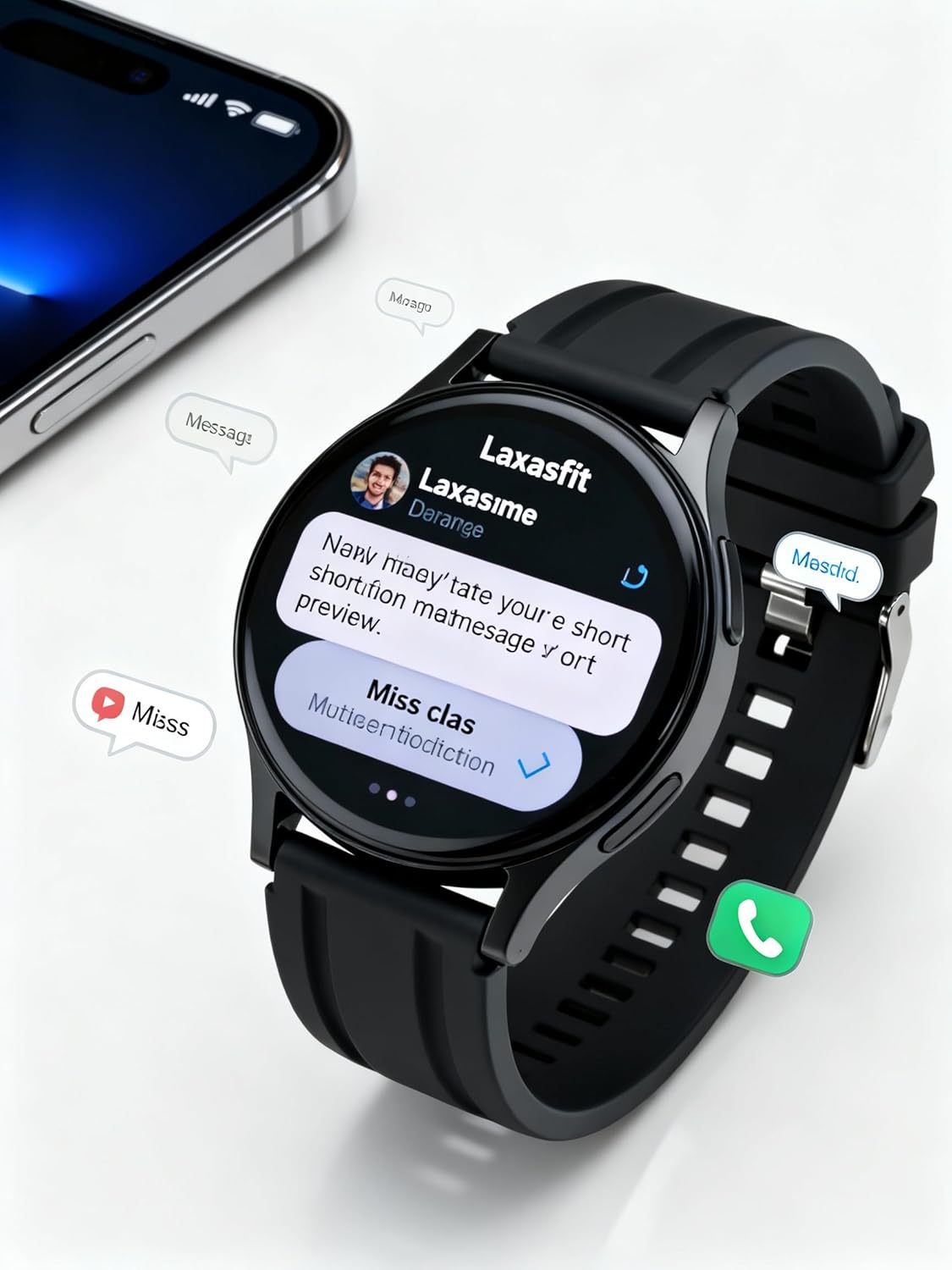
Image: The smart watch screen showing incoming message notifications and an icon for a phone call, indicating its communication features.
4.3 Monitoring zdravlja
The GT1 Smart Watch provides various health tracking features:
- Otkucaji srca: Access the heart rate monitor from the main menu. The watch will automatically measure and display your current heart rate. Continuous monitoring can be enabled via the app.
- SpO2 (kiseonik u krvi): Navigate to the SpO2 function. Keep your arm still during measurement for accurate results.
- Praćenje spavanja: Wear the watch to bed. It will automatically track your sleep duration and quality. View detailed sleep data in the Laxasfit app.
- Brojač koraka: The watch continuously tracks your steps, distance, and calories burned throughout the day.

Image: The smart watch on a user's wrist, displaying sleep duration and quality metrics, with a person sleeping in the background.

Image: The smart watch screen showing a heart rate reading in BPM and the total number of steps taken.
4.4 sportskih modova
The watch supports various sports modes to track your workouts:
- Idite na meni "Sport" ili "Vježbanje" na vašem satu.
- Select your desired activity (e.g., running, walking, cycling).
- The watch will begin recording data such as duration, distance, calories burned, and heart rate.
- End the workout by following the on-screen prompts. Data will sync to the Laxasfit app.
4.5 Obavještenja
Receive notifications from your smartphone directly on your watch:
- Ensure notification permissions are granted to the Laxasfit app on your smartphone.
- Enable specific app notifications within the Laxasfit app settings.
- When a notification arrives, the watch will vibrate and display the message content.
5. Održavanje
5.1 Čišćenje pametnog sata
- Redovno čistite ekran sata i remen mekom,amp tkanina.
- Izbjegavajte upotrebu jakih hemikalija, abrazivnih sredstava za čišćenje ili rastvarača, jer oni mogu oštetiti uređaj.
- Prije punjenja provjerite jesu li kontakti za punjenje čisti i suhi kako biste spriječili koroziju.
5.2 Otpornost na vodu (IP67)
The LAXASFIT GT1 Smart Watch is rated IP67, meaning it is resistant to dust and can withstand immersion in water up to 1 meter for 30 minutes. However, it is not suitable for swimming, diving, or high-pressure water activities. Avoid exposure to hot water or steam.
5.3 Najbolje prakse punjenja
- Koristite samo priloženi kabl za punjenje.
- Avoid overcharging the device; disconnect once fully charged.
- Ne punite sat u vlažnim uslovima.
6. Otkrivanje problema
If you encounter issues with your LAXASFIT GT1 Smart Watch, refer to the following common solutions:
- Sat se ne uključuje: Provjerite je li sat potpuno napunjen. Spojite ga na punjač na najmanje 10 minuta.
- Nije moguće upariti s telefonom:
- Provjerite je li Bluetooth omogućen na vašem telefonu i satu.
- Provjerite je li sat u dometu vašeg telefona.
- Ponovo pokrenite i telefon i sat.
- Obrišite Bluetooth keš memoriju na telefonu (Android) ili zaboravite uređaj i ponovo ga uparite (iOS/Android).
- Netačni zdravstveni podaci: Ensure the watch is worn snugly on your wrist, not too tight or too loose. Keep the sensor clean.
- Obavještenja koja nisu primljena:
- Check app notification permissions on your phone.
- Verify that notifications are enabled within the Laxasfit app.
- Provjerite je li sat povezan s vašim telefonom.
- Ekran ne reaguje: Try restarting the watch by long-pressing the side button. If unresponsive, allow the battery to drain completely and then recharge.
Ako problemi i dalje postoje, kontaktirajte korisničku podršku za dalju pomoć.
7. Specifikacije
| Feature | Detalj |
|---|---|
| Brand | LAXASFIT |
| Naziv modela | GT1 (Zt1) |
| Broj modela stavke | H9proMax |
| Display Type | AMOLED |
| Veličina ekrana u stojećem položaju | 1.9 inča (Note: Product title states 1.32" IPS, specifications state 1.9" AMOLED. Using 1.9" from specifications for consistency in this section.) |
| Operativni sistem | WatchOS (Note: This is likely a generic term or placeholder, as WatchOS is Apple's OS. The actual OS is typically proprietary for such devices.) |
| Kapacitet memorije | 500 MB |
| Veličina instalirane RAM memorije | 0.13 MB |
| Posebne karakteristike | GPS |
| Kompatibilni uređaji | iPhone (Note: Also compatible with Android via the Laxasfit app.) |
| Prosječni vijek trajanja baterije | 1 dan |
| Vrijeme punjenja | 2 sata |
| Kapacitet baterije | 100 Amp Sati (Note: This unit is unusual for smartwatches, typically mAh. Assuming it refers to 100mAh or similar capacity.) |
| Bežični tip | Bluetooth |
| Tip konektora | Bluetooth |
| Interfejs uređaja - primarni | Touchscreen |
| Materijal | Silikon |
| Težina artikla | 200 g |
| Ocjena vodootpornosti | IP67 |
8. Garancija i podrška
For warranty information and customer support, please refer to the documentation provided with your purchase or contact LAXASFIT customer service through their official website or the Laxasfit application. Keep your proof of purchase for warranty claims.


