
1. Uvod
This manual provides essential information for the safe and efficient operation of your Coocaa 55Y74 Pro QLED Ultra Smart Google TV. Please read this manual thoroughly before using the product and retain it for future reference. Your Coocaa TV features a durable A+ Grade QLED panel and an ultra-bright screen designed for optimal picture quality.
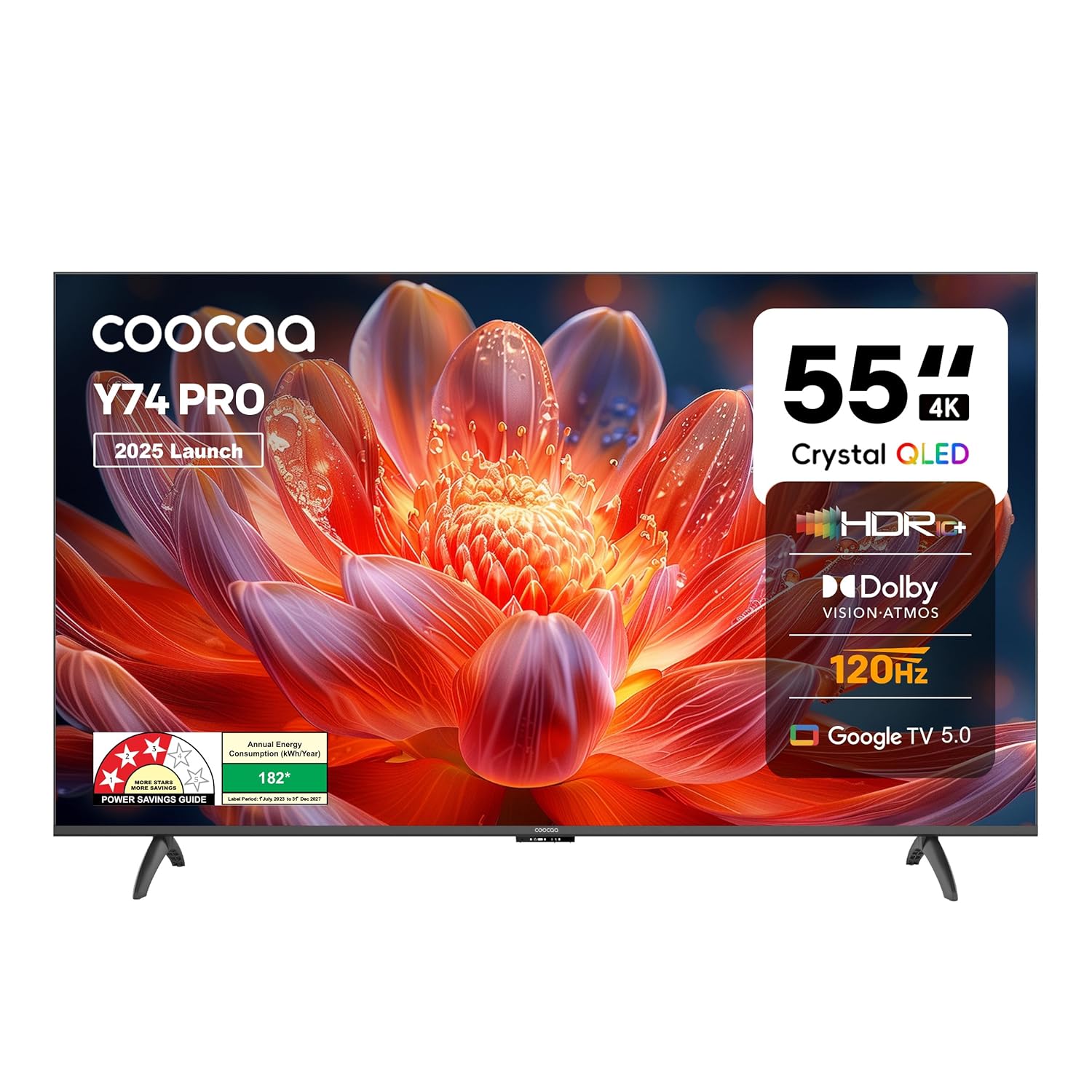
Slika 1.1: Prednja strana view of the Coocaa 55Y74 Pro QLED Ultra Smart Google TV.
2. Sigurnosne informacije
Pridržavajte se sljedećih sigurnosnih mjera opreza kako biste spriječili oštećenja i osigurali siguran rad:
- Ne izlažite televizor kiši ili vlazi.
- Ne blokirajte otvore za ventilaciju.
- Osigurajte pravilno uzemljenje kabla za napajanje.
- Izbjegavajte postavljanje televizora na nestabilne površine.
- Isključite kabl za napajanje tokom oluje sa grmljavinom ili kada se uređaj ne koristi duži period.
- Sav servis prepustite kvalifikovanom serviseru.
3. Šta se nalazi u kutiji
Provjerite da li su sve komponente prisutne u pakovanju:
- TV Unit (1N)
- Stand Bases (2N)
- Vodič za brzi početak (1N)
- Garantni list (1N)
- Remote Control (1N)
- AAA Batteries (2N)
- Power Cord (1N)
- Screws (4N)
- AV Converting Cable (1N)

Figure 3.1: Contents included with your Coocaa 55Y74 Pro TV.
4. Podešavanje
4.1 Raspakivanje
Pažljivo izvadite TV i svu dodatnu opremu iz ambalaže. Preporučuje se da sačuvate ambalažu za buduće potrebe transporta ili servisiranja.
4.2 Instalacija postolja
If placing the TV on a table, attach the two stand bases to the bottom of the TV using the provided screws. Ensure the stands are securely fastened.
4.3 Montaža na zid
The Coocaa 55Y74 Pro supports wall mounting. A compatible VESA wall mount kit (not included) is required. Follow the instructions provided with your wall mount kit and ensure professional installation for safety.
4.4 Povezivanje perifernih uređaja
Povežite svoje uređaje na TV koristeći dostupne portove:
- HDMI portovi: Connect set-top boxes, Blu-ray players, gaming consoles, or other HDMI-enabled devices. The TV features 3 HDMI ports, including HDMI 2.1 with eARC support.
- USB portovi: Povežite USB uređaje za pohranu podataka za reprodukciju medija. TV ima 2 USB 2.0 priključka.
- Digitalni audio izlaz: Za povezivanje sa eksternim audio sistemima.
- LAN port: Za žičanu internet vezu.
- AV ulaz: Za starije uređaje koji koriste kompozitni video i stereo audio.
- Satellite Port: For satellite signal input.

Figure 4.1: Available connectivity ports on the Coocaa 55Y74 Pro TV.
4.5 Priključak za napajanje
Spojite kabel za napajanje na ulaz za napajanje televizora, a zatim na odgovarajuću električnu utičnicu. Televizor radi na 240 volti naizmjenične struje.
5. Operativni
5.1 Prvo podešavanje
Upon first power-on, the TV will guide you through the initial setup process, including language selection, network connection (Wi-Fi or Ethernet), and Google account sign-in for Google TV features.
5.2 Daljinski upravljač
Insert the two AAA batteries into the remote control. The remote features dedicated buttons for popular streaming services like Netflix and Prime Video, a navigation key, and a voice assistant button for Google Assistant.

Figure 5.1: The Coocaa TV remote control.
5.3 Osnovne funkcije
- Snaga: Pritisnite dugme za napajanje na daljinskom upravljaču da biste uključili ili isključili TV.
- Volumen: Koristite dugmad za pojačavanje/smanjivanje jačine zvuka da biste podesili nivo zvuka.
- Odabir ulaza: Use the input button to switch between connected devices (HDMI, AV, etc.).
5.4 Funkcije pametnog TV-a (Google TV)
Your Coocaa TV runs on Google TV, providing access to a wide range of applications and features:
- Pristup aplikaciji: Download and use apps like Netflix, YouTube, Prime Video, Zee5, and Sony LIV from the Google Play Store.
- Google asistent: Koristite glasovne komande putem daljinskog upravljača za pretragu, kontrolu i informacije.
- Ugrađen Chromecast: Emitujte sadržaj sa kompatibilnih mobilnih uređaja direktno na vaš TV.
- Zrcaljenje ekrana: Zrcalite ekran kompatibilnih uređaja na TV.
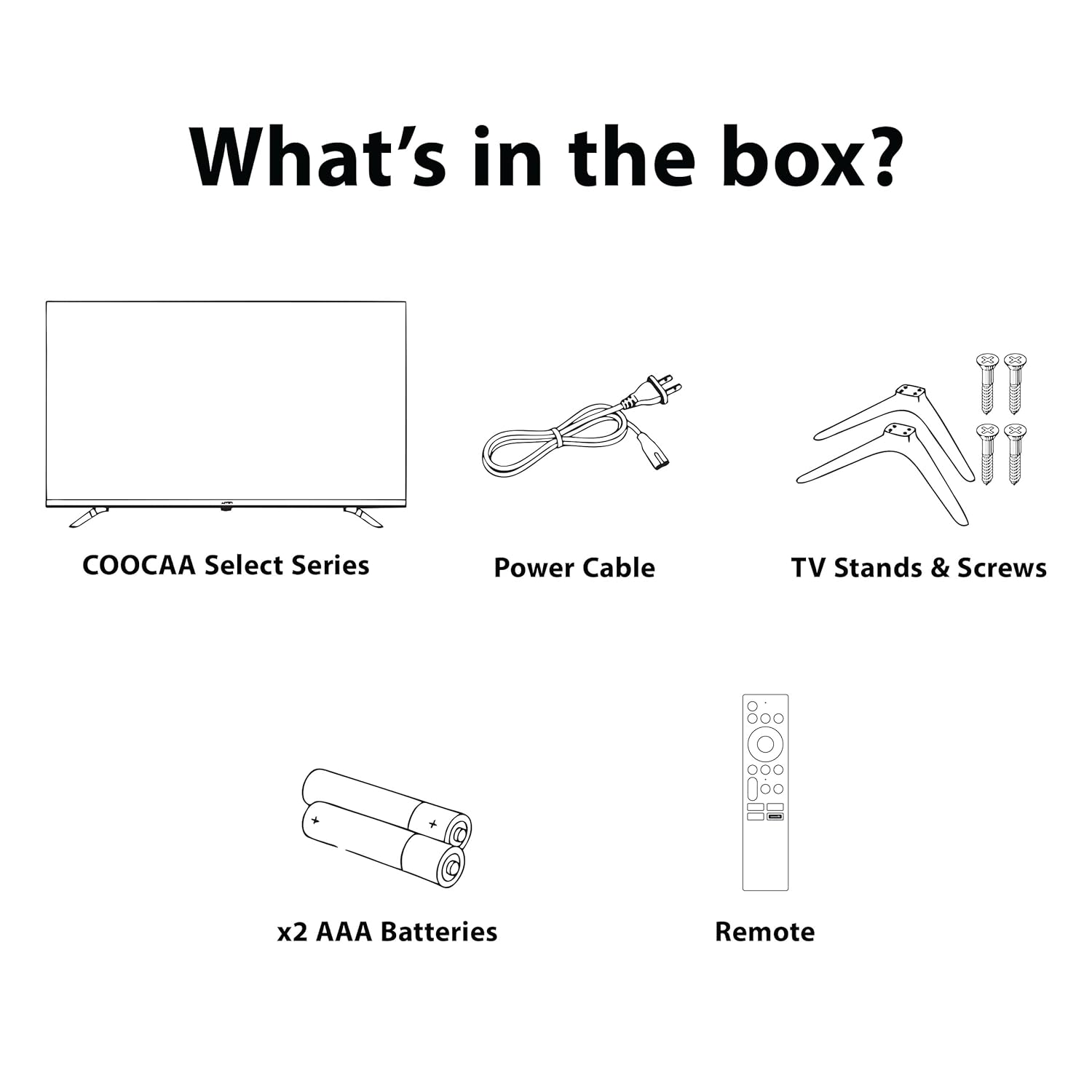
Figure 5.2: Key smart features of the Coocaa 55Y74 Pro TV.
6. Održavanje
6.1 Čišćenje
- ekran: Nježno obrišite ekran mekom krpom koja ne ostavlja dlačice. Za tvrdokorne mrlje koristite sredstvo za čišćenje ekrana posebno dizajnirano za televizore, naneseno na krpu, a ne direktno na ekran.
- Tijelo TV-a: Wipe the TV frame and back panel with a soft, dry cloth. Avoid abrasive cleaners or solvents.
6.2 Ažuriranja softvera
Your TV may receive software updates to improve performance and add new features. Ensure your TV is connected to the internet. You can usually check for updates in the TV's settings menu under 'System' or 'About'.
6.3 Skladištenje
Ako skladištite TV duži period, isključite ga iz struje, izvadite baterije iz daljinskog upravljača i čuvajte ga na hladnom i suhom mjestu, po mogućnosti u originalnom pakovanju.
7. Otkrivanje problema
Za uobičajene probleme i njihova rješenja pogledajte sljedeću tabelu:
| Problem | Mogući uzrok | Rješenje |
|---|---|---|
| Nema struje | Kabel za napajanje isključen; Problem sa utičnicom | Check power cord connection; Test power outlet with another device. |
| Nema slike, ali je zvuk prisutan | Neispravan ulazni izvor; Labav HDMI/AV kabl | Select correct input source; Reconnect cables securely. |
| Nema zvuka, ali je slika prisutna | Jačina zvuka je prigušena ili preniska; Problem sa eksternim audio sistemom | Unmute volume or increase level; Check external audio connections. |
| Daljinski upravljač ne radi | Prazne baterije; Prepreka; Daljinski upravljač nije uparen | Replace batteries; Remove obstructions; Re-pair Bluetooth remote (refer to TV settings). |
| Problemi sa Wi-Fi vezom | Netačna lozinka; Problem s ruterom; Smetnje u signalu | Verify Wi-Fi password; Restart router; Move TV closer to router or use wired connection. |
Ako problem i dalje postoji nakon isprobavanja ovih rješenja, obratite se korisničkoj podršci.
8. Specifikacije
Key technical specifications for the Coocaa 55Y74 Pro QLED Ultra Smart Google TV:
| Feature | Specifikacija |
|---|---|
| Model | 55Y74 Pro |
| Veličina ekrana | 55 inča (138 cm) |
| Display Technology | QLED, A+ Display Type |
| Rezolucija | 4K UHD (3840 x 2160 piksela) |
| Refresh Rate | HSR 120 Hz |
| Operativni sistem | Google TV |
| Procesor | A55 Chip |
| Grafički koprocesor | Mali G52 MC1 |
| RAM memorija | 2 GB |
| Kapacitet pohrane | 32 GB |
| Audio izlaz | 30 Watts, Dolby Atmos, 2.0 Sound Channel |
| Povezivanje | 3 HDMI ports (1x HDMI 2.1 eARC), 2 USB 2.0 ports, Ethernet, Wi-Fi (Dual band), Bluetooth |
| Posebne karakteristike | Chromecast, Google Voice Assistant, Display Mirroring, Eye Care (Flicker Free, Night Mode, Automatic Brightness) |
| Dimenzije proizvoda (DxŠxV) | 122.6 x 7.9 x 72 cm |
| Težina artikla | 9.4 kg |
| Izvor napajanja | AC 240 volti |
| Wattage | 120 Watts |

Figure 8.1: Dimensions of the Coocaa 55Y74 Pro TV.
9. Garancija i podrška
9.1 Informacije o garanciji
Your Coocaa 55Y74 Pro QLED Ultra Smart Google TV comes with a 1 godine garancije provided by the brand from the date of purchase. To avail warranty services, please retain your purchase invoice and the warranty card.
9.2 Korisnička podrška
For further assistance, technical support, or to access the latest user manual, please visit the official Coocaa brand website. Contact details for customer service can typically be found on the warranty card or the brand's website.