
Uvod
The iLive Cinema Pop-up Movie Kit is a comprehensive portable entertainment solution designed to transform any space into a personal cinema. This kit includes a 720p projector, a 120-inch ultra-bright projector screen, an adjustable tripod, and a powerful Bluetooth 5.0 speaker system. Enjoy crisp images and rich audio for both indoor and outdoor movie nights.
Šta je uključeno
- 720p projektor
- 120-inch Anti-Wrinkle Polyester Projector Screen (16:9 aspect ratio, 1.3 gain)
- Professional-Grade Tripod with integrated bubble level (360-degree pan, ±180-degree tilt, 41.73-inch max height, 4 kg capacity)
- Bluetooth 5.0 Speaker System (dual 4-inch full-range speakers, 16W peak output, LED light effects, rechargeable battery)
- Daljinski upravljač
- Power Cable
- HDMI kabl
- 3.5 mm audio kabl
- USB kabel
- Torbica za nošenje
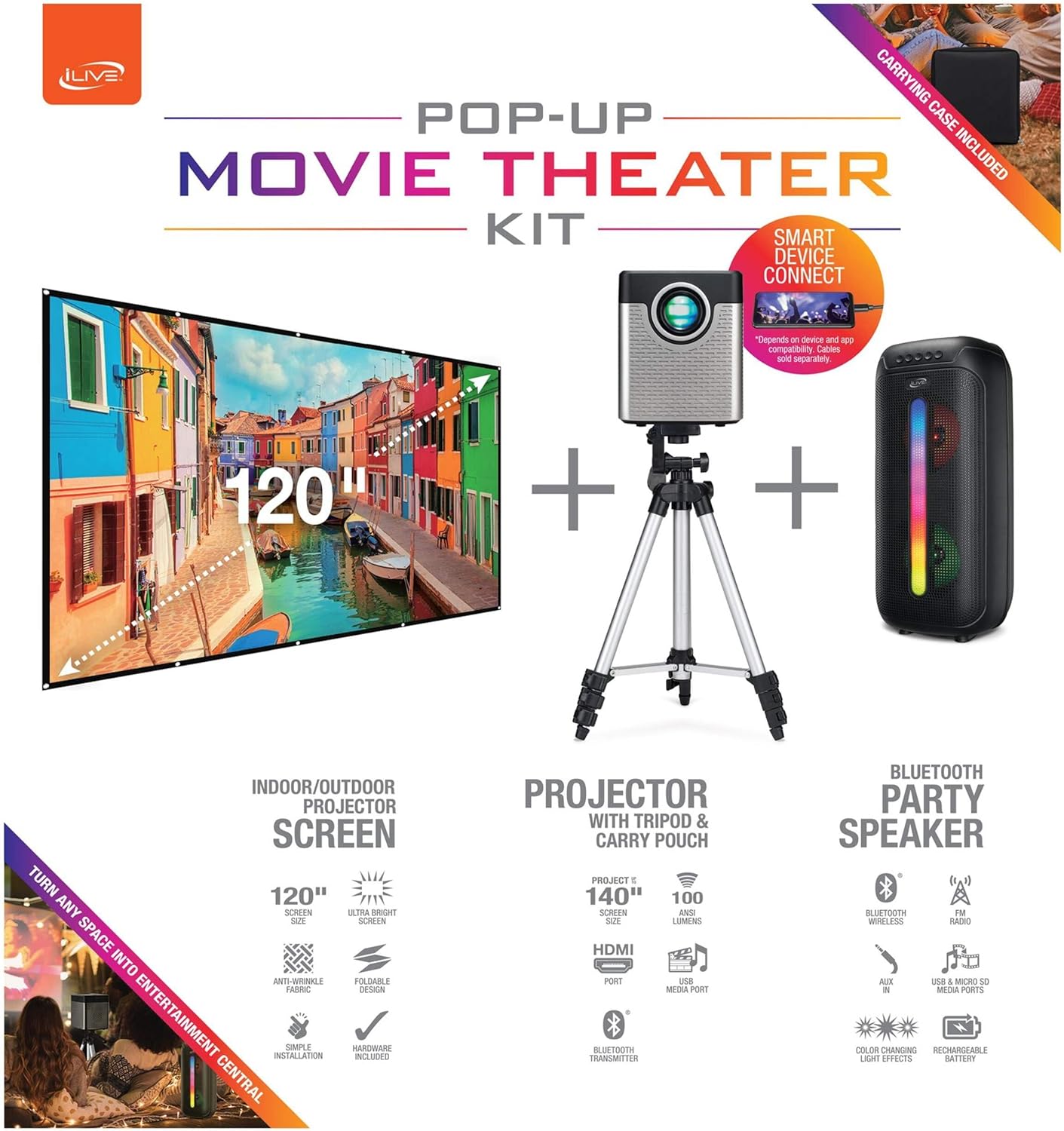
Figure 1: Diagram of the iLive Cinema Pop-up Movie Kit components.

Figure 2: The complete kit packed in its carrying case.
Setup
- Raspakujte komponente: Carefully remove all items from the carrying case.
- Assemble Tripod: Extend the legs of the tripod and secure them. Adjust the height to your desired viewing level. The integrated bubble level assists in ensuring a stable and level base.
- Montaža projektora: Securely attach the projector to the tripod mount. Ensure it is stable and facing the desired projection area.
- Set Up Screen: Unfold the 120-inch anti-wrinkle screen. If using the tripod, attach the screen to the tripod frame using the provided fasteners. Ensure the screen is taut and wrinkle-free for optimal viewing. For alternative mounting, use the grommets along the screen's edges with appropriate wall hooks (not included).
- Pozicija govornika: Place the Bluetooth speaker in a location that provides optimal sound distribution for your viewing area.
- Priključite napajanje: Connect the power cable to the projector and a suitable power outlet.
- Povežite uređaje (opciono): Connect your media source (e.g., laptop, gaming console, Blu-ray player) to the projector using an HDMI or USB cable. For external audio, use the 3.5mm audio input or connect wirelessly via Bluetooth to the speaker.

Figure 3: Projector mounted on the tripod.

Slika 4: Prample outdoor setup with the projector and screen.
Uputstvo za upotrebu
Rad projektora
- Uključivanje/isključivanje: Pritisnite dugme za napajanje na projektoru ili daljinskom upravljaču da biste uključili ili isključili uređaj.
- Izvor ulaza: Use the remote control to select the desired input source (HDMI, USB, etc.).
- Podešavanje fokusa: Podesite prsten za fokusiranje na objektivu projektora dok slika ne postane jasna.
- Keystone korekcija: If the projected image appears trapezoidal, use the keystone correction feature (manual or automatic, if available) to adjust the image to a rectangular shape. The projector supports vertical keystone correction.
- Omjer širine i visine: Select between 16:9 and 4:3 aspect ratios based on your content and preference.
- Udaljenost projekcije: The projector has a flexible projection range of 2.6 to 12.5 feet. Adjust the distance to achieve the desired screen size.
Rad Bluetooth zvučnika
- Uključivanje/isključivanje: Pritisnite i držite dugme za napajanje na zvučniku da biste ga uključili ili isključili.
- Bluetooth uparivanje: Aktivirajte Bluetooth na svom uređaju (npr. pametnom telefonu, tabletu). Traži the iLive speaker in the list of available devices and pair.
- Kontrola jačine zvuka: Podesite jačinu zvuka pomoću kontrola na zvučniku ili povezanom uređaju.
- LED svjetlosni efekti: The speaker features LED light effects. Refer to the speaker's specific controls for adjusting or disabling these effects.
- Pravi bežični stereo (TWS): If you have two iLive Bluetooth speakers, you can pair them together for a True Wireless Stereo experience. Follow the instructions provided with the speaker for TWS pairing.
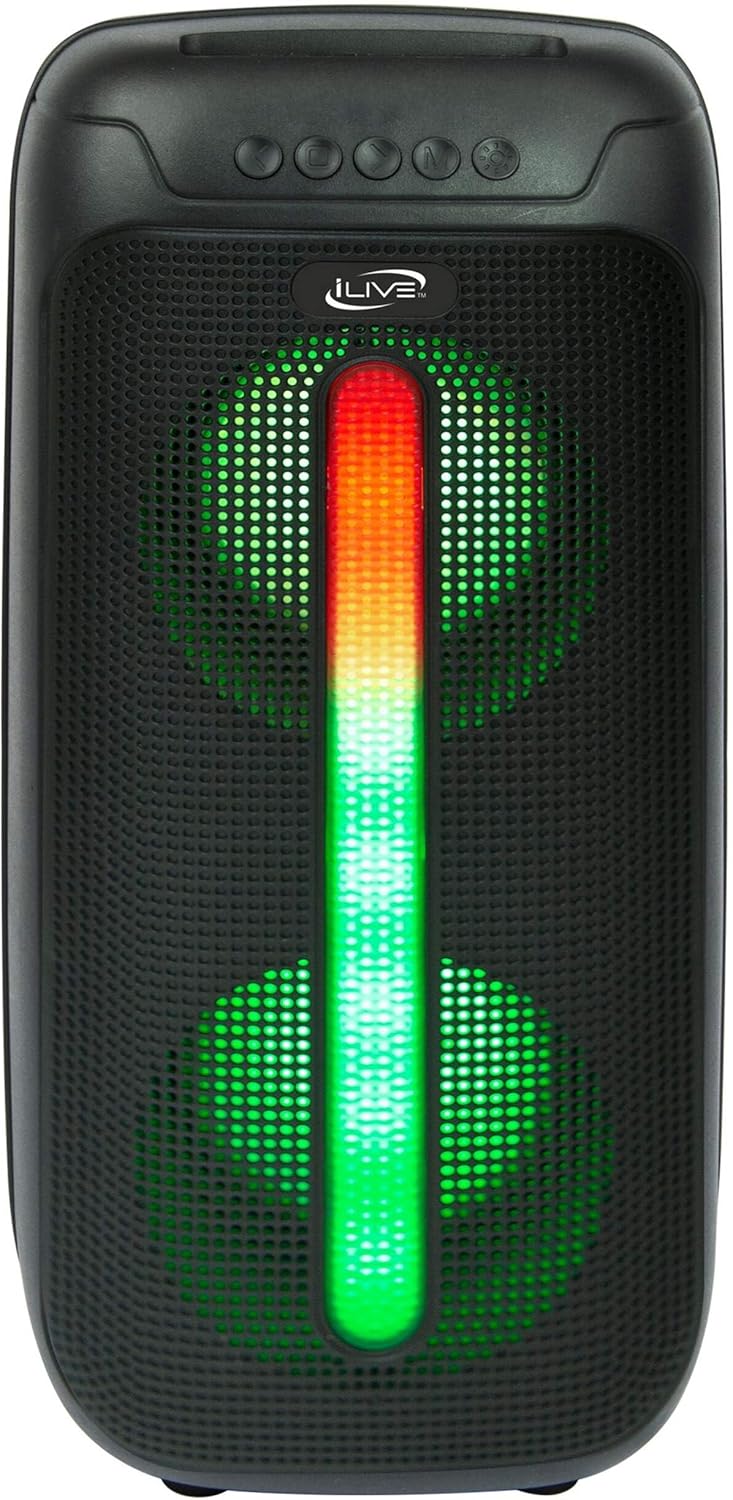
Figure 5: iLive Bluetooth 5.0 Speaker.
Održavanje
- Objektiv projektora: Use a soft, lint-free cloth to gently clean the projector lens. Avoid abrasive materials or harsh chemicals.
- Projector Vents: Ensure the projector's ventilation openings are clear of dust and debris to prevent overheating.
- Čišćenje ekrana: The anti-wrinkle polyester screen can be gently wiped with a damp cloth if necessary. Allow it to air dry completely before folding or storing.
- Briga o zvučnicima: Keep the speaker dry and clean. Avoid exposing it to extreme temperatures or direct sunlight.
- Skladištenje: When not in use, store all components in the provided carrying case in a cool, dry place to protect them from dust and damage.
Rješavanje problema
- Nema slike na ekranu:
- Provjerite je li projektor uključen i je li poklopac objektiva uklonjen.
- Provjerite je li na projektoru odabran ispravan ulazni izvor.
- Check all cable connections (HDMI, USB) are secure.
- Zamućena slika:
- Podesite fokusni prsten na sočivu projektora.
- Ensure the projection distance is within the recommended range (2.6-12.5 ft).
- Distorted Image (Trapezoidal):
- Use the keystone correction feature to adjust the image geometry.
- Ensure the projector is placed on a level surface or the tripod is properly adjusted.
- Nema zvuka iz zvučnika:
- Ensure the speaker is powered on and charged.
- Verify Bluetooth pairing or 3.5mm audio cable connection.
- Check volume levels on both the speaker and the connected device.
- Problemi sa Bluetooth uparivanjem:
- Uvjerite se da je zvučnik u načinu uparivanja.
- Približite zvučnik uređaju.
- Isključite i ponovo uparite uređaj.
Specifikacije
| Feature | Specifikacija |
|---|---|
| Broj modela | THE2024BDL |
| Rezolucija ekrana | 1280 x 720 (720p) |
| Display Type | LED |
| Osvetljenost | 3000 lumena |
| Kontrast Ratio | 1000:1 |
| Aspect Ratios | 16:9, 4:3 |
| Život izvora svjetlosti | 20,000 sata |
| Raspon projekcije | 2.6 - 12.5 Feet |
| Maksimalna veličina slike | 120 inča |
| Povezivanje | HDMI, USB, 3.5mm Audio, Bluetooth 5.0 |
| Izlaz zvučnika | 16W Peak (Dual 4-inch drivers) |
| Speaker Battery Life | Do 4 sati (pri 50% volumena) |
| Karakteristike stativa | Integrated bubble level, 360-degree pan, ±180-degree tilt, 41.73-inch max height, 4 kg capacity |
| Podrška za video kodiranje | H.264, H.265 |
| Kontrolni metod | Daljinski upravljač |
Zvanični videozapisi proizvoda
Trenutno nema dostupnih službenih videozapisa prodavača za ovaj proizvod.
Garancija i podrška
For warranty information or technical support, please contact iLive customer service at 1-888-999-4215. Please have your model number (THE2024BDL) and proof of purchase ready when contacting support.