1. Uvod
This manual provides essential instructions for the installation, operation, maintenance, and troubleshooting of your new Generic Siragon NB-7000 laptop keyboard. Please read this manual carefully before proceeding with installation to ensure proper function and to prevent damage to your device.
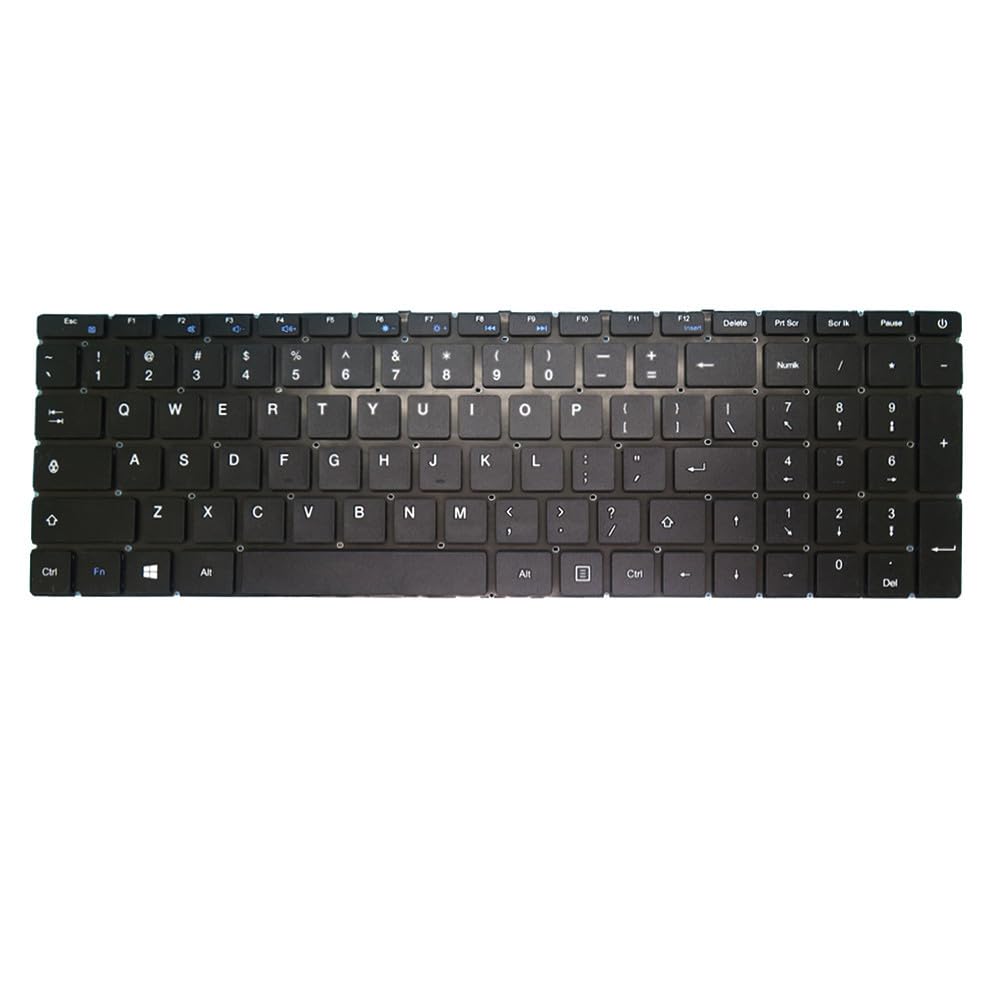
Image 1: Generic Siragon NB-7000 Laptop Keyboard. This image displays the top-down view of the black laptop keyboard, showing the key layout and overall design.
2. Postavljanje i instalacija
Installing a laptop keyboard requires careful handling. If you are not comfortable performing this procedure, it is recommended to seek assistance from a qualified technician.
2.1 Sigurnosne mjere
- Always power off your laptop and disconnect it from the power adapter before beginning installation.
- Remove the laptop battery to prevent accidental power-on.
- Koristite odgovarajući alat kako biste izbjegli oštećenje laptopaasing ili unutrašnjih komponenti.
- Work in a clean, well-lit environment.
- Discharge static electricity by touching a grounded metal object before handling internal components.
2.2 Koraci instalacije (Opći vodič)
- Pripremite laptop: Ensure the laptop is powered off, unplugged, and the battery is removed.
- Uklonite staru tastaturu: Carefully locate and remove any screws securing the old keyboard. These are often found on the bottom of the laptop or under a trim piece above the keyboard. Gently pry up the keyboard, being mindful of the ribbon cable.
- Isključite trakasti kabel: Unlock the ZIF (Zero Insertion Force) connector holding the keyboard ribbon cable to the motherboard. Gently pull the ribbon cable out.
- Instalirajte novu tastaturu: Insert the ribbon cable of the new Generic Siragon NB-7000 keyboard into the ZIF connector, ensuring it is fully seated. Lock the connector.
- Sigurna nova tastatura: Carefully place the new keyboard into its housing. Ensure it sits flush and secure it with any screws that were removed earlier.
- Ponovno sastavljanje laptopa: Reinstall the laptop battery and reconnect the power adapter.
- Test funkcionalnost: Power on the laptop and test all keys to ensure they are functioning correctly.
Note: Specific laptop models may have variations in keyboard removal and installation procedures. Refer to your laptop's service manual for detailed, model-specific instructions if available.
3. Uputstvo za upotrebu
The Generic Siragon NB-7000 keyboard functions as a standard US layout laptop keyboard. All keys operate according to their labeled functions.
- kucanje: Press individual keys to input characters.
- Funkcijske tipke (Fn): Many laptops utilize an "Fn" key (usually located near the left Ctrl key) in combination with the F1-F12 keys to access special functions such as screen brightness, volume control, Wi-Fi toggle, and external display options. Refer to your laptop's user manual for specific Fn key combinations.
- Numeric Keypad (if present): If your keyboard includes a numeric keypad, ensure "Num Lock" is activated to use the number keys.
4. Održavanje
Proper maintenance can extend the lifespan of your keyboard and ensure optimal performance.
- čišćenje:
- Power off the laptop before cleaning.
- Lagano koristite meku krpu koja ne ostavlja dlačice dampened with water or a mild cleaning solution (e.g., isopropyl alcohol) to wipe the keycaps. Avoid excessive moisture.
- Koristite komprimirani zrak za uklanjanje prašine i ostataka između tipki.
- Izbjegavajte prosipanje: Keep liquids away from the keyboard to prevent damage. In case of a spill, immediately power off the laptop, disconnect power, remove the battery, and allow it to dry completely before attempting to power it on again.
- Nježna upotreba: Avoid excessive force when typing to prevent premature wear on the keys.
5. Otkrivanje problema
Ako imate problema s tastaturom, pokušajte sljedeće korake za rješavanje problema:
- Tipke ne reagiraju:
- Provjerite je li trakasti kabel tastature sigurno spojen na matičnu ploču.
- Ponovo pokrenite laptop.
- Provjerite ima li fizičkih prepreka ispod tipki.
- Verify that the correct keyboard drivers are installed (usually handled automatically by the operating system).
- Incorrect Characters Appearing:
- Check your operating system's keyboard language settings to ensure it is set to "US" or the appropriate layout.
- Ensure "Num Lock" or "Caps Lock" are not accidentally engaged if they are causing unexpected input.
- Tastatura nije otkrivena:
- Power off the laptop, disconnect the battery, and re-seat the keyboard ribbon cable.
- Provjerite Upravitelj uređaja (Windows) ili Informacije o sistemu (macOS) da vidite da li je tastatura prepoznata.
If problems persist after attempting these steps, consider contacting a professional technician or the seller for further assistance.
6. Specifikacije
| Brand | Generic |
| Model | Siragon NB-7000 |
| Layout | Sjedinjene Američke Države (SAD) |
| Boja | Crna |
| Okvir | Without Frame |
| Visina stavke | 10 centimetara |
| Širina artikla | 10 centimetara |
| Dimenzije proizvoda | 10 x 10 x 10 cm |
| Težina artikla | 300 g |
| ASIN | B0FT85T24G |
| Referenca proizvođača | KBNB-7000-US |
7. Garancija i podrška
For information regarding warranty coverage, returns, or technical support, please refer to the specific terms provided by your retailer or the manufacturer at the time of purchase. Keep your purchase receipt as proof of purchase.