
1. Uvod
The SofaBaton X2 is a universal remote control designed to consolidate control of your home entertainment and smart home devices. It features a 2.4-inch HD touchscreen, a comprehensive cloud-based code library, and supports various connectivity technologies including Infrared (IR), Bluetooth, RF, and Wi-Fi. This manual provides detailed instructions for setting up, operating, and maintaining your SofaBaton X2.
2. Sadržaj paketa
Provjerite da li su sve stavke prisutne u paketu:
- SofaBaton X2 Universal Remote Control
- SofaBaton Hub
- Dock za punjenje
- USB kabel za punjenje tipa C
- IR Extension Cable (optional)
- Uputstvo za upotrebu

Image: SofaBaton X2 remote, hub, charging base, and infrared transponder.
3. Proizvod je gotovview
The SofaBaton X2 system consists of the remote control, a central hub, and a charging dock. The remote features a touchscreen for intuitive navigation and control, while the hub provides 360-degree IR transmission and extends connectivity options.
Ključne karakteristike:
- 2.4-inčni HD ekran osjetljiv na dodir: For intuitive control and digital keypads.
- Povezivanje na više uređaja: Supports IR, Bluetooth, RF, and Wi-Fi 2.4GHz.
- Opsežna kompatibilnost uređaja: Cloud-based library with over 500,000 devices from 6,000+ brands.
- Customizable Activities: Execute multi-device commands with a single press.
- Integracija pametnog doma: Compatible with Home Assistant, Alexa, and Google Home.
- SofaBaton Hub: Provides 360-degree IR transmission with a range of up to 40 feet.
- Dock za punjenje: Convenient Type-C charging dock for the remote.
- Dug vijek trajanja baterije: 1200mAh battery provides 3-4 weeks of working time.
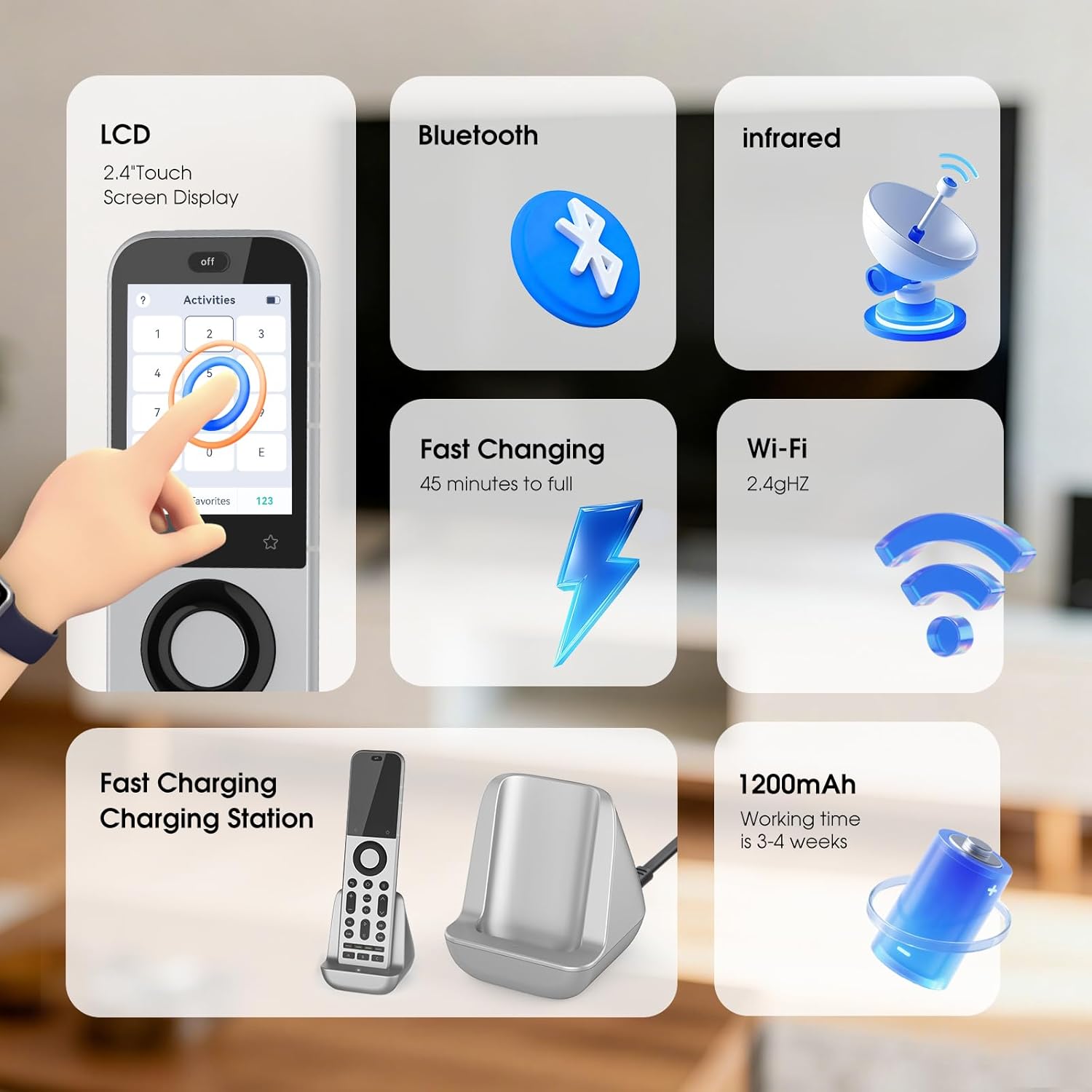
Image: SofaBaton X2 remote control highlighting its LCD touchscreen, Bluetooth, Infrared, Fast Charging capability, Wi-Fi 2.4GHz connectivity, and 1200mAh battery.
4. Podešavanje
4.1 Punjenje daljinskog upravljača
- Place the SofaBaton X2 remote into the charging dock.
- Connect the Type-C charging cable to the dock and a power source.
- The remote's screen will indicate charging status. A full charge takes approximately 45 minutes.
4.2 Povezivanje čvorišta
- Position the SofaBaton Hub in a central location within your entertainment area, ensuring it has a clear line of sight to the devices you wish to control via IR.
- Connect the hub to power using the provided adapter.
- If devices are obstructed or out of direct line of sight, use the optional IR extension cable by plugging it into the hub and positioning its emitter near the target device's IR receiver.
4.3 Preuzimanje i instalacija aplikacije
The SofaBaton app is essential for configuring your remote and hub.
- Scan the QR code in the quick start guide or search for "SofaBaton" in your mobile device's app store (Google Play Store for Android, Apple App Store for iOS).
- Download and install the SofaBaton application.
- Otvorite aplikaciju i pratite uputstva na ekranu da kreirate nalog ili se prijavite.

Image: SofaBaton app download screen on a smartphone, showing options for Google Play and Apple App Store.
4.4 Uparivanje uređaja
Use the SofaBaton app to add and pair your devices with the remote and hub.
- In the SofaBaton app, navigate to the "Devices" section.
- Select "Add Device" and choose the type of device you want to add (e.g., TV, Soundbar, Streaming Device).
- Follow the app's instructions to search for your device by brand and model. The app will guide you through the pairing process, which may involve IR, Bluetooth, or Wi-Fi connectivity depending on the device.
- Test the controls to ensure proper functionality after pairing.

Image: Diagram illustrating Bluetooth connectivity between the SofaBaton X2 remote, hub, and various devices throughout a home, emphasizing multi-room control.
5. Uputstvo za upotrebu
5.1 Korištenje interfejsa ekrana osjetljivog na dodir
The 2.4-inch HD touchscreen provides access to devices, activities, settings, and digital keypads.
- Navigacija: Swipe left/right or up/down to navigate through menus and options.
- Izbor: Dodirnite ikonu ili opciju da biste je odabrali.
- Digital Keypads: Access digital keypads (e.g., number pad) for specific devices or functions.

Image: SofaBaton X2 touchscreen displaying a digital keypad for number input, with IR transmitters indicated at the top.
5.2 Creating and Using Activities
Activities allow you to control multiple devices with a single command, such as turning on your TV, soundbar, and streaming device simultaneously for "Movie Night."
- Create Activity: In the SofaBaton app, go to the "Activities" section and select "Add Activity." Follow the prompts to select devices and define the sequence of commands.
- Launch Activity: On the remote's touchscreen, navigate to the "Activities" menu. To launch an activity, slide or swipe the activity icon to the right. This prevents accidental activation.
- Deactivate Activity: To turn off all devices associated with an activity, press the "Off" button located at the top of the remote. This action shuts down all active devices and ends the current mode.

Image: SofaBaton X2 touchscreen showing instructions for launching and deactivating activities by swiping the activity icon and pressing the 'Off' button.
5.3 App-Based Personalization
The SofaBaton app provides extensive customization options:
- Raspored dugmadi: Customize the function of physical buttons on the remote.
- Makro programiranje: Create complex sequences of commands (macros) for specific tasks.
- Reassignments: Reassign functions to different buttons or touchscreen areas.
- Cloud Storage: Your preferences and configurations are stored in the cloud for easy backup and restoration.

Image: SofaBaton app interface on a smartphone showing device control methods like Infrared, Bluetooth, Wi-Fi, and RF, emphasizing customization.
5.4 Integracija pametnog doma
The SofaBaton X2 can integrate with various smart home platforms:
- Kućni pomoćnik: Connect the X2 to Home Assistant for automated activities and cross-platform synchronization via MQTT. This allows direct command subscriptions to automate audio-video gear, lighting, and other smart devices.
- Glasovni asistenti: Compatible with Alexa and Google Home for voice control of your entertainment system.
5.5 Tajmer za spavanje
Set a one-time timer for the current activity:
- On the remote's touchscreen, navigate to the "Sleep Timer" option.
- Select the desired duration (e.g., 0.5 hours, 1 hour, 2 hours, 3 hours).
- The remote will automatically turn off the current activity after the selected time.
5.6 Sinhronizacija
To ensure your remote has the latest configurations from the app:
- On the remote's touchscreen, navigate to the "Sync" option.
- Tap "Sync Now." The remote will be unavailable during the synchronization process, which typically takes a few minutes.
6. Održavanje
6.1 Čišćenje
- Wipe the remote and hub with a soft, dry cloth.
- Ne koristite abrazivna sredstva za čišćenje, rastvarače ili jake hemikalije.
6.2 Njega baterija
- Charge the remote regularly using the provided charging dock.
- Izbjegavajte izlaganje daljinskog upravljača ekstremnim temperaturama.
- The remote uses a nonstandard, non-replaceable battery. When the battery reaches the end of its life, the unit will cease to function.
7. Otkrivanje problema
| Problem | Moguće rješenje |
|---|---|
| Daljinski upravljač ne reagira | Ensure the remote is charged. Check if the hub is powered on and connected. Try syncing the remote via the app. |
| Uređaj ne odgovara na komande | Verify the device is correctly paired in the SofaBaton app. Ensure the hub has a clear line of sight to IR devices. For Bluetooth/Wi-Fi devices, check their network connection. Re-learn IR commands if necessary. |
| Activities not working correctly | Review the activity sequence in the SofaBaton app. Ensure all devices within the activity are powered on and responsive individually. Adjust delays between commands if needed. |
| Problemi sa povezivanjem aplikacija | Ensure your mobile device and the SofaBaton Hub are connected to the same 2.4GHz Wi-Fi network. Restart the app and the hub. |
| Remote screen unresponsive | Perform a soft reset by pressing and holding the power button (if available) or by navigating to the "Reboot" option in the settings menu. Ensure the remote is adequately charged. |
8. Specifikacije
| Feature | Detalj |
|---|---|
| Brand | SofaBaton |
| Naziv modela | X2 |
| Tehnologija povezivanja | Bluetooth, Infrared, Wi-Fi |
| Tip kontrolera | Upravljanje tipkama, Upravljanje dodirom |
| Maksimalni broj podržanih uređaja | 49 |
| Kompatibilni uređaji | DVD/Blu-ray Player, Home Theater, Set Top Box, Television |
| Maximum Range (Hub IR) | 40 stopa |
| Vrsta baterije | Nestandardna baterija (uključena) |
| Kompatibilnost pametnog doma | Smart Home Compatible (Alexa, Google Home, Home Assistant) |
| Posebne karakteristike | Backlit, Digital Display, Ergonomic, Rechargeable |
| Boja | Crna/srebrna |
9. Jamstvo i podrška
9.1 Informacije o garanciji
The SofaBaton X2 Universal Remote Control comes with a 1 godine garancije od datuma kupovine. Ova garancija pokriva proizvodne nedostatke i kvarove pri normalnoj upotrebi. Molimo sačuvajte dokaz o kupovini za reklamacije u slučaju garancije.
9.2 Korisnička podrška
For technical assistance, troubleshooting, or warranty inquiries, please contact SofaBaton customer support through the dedicated SofaBaton app or visit the official SofaBaton website. All-day customer support is provided in the app.