
Product Overview
The DIERYA DK68 is a 60% compact mechanical keyboard designed for versatility and performance. It features triple-mode connectivity, allowing seamless switching between Bluetooth 5.0, 2.4GHz wireless, and USB-C wired connections. Equipped with clicky blue mechanical switches and vibrant RGB backlighting, it offers a responsive and customizable typing experience for both gaming and office use.

Figure 1: DIERYA DK68 Wireless Mechanical Keyboard showcasing its compact design and RGB lighting.
Sadržaj paketa
Provjerite da li su sve stavke prisutne u paketu:
- DIERYA DK68 Bežična mehanička tastatura
- USB-C na USB-A kabel
- Izvlakač ključeva
- 2.4GHz USB Receiver (stored in the keyboard's back compartment)
- Korisnički priručnik (ovaj dokument)
Podešavanje i povezivanje
The DK68 keyboard supports three connection modes: USB-C wired, 2.4GHz wireless, and Bluetooth 5.0. Choose the mode that best suits your needs.
1. Žičani način rada USB-C
- Spojite priloženi USB-C kabel na USB-C priključak tastature.
- Spojite USB-A kraj kabla na dostupan USB port na računaru.
- Tastatura će biti automatski prepoznata i spremna za upotrebu.
2. Bežični način rada od 2.4 GHz
- Locate the 2.4GHz USB receiver in the compartment on the back of the keyboard.
- Remove the receiver and plug it into an available USB port on your computer.
- Turn on the keyboard using the switch located on the back.
- Tastatura bi se trebala automatski povezati s prijemnikom. Ako ne, pritisnite Fn + G (labeled '2.4G' on the key) to activate 2.4GHz pairing mode.

Figure 2: Triple-mode connectivity options including 2.4GHz wireless.
3. Bluetooth 5.0 način rada
Tastatura se može povezati sa do tri Bluetooth uređaja.
- Turn on the keyboard using the switch on the back.
- Pritisnite i držite Fn+Z (labeled 'BT1'), Fn + X (labeled 'BT2'), or Fn + C (labeled 'BT3') for 3-5 seconds until the corresponding key's backlight flashes rapidly. This indicates pairing mode.
- On your device (PC, laptop, tablet, phone), enable Bluetooth and search for "DIERYA DK68".
- Select the keyboard to pair. The key's backlight will stop flashing once connected.
- Za prebacivanje između uparenih Bluetooth uređaja, jednostavno pritisnite Fn + Z/X/C.

Figure 3: Bluetooth connectivity for multiple devices.
Uputstvo za upotrebu
RGB kontrola pozadinskog osvjetljenja
The DK68 features 20 built-in RGB lighting effects and 16.8 million customizable colors. Use the following key combinations to control the lighting:
- Fn + Backspace: Turn backlighting On/Off.
- Fn+Shift: Switch light colors.
- Fn + Enter: Switch light modes (20 dynamic RGB modes).
- Fn + strelica gore: Povećajte svjetlinu.
- Fn + strelica nadole: Smanjite svjetlinu.
- Fn + strelica lijevoSmanjite brzinu svjetlosti.
- Fn + strelica udesno: Povećava brzinu svjetlosti.

Figure 4: RGB lighting control key combinations for the DK68 keyboard.
Key Customization and Macros
The DIERYA DK68 supports full key anti-ghosting and N-Key Rollover (NKRO) for accurate input. For advanced customization, including key remapping, macro programming, and additional lighting effects, dedicated software is available. Please refer to the official DIERYA webstranica za preuzimanje softvera i upute.

Figure 5: Full N-Key Rollover and software customization capabilities.
Mehanički plavi prekidači
The keyboard is equipped with clicky blue mechanical switches, providing a distinct tactile bump and an audible click with each keystroke. These switches are ideal for users who prefer clear feedback and a satisfying typing experience. They feature a medium 60gf actuation force (±15gf) and 2.3mm travel (±0.6mm), with a lifespan of 50 million clicks.

Slika 6: Detaljno view of mechanical blue switches and their specifications.
Održavanje
Upravljanje baterijom
The keyboard is powered by a 3000mAh lithium battery. To charge, connect the keyboard via the USB-C cable to a power source. The keyboard can be used while charging.
- Usage Time (Backlighting On)Do 12 sati.
- Usage Time (Backlighting Off)Do 333 sati.
- Režim automatskog spavanja: The keyboard enters auto-sleep mode after 3 minutes of inactivity to conserve power.
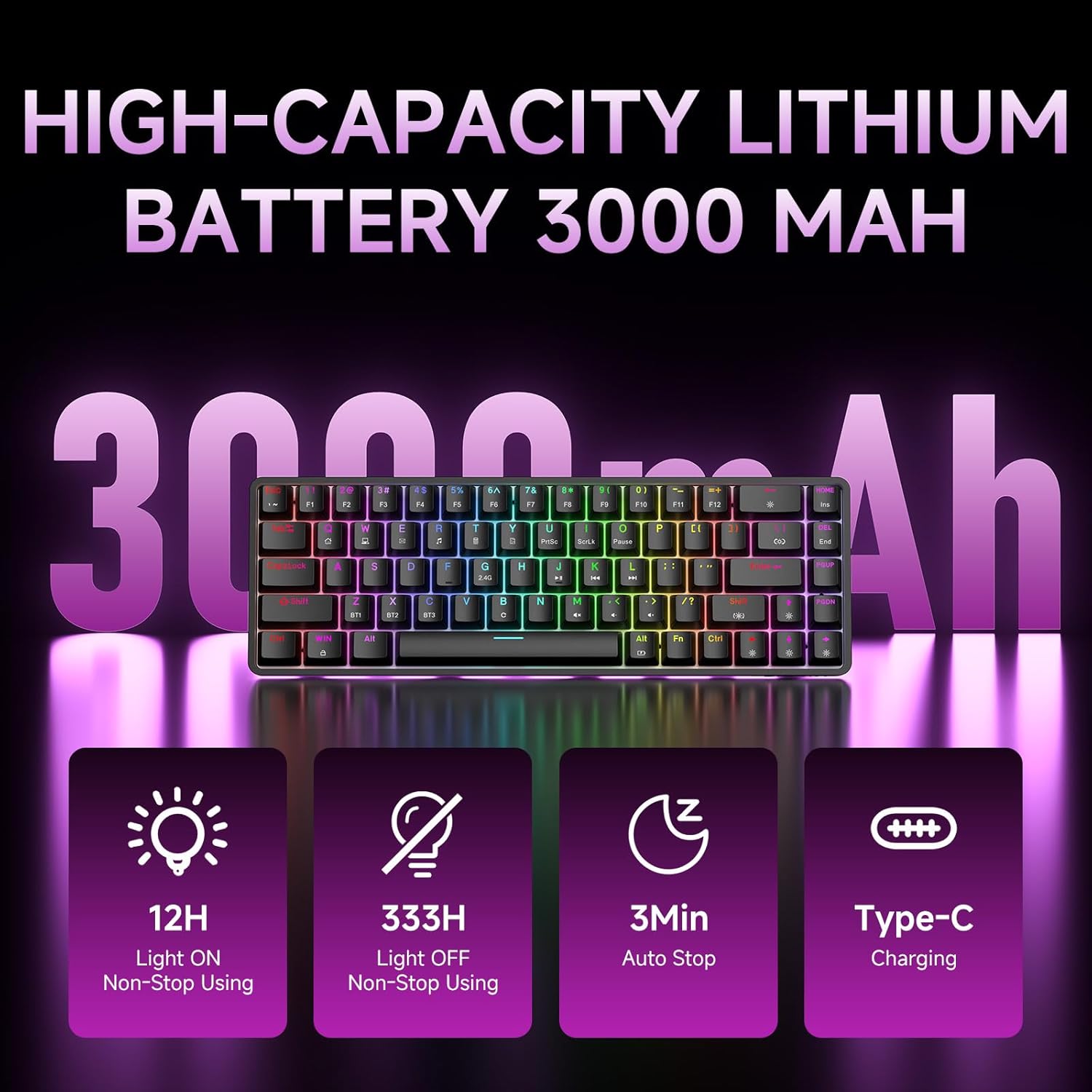
Figure 7: Battery capacity and power-saving features of the DK68.
Čišćenje i njega
- Use the provided keycap puller to carefully remove keycaps for cleaning.
- Clean the keyboard surface with a soft, damp krpu. Izbjegavajte prekomjernu vlagu.
- Ne koristite jake kemikalije ili abrazivna sredstva za čišćenje.
- Prije čišćenja provjerite je li tastatura isključena iz napajanja.
Rješavanje problema
- Tastatura ne reaguje:
- Check the power switch on the back of the keyboard.
- Ensure the correct connection mode (wired, 2.4GHz, or Bluetooth) is selected.
- Za 2.4 GHz, provjerite je li USB prijemnik sigurno priključen.
- Za Bluetooth, provjerite je li tastatura uparena i odabrana na vašem uređaju. Pokušajte ponovo upariti ako je potrebno.
- If using wired mode, try a different USB port or cable.
- Pozadinsko osvjetljenje ne radi:
- Pritisnite Fn + Backspace to toggle the backlighting.
- Provjerite nivo baterije; slaba baterija može onemogućiti pozadinsko osvjetljenje.
- Ključevi se ne registruju:
- Provjerite je li tastatura pravilno povezana i uključena.
- If specific keys are not working, try removing and re-seating their keycaps.
Specifikacije
| Feature | Detalj |
|---|---|
| Broj modela | DK68 |
| Tehnologija povezivanja | 2.4 GHz bežično, Bluetooth 5.0, USB-C žičano |
| Tip prekidača | Clicky Blue Mechanical Switches |
| Key Layout | 68 tipki (60% rasporeda) |
| Pozadinsko osvetljenje | RGB (16.8 Million Colors, 20 Effects) |
| Kapacitet baterije | 3000mAh litijum -polimer |
| Kompatibilni uređaji | Igraća konzola, laptop, računar, tablet |
| Anti-Ghosting | Full Key Anti-Ghosting & NKRO |
| Materijal | Plastika |
| Težina artikla | 1.76 funti (približno 800 g) |
| Dimenzije paketa | 14.33 x 4.37 x 1.73 inča |

Figure 8: Keyboard dimensions and compact 68-key layout.
Garancija i podrška
For warranty information and technical support, please refer to the documentation included with your product or visit the official DIERYA website. Amazon's return policy for this product is 30 days from the date of receipt.