
1. Uvod
This manual provides detailed instructions for the safe and efficient use of your Surfans F20 Pro Android Hi-Res Music Player. Please read this manual thoroughly before operating the device and retain it for future reference.
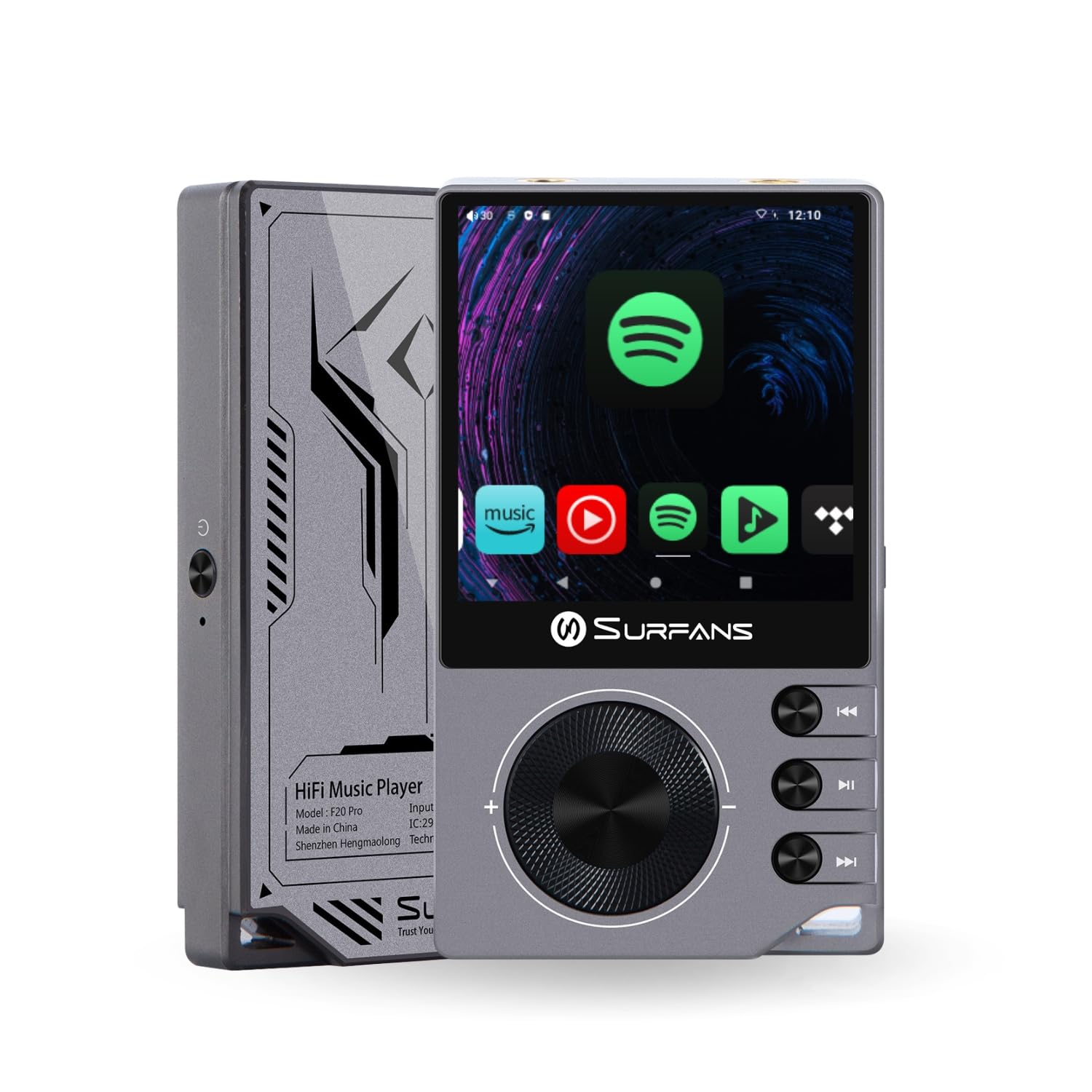
The Surfans F20 Pro Hi-Res Music Player, showcasing its compact design and touchscreen interface.
2. Sadržaj paketa
Provjerite da li su sve stavke prisutne u paketu:
- Surfans F20 Pro Hi-Res Music Player
- USB kabel tipa C
- 32 GB MicroSD Memory Card (pre-installed or separate)
- Zaštitna torbica
- Korisnički priručnik (ovaj dokument)
3. Device Overview
Familiarize yourself with the physical components and ports of your F20 Pro player.

Prednje i zadnje view of the Surfans F20 Pro, highlighting its robust CNC metal chassis and button layout.
3.1. Ključne karakteristike
- Dual ESS9018Q2M DACs: For high-fidelity audio processing.
- Octa-Core Android 12 System: Enables streaming app compatibility and smooth operation.
- 3.5mm Single-Ended & 4.4mm Balanced Outputs: Versatile headphone connectivity.
- Bluetooth 5.0 with LDAC: High-quality wireless audio transmission.
- Dvofrekventni Wi-Fi (2.4 GHz i 5 GHz): For stable internet connectivity.
- Proširiva pohrana: Supports up to 1TB via MicroSD card.
- 2.7-inčni ekran osjetljiv na dodir: Intuitivno korisničko sučelje.
4. Podešavanje
4.1. Punjenje uređaja
Before first use, fully charge the F20 Pro. Connect the included USB Type-C cable to the device's charging port and a compatible USB power adapter (not included) or computer USB port. The charging indicator will show the charging status.
4.2. Umetanje MicroSD kartice
The F20 Pro supports MicroSD cards up to 1TB for expanded storage. Locate the MicroSD card slot on the side of the device. Gently insert the card until it clicks into place. To remove, push the card in again until it springs out.
4.3. Početno uključivanje
Press and hold the power button until the screen illuminates. Follow the on-screen prompts to complete the initial setup, including language selection and Wi-Fi connection.
4.4. Povezivanje na Wi-Fi
Navigirajte do Postavke > Mreža i internet > Wi-Fi. Select your desired network and enter the password if prompted. The F20 Pro supports both 2.4GHz and 5GHz Wi-Fi bands.

The Surfans F20 Pro demonstrating its dual-band Wi-Fi capability for fast and stable connections.
4.5. Bluetooth uparivanje
Za povezivanje Bluetooth slušalica ili zvučnika:
- Provjerite je li vaš Bluetooth uređaj u načinu rada za uparivanje.
- On the F20 Pro, go to Postavke > Povezani uređaji > Uparite novi uređaj.
- Select your device from the list and confirm pairing.

An illustration of the Bluetooth 5.0 chip, indicating support for high-resolution wireless audio codecs like LDAC.
5. Rukovanje uređajem
5.1. Osnovna navigacija
The F20 Pro features a 2.7-inch touchscreen for navigation. Swipe to scroll, tap to select, and use the physical buttons for quick controls:
- Dugme za napajanje: Uključivanje/isključivanje napajanja, uključivanje/isključivanje ekrana.
- Točak jačine zvuka: Podešava jačinu audio izlaza.
- Tasteri za kontrolu reprodukcije: Play/Pause, Next Track, Previous Track.
5.2. Reprodukcija muzike
The F20 Pro supports various audio formats including DSD512, 192kHz/24bit, FLAC, WAV, WMA, M4A, MP3, MP2, and AAC.
5.2.1. Lokalni Files
Prenesite muziku files to the device's internal storage or MicroSD card via USB connection to a computer. Use the pre-installed music player application to browse and play your library.
5.2.2. Aplikacije za streaming
The Android 12 operating system allows installation of streaming apps like Spotify, Apple Music, Tidal, or YouTube. Connect to Wi-Fi and download apps from the Google Play Store or other compatible sources.

The Surfans F20 Pro's screen showing various streaming application icons, demonstrating its Android capabilities.
5.3. Headphone Connections
The device offers both single-ended and balanced audio outputs.
- 3.5 mm jednostrani izlaz: Standard headphone jack (125mW/32Ω).
- 4.4mm balansirani izlaz: For enhanced audio performance with compatible headphones (500mW/32Ω).

Close-up view of the 3.5mm single-ended and 4.4mm balanced audio output ports on the Surfans F20 Pro.
6. Održavanje
6.1. Čišćenje
Use a soft, dry, lint-free cloth to clean the device. Avoid using abrasive cleaners or solvents, which may damage the surface.
6.2. Ažuriranja softvera
Periodically check for software updates to ensure optimal performance and access to new features. Updates can typically be found in Postavke > Sistem > Ažuriranje sistema.
6.3. Održavanje baterije
Da biste produžili vijek trajanja baterije, izbjegavajte često potpuno pražnjenje uređaja. Uređaj čuvajte na hladnom i suhom mjestu kada ga ne koristite duži period.

Interni view of battery cells, representing the long-lasting battery capacity of the F20 Pro.
7. Otkrivanje problema
If you encounter issues with your F20 Pro, refer to the following common problems and solutions:
| Problem | Mogući uzrok | Rješenje |
|---|---|---|
| Uređaj se ne uključuje | Slaba baterija; Pad sistema | Charge the device; Press and hold the power button for 10-15 seconds to force restart. |
| Nema izlaza zvuka | Volume too low; Incorrect output selected; Faulty headphones | Increase volume; Check headphone connection; Test with different headphones. |
| Nije moguće povezati se na Wi-Fi | Netačna lozinka; Izvan dometa; Problem s ruterom | Verify password; Move closer to router; Restart router. |
| Slow performance/App crashes | Previše pokrenutih aplikacija; Malo prostora za pohranu; Zastarjeli softver | Close background apps; Free up storage; Check for system updates. |
8. Specifikacije
Detailed technical specifications for the Surfans F20 Pro:
| Feature | Detalj |
|---|---|
| Brand | Surfani |
| Naziv modela | F20 PRO |
| DAC čipovi | Dvostruki ESS9018Q2M |
| Op-Amps | Dual OPA1612 |
| Operativni sistem | Android 12 |
| RAM | 3GB |
| Interna pohrana | 32GB |
| Proširiva pohrana | Do 1TB putem MicroSD kartice |
| Veličina ekrana | 2.73 inča |
| Povezivanje | Aux, Bluetooth 5.0 (LDAC), USB Type-C, Wi-Fi (2.4GHz & 5GHz) |
| Audio izlazi | 3.5mm Single-Ended (125mW/32Ω), 4.4mm Balanced (500mW/32Ω) |
| Podržani audio formati | DSD512, 192kHz/24bit, FLAC, WAV, WMA, M4A, MP3, MP2, AAC |
| Boja | Grey |

An illustration of the dual ESS9018K2M DAC chips, central to the F20 Pro's high-resolution audio capabilities.
9. Informacije o garanciji
The Surfans F20 Pro comes with a 1-godišnja garancija od datuma kupovine. Ova garancija pokriva proizvodne nedostatke i nedostatke u izradi pri normalnoj upotrebi. Ne pokriva štetu uzrokovanu nepravilnom upotrebom, nezgodama, neovlaštenim modifikacijama ili normalnim habanjem. Molimo sačuvajte dokaz o kupovini za reklamacije.
10. Korisnička podrška
For further assistance, technical support, or warranty inquiries, please contact Surfans customer service through the official website or your retailer. You may also find additional resources and FAQs online.