
Uvod
Thank you for choosing the TECKNET TK-HS049 Hybrid Active Noise Cancelling Headphones. These headphones are designed to provide a superior audio experience with advanced noise cancellation, long battery life, and versatile connectivity. This manual will guide you through the setup, operation, and maintenance of your new headphones.
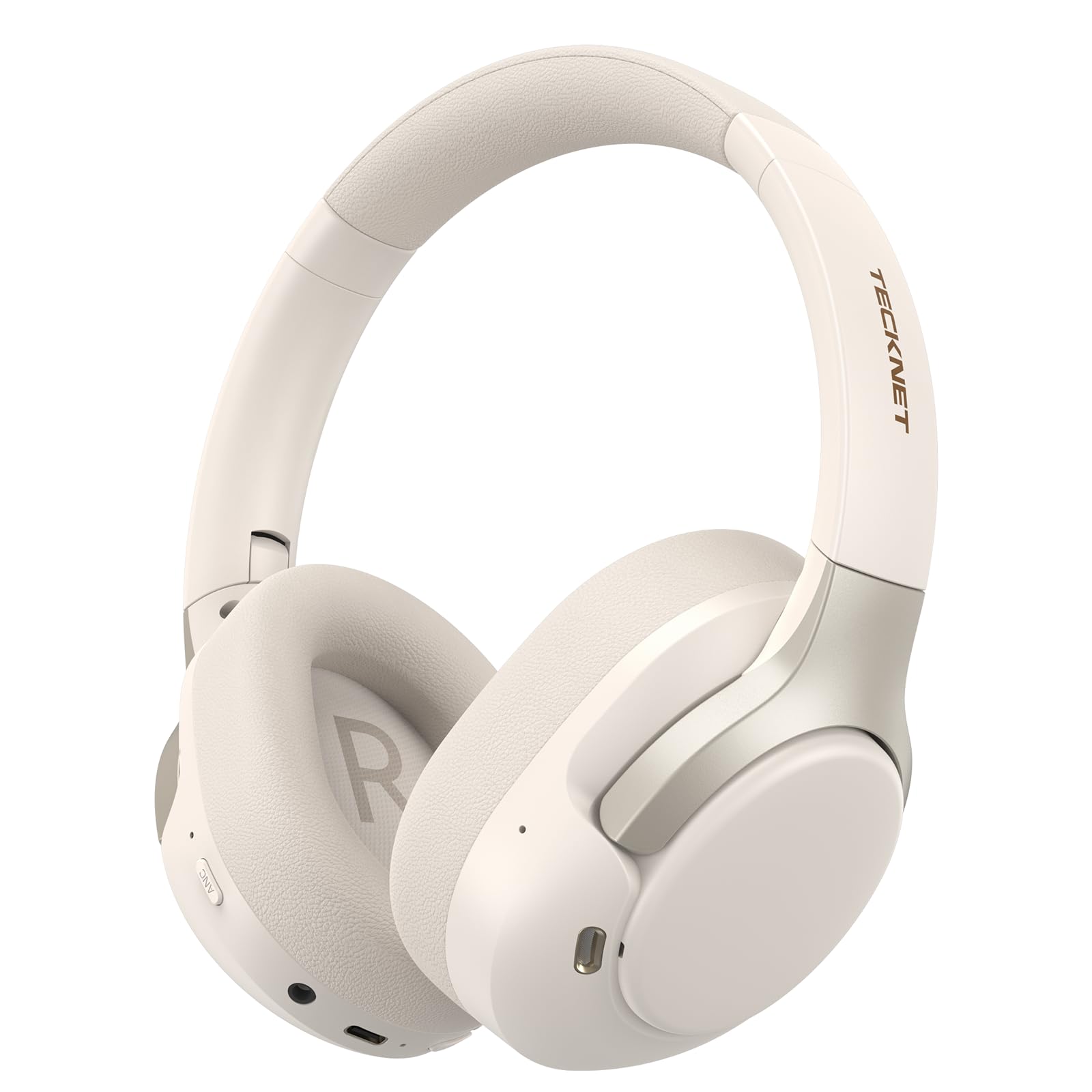
Image: TECKNET TK-HS049 Hybrid Active Noise Cancelling Headphones.
Šta je u kutiji
- 1 x TECKNET TK-HS049 ANC Headphones
- 1 x 3.5 mm audio kabel
- 1 x Uputstvo za upotrebu
- 1 x Type-C kabel za punjenje

Image: Contents of the product packaging.
Product Overview
Familiarize yourself with the various components and controls of your TECKNET TK-HS049 headphones.
Slika: Sa strane view of the headphones highlighting control buttons and ports.
Ključne komponente:
- Dugme za napajanje: Koristi se za uključivanje/isključivanje slušalica i za Bluetooth uparivanje.
- Dugme za pojačavanje zvuka/sljedeću pjesmu: Povećava jačinu zvuka ili prelazi na sljedeću pjesmu.
- Dugme za smanjenje jačine zvuka/prethodnu pjesmu: Smanjuje jačinu zvuka ili prelazi na prethodnu pjesmu.
- Višenamjensko dugme: Reprodukcija/pauziranje muzike, odgovaranje/prekidanje poziva.
- ANC dugme: Uključuje/isključuje načine aktivnog poništavanja buke.
- Tip-C priključak za punjenje: Za punjenje slušalica.
- 3.5 mm audio priključak: Za žičanu audio vezu.
- mikrofon: Za pozive i glasovne komande.
Setup
1. Punjenje slušalica
Before first use, fully charge your headphones. Connect the supplied Type-C charging cable to the charging port on the headphones and the other end to a USB power source (e.g., wall adapter, computer USB port).
- LED indikator će pokazati status punjenja.
- Potpuno punjenje obično traje otprilike 2-3 sata.
2. Uključivanje/isključivanje
- Uključeno: Press and hold the Power button for 3 seconds until the LED indicator flashes blue.
- Iskljuciti: Press and hold the Power button for 3 seconds until the LED indicator flashes red and then turns off.
3. Bluetooth uparivanje
Da biste povezali slušalice s uređajem putem Bluetootha:
- Uvjerite se da su slušalice isključene.
- Press and hold the Power button for 5 seconds until the LED indicator flashes red and blue alternately, indicating pairing mode.
- Na svom uređaju (pametnom telefonu, tabletu, laptopu) omogućite Bluetooth i potražite dostupne uređaje.
- Select "TECKNET TK-HS049" from the list of devices.
- Kada se poveže, LED indikator će polako treptati plavo.
4. Dvostruka veza uređaja
The headphones support simultaneous connection to two Bluetooth devices, allowing seamless switching between them.
- Pair the headphones with the first device (e.g., smartphone) as described above.
- Isključite Bluetooth na prvom uređaju. Slušalice će ponovo ući u način rada za uparivanje.
- Pair the headphones with the second device (e.g., laptop).
- Ponovo omogućite Bluetooth na prvom uređaju. Slušalice bi se trebale automatski povezati s oba uređaja.
- To switch audio, simply play media on the desired device.

Image: Dual device connection setup.
5. Žična veza
Za uređaje bez Bluetootha ili kada je baterija slaba, koristite priloženi 3.5 mm audio kabel.
- Uključite jedan kraj 3.5 mm audio kabla u audio priključak na slušalicama.
- Drugi kraj priključite na 3.5 mm audio izlaz vašeg uređaja.
- Note: Some headphone functions (e.g., ANC, EQ modes) may be limited or unavailable in wired mode without power.

Image: Wired connection via 3.5mm audio jack.
Operating
1. Režimi aktivnog poništavanja buke (ANC)
Press the ANC button to cycle through the available noise cancellation modes:
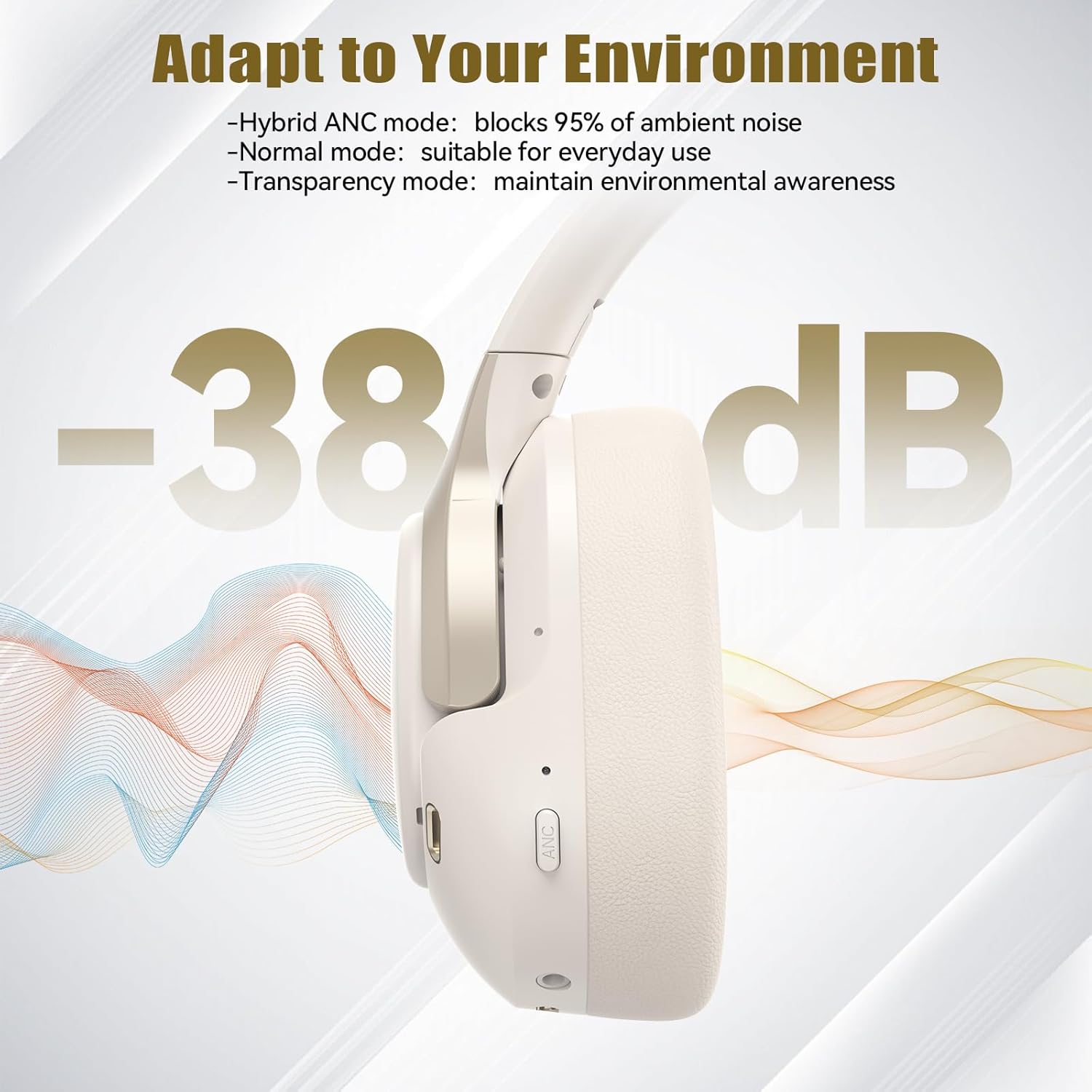
- Hibridni ANC način rada: Blocks up to 35dB-38dB of ambient noise, ideal for travel or noisy environments.
- Normalni način rada: ANC is off, suitable for everyday use where some environmental awareness is desired.
- Transparentni način rada: Allows ambient sounds to pass through, enhancing awareness of your surroundings.

Image: Hybrid Active Noise Cancellation in action.
2. Reprodukcija muzike
- Pusti/pauza: Pritisnite višenamjenski taster jednom.
- Sljedeća pjesma: Pritisnite i držite dugme za pojačavanje jačine zvuka.
- Prethodni zapis: Pritisnite i držite tipku za smanjivanje jačine zvuka.
- Povećavanje glasnoće: Kratko pritisnite dugme za pojačavanje jačine zvuka.
- Smanjivanje jačine zvuka: Kratko pritisnite dugme za smanjenje jačine zvuka.
3. Upravljanje pozivima
- Odgovori/Završi poziv: Pritisnite višenamjenski taster jednom.
- odbiti poziv: Pritisnite i držite višenamensko dugme 2 sekunde.
- Glasovni asistent: Dvaput pritisnite višenamjensko dugme da biste aktivirali glasovnog asistenta na uređaju.
4. EQ Music Modes
The headphones feature 6 EQ music modes to optimize your listening experience for different genres. Press the EQ button (if available, or refer to specific button on your model) to cycle through these modes:
- Ples
- Rock
- Classical
- Vokal
- Bas
- Soft

Image: Cycling through 6 EQ music modes.
Održavanje
To ensure the longevity and optimal performance of your TECKNET TK-HS049 headphones, follow these maintenance guidelines:
- čišćenje: Koristite meku, suhu krpu za čišćenje slušalica i trake za glavu. Nemojte koristiti abrazivna sredstva za čišćenje ili rastvarače.
- Skladištenje: When not in use, store the headphones in a cool, dry place, preferably in a protective case to prevent dust and damage.
- Izbjegavajte vlagu: Although the headphones have a waterproof rating, avoid prolonged exposure to water or high humidity. Do not submerge them.
- Punjenje: Only use the provided Type-C cable for charging. Avoid overcharging the battery.
- temperatura: Ne izlažite slušalice ekstremnim temperaturama (vrućim ili hladnim).
Rješavanje problema
Ako naiđete na bilo kakve probleme sa slušalicama, pogledajte sljedeće uobičajene probleme i rješenja:
| Problem | Rješenje |
|---|---|
| Slušalice se neće uključiti. | Provjerite jesu li slušalice napunjene. Spojite ih na izvor napajanja i pokušajte ponovo nakon nekoliko minuta. |
| Nije moguće uparivanje putem Bluetootha. | Make sure the headphones are in pairing mode (LED flashing red/blue). Disable and re-enable Bluetooth on your device. Ensure no other devices are connected. |
| Nema zvuka ili je jačina zvuka niska. | Check volume levels on both headphones and your connected device. Ensure the headphones are properly paired. Try playing audio from a different source. |
| ANC nije efikasan. | Ensure ANC mode is activated. Check that the earcups form a good seal around your ears. ANC is most effective against low-frequency, constant noise. |
| Mikrofon ne radi. | Ensure the headphones are connected via Bluetooth. Check microphone settings on your device. |
Specifikacije
Detailed technical specifications for the TECKNET TK-HS049 headphones:
| Feature | Detalj |
|---|---|
| Broj modela | TK-HS049 |
| Tehnologija povezivanja | Bežično (Bluetooth), Žično (3.5 mm priključak) |
| Bluetooth verzija | 6.0 |
| Kontrola buke | Hibridno poništavanje buke (do 38dB) |
| Driver Type | 40mm dinamički drajveri |
| Frekvencijski opseg | 20Hz - 20,000Hz (supports up to 40kHz for high-resolution audio) |
| Trajanje baterije (ANC uključen) | Do 40 sati (pri 60% volumena) |
| Trajanje baterije (ANC isključen) | Do 70 sati |
| Kontrolni metod | Fizička dugmad |
| Postavljanje uha | Preko uha |
| Materijal | Fabric, Silicone, Memory Foam (earcups) |
| Nivo vodootpornosti | Vodootporan |
| Mikrofon | 4 ENC Microphones |
| EQ načini | 6 Presets (Dance, Rock, Classical, Vocal, Bass, Soft) |

Slika: Vijek trajanja baterije je završenview.

Image: 40mm dynamic drivers for premium audio.

Image: Comfort features including memory foam earcups and adjustable headband.
Garancija i podrška
TECKNET TK-HS049 headphones come with a 36-mjesečna garancija. If you encounter any problems during product use, please contact our professional customer service team for assistance. You can typically find contact information on the TECKNET official webweb-stranice ili putem vaše platforme za kupovinu.